Hi all,
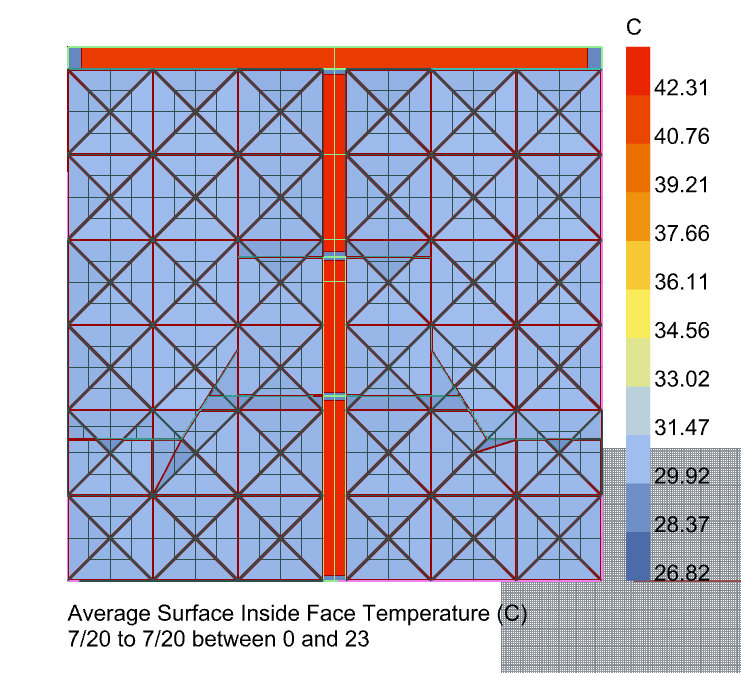
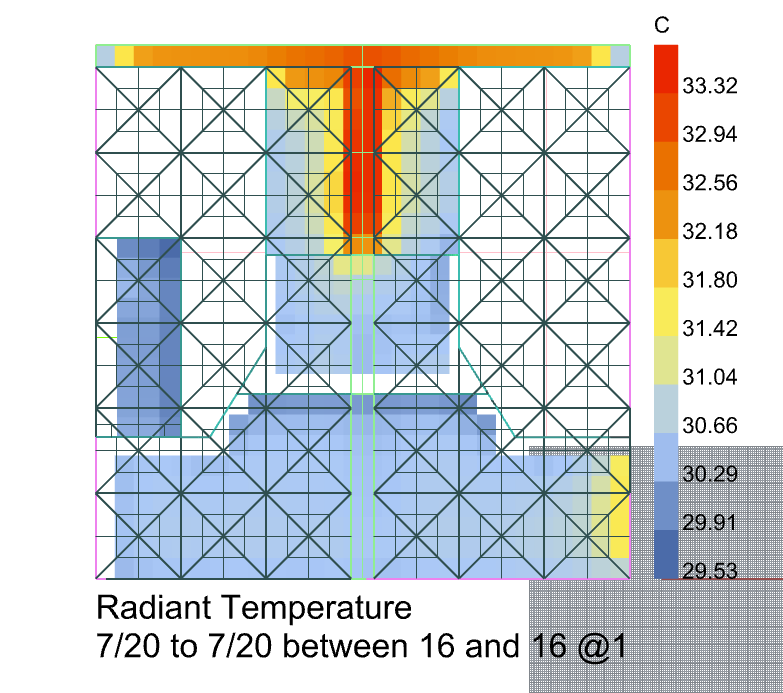
I’m using the Honeybee PMVMap component to look at comfort within a space in the Middle East. I have a strip of skylights in the space, and I’d expect a higher longwave MRT under these skylights during summer (as well of course as a large shortwave MRT delta). But in my results there are some areas under the skylights with no increase in lw MRT. I’ve checked my surface normals, and all are pointing out, and also the inside surface temperatures of all skylights are very similar and all higher than the surrounding opaque surfaces. I’ve uploaded a couple of screenshots to show this.
I’ve also checked the other surrounding surfaces and there is nothing weird going on. I wonder if there is something off with the view factors, but I’m not sure how I can check this.
Any suggestions would be welcome!
Joe
Hey @jroberts!
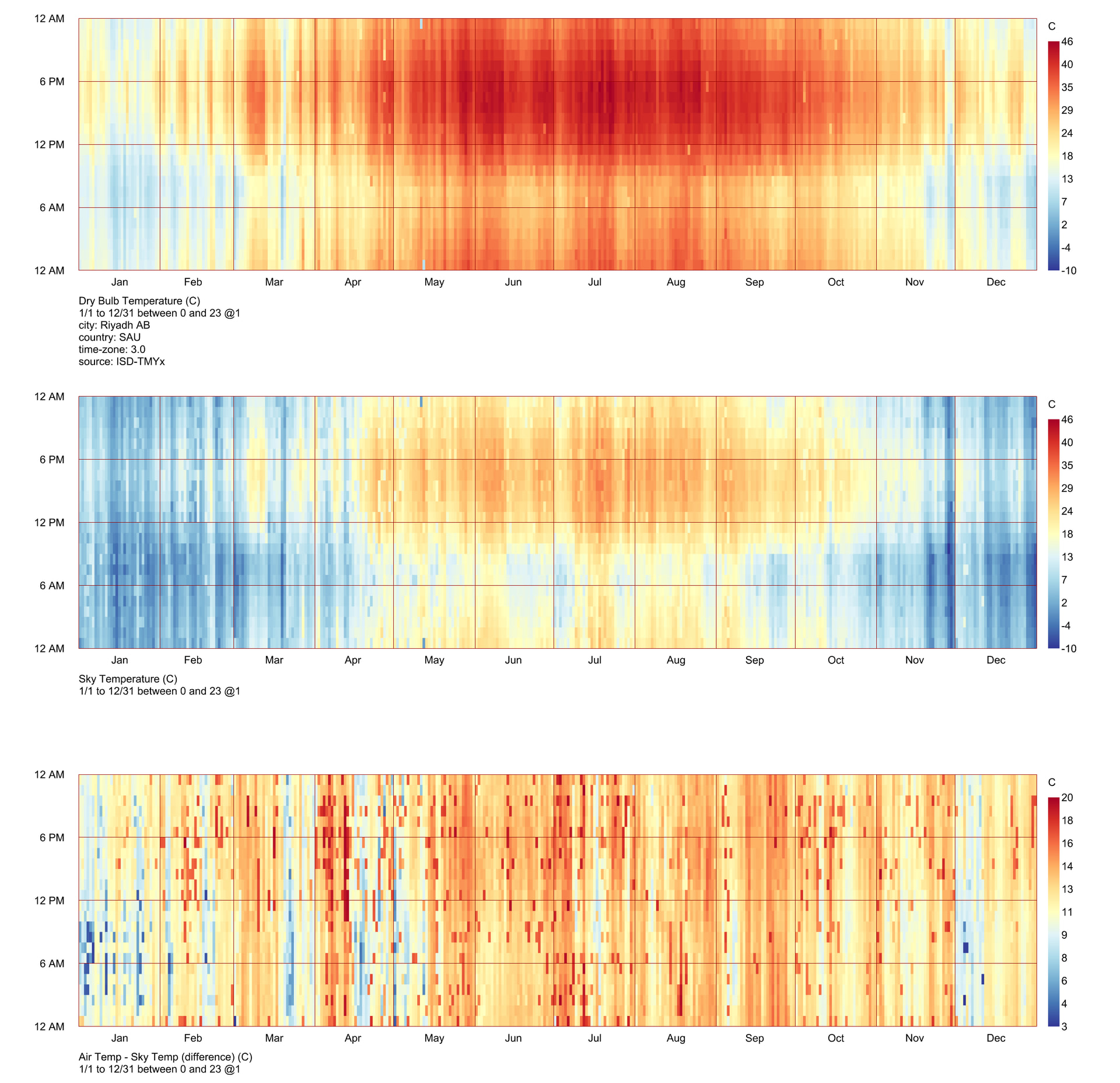
I haven’t looked at these kinds of studies for quite a while now, but something that really intrigued me a few years back was sky temperature in hot desert climates. At the time I collated the below…
I created the graphic below to illustrate.
And dig a bit of digging on big ladder to find this
I also saved a couple of links I found interesting - haven’t reopened them to check
Hi @charlie.brooker ,
Thank you for your advice but it turned out this was not the issue.
My instinct was that the lw radiant temperature is influenced by (i) surface temperatures and (ii) view factors. Given that my surface temperatures were as expected, I suspected an issue with the view factors. To my amazement, I was able to find an issue in the viewfactor.py file with the help of Co-Pilot. Apparently, the issue was that The installed Honeybee Radiance exporter writes parent roofs without cutting out their aperture holes. It suggested I do the following…
- Add
from honeybee.face import Face
- Inside
add_geo_and_modifier, replace
rad_poly = Polygon(hb_obj.identifier, hb_obj.vertices, white_plastic)
with
vertices = hb_obj.punched_vertices if isinstance(hb_obj, Face) else hb_obj.vertices
rad_poly = Polygon(hb_obj.identifier, vertices, white_plastic)
And it worked!!
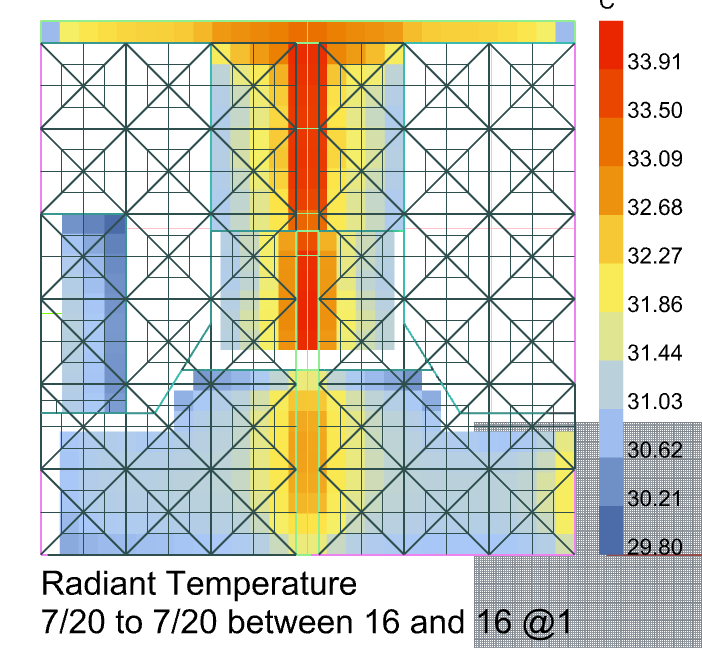
Now my lw radiant temperature distribution looks similar to my T-shaped skylights (the part at the bottom has lower values because the sensors are further away from the skylights).
@chris, perhaps this is a fix that needs incorporating? I’ve attached my modified viewfactor.py script with the co-pilot fix included.
viewfactor.py (14.7 KB)
Thanks all!