Hey @adrisonet ,
Your question is incredibly timely. @edpmay has correctly described how honeybee has historically worked and he has done some great work for me in gathering old posts that I need to update (thank you, @edpmay !)
I say this because we just finished adding full support for zones to the development version of Ladybug Tools last month. To make use of the new capability, you can use the new “HB Set Zone” component to assign a zone name to rooms. Once this is done, this will cause energy simulation results to be reported for the zone rather than the rooms like so:
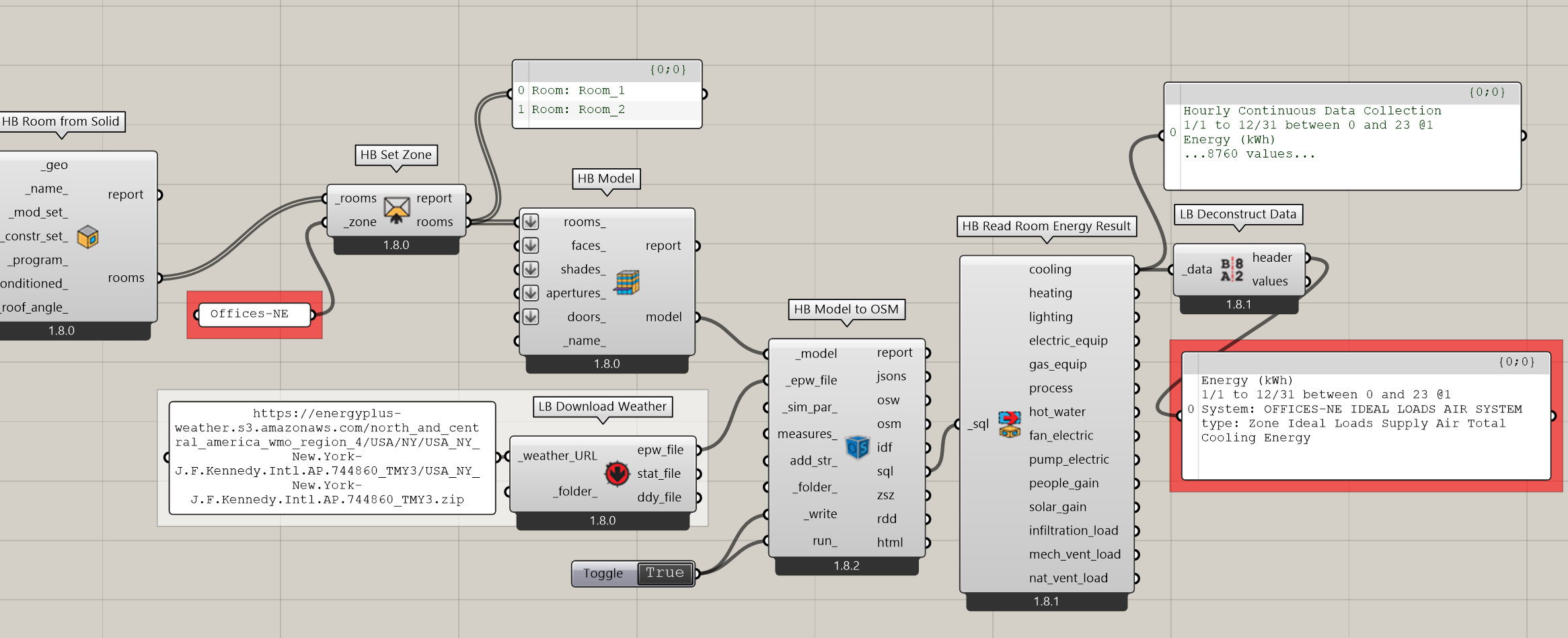
This also means that both Honeybee Rooms simulate with the same thermostat in EnergyPlus (and use an assumption that the air is at the same well mixed temperature between the rooms). So each of the two rooms map to separate EnergyPlus Spaces and the two rooms together map to one EnergyPlus Zone.
You can get the new “Set Zone” component by using the latest Pollination Grasshopper installer or the LB Versioner component. It will also be in the LBT 1.9 release that should be happening in the next week or two.