Hey @AbrahamYezioro ,
You would be correct to point out that the Pollination Rhino plugin makes the process of solving adjacency for cases like this very easy. However, this is because the Rhino plugin keeps a coordinated copy of both Rhino geometry and Honeybee Model geometry so that we have access to all of Rhino’s powerful intersection functions directly with the Honeybee model geometry. In Grasshopper, once you create the honeybee objects, you really only have ability to edit the geometry using the Ladybug Tools SDK, which has almost all geometry operations that you might want to perform (eg. windows by ratio, move, rotate, etc.). However, the core ladybug-geometry library still lacks the powerful intersection functions needed to get the adjacent areas matching correctly. We’ll get to this eventually but it’s not currently the highest priority because the Pollination Rhino plugin does this type of thing vey well.
If you really need a script like yours right now that does not rely on the Rhino plugin, I recommend rotating the Honeybee geometries to get the ratios you want like so:
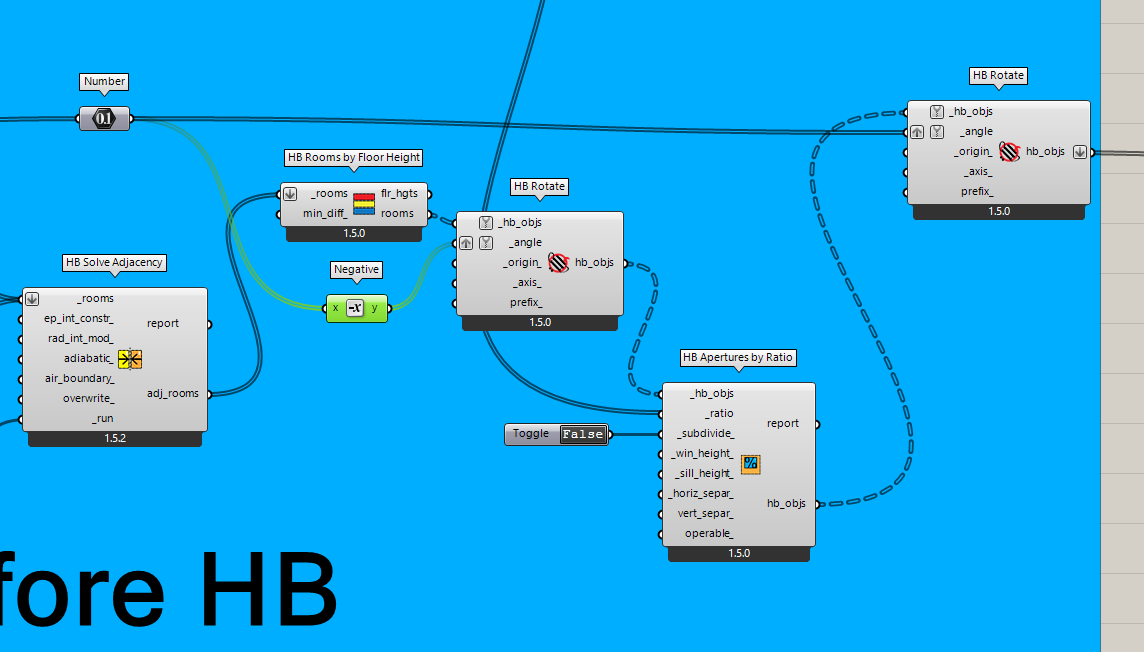
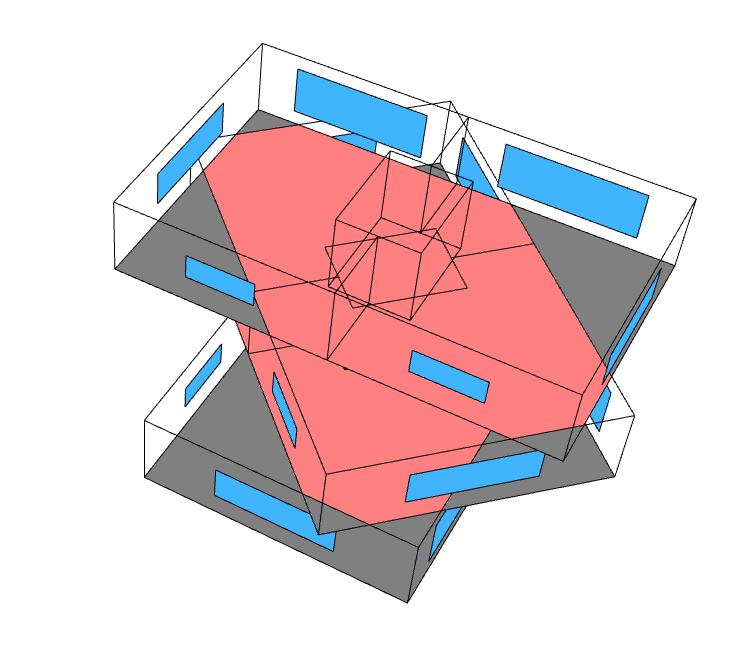
04B_MultipleZonesJustGeometry_Done__CWM.gh (100.3 KB)