Hi everyone,
I’m excited to share a small plugin designed to help us quickly search for Honeybee objects . This functionality existed in the legacy OpenStudio for SketchUp plugin, and I’ve basically recreated it for the current workflow. Interestingly, this Python plugin, named HB Search Model , was crafted with the help of AI vibe coding.
It is a powerful model retrieval component aimed at helping users efficiently locate and filter objects within complex Honeybee models using keywords.
 Core Features
1. Multi-Level Deep Search The tool traverses the Honeybee model comprehensively. It supports searching not only for Rooms but also dives deep into sub-objects including:
- Faces
- Apertures (Windows/Openings)
- Doors
- Shades (Both interior and exterior)
Beyond the hierarchical structure, it can also identify and retrieve Orphaned Objects (independent faces or apertures not assigned to any parent).
2. Flexible Matching Logic
- Multiple Keywords: Supports inputting multiple words separated by spaces. The search uses “AND” logic (i.e., the object must contain all keywords).
- Wildcard Search: Supports
*(matches any number of characters) and?(matches a single character) for fuzzy searching. - Case-Insensitive: The search process automatically ignores letter casing.
3. Precise Filtering Control
- Object Type Filter: You can specify only certain object types via the
_obj_type_input (e.g., search only Rooms or only Shades). - Search Field Limitation: Allows users to choose to match only the
name(unique identifier),display_name, or both.
4. Detailed Data Output
matched_objs: Outputs references to the matched Honeybee objects.matched_names: Outputs the display names or IDs of the corresponding objects.matched_types: Clearly identifies the object type for each match (e.g., Room, Face, etc.).count: Real-time statistics of the total number of matched objects.
 Use Cases
- Quick Positioning: Rapidly find specific functional rooms in large energy simulation or daylight analysis models.
- Batch Extraction: Bulk retrieve objects based on naming conventions (e.g., extract all windows containing both “Office” and “South” in their names).
- Model Checking: Verify model naming standards or check the distribution of specific shading components via keyword search.
- Workflow Automation: Serve as an upstream component in Grasshopper definitions to provide a filtered list of objects for subsequent operations (such as modifying materials or assigning properties).
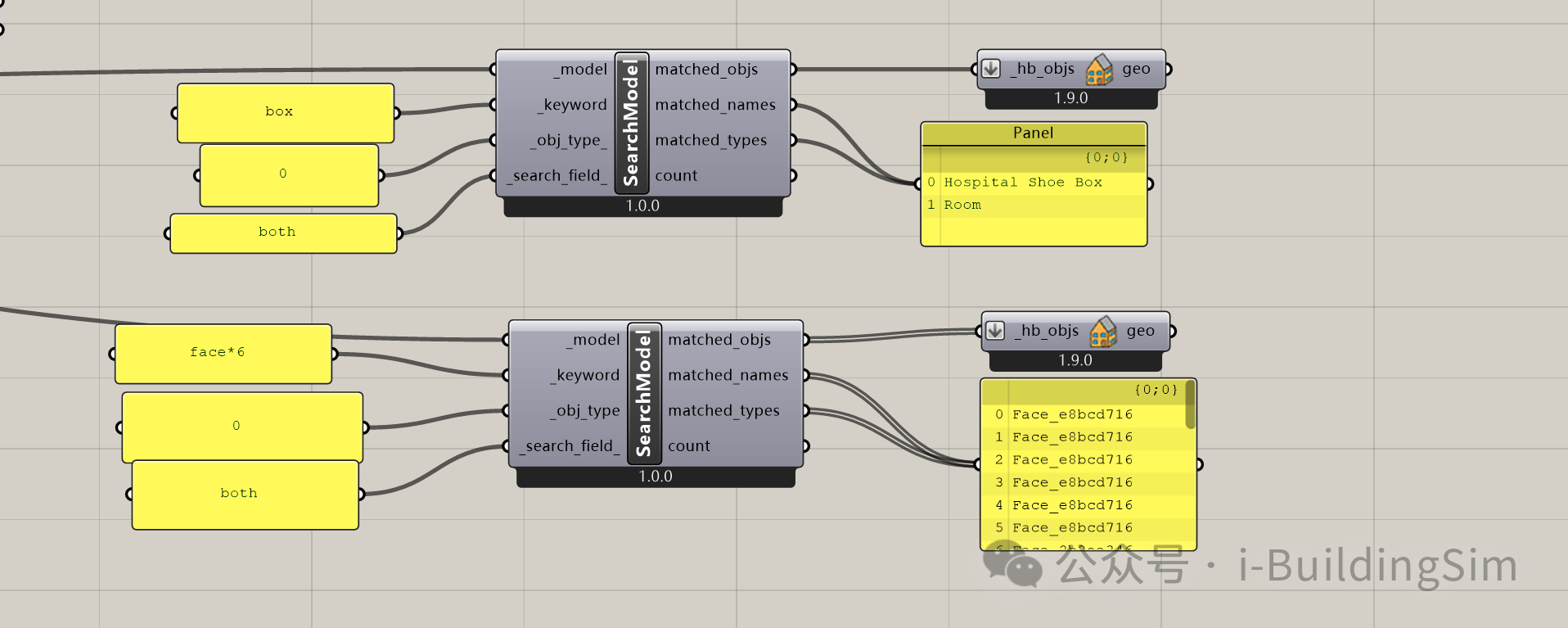
Here is a screenshot and a demo file.
honeybee search model demo 02-25.gh (91.5 KB)