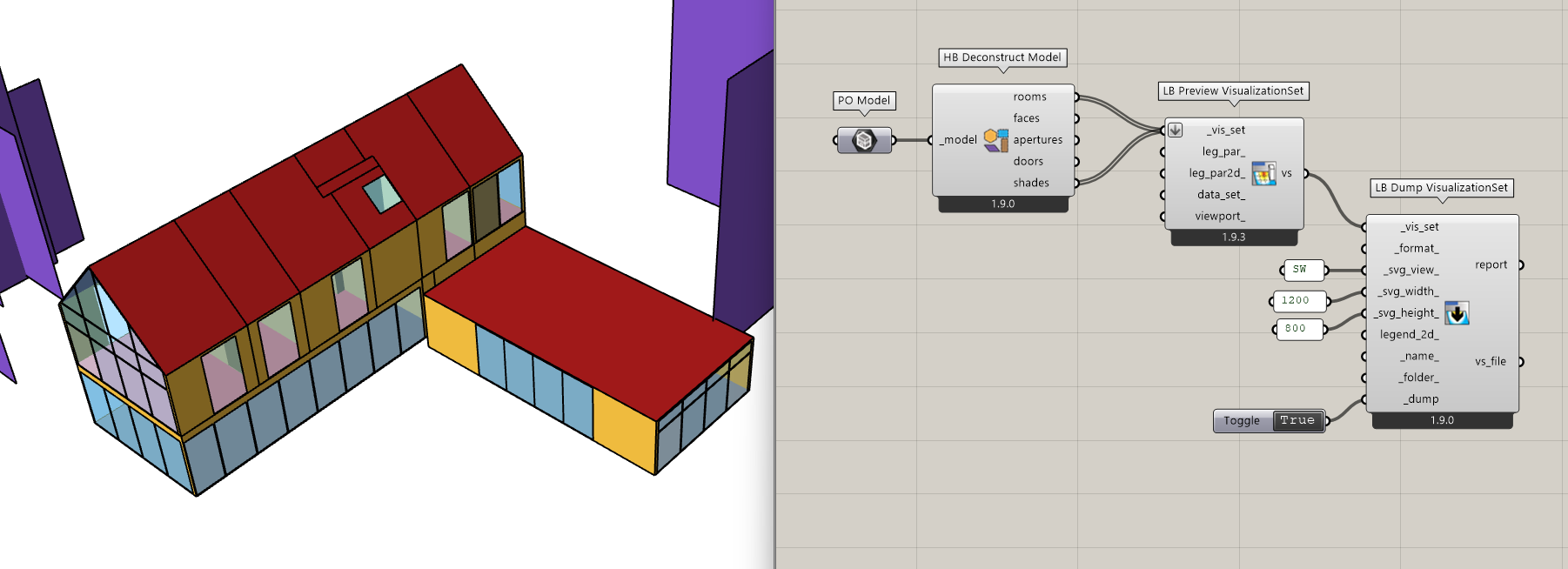
I am attempting to use the DumpVisSet component to export the SVG image. Its application in the flat or three-dimensional images provided by Ladybug has been very successful. However, when I used the Visualization Set of the Honeybee Model to export SVG images of different views, the layer order did not match the actual preview of the model.
I am aware of this issue and I was wondering when it might come up. At first, I was not sure whether much of the user base knew of ways to make use of SVGs that were different from what they can already do with the LB Capture View component. So this might explain why the issue has not been brought up yet. But I am glad to see that you are using and experimenting with it. Out of curiosity, are you using the SVGs in an end-user application right now? Like a web app of some kind?
In any event, yes, the SVG-export option for Visualization Sets currently does not know how to sort the different polygons based on how close they are to the “camera” taking the image. So it works well for most ladybug graphics and honeybee-radiance studies made of a single mesh and/or some line geometry. But, once you have a full 3D shape with different solid polygons closer to or further from the camera, it’s not going to look as pretty. To put it another way, all of the correct polygons are there in the SVG but you need to manually sort them to get the image to look the way that you want.
Granted, this “sorting of shapes to display correctly on a 2D screen” is a common problem in computer graphics and I am sure that there are a few different ways to solve it. But it would still take me a good chunk of time to implement and it didn’t seem worth it right now when most use-cases for images of geometry like this are already served pretty well via the LB Capture View component as I mentioned. If I am wrong about this, let me know and I’ll see if I can push the sorting of SVG shapes higher on my agenda.
In fact, I extensively use SVG images to create the presentation documents that I show to my channel’s users.
In fact, there will be some more complex demonstrations. I cannot list them all here in detail. However, tasks such as adding some descriptions or modifying some simple graphic objects are things I often have to do.
It is undeniable that in the majority of the displayed images, the use of the LB Capture View component is acceptable. However, in some cases where a local demonstration is involved or when emphasis is placed on displaying something, I would prefer this image to be fully editable, so that I can reuse and edit it at any time from any location.
Although I have pointed out this issue now, in fact, I only need to perform some simple sorting tasks to meet my requirements. Then I can edit some very beautiful images and explain to the users that all of these are based on the basic functions of Ladybug-Tools.I have already been working on this, and it’s really great. I really like this feature.
During my testing of this function, I also discovered some even more beneficial extensions - for instance, I can add some geometric objects created in Rhino to the Vis_Set, and then print their flattened SVG images through DumpVisSet. This process can reduce my reliance on tools such as Adobe AI, PS, or Affinity, allowing me to directly create these flattened graphics in Rhino that were previously created using other programs.Furthermore, compared to screenshot images, SVG images seem to be more suitable for the current AI-based operations. I firmly believe that with the help of tools like AI+Remotion, we can create animation demonstrations using the existing SVG images.
These are my thoughts. Although I can still have a good experience in using it under the current situation, for operations involving a large number of objects, it might be necessary to make some program modifications to better save time. If you need further assistance or testing from me in the future, please feel free to contact me at any time.
You have me sold and I’m really glad to see the vector format of the SVGs getting used like this.
It was taking me a while to figure out what “depth” I should be using to sort the polygons since I knew that using the average depth of the shape is not going to produce consistently correct results as this person on stackoverflow found out. But I think I have it now that I have been looking up sorting methods for the Painter’s Algorithm.
The insight I was missing is that you want to sort the polygons based on the farthest depth that they extend from the camera (or furthest distance from the projection plane in the case of our axon-view SVGs). Not the average distance. That should ensure that small elements like shades for windows get sorted above the larger parent wall that they are all apart of.
I’ll try to give this a shot when I get the chance and I’ll let you know when it is ready for testing.
Actually, over the past couple of days, I have attempted to use some “deepth” algorithms to try and fix some of the flaws in Ladybug-Display. The results have been quite good. The mapping in most directions is almost consistent with the Visualization Set display, but inevitably, there are still some broken surfaces in specific small details.
Although I believe my current progress does not qualify me to contribute PR to this project, because I have made numerous trial adjustments, and these adjustments might not be very elegant, yet this might be a valuable test suggestion?
However, I believe you will definitely be able to solve this problem one day in the future.
I tried my hand at getting this to work and I also found that it is more complex than anticipated. It seems we both realized why all of the questions about this topic on StackOverflow seem to end with “use a Z buffer like modern graphics engines.”
With that said, all of this helped me find and fix a real bug in ladybug-display, which is always good. And I made some improvements, which are not perfect but are much better than what we had before. I pushed all of my changes here as part of this PR and you can test them now with the LB Versioner:
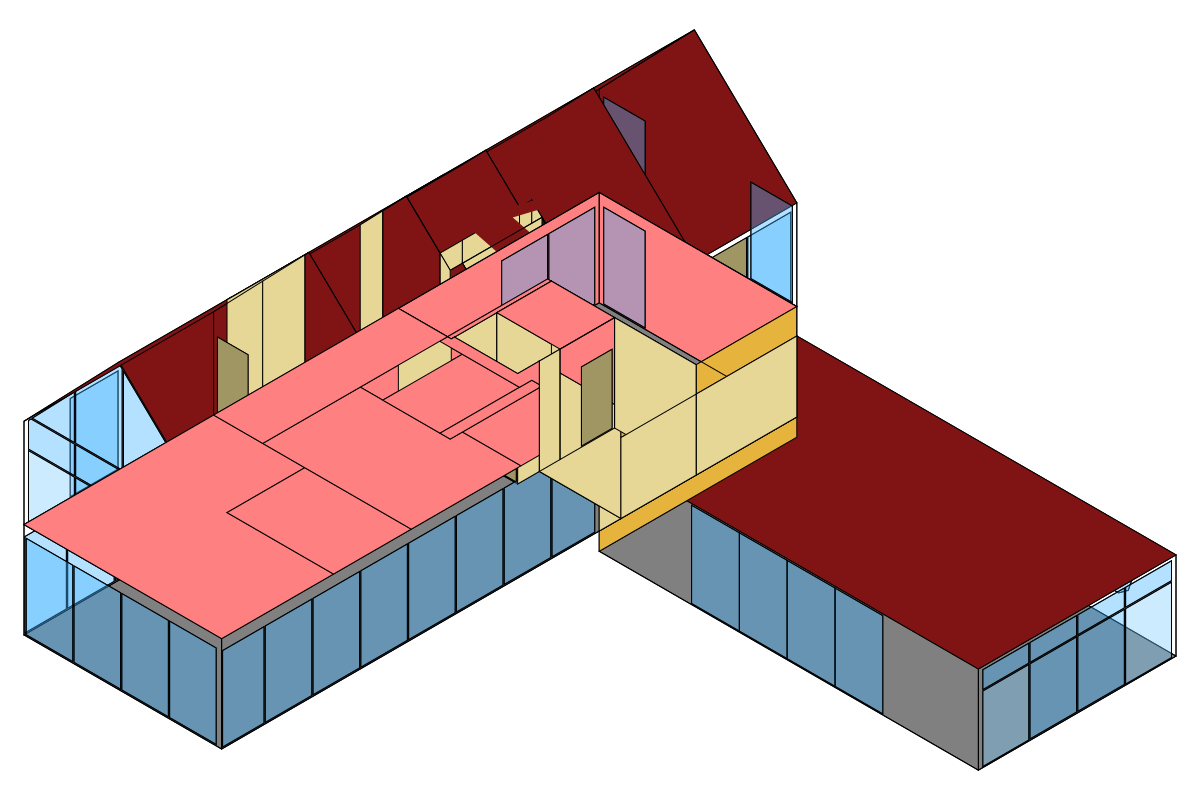
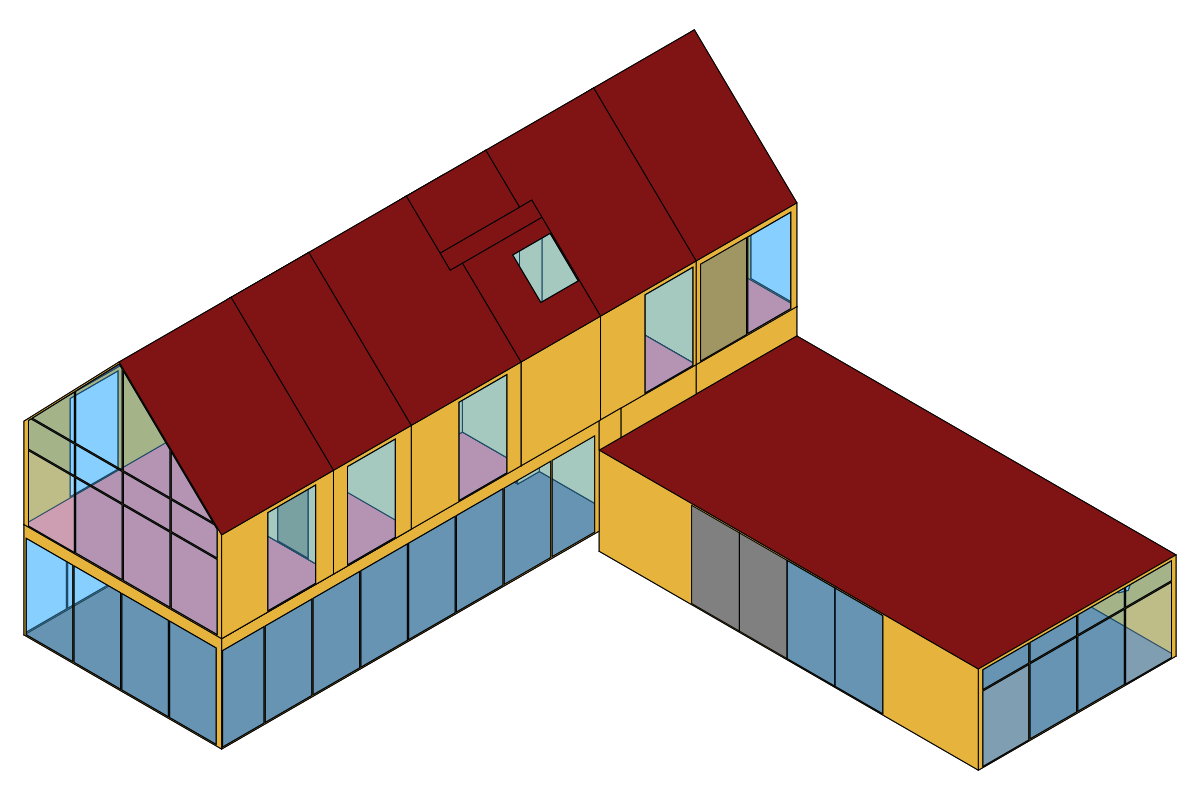
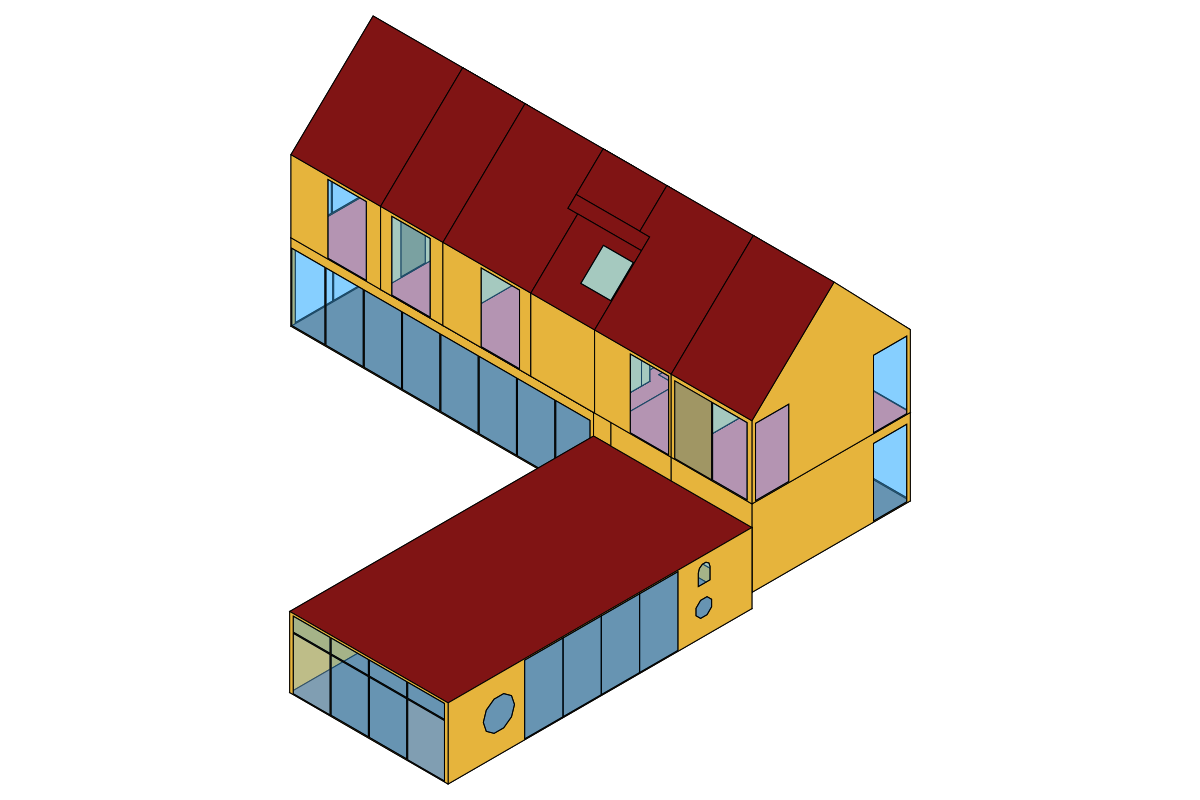
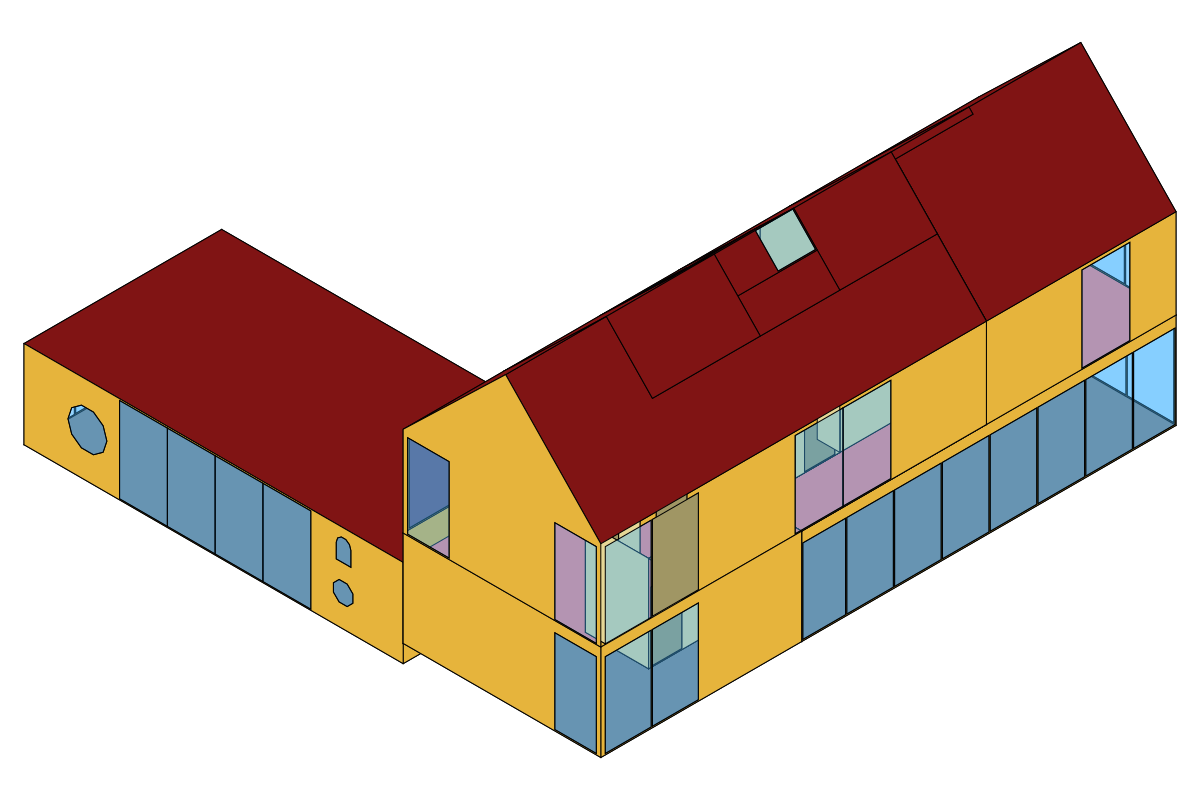
To give you a sense of all the changes I made, I started with this as the original SVG I was getting from a list of Honeybee Rooms:
Then, I fixed a bug that was causing Faces with holes in them to not be translated to SVG, which gets more walls to show up (but it is still a mess):
Next, I implemented logic to sort the polygons based on their farthest distance to the camera, which clearly improved things but a few smaller windows still were not correct:
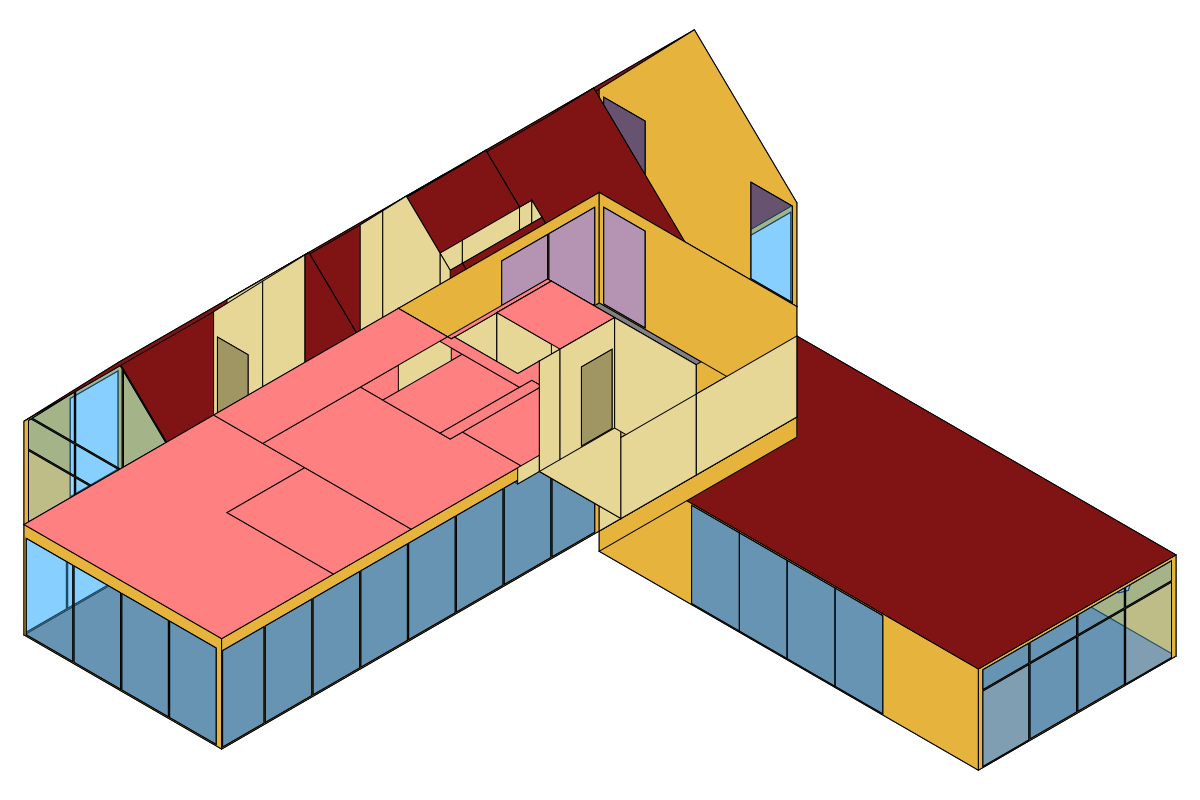
Finally, as a last-ditch effort, I added a check to push the Faces pointing away from the camera further back in the scene from those pointing toward the camera. This is obviously not a foolproof way to fix all geometry but it should be a step in the right direction for closed Honeybee Rooms, which always have the normals of their Face geometry pointing outwards from the Room volume.
This produced a result that is still not perfect but is almost there (it’s really just those one or two interior walls that are not correct):
In summary, if you ware willing to do just a little manual work on your SVG layers, the SVG exporter for VisualizationSets should now get you most of the way there. And, at a minimum, I can promise that the VisualizationSet of any one Honeybee Room should always be correct as long as it makes a closed volume. You may just need to fix a few interior doors and windows for larger models.
Granted, there is probably a way to get a version of sorted polygons, which is 100% correct but the only method I can think of at the moment, which would accomplish this is ray casting from each geometry to see if the ray intersects other geometry in the model when determining the sorting order. Something like this is definitely going to slow down the SVG creation process so I think this is a challenge for another time unless you have another suggestion here.
FYI, I have a pro-tip for you if you’re planning to make a lot of VisualizationSets of Honeybee objects. The default serialization of Honeybee models to VisualizationSet objects uses a very different pathway (optimized for 3D viewers) compared to that used to serialize individual Faces, Apertures, Rooms.
Essentially, the Model translation to VisualizationSet converts all of the geometry to DisplayMesh3D while the translation of individual Faces, Apertures, Room uses DisplayFace3D. If you can’t tell from the SVGs above, the DisplayFace3D option is much better suited to SVG and “Painter’s Algorithm” type of display than the mesh one, which is better for 3D viewers using “Z-Buffer” type of visualization. So, if you have to make a SVG of a Honeybee Model, I recommend deconstructing it and connecting the individual Honeybee Rooms and Shades like so:
Excellent changes!I can see that for a large number of model objects, they have been placed in the correct positions.
Since my main testing work was carried out at the SDK level, I might have realized long ago that the display style of DisplayFace3D is superior to that of DisplayMesh3D. In the subsequent tests, I will also conduct various tests in the IDE using the SDK, so that I can identify and fix the errors that I can discover or correct.
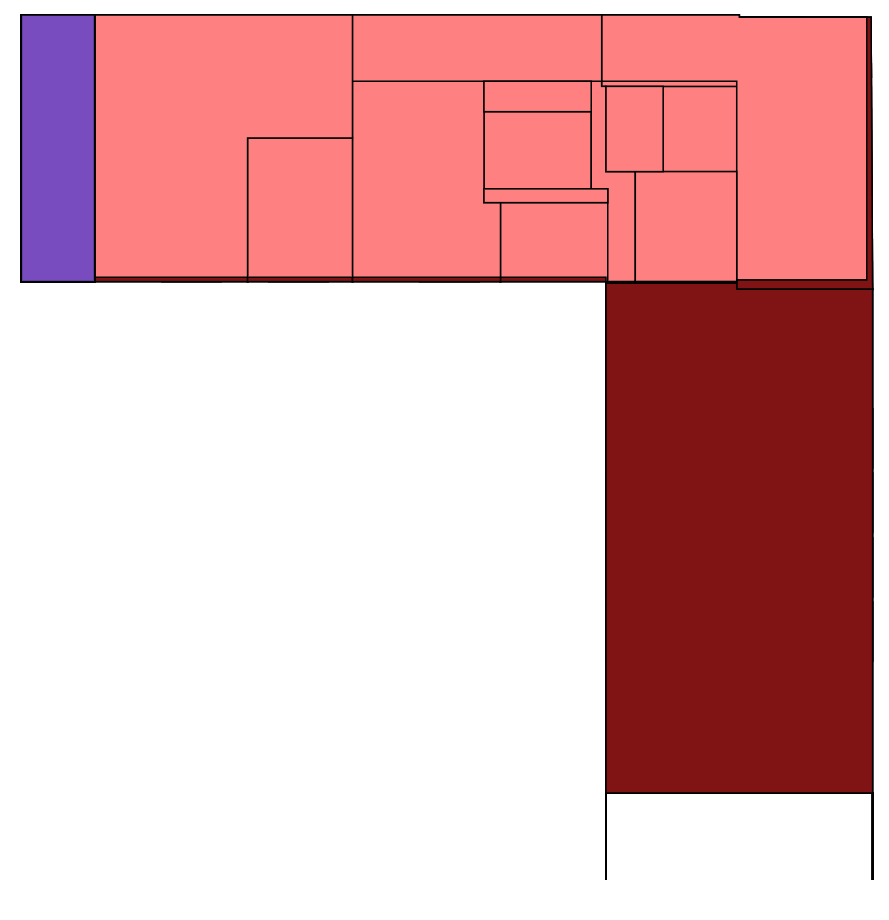
I noticed that when the perspective is set to “Top”, all the internal floor slabs will be directly exposed, and there will also be a small portion of non-roofed objects exposed. I think this might be a possible perspective clipping issue?
From the NE perspective, there will be some broken surfaces.Furthermore, if observed at a closer distance, it seems that the roof in the S direction has not been depicted, even though it would only show a very small portion of it from this perspective.
However, most of the problems have been resolved. I can’t wait to use it for more image drawing. Thank you for your work!
Finally, I would like to point out a potential issue. I have noticed that, under the default settings, the LB Versioner component does not pull the latest version of the LBT-Grasshopper library for the majority of the time. Instead, users need to manually specify it. I have been observing this issue for a while now. For instance, when I was pulling this update, I also needed to manually specify the version in order to upgrade from 1.9.26 to 1.9.48.
Thanks for testing and making me aware of some of the worst cases of the implementation I did. I just decided to bite the bullet and implement the ray-casting method that I was thinking of:
I did this in place of the (fairly hacky) “check to push the Faces pointing away from the camera further back in the scene from those pointing toward the camera.” This ensures that the methods work similarly for both lone Faces and those apart of a parent Room volume.
Also, you’ll never get that situation from Top view that you noted. Now it looks like this:
Furthermore, some of the Axonometric views can now be obtained 100% correct like this one:
… and this one:
However, even with this ray-casting sorting, it’s not a perfect catch-all and it is still possible for the order to be slightly incorrect, particularly when the overlap area of the occluding polygons is very small in relation to the size of each shape. For example, you can see it in the corner of the building in this axon:
Honestly, I am out of ideas for how I could improve this more without adding a lot more rays and making the runtime of the SVG translation process a lot slower. To get a fully perfect result, I think I would need to be generating rays at roughly the dimension of a screen pixel, which is going to become too time consuming to be practical for anything with more than a dozen faces.
Needless to say, I think we have followed this all to the logical conclusion of understanding why the pixel-based Z-buffer method used by modern 3D graphics engines exists the way it does.
If you agree that this is “good enough” for the purposes that you listed towards the top of this thread, we can mark this one as resolved.
And for this:
I have not been able to recreate it on my end. If you can open up a new topic and let me know exactly what happens when you run the LB Versioner with nothing connected, I would appreciate it.
Thank you very much! I think I won’t take up too much of your time on this issue for the time being, because this solution is already quite practical!
Regarding the issue of the update program, I will create a new post at an appropriate time (such as the day when the new version is released) to discuss this possible triggering situation. I already have a few conjectures.
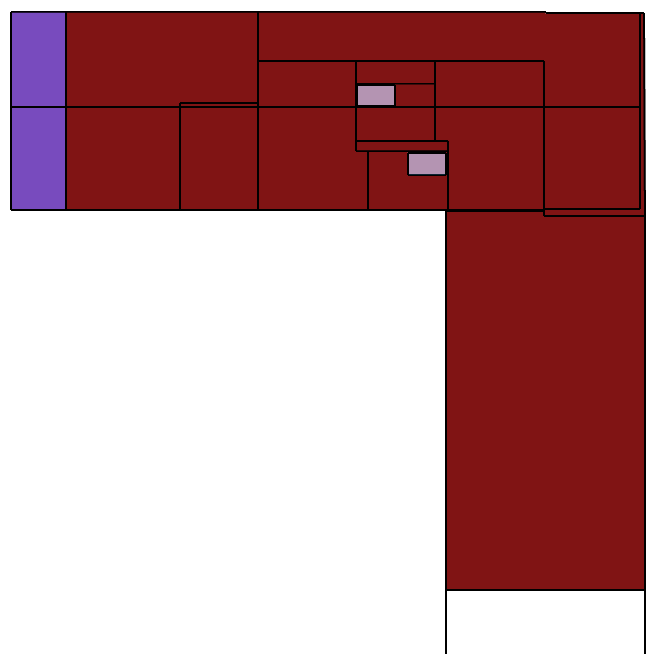
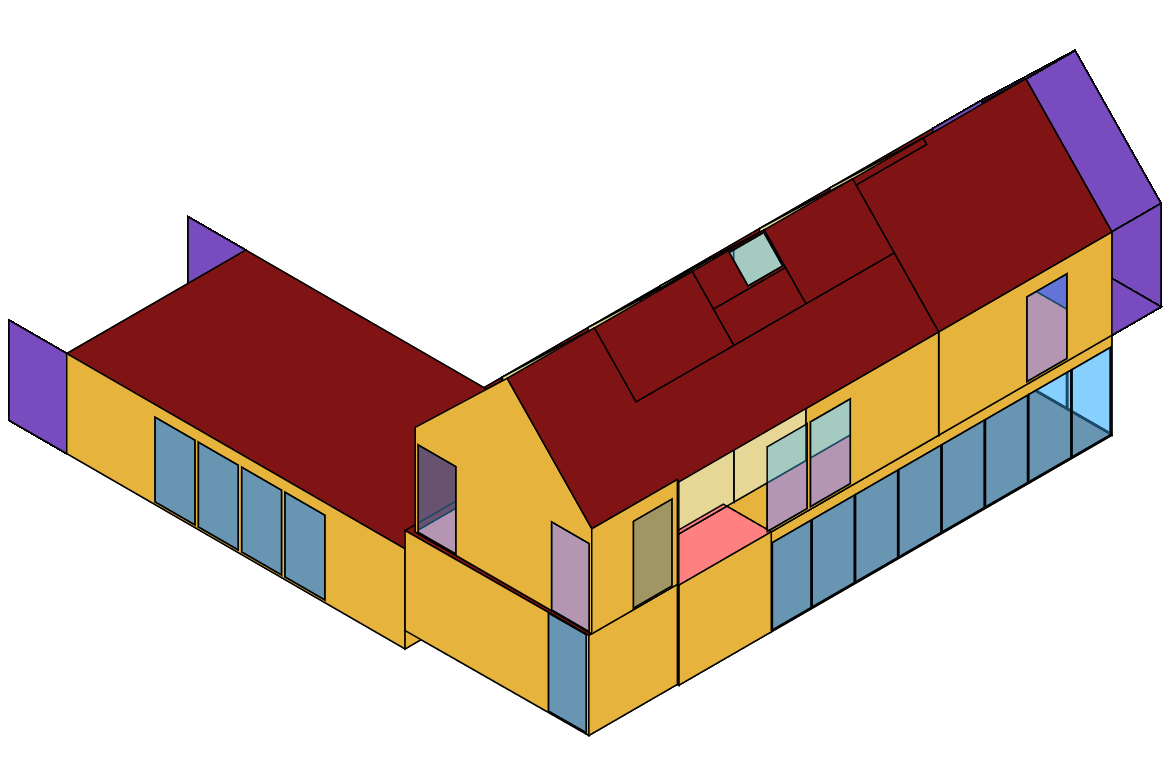
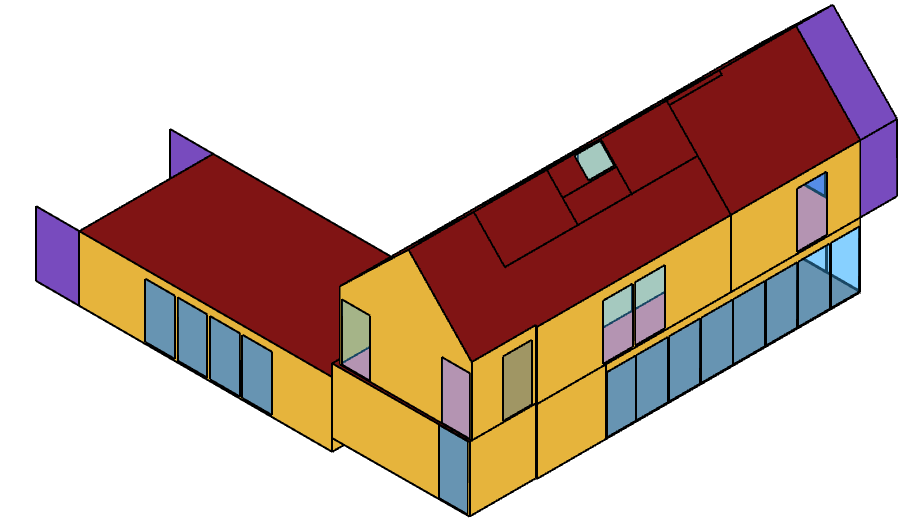
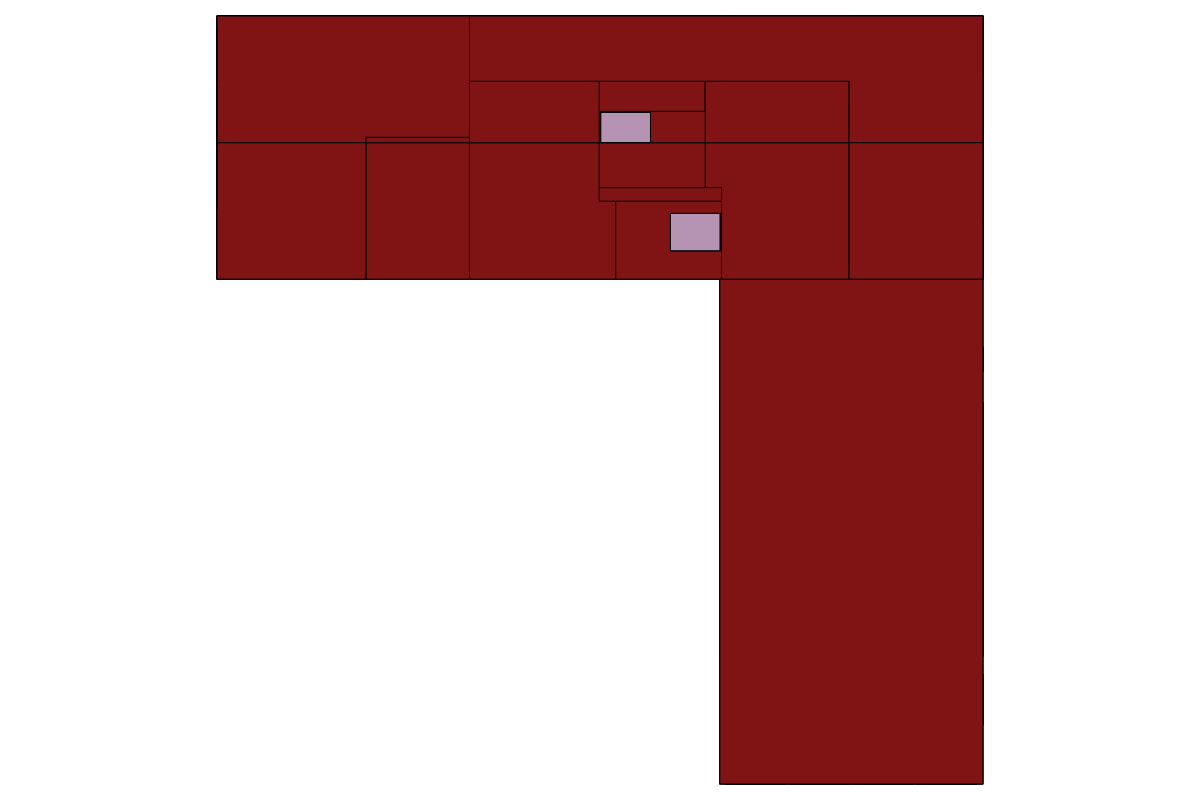
I reopened this issue because I submitted a fix, which can not only speed up the generation of SVGs, but also further solve the problems of geometric and edge sequence disorder in large models. Of course, the price to pay is that the size of the file has increased a little.
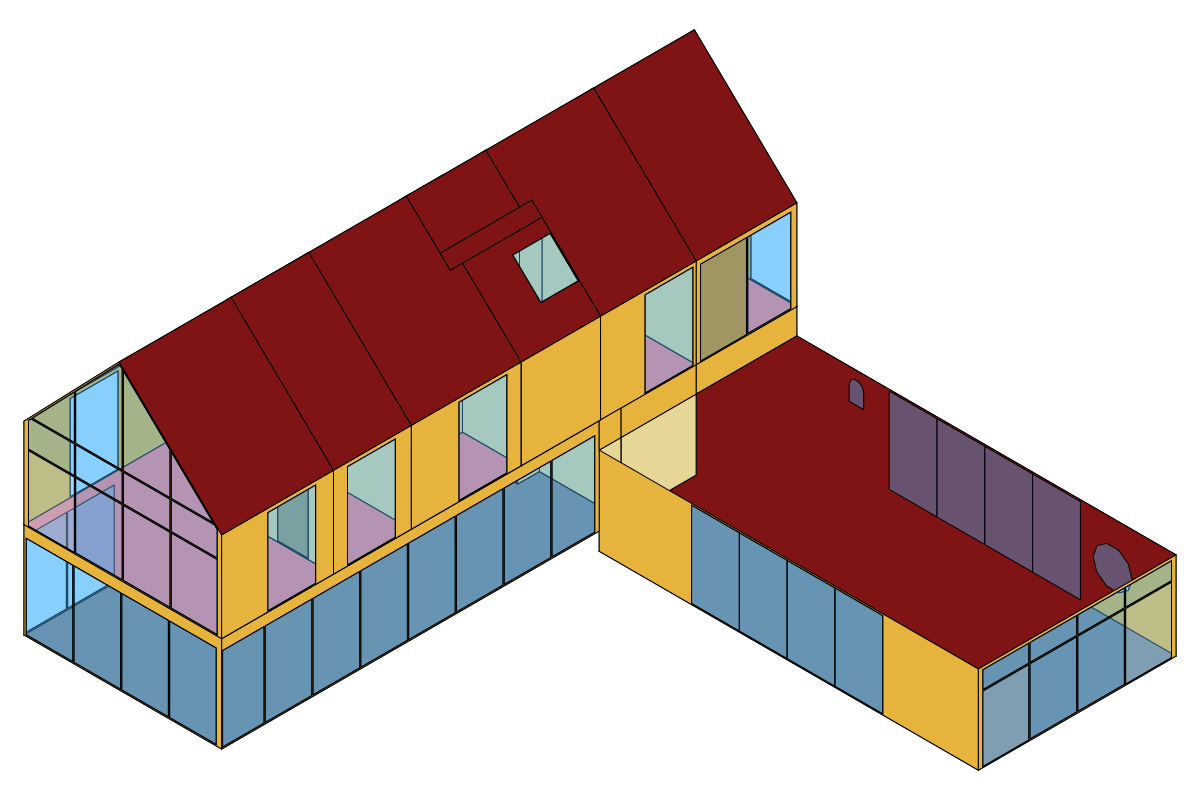
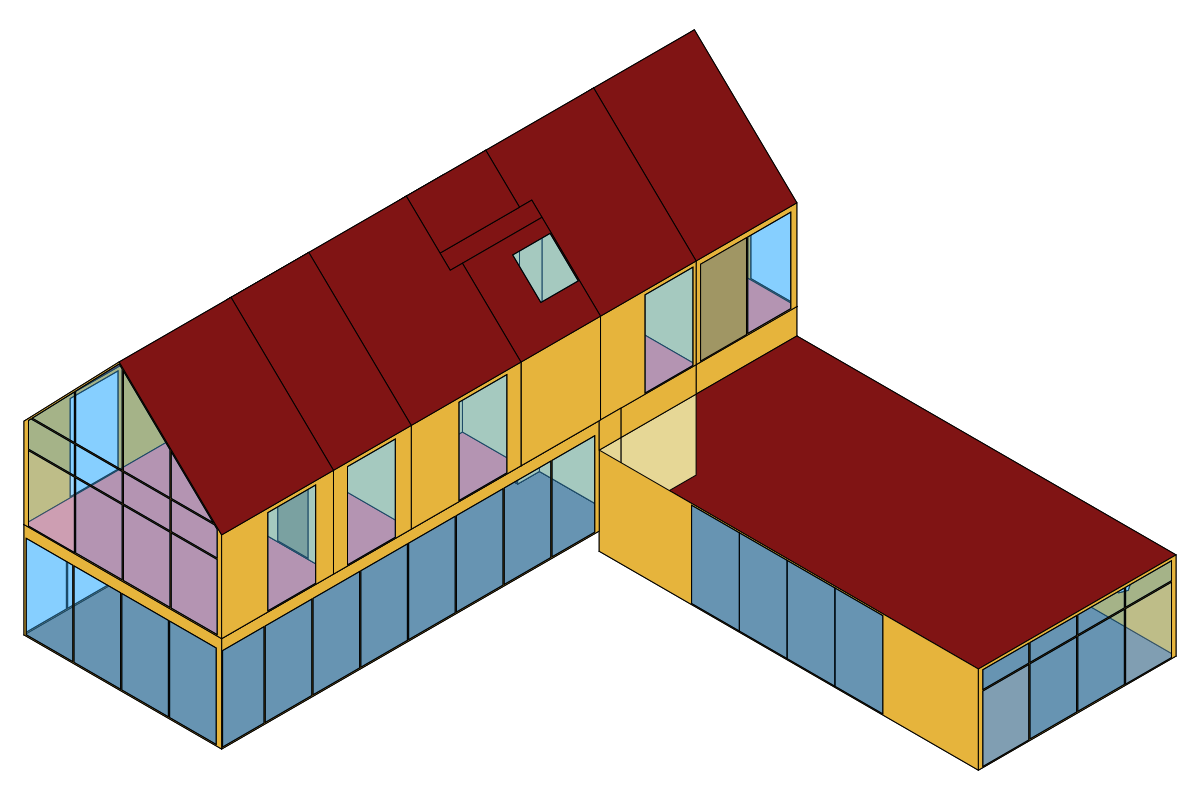
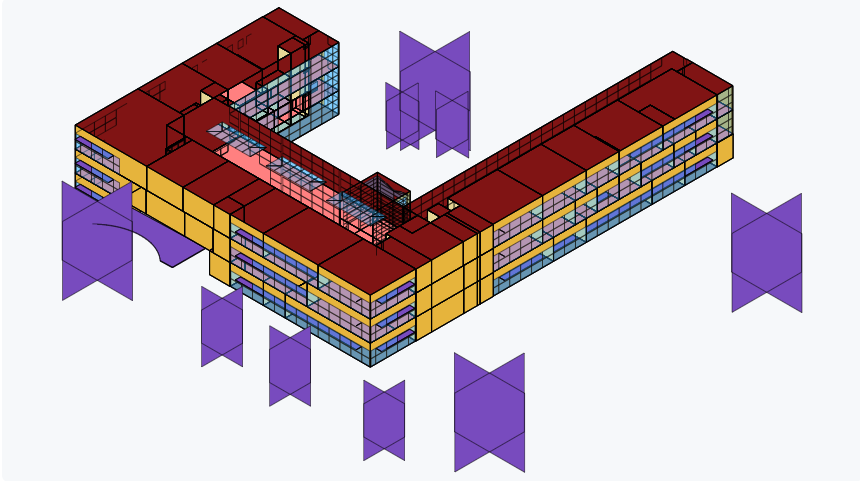
Here I have provided two examples. One is the example from Pollination Samples, and the other is the example generated by me through Ladybug Tools MCP using GPT6. These two examples both demonstrate the differences before and after the modification.
I believe this modification is effective and the cost is acceptable. Therefore, I look forward to your review. If you need any further assistance from me, please feel free to contact me at any time.
It looks like you made a significant improvement! Thank you for the contribution and I’ll take a look now. The occlusion issue recently came up again for some cases we have been working through so having this improvement is a big help.
I just tested your code and merged your PR, @ZhengrongTao. Really well done! Everyone in the community should be able to access the improvement via the LB Versioner in an half-hour or so.
I also did a few more comparisons of your new module with my old hack of a solution and you can clearly see how much nicer the depth of everything is now:
I know this clipping order issue is a really complex problem. Either I am very naive about some of the latest AI coding tools that you might have used or you had to pour a lot of your time into getting this correct. Or maybe it’s a bit of both but something like this would have easily taken me a few weeks to figure out.
In any event, thank you for the contribution. It opens up a lot of new applications of the SVG methods to know that we can always get SVG that have the polygons ordered correctly.
I’m very glad to see that my PR has been accepted and has actually solved the problems that you have encountered.
For this kind of “geometric” problem, current AI tools still don’t perform well enough. They merely continue to further develop some of the solutions we proposed at the beginning of this year.
During the recent development of Ladybug Tools MCP, SVG was one of the main preview options. I might have been the person who used the SVG export solution the most frequently. Due to the flaws in the original SVG solution, I had to increase the number of times I observed the essence of the problem, and then gradually guided the tool to solve it. This process went through many iterations, but finally it succeeded. Thanks to the new tools of this era.
Thanks for providing some background on how you did it, @ZhengrongTao. It’s really impressive!
I had similar thoughts about using AI tools to solve geometry problems since I felt that AI was better at answering non-deterministic questions (eg. what are the key discussion points of this discourse topic?) rather than deterministic ones (eg. most math and geometry problems). But you clearly showed here that they have a lot to offer the geometry side of things.
There’s a lot of Ladybug Tools geometry code where I was aware of issues in particularly complex/messy cases but I just had to call it a day and just said “good enough for what most people are doing now.” It might be a good time to revisit some of these some of these now that there are new techniques available with AI tools.
Lol. That is probably true but we have also started using it for a number of features in the Pollination plugins recently. The VisualizationSet > SVG pathway was something that I added thinking “I do not know all of the ways that we’re going to use it in the future but it seems so broadly applicable that it’s worth investing some time.” Thanks to what you did here, I’m sure we’ll all build a lot more stuff on top of this SVG workflow now that we can rely on it to accurately depict complex geometry cases.
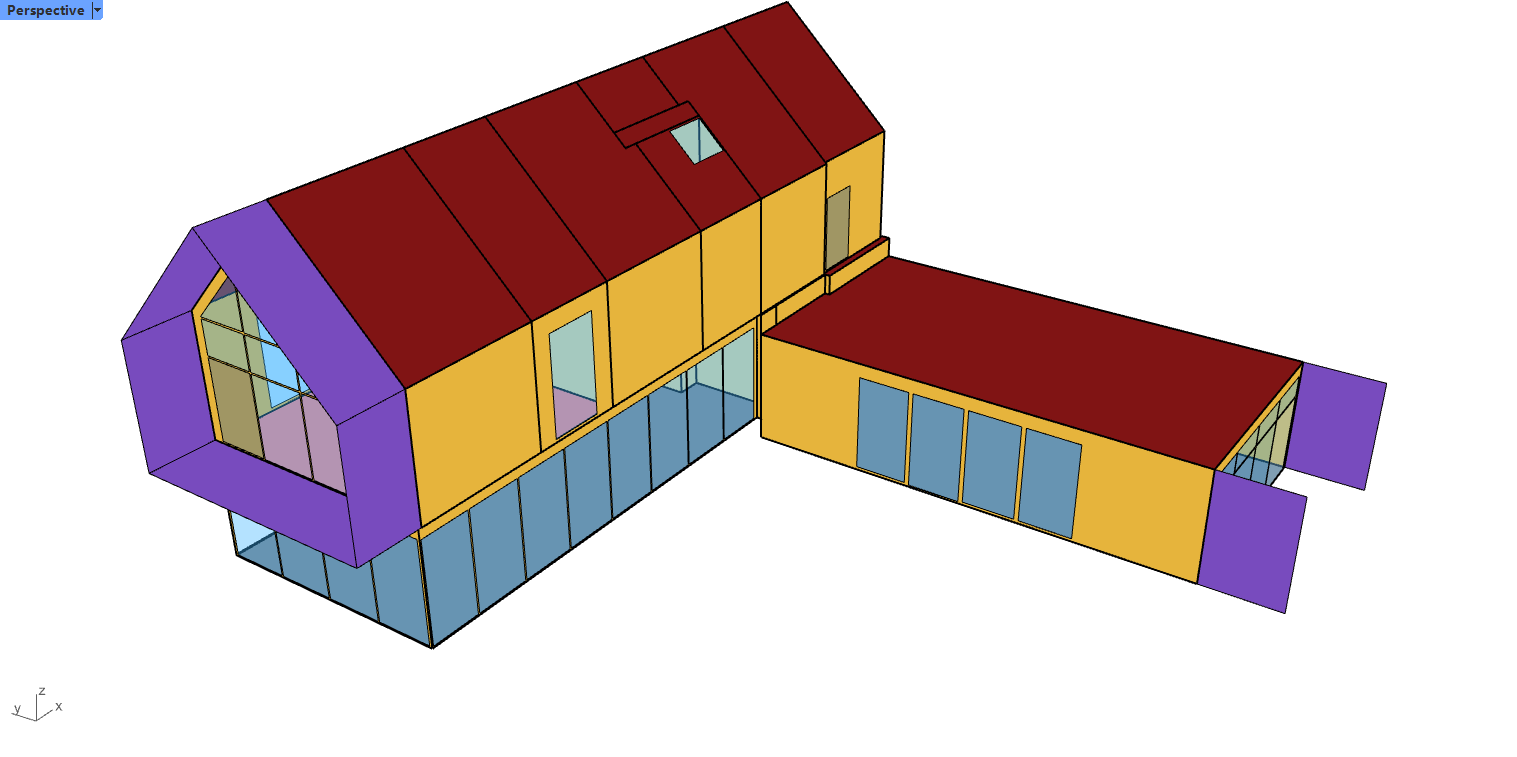


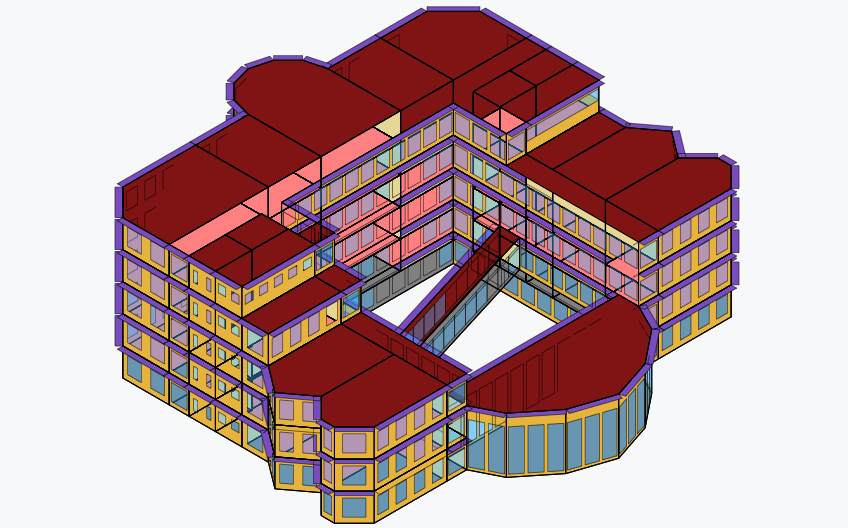
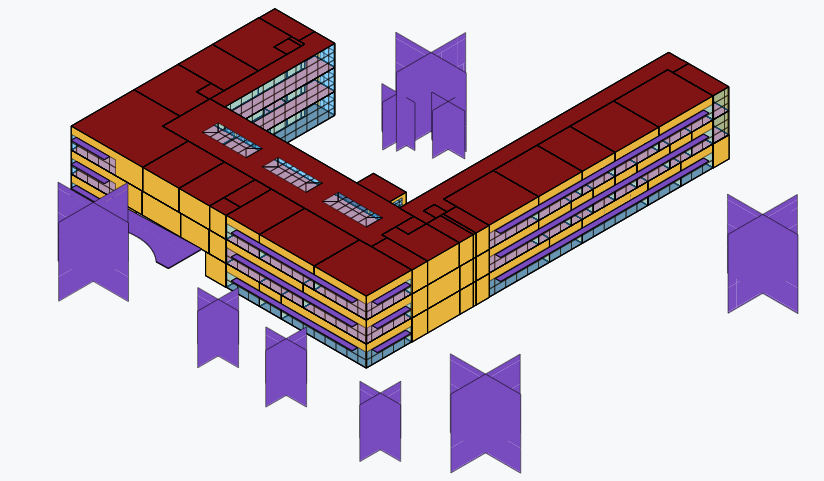
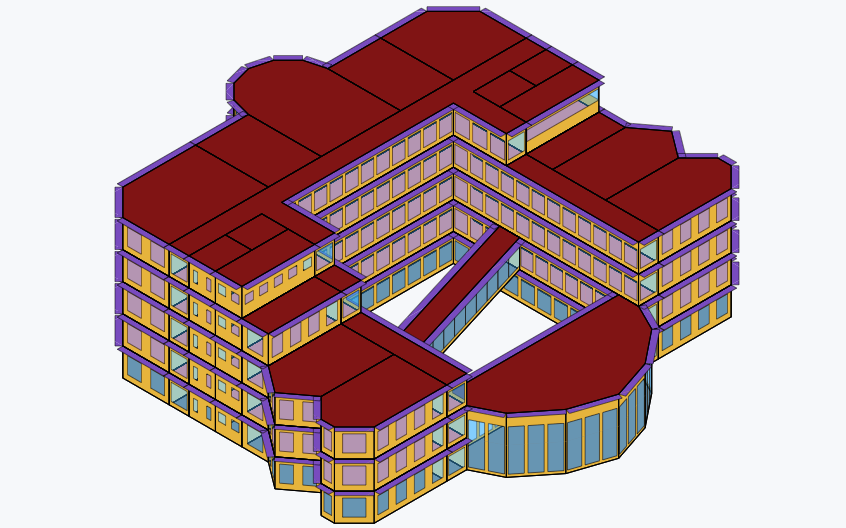
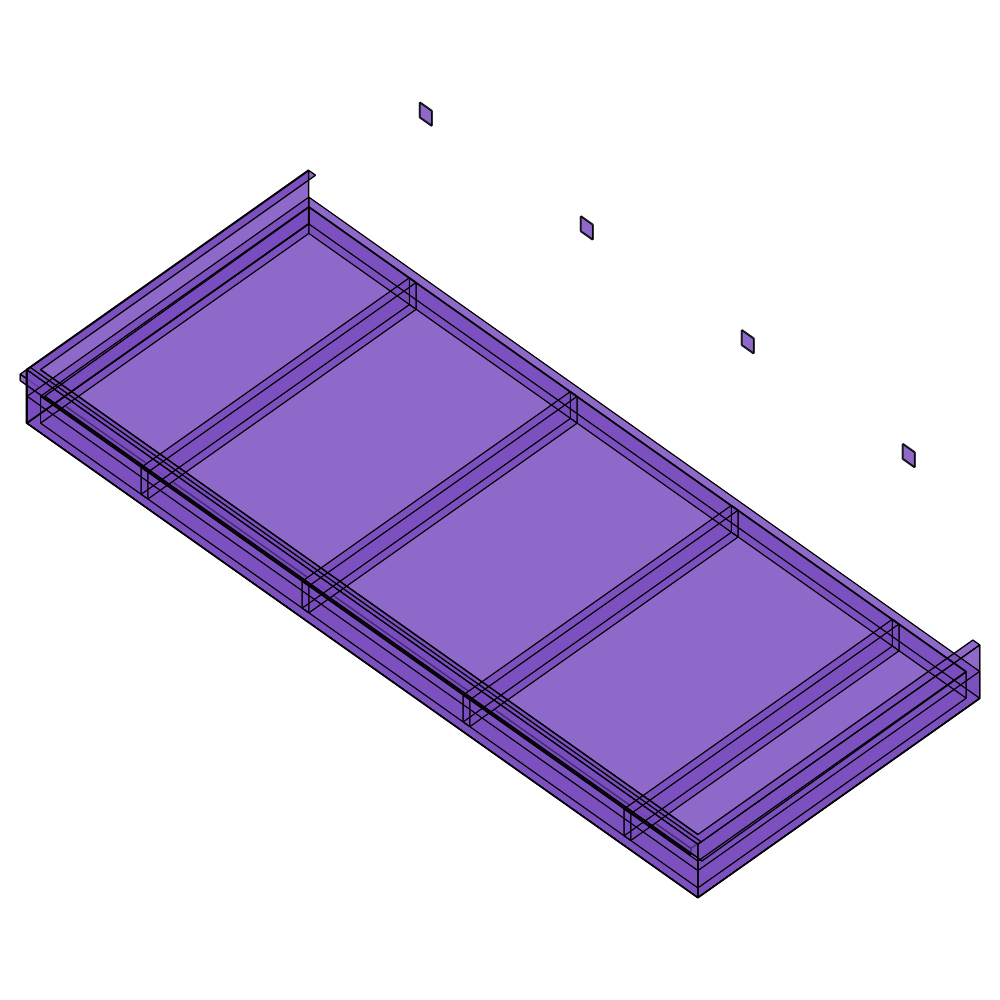
 I might have been the person who used the SVG export solution the most frequently. Due to the flaws in the original SVG solution, I had to increase the number of times I observed the essence of the problem, and then gradually guided the tool to solve it. This process went through many iterations, but finally it succeeded. Thanks to the new tools of this era.