Hi @Batiste ,
Below you can find the full set of instructions for the basic DES workflow from Dragonfly, along with some files for you to test.
But, first, just so you know where we have gotten to, you can see what the heating/cooling plants of the 4th generation system look like here in OpenModelica:
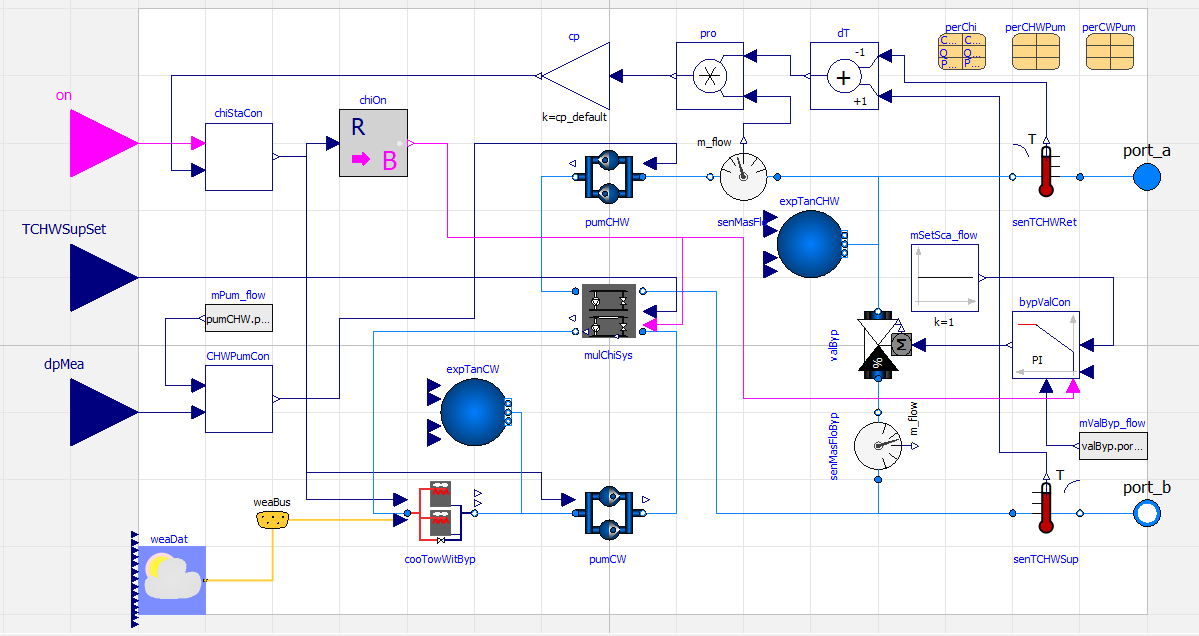
Cooling Plant
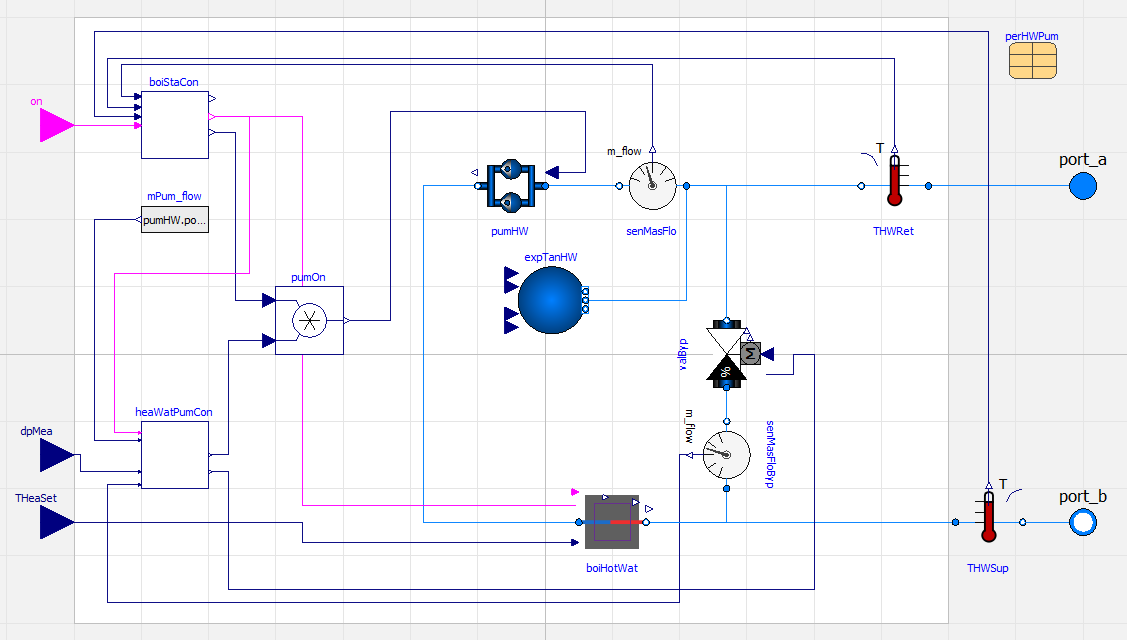
Heating Plant
… and you can see what the ground heat exchanger of the 5th generation system looks like here:
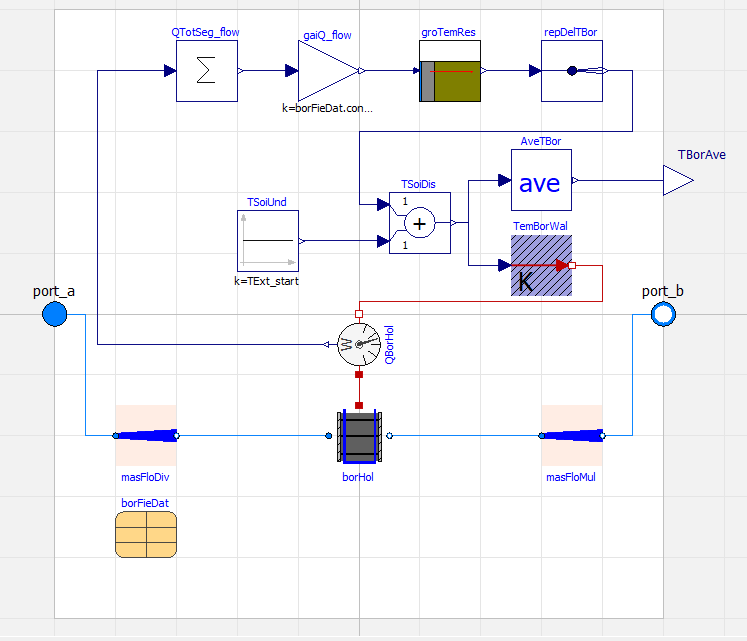
Borefield
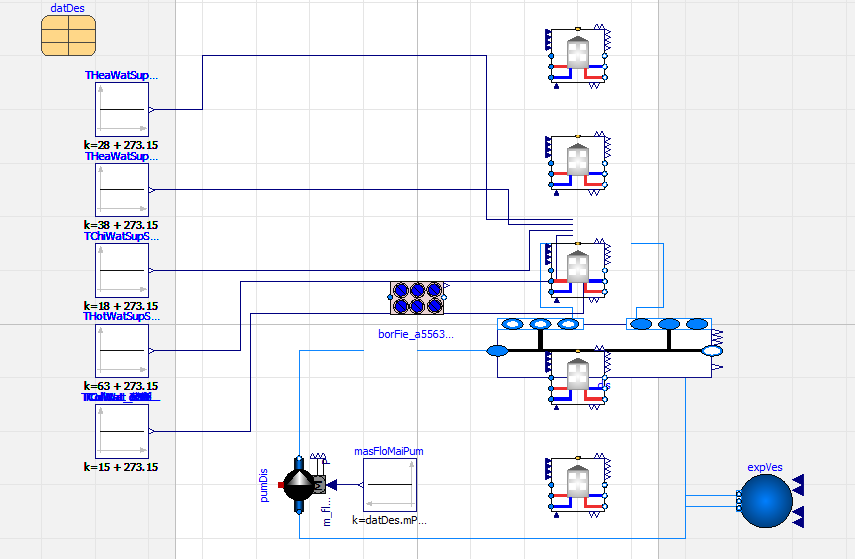
5th Gen DES
In order replicate the test on your end, you have to do the following:
-
Uninstall your current version of Ladybug Tools / Pollination and download the latest single-click installer from the Pollination website. You need to do this because, like you said, the Python libraries that NREL has written to produce the Modelica files are intended to work best in Python 3.10 and we just updated our Pollination installers to use Python 3.10 today.
-
I would start by running the samples that I have already put together for DES simulation before trying to run your own. It sounds like you’ve been trying to use these already but I would re-download the latest ones since I have been updating them over the last few days. Here is a sample Grasshopper file for a 4th Gen DES and Here is a sample Grasshopper file for a 5th Gen DES. You’ll see in the latest version of Dragonfly that, when you plug in a des_loop to the GeoJSON export component, the weather_filename is automatically included in the GeoJSON, we automatically translate the EPW to an .mos file so that it can be used with Modelica simulation, and we also write out a basic
system_params.jsonwith any properties of the DES that you set in Grasshopper. -
When you get to the “Run DES” component in the samples, note that the first time you run the component, it will download 3 different dependencies to your machine - the geojson-modelica-translator, the ThermalNetwork package for sizing ground heat exchangers, and the correct version of the Modelica Buildings Library. Each of the dependencies will ask you for admin privileges to install. So it will take a while the first time but, once you get these dependencies installed, this won’t happen the next time the component runs.
-
Also note that, if you are running the 5th generation system, there is a whole long routine that runs prior to writing the Modelica files, which will size the ground heat exchanger. This process can eat up a lot of memory when you start getting to district-size exchangers with thousands of boreholes. So I recommend running on a machine with at least 32 GBs of RAM.
-
If the “Run DES” component executes successfully, it will output a folder where all of the Modelica files are written. You can open this in OpenModelica with the caveat that these files Only work with MBL version 9.1.0 right now. I know that they did the later releases of the MBL for better compatibility with 5th Gen systems but the geojson-modelica-translator is not yet updated to work with the new conventions. So you will have to use MBL 9.1.0 in the OpenModelica UI if you want to be able to open the files without serious errors. If the 9.1.0 package is being used correctly, you should see this in the OpenModelica UI:

I hope that’s enough to get you started testing and let us know how it goes. I can answer any questions related to the NREL packages or Dragonfly but, as I said, OpenModelica is a bit beyond my expertise at the moment.