Hey guys,
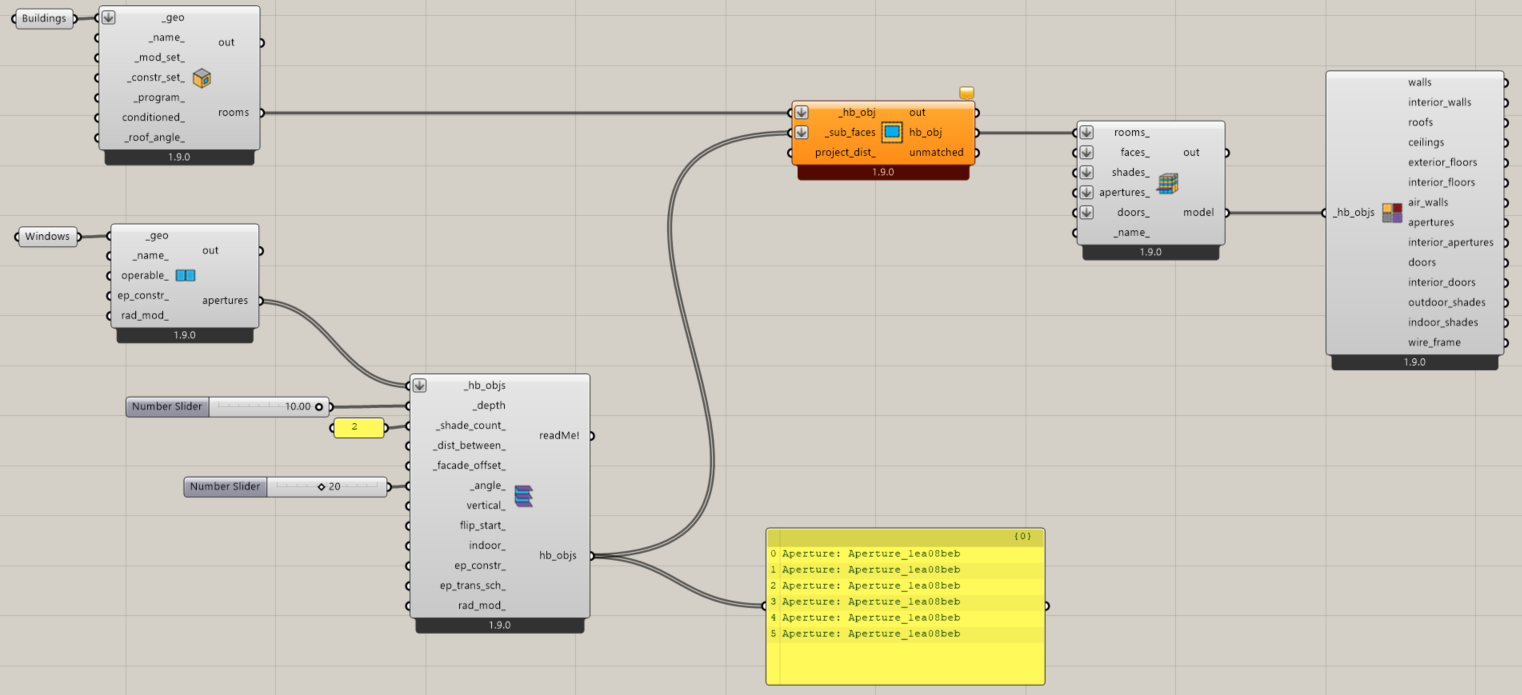
First time trying out Ladybug, I went through some of the Youtube tutorials but I can’t seem to be able to create a louver on a curved surface (right) as opposed to a flat one (left). Can anyone explain what am I doing wrongly please?
Thank you so much in advance.
LH
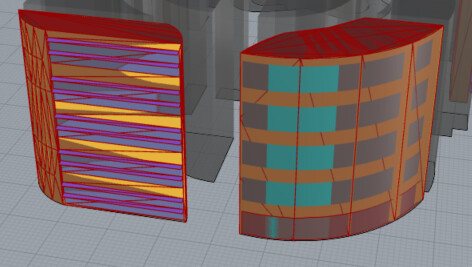
As I am a new user, I am unable to upload my .gh file but the canvas image is as attached below.
Hello @LostHopper! so I have some bad news for you:
EnergyPlus/Openstudio does not directly support true curved geometry like circles, arcs, or cylinders. All geometry in EnergyPlus is based on planar polygons surfaces defined by straight-line vertices.
one option:
Approximation with Segments
You can approximate a curve by subdividing it into many small flat facets (polygons).
For example:
- a circular atrium could be modeled as a many-sided polygon (like a 24- or 36-sided approximation of a circle).
This is the same approach used in most EnergyPlus front-ends (OpenStudio, DesignBuilder, etc.).
TLDR:
No curves for energy modeling with the E+ engine.
Best
trevor
I suggest to try the HB_Planarize component.
-A.
@AbrahamYezioro I forgot about that one!! thanks ill remember next time to suggest.
best
-trevor
Thank you both @TrevorFedyna and @AbrahamYezioro I will definitely give both suggestions a try starting with the HB_Planarize component and revert back!