Hi everyone,
I’m working on windows a daylight simulation in Ladybug Tools with Ladybug version 1.8. The simulation performs an annual daylight analysis for a room
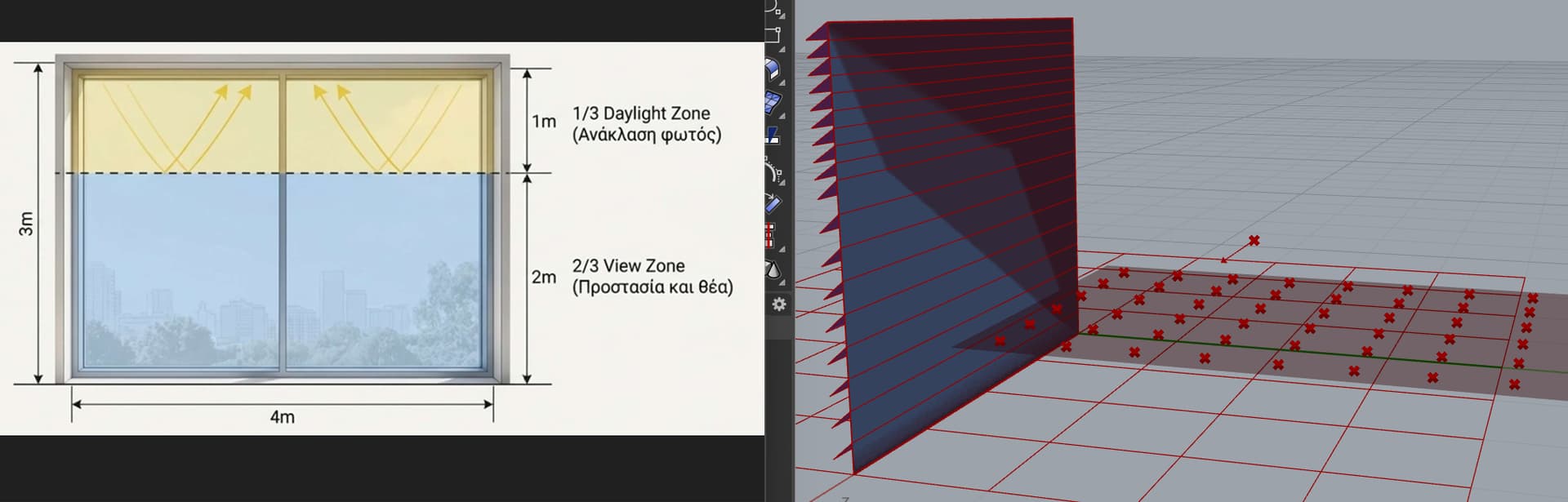
with dynamic shading (split-blinds in 2 zones) but doesn’t work.
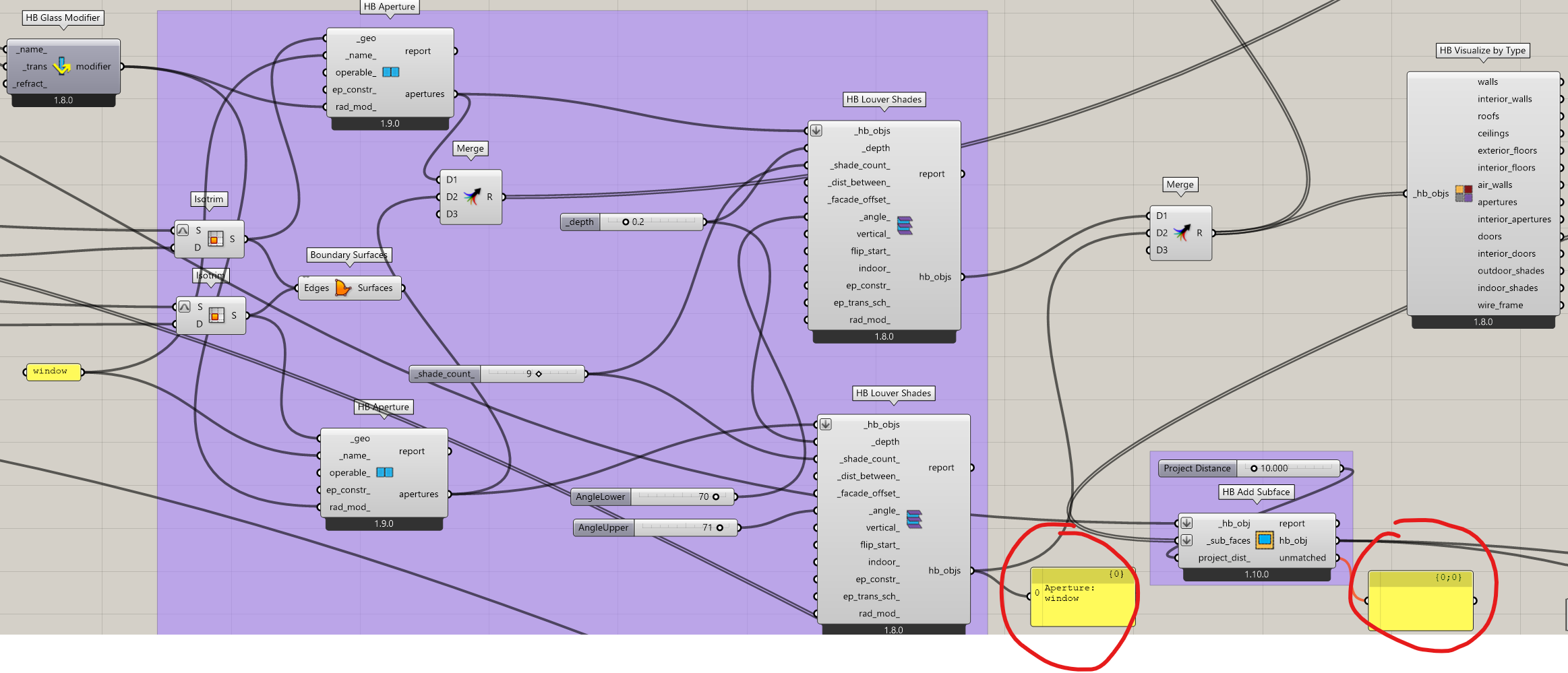
Using the HB add Subface component and the Merge component, I am splitting the window into two parts – split blinds; however, I notice an overlap between a red surface and the light blue surface. Does this mean it hasn’t “punched” a hole in the wall? As a result, when running the simulation, the room appears completely dark!
In HB Louver Shades, the hb_objs output results in an Aperture/Window instead of a Shade!
I assume this is for the view based recipe. I can see that it includes the black surface of the aperture group, which is used for other recipes. I can change this so it uses the default state (the first state) – until then you have to run the view based recipe without aperture groups. In any case, you cannot post-process the aperture groups for the point-in-time recipes. You have to run several point-in-time simulations, i.e., one with the lower shades, one with the upper shades.
This is expected behaviour. It will return whatever object you pass into the _hb_objs input.
If you update your core libraries with LB Versioner you should get a new version of the point-in-time recipes that uses the default state of aperture groups.