Welcome Dewbee, a Honeybee extension to run heat and moisture transfer (HAMT) simulations in Grasshopper!
Dewbee basically activates the Combined Heat and Moisture Transfer algorithm in EnergyPlus, which uses a 1D finite element approach to model coupled heat and moisture behavior in opaque building components like walls, internal mass, and even doors. The underlying model builds on the formulation of Künzel (1995), which is also used in WUFI.
Access to a curated hygrothermal material database
Easy creation of custom materials
Targeted HAMT simulations (only where needed)
Multi-year simulation and analysis (only for Windows at the moment, sorry folks)
Why would you even care though?
Unlike the default model used in EnergyPlus (and Honeybee), HAMT captures how heat and moisture are stored and how they move within building elements. This makes it especially important for assessing indoor climate and comfort in buildings that include hygroscopic materials such as earth, timber, and bio-based materials.
Click to read more
This is particularly true for relative humidity. Here is a comparison for Zurich climate considering a rammed earth office building:
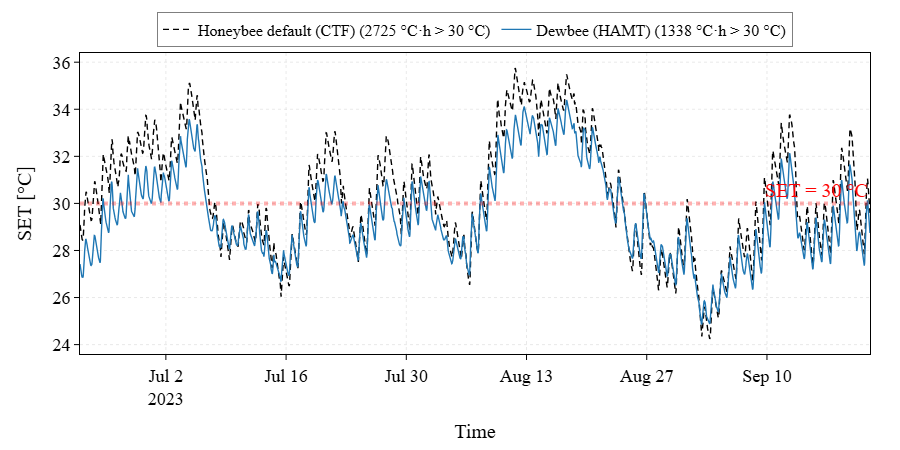
In addition, transient behavior is captured in much greater detail. When moisture dynamics are accounted for, comfort metrics become more trustworthy. The example below shows the resulting differences in standard effective temperature (SET):
The core of my ongoing PhD is to investigate climate-responsive design with materials like earth and wood. Having used Honeybee for years, I could only see one fair direction ahead: parametric and open-source!
I’ve been testing it on Rhino 7 and a basic workflow seems to run fine. Is the Rhino 8 requirement related to the “installer and updater” component or are there other specific components that may not work properly on Rh7?
I think there is no Rhino 8 strict requirement, since everything was (painfully) written in legacy gh python. I just didn’t have the chance to test everything on Rhino 7, that’s why I put the Rhino 8 requirement.
Hi!
It’s potential plugin!
but i got a question that for HAMT simulation, it seems to be relied on C sharp instead of py?
and the latest openstudio is transfering most calculation based on py.
Hope do not bother you too much.
Dewbee is actually written in Python. The HAMT solver from EnergyPlus, which is used under the hood in Dewbee, is written in C++. You can check the source code here in case you are interested.
Firstof, thanks for the work done with dewbee, but I seem to still have some difficulties to make it run correctly.
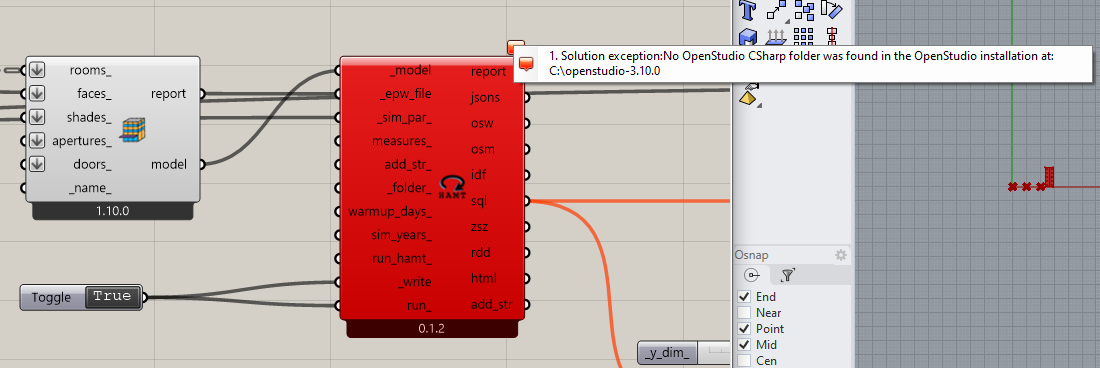
As Ping said and here you can see on the screenshot it seems like Dewbee wants a C# folder to run the script. And I tried using older versions of OpenStudio or even Ladybug to match the sompatibility matrix which had still their C# developping model and don’t run because of “too old version”.
So I was wondering how did you make it run? I’m kinda struggling here usinf it to work on my master thesis.
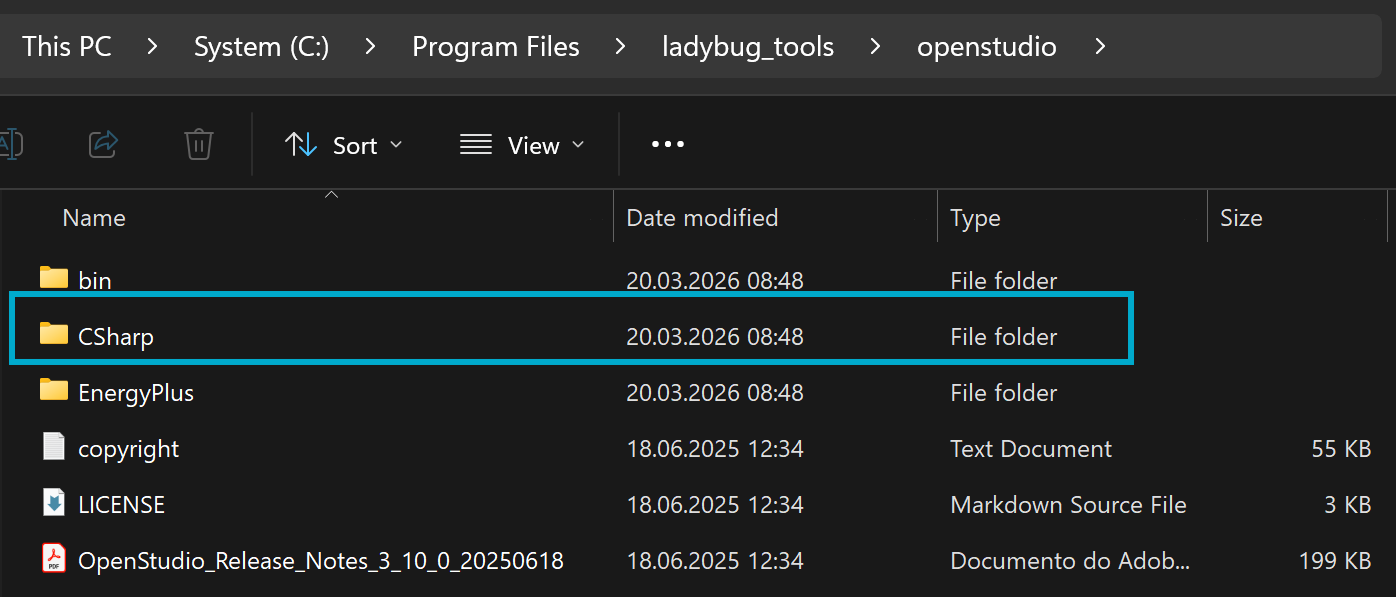
A student actually just had the same issue. We fixed this by installing Ladybug Tools through the Pollination installer. This will create the CSharp folder under openstudio directory, as shown below:
@chris , do you have any idea why this is happening though? Dewbee is basically using the run_idf() from honeybee_energy.run. The component’s source code can be found here:
 Download link
 Features
 Why would you even care though?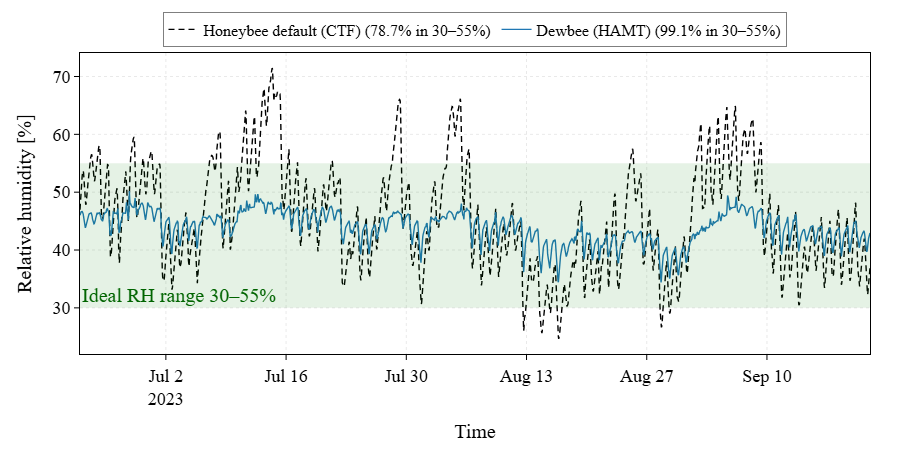
 Next steps and background
 Citing us