Hi everyone,
I’m new to Grasshopper and Honeybee.
I’m currently running a façade energy simulation, and my goal is to determine the best geometry to reduce a building’s energy consumption. To do this, I’m analyzing the cooling and heating outputs from EnergyPlus.
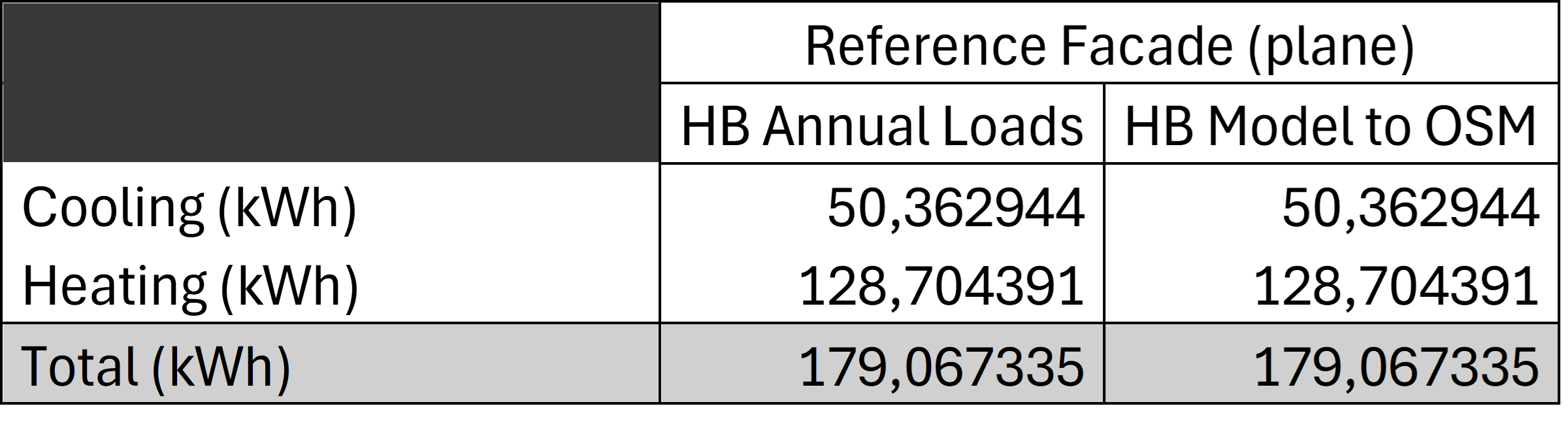
I’ve run the simulation using both HB Annual Loads and HB Model to OSM, with exactly the same simulation parameters in both components, but I’m getting very different results. Can someone please enlighten me?
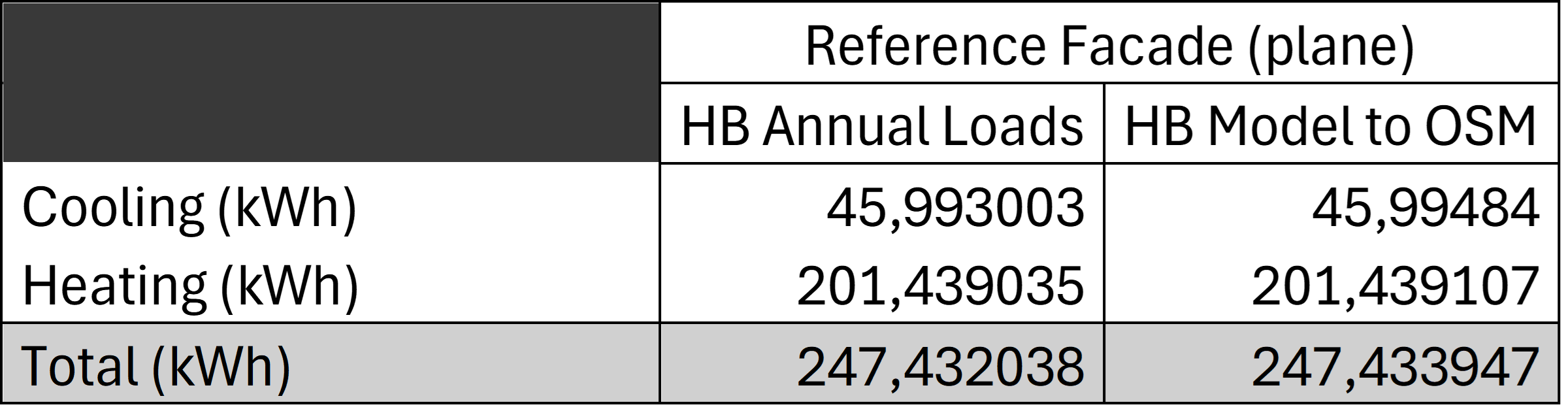
Here are my results summarized in a table:
This is a bit frustrating because, depending on which component I use, the optimized façade consumes either more or less energy than the reference façade.
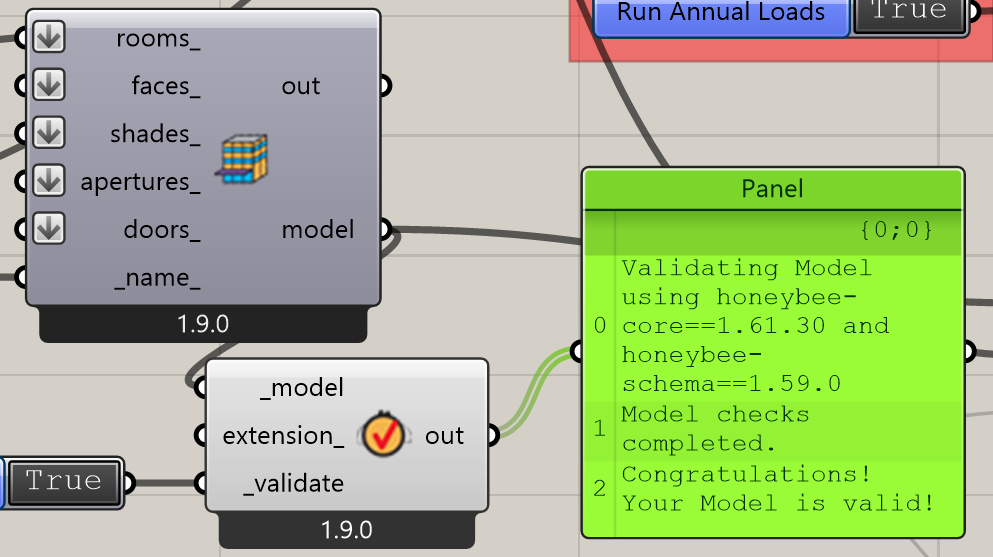
Here is my Grasshopper file and a picture of it :
Somehow I cannot put my grasshopper file bc I’m new so here is a drive where my grasshopper file is :
https://drive.google.com/drive/folders/1j3-lZ8j9874mxbIEqDcGoPYP2NVTVwyQ?usp=drive_link
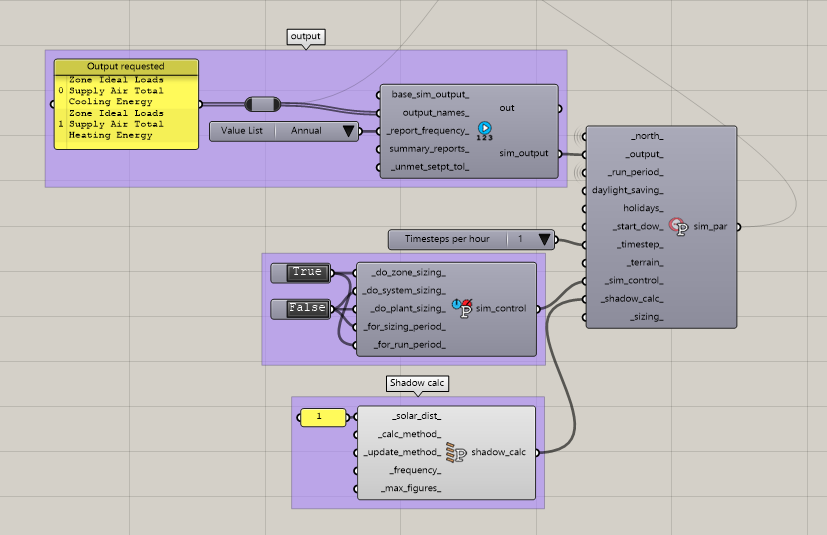
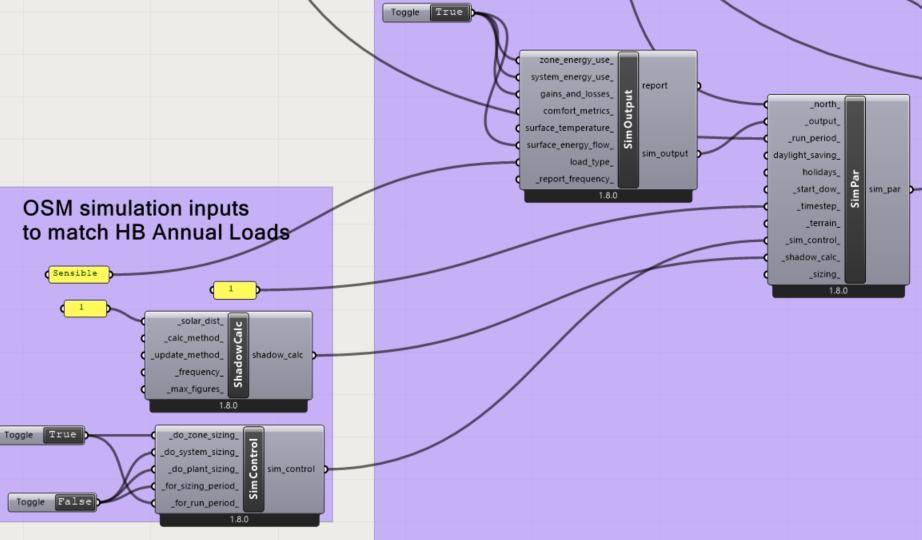
Here is also a picture of the parameters I have used for the simulation :
You should compare both IDF files with WinMerge and see what changes. Alternatively you can also use EPCompare.
Some time ago I had this similar issue. I think the HB Annual loads don’t take into account latent loads, you have to specify it. (I’m talking from memory, I might be wrong)
Before anything, I suggest you check a few things about yur odel:
- Scale: Seems to be you built it in cm instead of meters [as should be].
- There are no windows at all.
- The are open areas on the facade [open air]
I’m not sure these issues explain or correct the results, but seems to be fair to start with a “correct” built model.
-A.
Hi everyone, and thank you all for your answers.
I had a busy week, so it took me a bit of time to reply. Here’s an update:
-
I have converted the file from cm to m. The results are the same, but I’ll keep working in m since it might affect another parameter.
-
There are no windows in my model because I want to study only the impact of the façade geometry.
-
@AbrahamYezioro I don’t quite understand what you mean by open areas, the model seems correct.
-
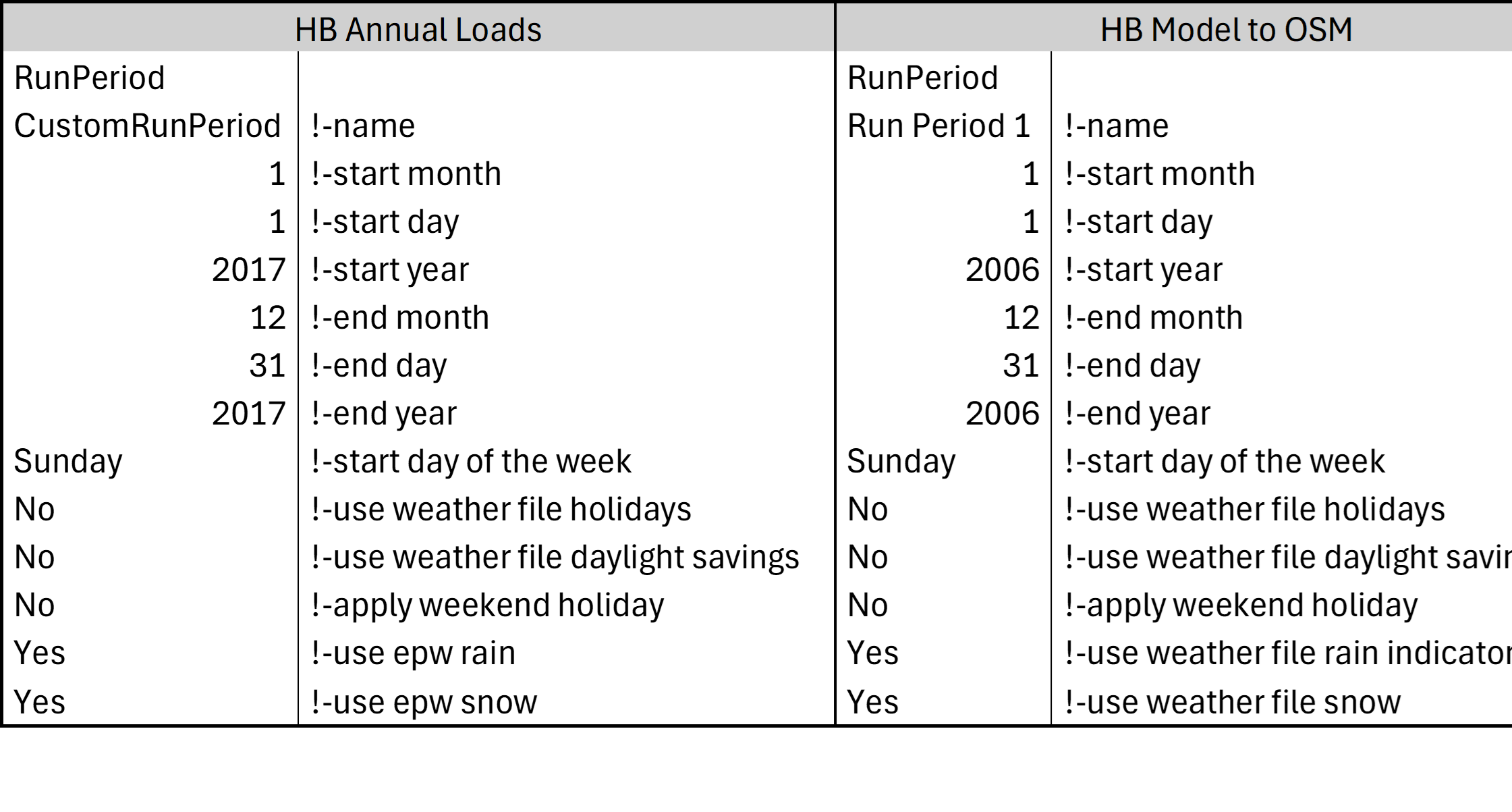
@adrisonet I tried to compare the .idf files generated from HB Annual Loads and HB Model to OSM, but their structures are too different to compare directly. So instead, I compared the .html report files. It seems that the differences come from how HB Annual Loads and HB Model to OSM interpret the weather data :
-
I don’t understand this parameter, but the two components appear to have different start years (which is odd because I never selected specific years, and the .epw file contains mixed years for each month).
-
The peak temperatures used for sizing are not the same (which is strange since both use the same design-day input data).
-
I also tried using other weather files, and the following two gave the same results for both components:
-
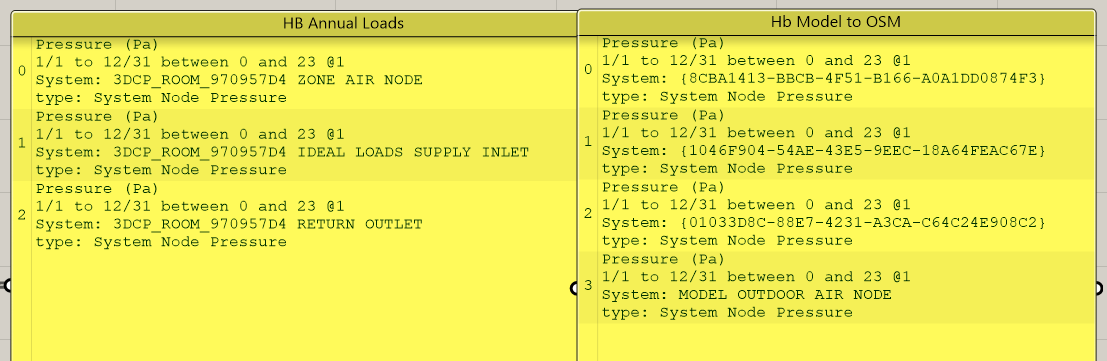
Finally, I compared all available outputs in the .rdd file and found that the difference might come from the nodes used for the calculations, maybe
I have put the excel file with all possible outputs in the drive where the grasshopper file is also in case anyone is curious.
Thanks again for your answers
Hi @TrevorFedyna, and thanks for the post redirection.
I read the post and it made me realize that some parts of my façade were being counted as floor surfaces because I am working with unusual façade geometries. The green areas in the picture below were considered floor because they were very flat, which ended up affecting the floor_area and therefore the area normalized energy outputs.
So be careful when designing an unconventional façade !
Aside from this, I still have a difference between HB Model to OSM and HB Annual Load, even though my model is really simple, it’s basically just a shoebox. So the rest of the post doesn’t solve my issue because I only have one room, so I don’t have the exlude_floor_area or multiplier issue. I think the difference comes from the way they each interpret the design days data.
@Kim_Phan, I am commenting a year later, so I hope that you resolved it already.
Otherwise, I had the same issue and after some trial errors, I found why the outputs HB Annual Loads is different to the HB Model to OSM.
- Timestep per Hour: The
Annual Loads component uses a default of 1 timestep per hour. In contrast, the Model to OSM component defaults to a finer 6 timesteps per hour.
- Solar Distribution Calculations: The
Annual Loads component uses a simpler FullExterior solar distribution method, while the Model to OSM component uses the more detailed FullExteriorWithReflections by default.
- Load Type: The ‘Annual Loads’ component calculate Sensible only whereas the ‘Model to OSM’ component’ calculates All as default.
See attached screenshot of inputs. You should have similar annual cooling load kWh/m2 with these changes, assuming your model is simple enough with similar normalised areas.
With regards to sizing with the difference between HB Peak Loads component vs HB Read HVAC Sizing component, no idea why they are different. From another thread in another post, it seems that the latter component does not consider solar load in the sizing, which is strange.