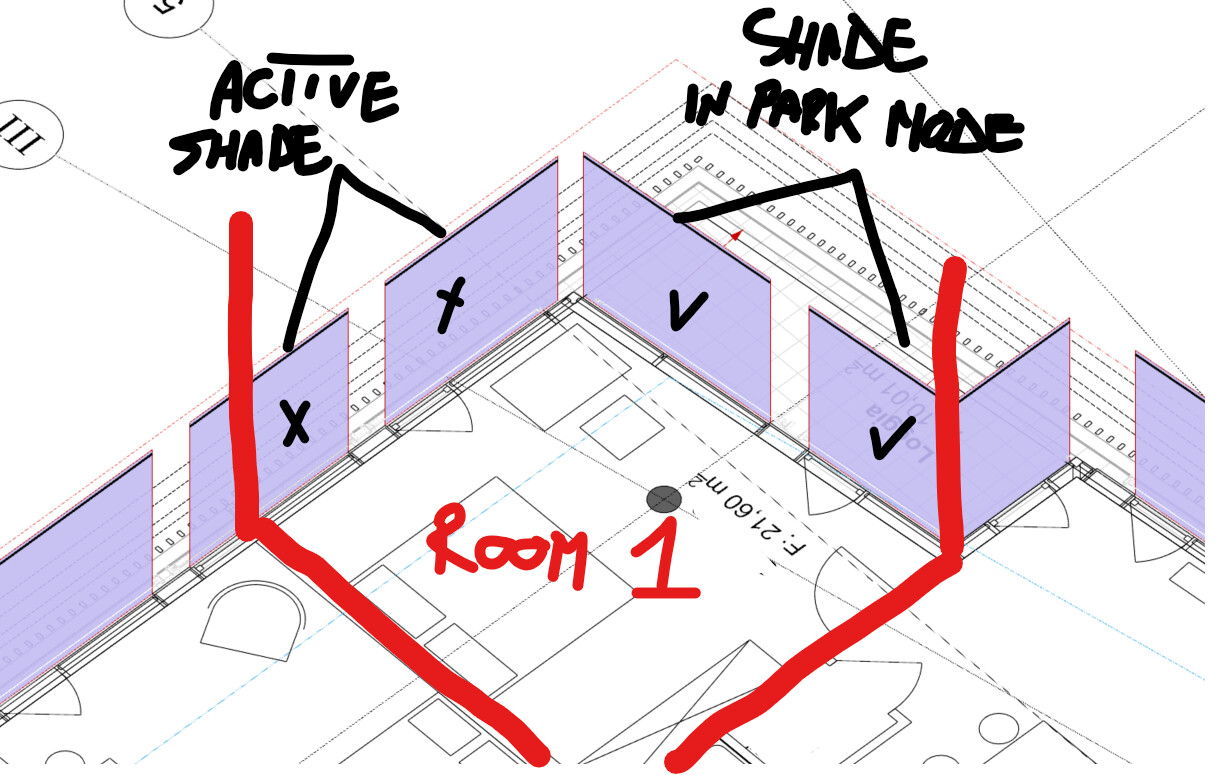
dear @mikkel, I would like to understand how to handle a dynamic simulation in this scenario. Suppose I have a room with apertures on two different facades where, based on a schedule, a certain number of windows are in State 1 (open shade) and a certain number are in State 0 (closed shade).
Taking this case as an example, if the software simulates both states (closed and open shade) and then crosses the data based on a open/closed states schedule, is it still possible to achieve a dynamic analysis for this setup, or do I necessarily have to set that the aperture in this room to be all active or closed? Of course, I’m referring to when a large-scale building needs to be simulated, rather than just a single room.
Thanks and best regards