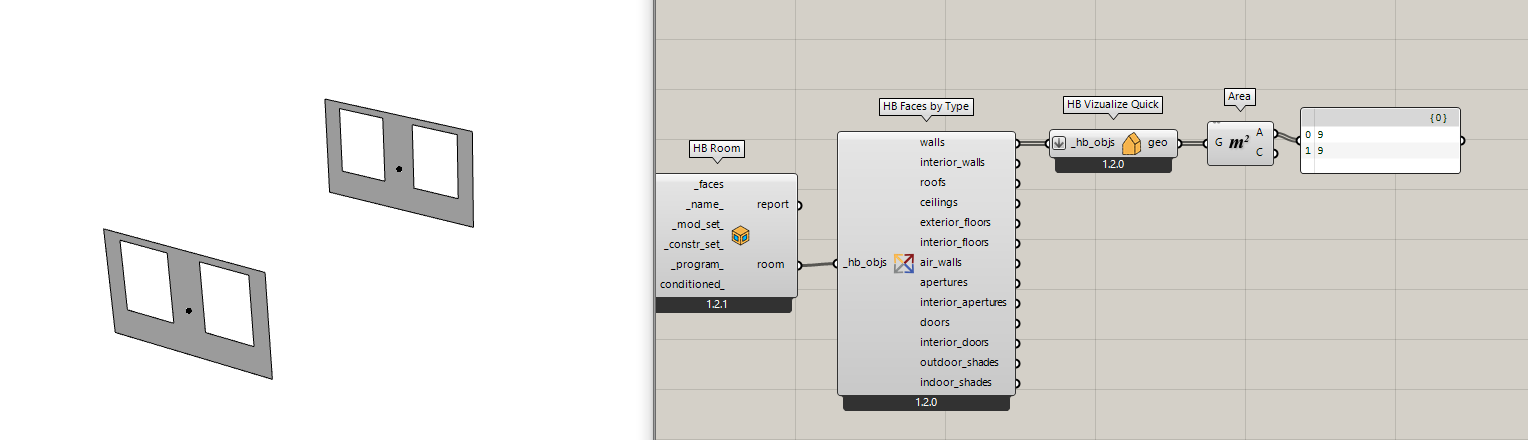
Playing around with the new version of Honeybee. A lot to like, although there is one question I have.
In the legacy version, one was able to bring HB elements back to some kind of basic geometry. For example, you could decompose by type, and get the surfaces for exterior walls, windows etc. Or you could select based on type. This was great for being able to do take offs of areas, or further geometric manipulations with typical Grasshopper components, or even just color code them.
In the new version, the outputs are the names of rooms or faces, with no apparent way to extract the underlying geometry for later manipulation. Is there a way to do this? In some cases, I have been able to use the label faces to extract the wireframes and drawing a boundary surface but that only works well when I am trying to get one particular type of element versus a data tree of different types
Agree, I like to build up a honeybee model using volumes to zones, then use that same geometry for a few of the ladybug geometric analyses, or like you say take off areas. Have not quite figured it out yet, will keep trying!
At this point, you can pretty much assume that, if you could do it in Legacy, you can do it with the new LBT plugin. However, it might involve some different components. The only major exceptions that we acknowledge are that we know we’re missing several ladybug component and there’s no THERM capability. But essentially all of the Legacy Honeybee Energy and Radiance capabilities are in the current development version of the LBT plugin and have been greatly improved in LBT.
Thanks Chris! I posited this question last December and certainly the components have come a long way since then (or I finally found the right components) because I have been updating my scripts and pretty much found the equivalent components for everything since then (except as you said some LB and THERM components). Have enjoyed the new tools so far!