Hi @chris ,
This time i want to as for your advice regarding best practices. Instead of solving a specific problem, i rather want to know how to proceed in general. This is going to be PART 1 of this thread …
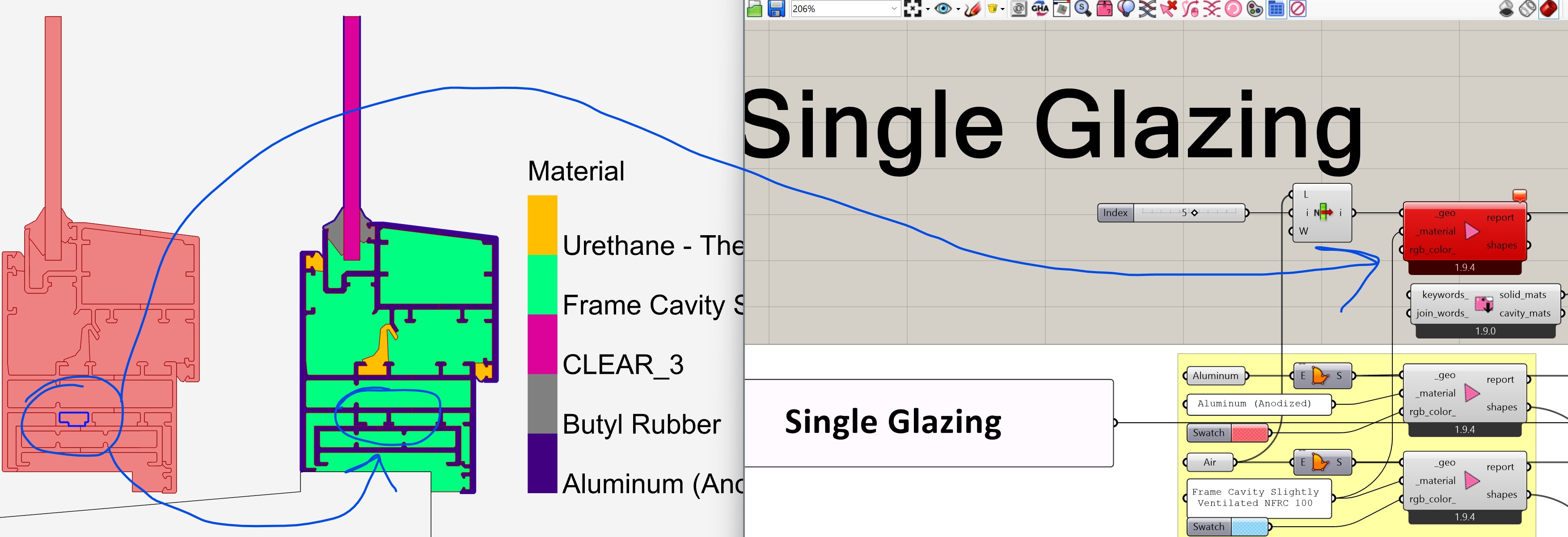
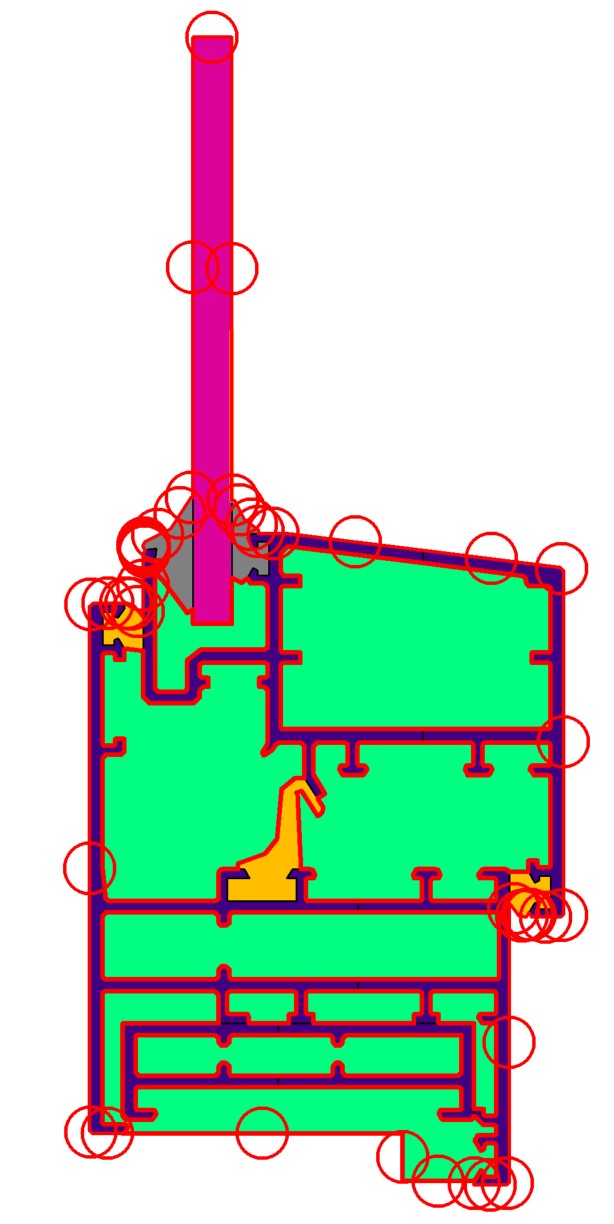
This time i have the following case: A window frame+single glazing. Need to say that this worked fine in the Legacy version. This is the geometry:
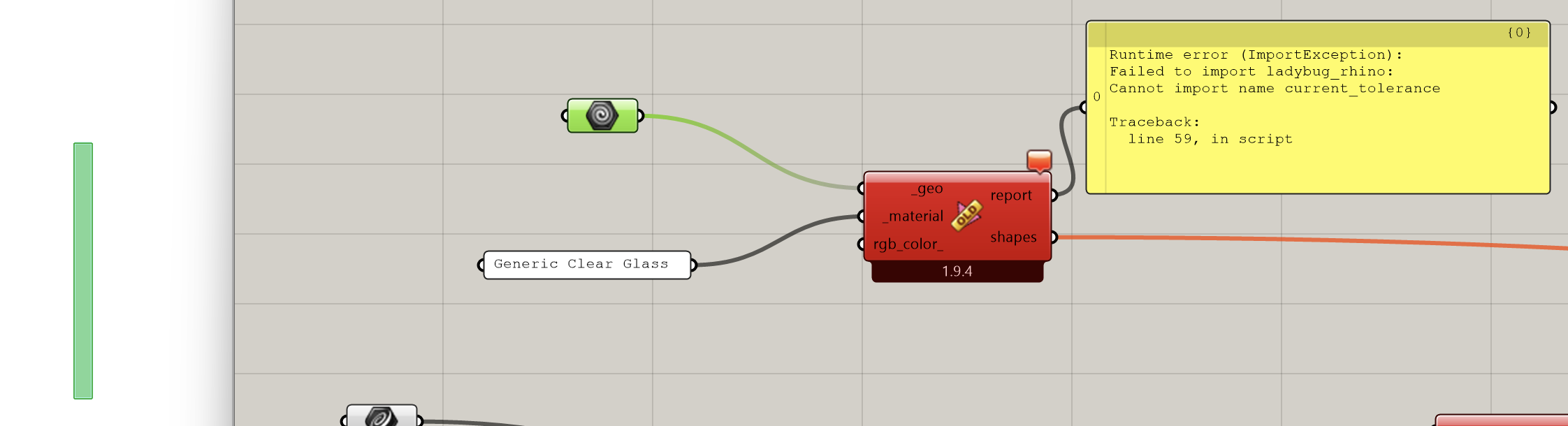
On the left side, in red, you can see the GH geometry [curves converted to surfaces]. As you can see in blue circle the surface is recognized in the FF_ColorShapeAttr component [in green]. If I connect the curve to the FF_shape it is not recognized giving this error [right on the image]:
Input parameter _geo failed to collect data!
Only when i convert it to surface it works, which is kind of weird.
So the first question is why?
The second is: are the geometries to much detailed? Should I simplify them? Why they worked in Legacy?
When I get into simulating it I get the following error:
Solution exception:THERM simulation failed. Open the thmz file in the THERM interface for more info.
Points of the polygon (ID=22) overlap, which will be highlighted in red
Wed Jan 28 16:37:20 2026
C:\WorkingFolder\Courses\Rhino-Grasshopper-Diva\LadybugTools_2020\honeybee-grasshopper.0.0.06\EXAMPLES\fairyfly-grasshopper-master\samples\IS_Walls\THMZ_Folder\Single_Glazing.thmz
The geometry contains voids or overlapping regions. The edges surrounding these regions will be highlighted in red. You must fix this problem before simulating. Regenerating Boundary Conditions may correct this in some cases.The geometry contains overlapping regions. The edges surrounding these regions will be highlighted in red. You must fix this problem before simulating. ID(s): 517, 518Model geometry and Boundary Conditions need to be properly defined before a calculation can be performed.
2 Single Glazing.ffjson (69.3 KB)
Thank you for the sample file. It gives me a number of things to fix, which I want to go over first before I answer your question about best practices.
I typically use breps instead of polyline curves when setting up my models because breps make it much easier to manage shapes with holes. However, I still wanted to keep the option of using planar polylines available since I know that some people prefer to use them and, if I am honest with myself, they are closer to how the geometry is actually represented in THERM. Long story short, I was kinda relying on Grasshopper’s native “cast polyline to brep” to just do the translation of planar curves for me instead of really taking ownership of it in our Ladybug Tools translators. But this clearly seems to be creating issues. So I added an extra check in the process of translating the Rhino geometry:
… and I made a tweak to the FF Shape component so that all casting of the polyline to a brep happens within Ladybug Tools code. So you should be free to use either close planar polylines or Breps going forward.
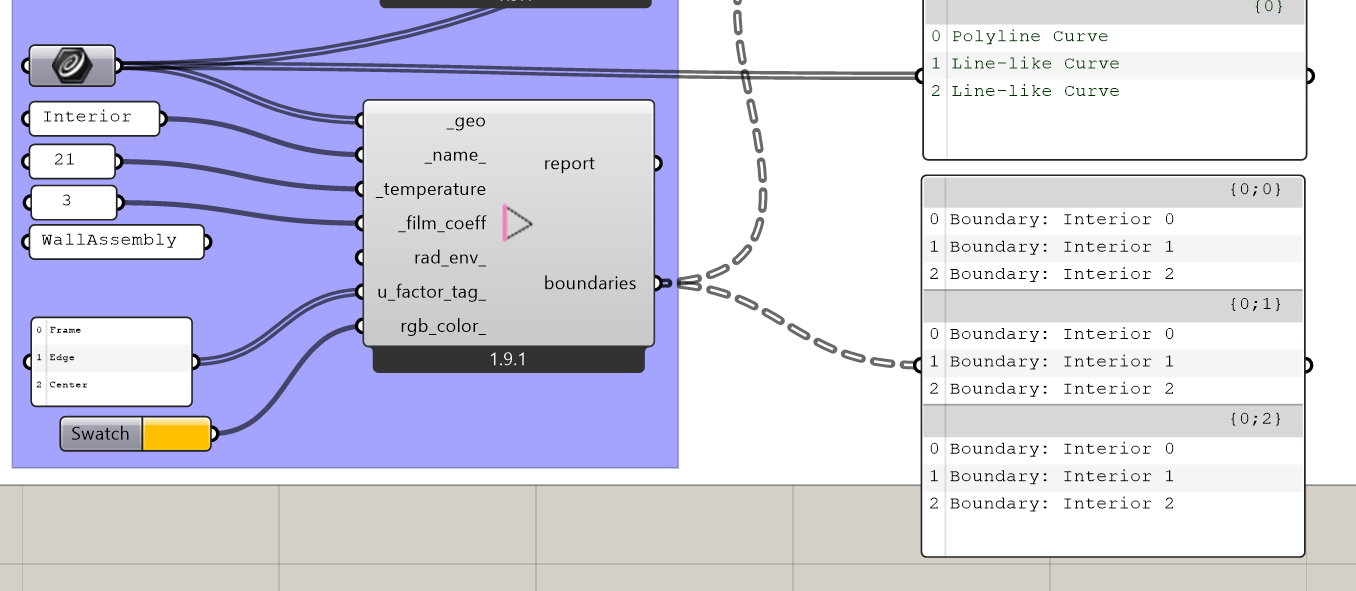
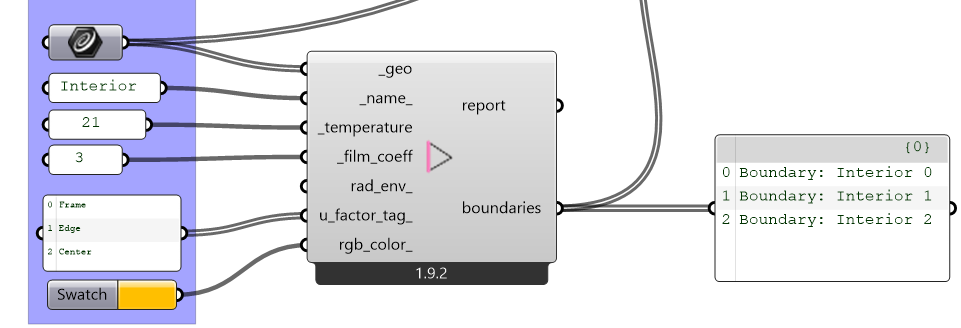
Another issue that your sample file got me to realize is that I was not using “Longest List” logic in the “FF Boundary” component. This was causing you to accidentally get 9 boundary objects when you connected 3 geometries and 3 u_factor_tags:
Now, even with the changes I made above, your file is still showing up with overlapping regions in THERM (all of which are suspiciously around the outer boundary of the model). Let me take a deeper look and see if I can figure out what is going on but it is most likely a bug fairyfly. My gut tells me that it might not have to do with overlaps in the polygons at all and it might just be the result of the outer boundary geometry not being written correctly.
In any event, the two changes I made above are now available via the LB Versioner if you want to test them.
Hi @chris ,
Both changes are working as expected.
Curious about the “overlapping” thing …
If you get the chance, in the same file [GH] take a look at the definitions below the one I reported.
It has an error on the THMZ that avoids Therm to run it. Maybe all is related to the same basic issues … I don’t know.
Thanks again for uploading your model here, @AbrahamYezioro.
The problem was a bug that affected cases where you have an end point of a boundary line segment that does not coincide with a vertex of the shapes. I merged the fix here:
… and it is now all available via the LB Versioner.
I verified that this gets the first model in your sample file to simulate without any issues
The second model still does not simulate but I know the reason why (it’s because one of the curves is a NURBS). I should be able to think of a way to get this case to work (and also work for other NURBS curves). Just give me a little more time.
Ok, I am pretty sure that I have come up with a good solution for the NURBS in the second model (and it should also address other cases where we need to resolve the fact that the NURBS in two adjacent Shape polygons get broken down into slightly different linear elements).
Thanks again for the sample here, @AbrahamYezioro . I think we have determined that all of the things that you thought might have been poor modeling practices were actually bugs in Fairyfly. Let me know if I missed anything.
This is great @chris !!!
Everything is working fine now. I can say that my Legacy files are now updated. I think I can say bye-bye to all Legacy tails I had
Couple of things more:
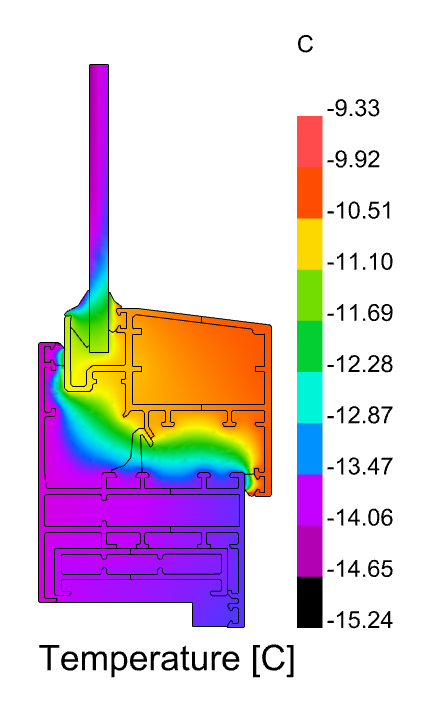
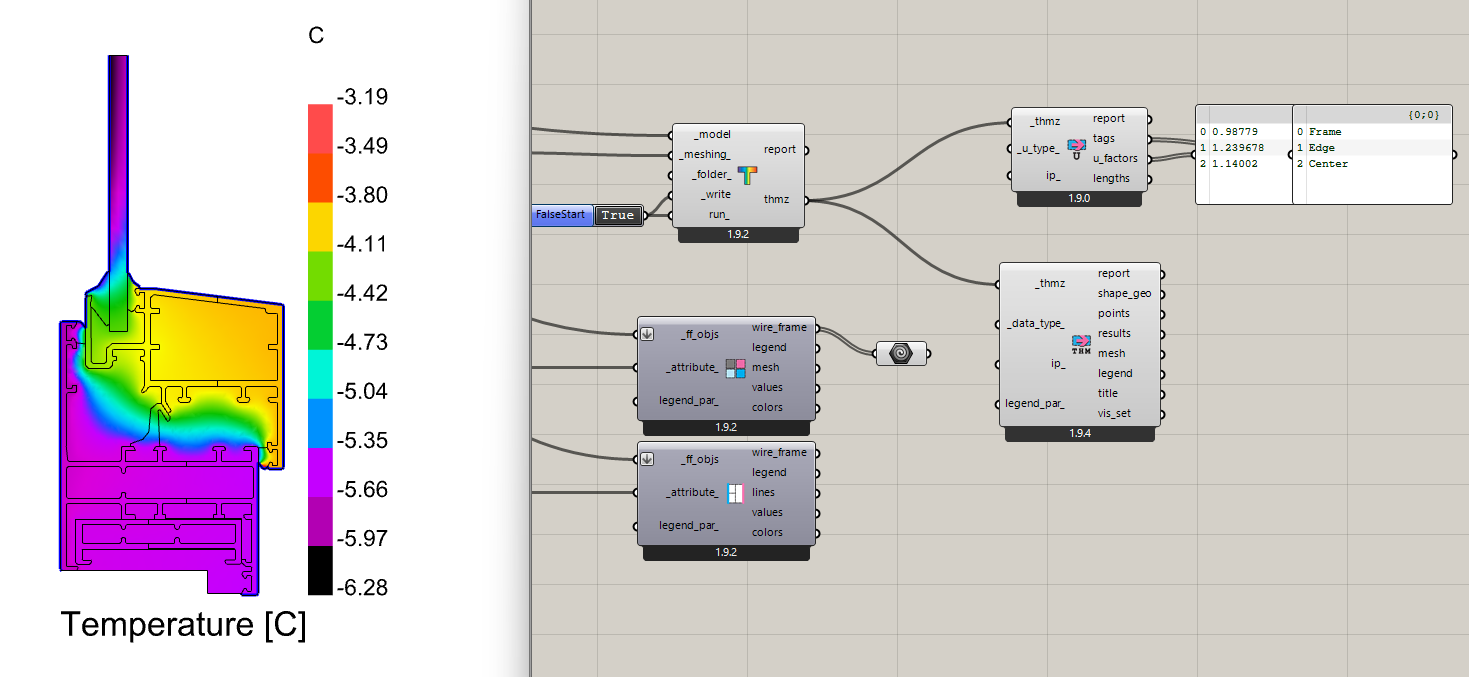
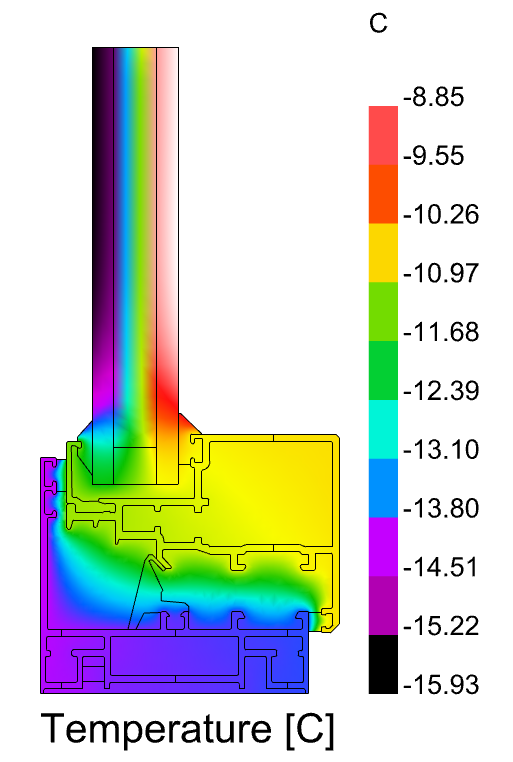
The results [scale legend] for the first case here are pretty much different between us [my scale goes from -9.33 to -15.24 while yours -3.19 to -6.28]. The second case is identical. I assume you didn’t change the input settings, so I wonder …
The colors in the FF_ColorShapeAttr [and in Therm] are not the ones I set in the FF_Shape rgb_color input. Not a big issue here, but just wonder also here.
Thanks a lot for you support here. I believe it made the FF more robust now.
Glad to hear that we finally got you fully converted from Legacy !
For the issue with the legend not matching up, I accidentally changed the custom radiant environment to have a little solar flux in my screenshot. Once I removed that, it matches your desription:
Good point. When you use a material from the THERM material library, it already has a color associated with it. So I was not overwriting the color in this case to keep consistency with the THERM library but I can see how misleading this is. I made the change to ensure that your input colors are respected here:
Is this “polyline cast to brep” update part of LBT 1.9.4? I did the versioner and ladybug tool sync and my polyline shape is not being accepted by FF
FF Model to THMZ reports it as a boundary issue (“You need to have at least two non-adiabatic boundary conditions to do a simulation. Check your boundary condition definitions”) but as soon as i replace my polyline rectangle with a brep rectangle it works as expected
The change for the “polyline cast to brep” functionality happened when FF Shape component was incremented to version 1.9.5 as you see here in the commit log:
So I recommend re-running the LB Versioner, Restarting Rhino, and then running the LB Sync Grasshopper File component to make sure that your FF Shape components are all the latest version.
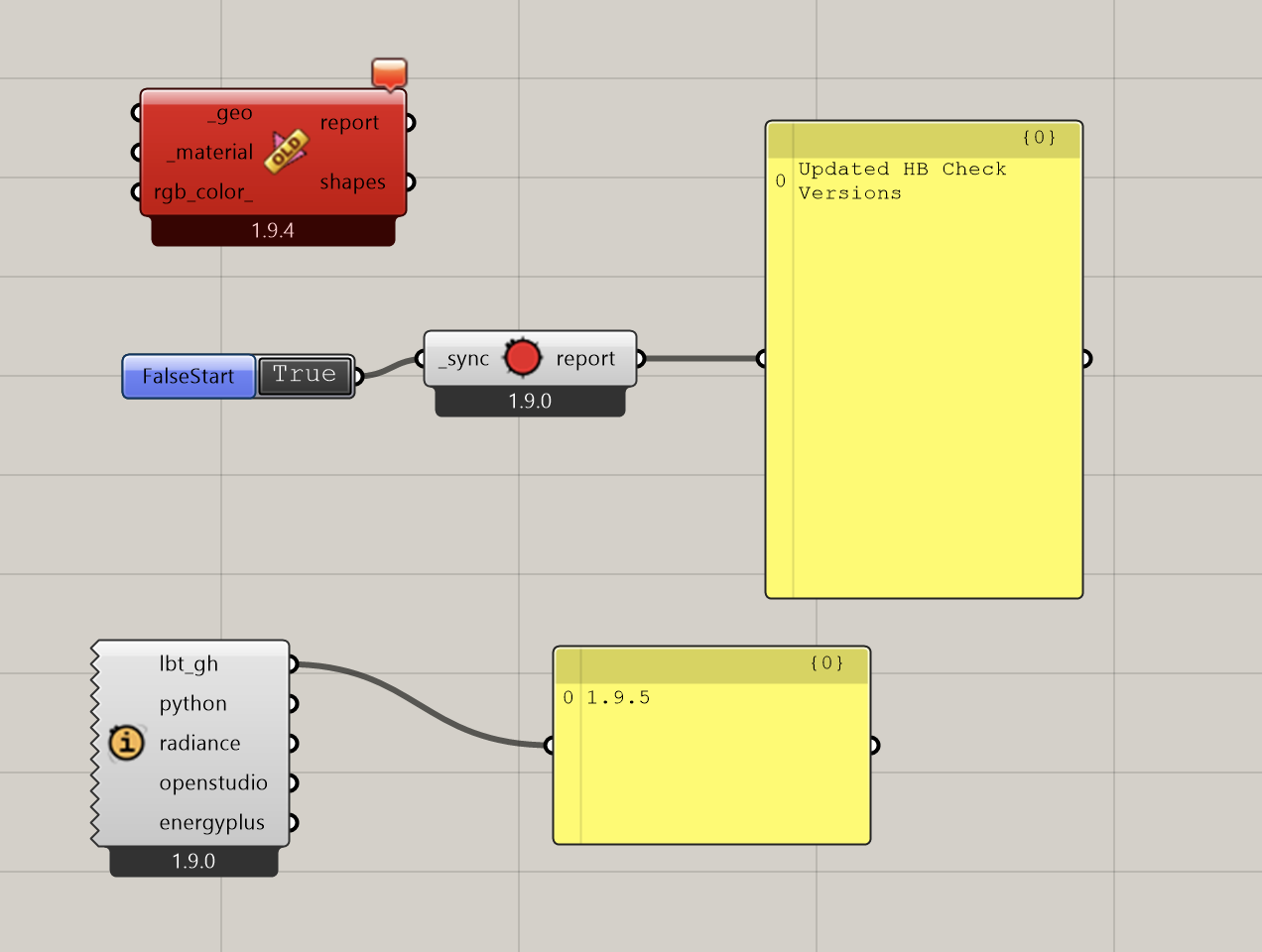
OK I am having a strange issue trying to sync my GH file, screenshot below
I have LBT 1.9.5 installed (via running versioner)
Tried running sync gh tool to update the FF components but they seem “stuck” on old version? And when I add new fresh components they also show up as 1.9.4?
(I am running on a Parallels Windows VM so possible theres some backend issue happening thats just unique to me)
From your screenshots, it is clear that the LB Versioner failed to run correctly on your system. You have a pretty old set of core libraries running and lbt_gh version 1.9.5 is from several months ago.
I would recommend either running the LB Versioner with Rhino in Admin privileges or just use the latest Pollination single-click installer. It should have the more recent fairyfly components in it.
Thanks Chris! I had been doing new installs of pollination but i think my mistake was not uninstalling the old ones first. I did a full wipe of everything and fresh reinstall and that worked

 !
!