Hi Chris @chris ,
I have a workflow question about DF Process Alleys, specifically regarding how Dragonfly chooses the Story that is used as a template for duplication when resolving adjacency between buildings with different floor-to-floor heights.
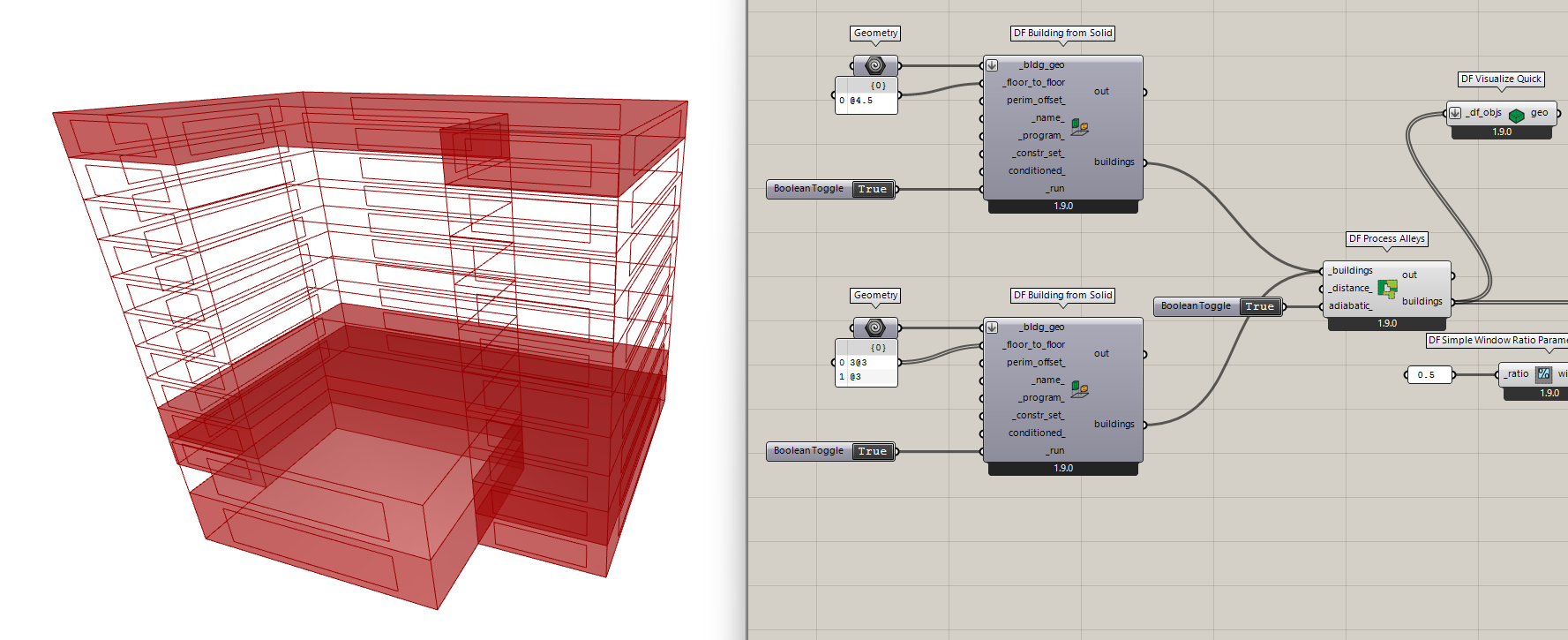
I’m processing adjacency between two neighboring buildings:
- Building A: floor-to-floor height = 4.5 m
- Building B: floor-to-floor height = 3.0 m
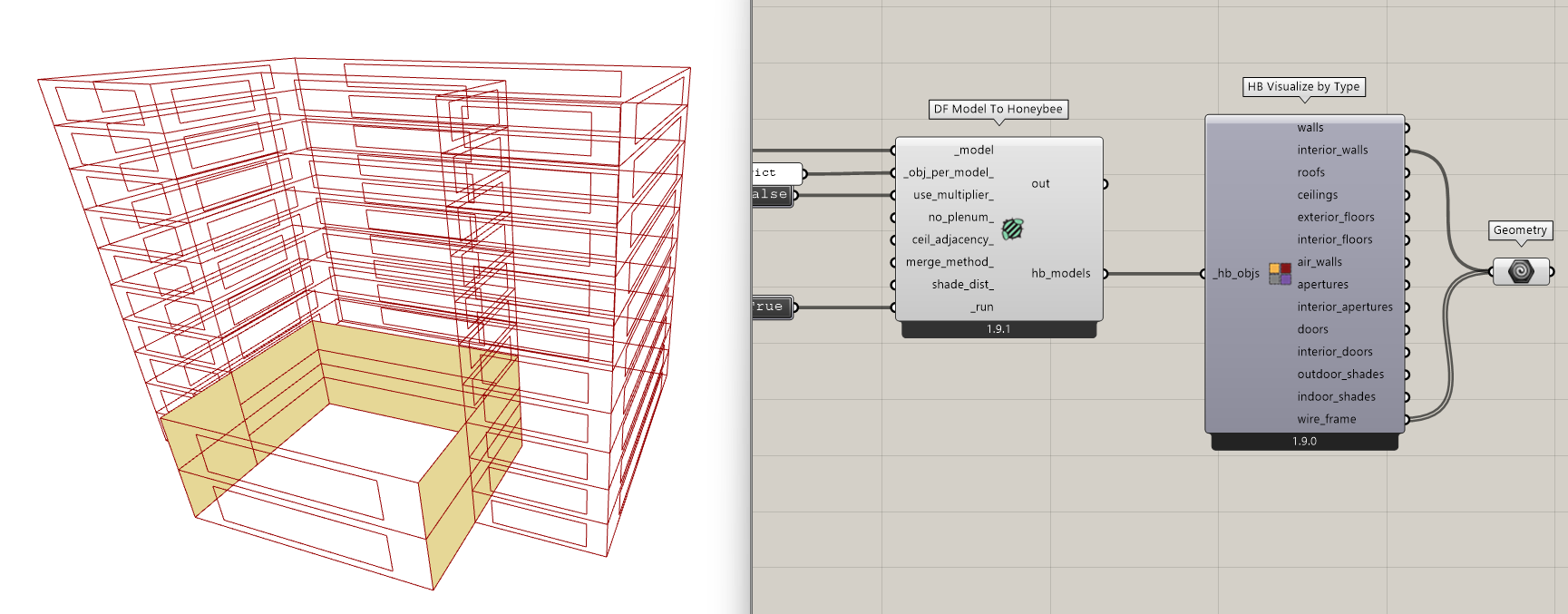
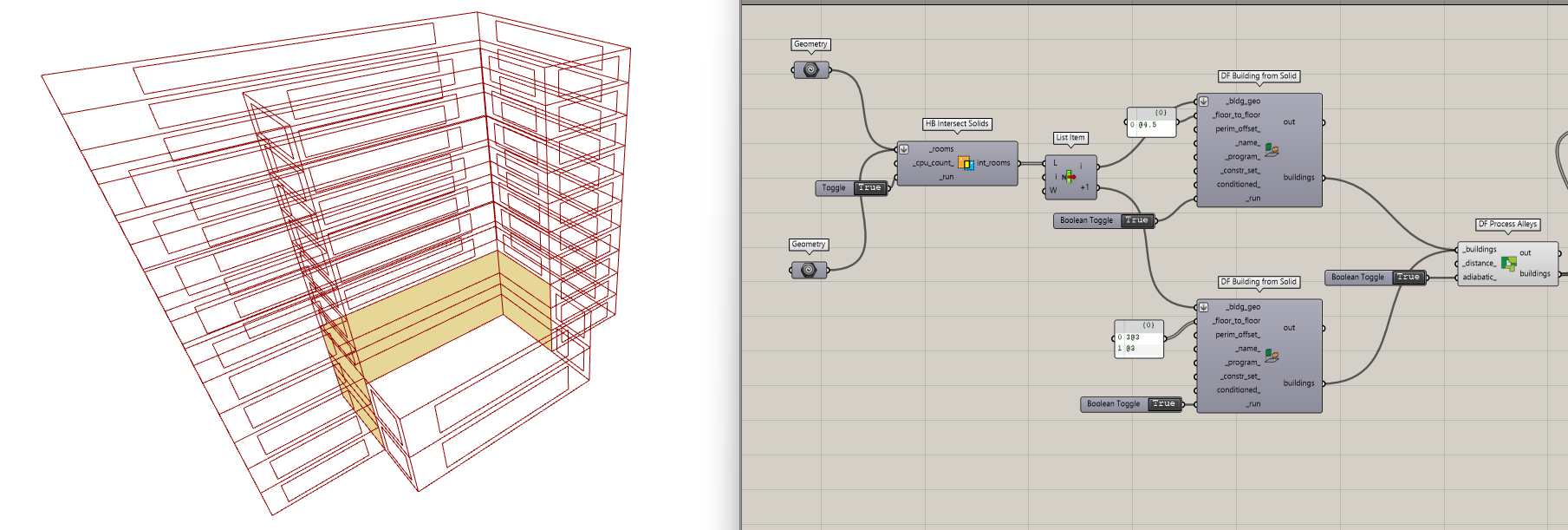
They are adjacent horizontally and overlap only for the lower portion of the taller building. Conceptually, only the overlapping floors should be treated as adiabatic, while the upper floors should remain exterior.
Observed behavior
After running DF Process Alleys, Dragonfly appears to:
- Select an already-processed Story (often a lower Story with adiabatic walls) as a template Story
- Duplicate that Story upward in the taller building
- This causes adiabatic conditions to propagate higher than the actual vertical overlap
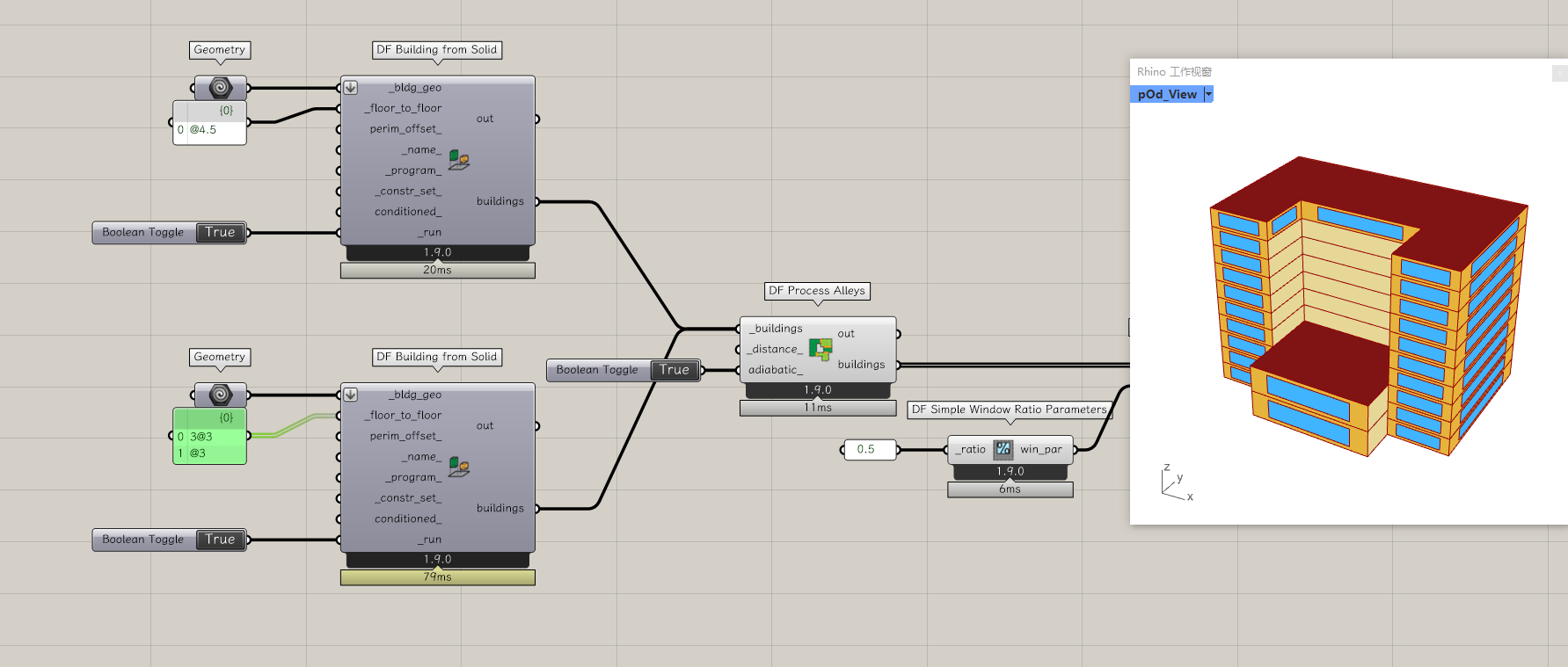
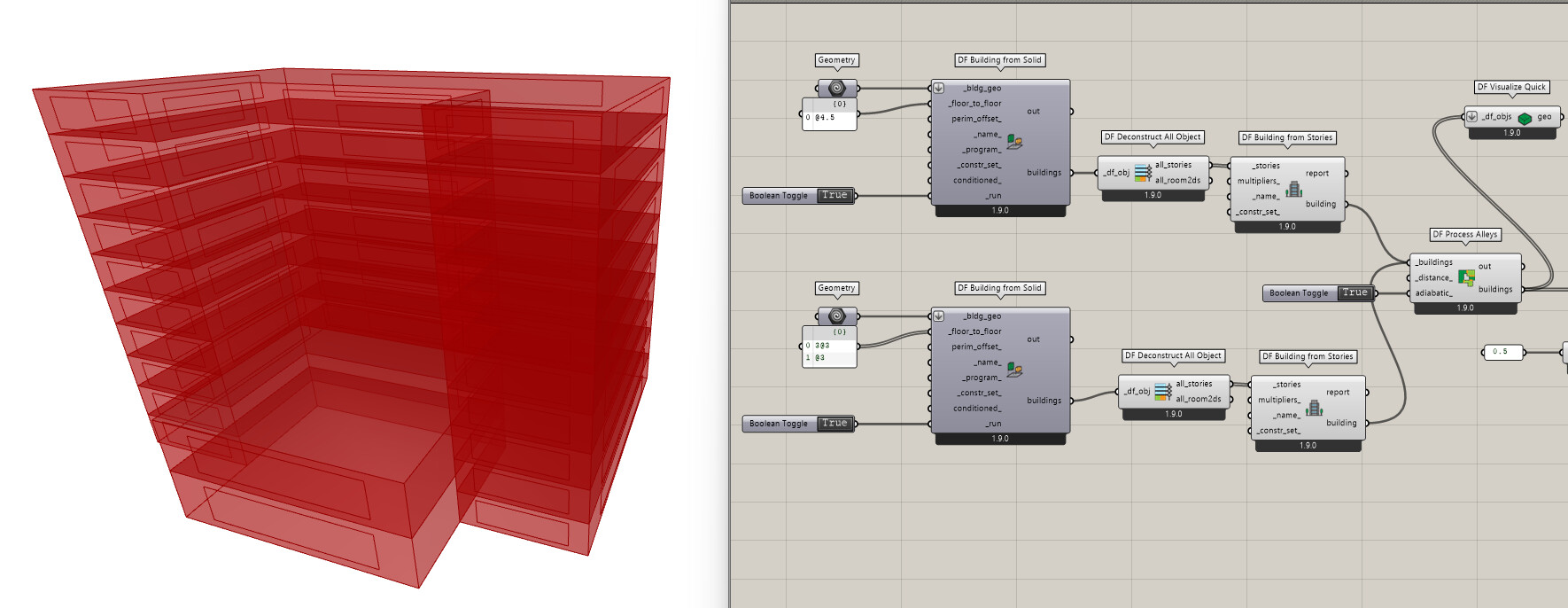
I noticed that if I slightly perturb the floor-to-floor height of the overlapping part (e.g. using 2.95 m instead of 3.0 m), that floor is treated as a distinct Story and the adjacency is resolved as expected. This suggests that the duplication logic may depend on how Stories are grouped or identified internally.
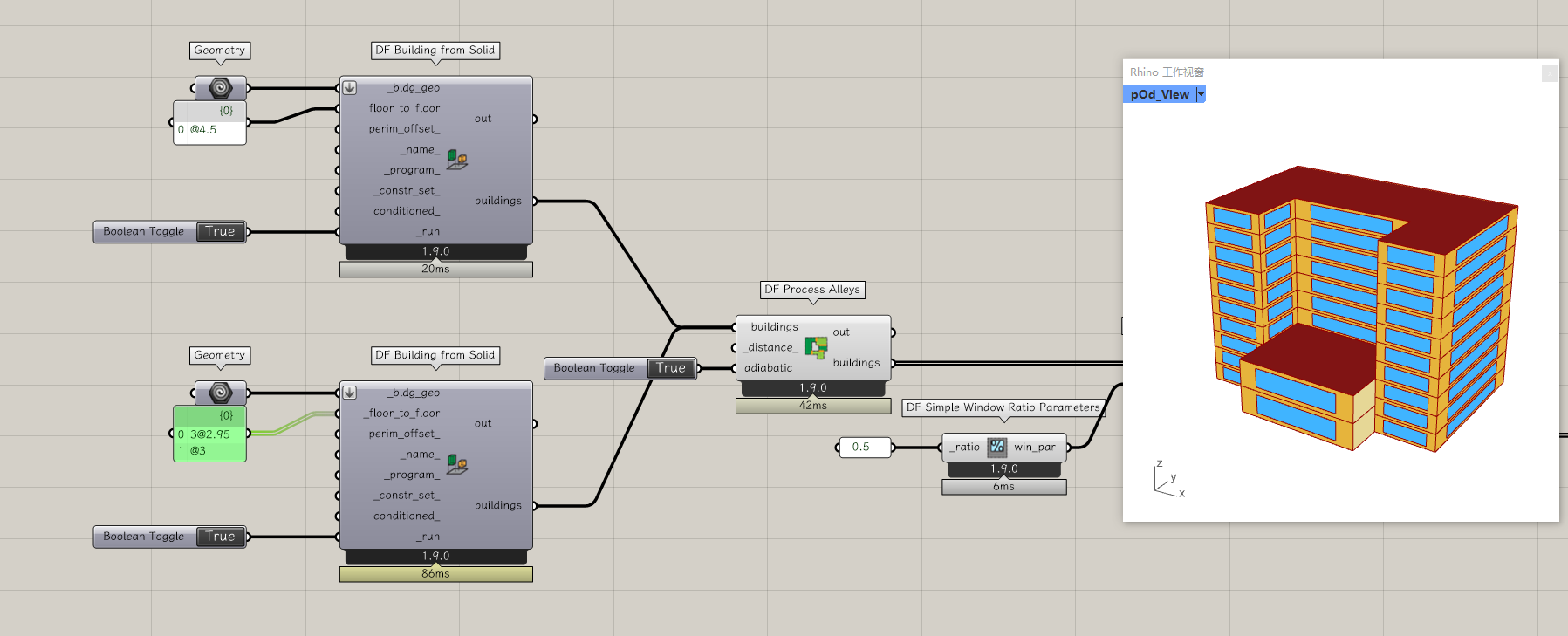
Main question
Is it currently possible to manually specify which Story should be treated as the “key Story” used for duplication after running DF Process Alleys?
Conceptually, I’m wondering whether a workflow like this is supported (or planned):
- lower floors are normal,
- one specific Story is treated as the key adjacency-resolving Story,
- all higher Stories copy the configuration of that key Story,
instead of relying on small geometric differences (e.g. slightly changing floor-to-floor heights) to force Dragonfly to recognize a special Story.
Here is my gh sample file.
building adjacency.gh (38.8 KB)
Additional observation (possible adjacency detection threshold?)
I’d like to add one more small observation related to DF Process Alleys adjacency detection.
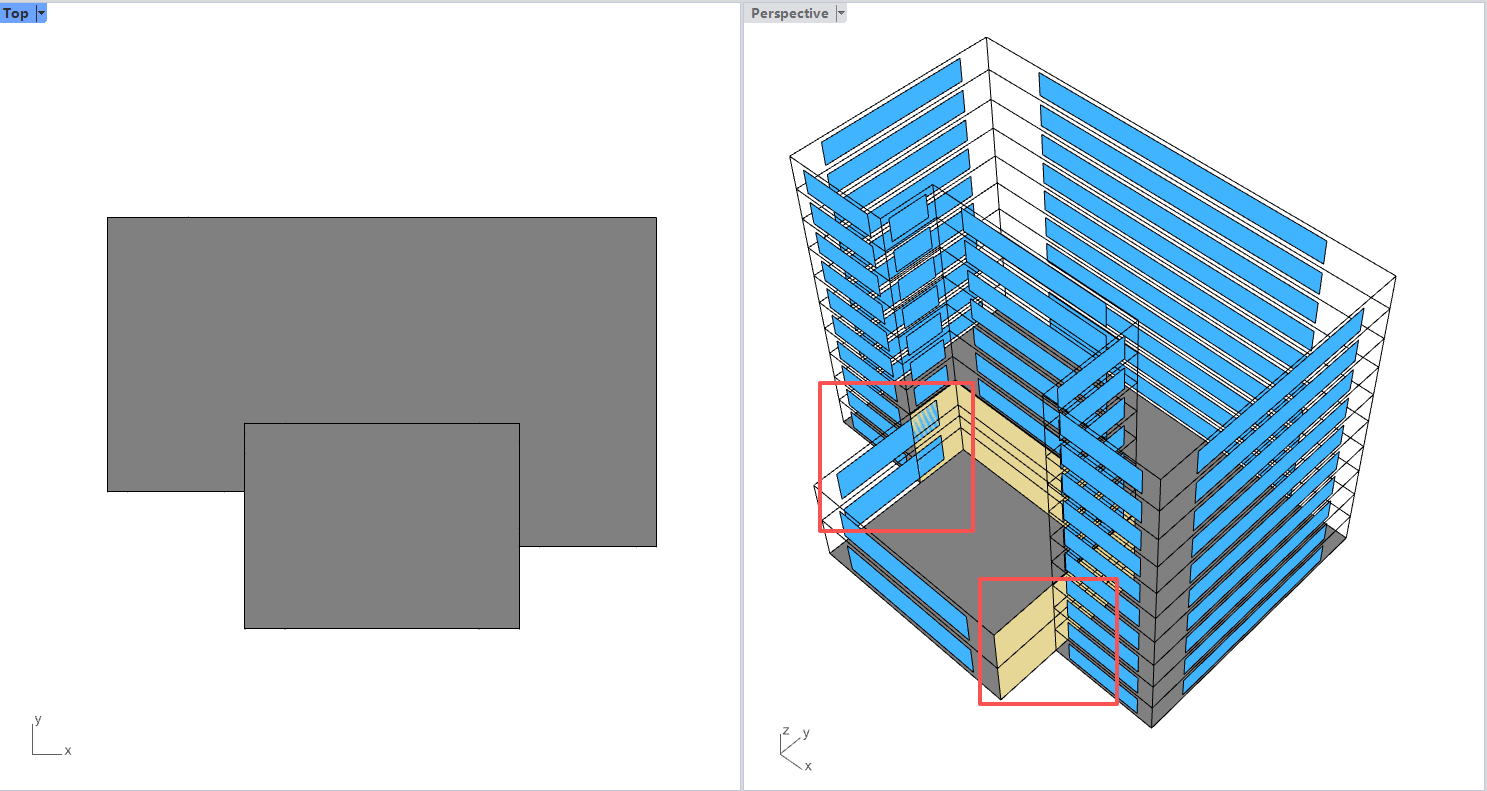
From my tests, it seems that adjacency is only successfully detected and converted to adiabatic interior walls when the overlapping interface between two buildings reaches (or exceeds) roughly ~50% of the wall area.
In cases where:
- the two buildings intersect horizontally, but
- the overlapping interface is relatively small (clearly less than half of the wall area),
the adjacency does not get recognized, and the walls remain exterior, even though there is still a geometric intersection.
Environment
- OS: Windows 10
- Rhino / Grasshopper: Rhino 8
- Ladybug Tools: 1.9.0
Thanks a lot!