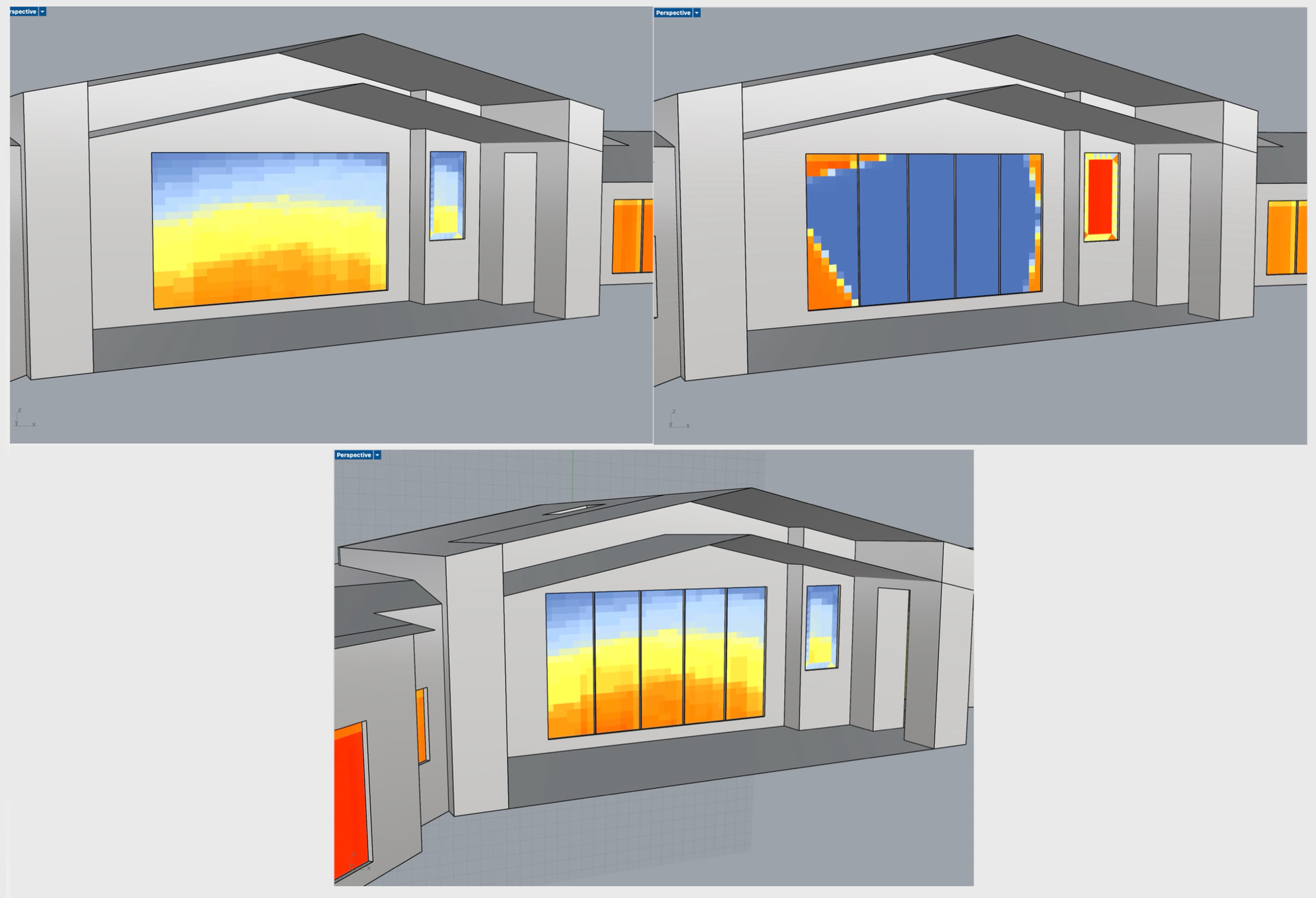
I am running into an unexpected output with the shading factors component, I have a series of adjacent window surfaces that give me issues when touching.
See Screenshots below of (top left) 1 single window surface, (top right) 5 individual surfaces with collinear edges, and (bottom) the same five surfaces with 0.5" spacing between each plane. All three scenarios use the same shading geometry, EPW etc. the output shading factors on the middle scenario output 0% for the windows in the dark blue area. Strangely it appears to affect the unrelated window to the right as well. This happens with a similar set of three windows on the north side as well.
I can simply use a single window surface and the mullion feature of PHPP 10, or leave the small gap work around when generating the shading factors for this project but I would like to see if this is a known bug or expected behavior for future reference.
Hi @scola In my experience, that usually happens if you have multiple surfaces overlapping one another for some reason - so I’d first suggest taking a look at the rhino model, and ensure that you don’t have multiple surfaces piled up there. that odd effect happens since Rhino can’t decided which of the two surfaces is in front, and so you get that peculiar blum-effect.
That’d be my first guess to try? If you would like to provide an example model though I’d be happy to take a closer look.
Unfortunately, it’s not Z fighting or multiple surfaces, I verified those. I also verified surface normals and hb_obj normals were okay.
It’s also not surface overlap, this happens if I start with one large surface and split the faces or draw them individually. As soon as I put 0.1in of space between them they start to behave as expected.
strangely it stops if I use a negative value for install depth. my suspicion is something to do with back faces in the unshaded calculation, but I don’t know how to begin going about verifying that.
You are correct - for some reason the holes aren’t punching cleanly. There is some odd surface ‘residue’ being left behind during the intersection punch for some reason. I’ll have to take a look and see if there is a solution. For now, the best I can say is to scale the aperture surfaces in GH by 0.999 in order to generate to non-zero width surface, which then seems to work as expected.
I’ll see if I can determine what a proper solution would be for this and let you know.
I like your scale to 0.999 idea. I can just drop that into the pipeline and forget about it instead of worrying about nudging individual apertures.
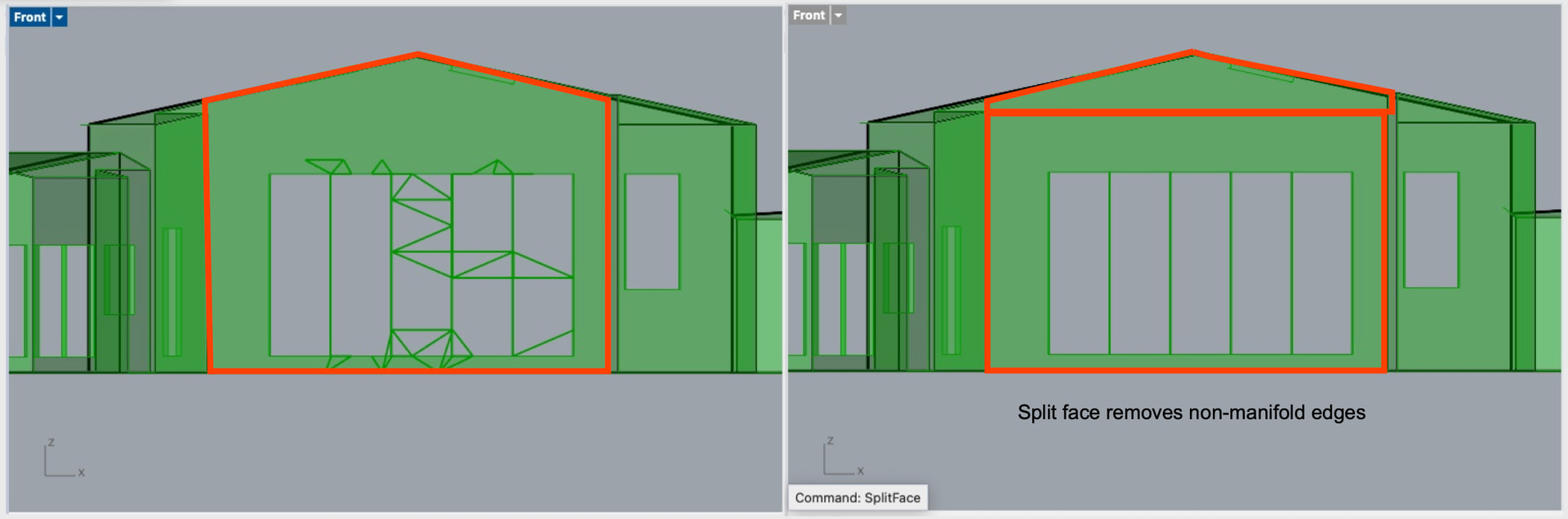
I will put this info in the issue on GitHub: whatever mesh grasshopper or hb generates along the way is the issue. If you take the shading_surfaces output from Create Shading and put it into a MEdges component and look at the non manifold edges they get really weird at those punches. A quad remesh fixes the non-manifold edges (but cannot be passed into shading factors as a mesh), or simply running SplitFace to make the window host surface rectangular, with makes the non-manifold edges go away and gives expected results.