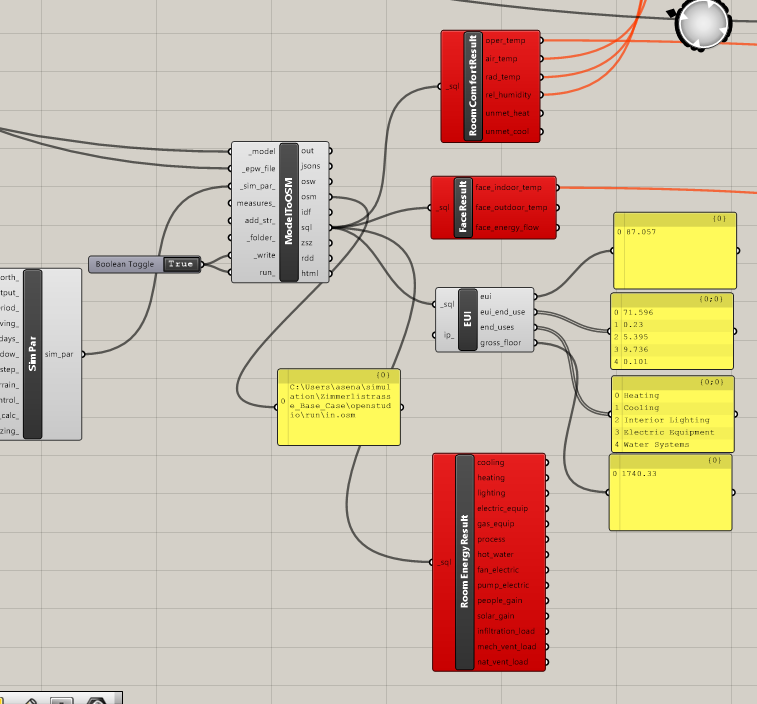
I solved it, just keeping the post in case someone has the same issue. Idk why but when I disconnect the simulation parameter on the left, the red components started to work!!
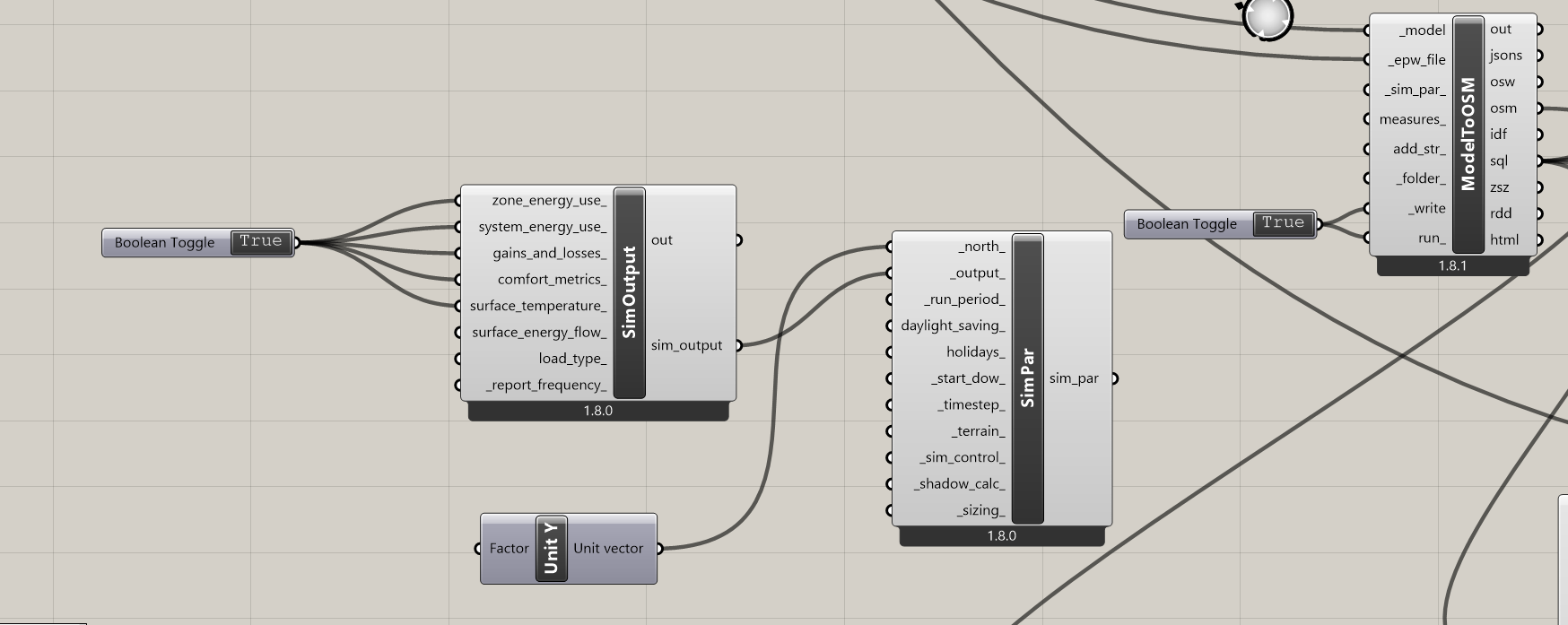
This is probably a bug. If you are able to send a screenshot of what Simulation Parameters you are using, I’ll hopefully be able to recreate it and fix it.
I can’t find anything particularly wrong about those simulation parameters that would cause the error except that maybe the fact that you are requesting almost all of the outputs on an hourly basis is causing the SQL file to be really large. If you had several hundred rooms in the model, for example, this could trigger some errors related to memory usage when loading data from the SQL. Can I ask how many rooms you have in this model that you are simulating? If it is a large number, can you try requesting these outputs on a Monthly basis rather than the default Hourly?
The other thing that I notice is that your component versions are a little old and I imagine that this also means you’re using an older version of EnergyPlus. I recommend upgrading to the latest version of Ladybug Tools with EnergyPlus 25.1 and seeing if you ca recreate the error.