Integrating CFD Wind Speeds from 3rd Party into LB UTCI Script

Afternoon @chris ,or @dlynch , @mostapha I am sure there is a simple answer to my question, and I could have sworn I had seen someone ask this before but cannot find it here… so.

We do CFDs with Simscale, and have long downloaded those into csv files, so we have one csv file per wind direction.

We have long had the following workflow to then incorporate this into our comfort workflows (without using the LB UTCI components):

  1. Download CFDs, one CSV per wind dir
  2. We built a component to read these, it has 4 columns: x, y, z point locations, wind speed m/s.
  3. We then match the closest point in the CSVs to the closest points in the analysis surface mesh
  4. We end up with a matched wind speed from the CFD per point in our analysis
  5. We feed that list of wind speeds for use in the UTCI calculation. The # of wind speeds match exactly with the number of points in the UTCI analysis surface / calculation

We are now trying to move away from our own c# components and use all native LB components.
My issue is getting the structure to work for the windspeed input of the UTCI calculation in the LB UTCI component. It seems that the UTCI wind input is expecting a data collection or single number, and so I:

  1. took my list of CFD wind speeds (1 value per point, so, in this case ~11,000values)
  2. use the LB components to create a header and data collection object
  3. Input that into the windspeed component
    the problem then is that there are like 11,000+ data collections, and I am not sure that is the right way to do it - it freezes up and then when it does work the UTCI component outputs “null”.

How would you go about integrating these wind speeds?

CCing: @jackD to follow

I believe this is the post you are looking for, @remyweather:

@chris thanks. In this case I guess we need to run the HB UTCI workflow, rather than the LB UTCI workflow? In our early stage workflows, being able to avoid potentially needing to setup the HB model that has a lot more detail and inputs (soil, etc). Is it possible to have that same input in the UTCI LB component for Wind, to be able to pass a .csv to that?
Or maybe I don’t understand HB enough and it is simpler than i thought.

Oh, I thought that is already what you were doing. Trying to make a UTCI map with CFD results and Ladybug components sounds like an extremely slow Grasshopper script. The Honeybee UTCI map runs outside of Grasshopper and so it’s much better at scaling up and running efficiently when you have thousands of points in your map (like what I imagine you are creating from CFD results). Plus the HB UTCI map accounts for things like shortwave solar reflections, which is something that the Ladybug components cannot do.

Ok then maybe my mindset has to be that we have two different scripts - one simple one w/ LB components, and one with HB that incorporates wind for more detailed analysis - we can work with that. Thanks for the advice as always.

hi @chris running into some troubles getting the custom wind to work and I suspect it is in the formatting of the csv, I get this error:
> 1. Solution exception:
> The recipe failed to run with the following error(s):
> **
> 2026-05-02 19:34:08 ERROR: “CreateAirSpeedJson” failed. See below for more information:
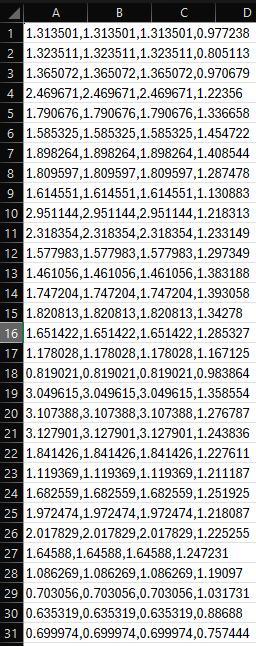
> * ValueError: could not convert string to float: ‘1.31,1.31,1.31,0.98\n’

> 2026-05-02 19:34:10 ERROR: “CreateAirSpeedJson” failed. See below for more information:
> * ValueError: could not convert string to float: ‘1.31,1.31,1.31,0.98\n’

> 2026-05-02 19:34:13 ERROR: “CreateAirSpeedJson” failed. See below for more information:
> * ValueError: could not convert string to float: ‘1.31,1.31,1.31,0.98\n’*
> 2026-05-02 19:34:15 ERROR: “CreateAirSpeedJson” failed. See below for more information:
> * ValueError: could not convert string to float: ‘1.31,1.31,1.31,0.98\n’*
> 2026-05-02 19:34:17 ERROR: “CreateAirSpeedJson” failed. See below for more information:
> * ValueError: could not convert string to float: ‘1.31,1.31,1.31,0.98\n’*
> **
> Execution Summary
> Scheduled 174 tasks of which:
> ** 134 ran successfully:

> * - 5 CalculateSphericalViewFactors(…)

> * - 5 CalculateSphericalViewFactorsLoop(…)*
> * - 5 ComputeSphericalViewFactors(…)*
> * - 1 CopyGridInfo(…)*
> * - 1 CopyRedistInfo(…)*
> * …*
> ** 5 failed:*
> * - 5 CreateAirSpeedJson(…)*
> ** 35 were left pending, among these:*
> * * 6 were missing external dependencies:*
> * - 1 RunComfortMap(…)*
> * - 5 RunComfortMapLoop(…)*
> * * 15 had failed dependencies:*
> * - 5 ComputeTcp(…)*
> * - 5 ProcessUtciMatrix(…)*
> * - 5 _ComfortMappingEntryPoint_1f915e33Orchestrator(…)*
> * * 8 had missing dependencies:*
> * - 1 LetUtciComfortMapFly(…)*
> * - 1 RestructureConditionIntensityResults(…)*
> * - 1 RestructureConditionResults(…)*
> * - 1 RestructureCspResults(…)*
> * - 1 RestructureHspResults(…)*
> * …*
> * * 6 was not granted run permission by the scheduler:*
> * - 1 RunComfortMap(…)*
> * - 5 RunComfortMapLoop(…)*
**> **
> This progress looks :frowning: because there were failed tasks

It also takes about 45 minutes to run a period of 4 hours simulation time for 2,000 grid points - not sure if this is normal, it seems like a long time.

The CSV is structured as follows, following the guidance from the component:
ABCD columns are each timestep, and each row is a sensor.
I noticed that if the values are below 0.5, then the script fails, presumably because the UTCI model does not accept values under 0.5. I replace all values that are <0.5 with 0.5 for this.

The name of the CSV aligns with the name of the analysis sfc
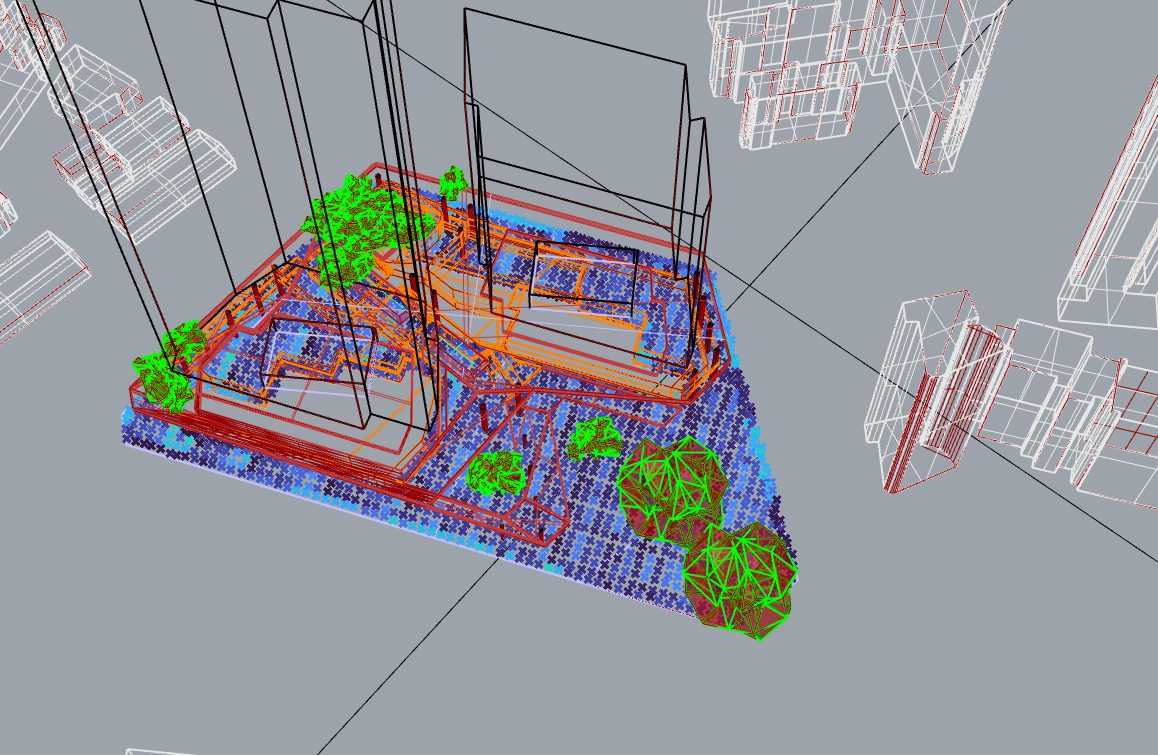
Here is a visual (showing the analysis pts)

There also seem to be a bunch of dependencies missing, but I am not sure if that is causing the simulation to fail:

026-05-02 20:01:35 INFO: C:\Program Files\ladybug_tools\python\lib\site-packages\cupy_environment.py:215: UserWarning: CUDA path could not be detected. Set CUDA_PATH environment variable if CuPy fails to load.

This computer does have CUDA.
thx!

Another error with a different test, Not sure what dependencies are not installed - used single click installer and versioner a few days ago, it should all be installed correctly:

  1. Solution exception:
    The recipe failed to run with the following error(s):

Execution Summary
Scheduled 174 tasks of which:

  • 134 ran successfully:
    • 5 CalculateSphericalViewFactors(…)
    • 5 CalculateSphericalViewFactorsLoop(…)
    • 5 ComputeSphericalViewFactors(…)
    • 1 CopyGridInfo(…)
    • 1 CopyRedistInfo(…)
  • 5 failed:
    • 5 CreateAirSpeedJson(…)
  • 35 were left pending, among these:
    • 6 were missing external dependencies:
      • 1 RunComfortMap(…)
      • 5 RunComfortMapLoop(…)
    • 15 had failed dependencies:
      • 5 ComputeTcp(…)
      • 5 ProcessUtciMatrix(…)
      • 5 _ComfortMappingEntryPoint_1f915e33Orchestrator(…)
    • 8 had missing dependencies:
      • 1 LetUtciComfortMapFly(…)
      • 1 RestructureConditionIntensityResults(…)
      • 1 RestructureConditionResults(…)
      • 1 RestructureCspResults(…)
      • 1 RestructureHspResults(…)
    • 6 was not granted run permission by the scheduler:
      • 1 RunComfortMap(…)
      • 5 RunComfortMapLoop(…)

This progress looks :frowning: because there were failed tasks

Ok well this one I have half solved - I double checked and reinstalled CUDA, and CUDA-CUPY13x, however I still get the error :

FileNotFoundError: Could not find module ‘nvrtc64_130_0.dll’ (or one of its dependencies). Try using the full path with constructor syntax.

I see on the github here, it says that this is a known error, but not how to fix it:


If I run nvidia-smi on my machine I get this:

indicating to me that I do indeed have CUDA13x installed.

So not sure how to resolve that?

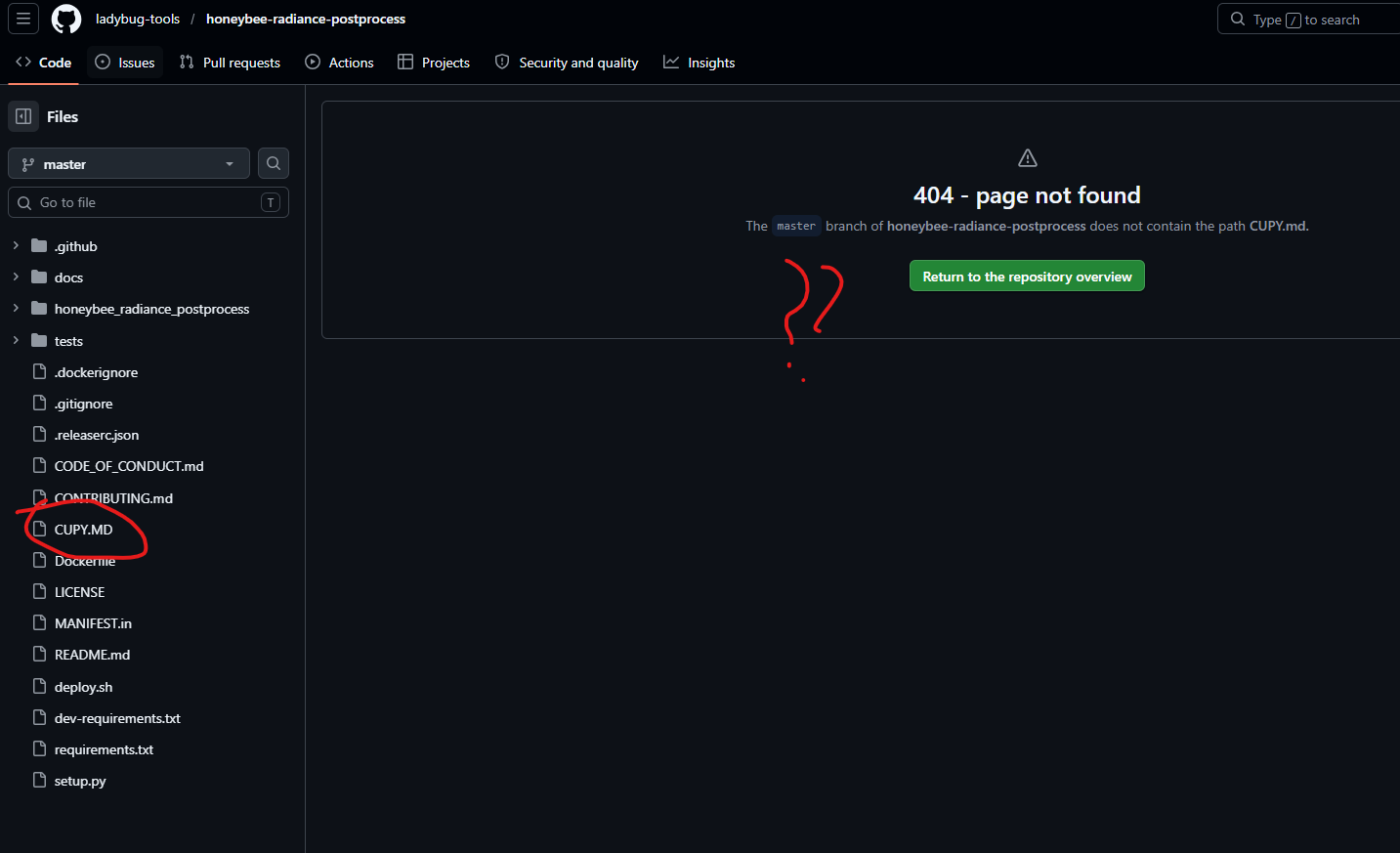
p.s. it seems like the link you have in the running log of HB UTCI map when it runs pointing to the CUDA.md page on github has been moved, it gives a “404 not found”, I found it manually looking in the directory of the github: