Hi Ladybug community,
I’m currently working on a parametric massing study using Grasshopper with Ladybug Tools on Rhino 7 / Windows 11. I’ve encountered an issue related to geometry visibility and would appreciate your help and advice.
 Problem description:
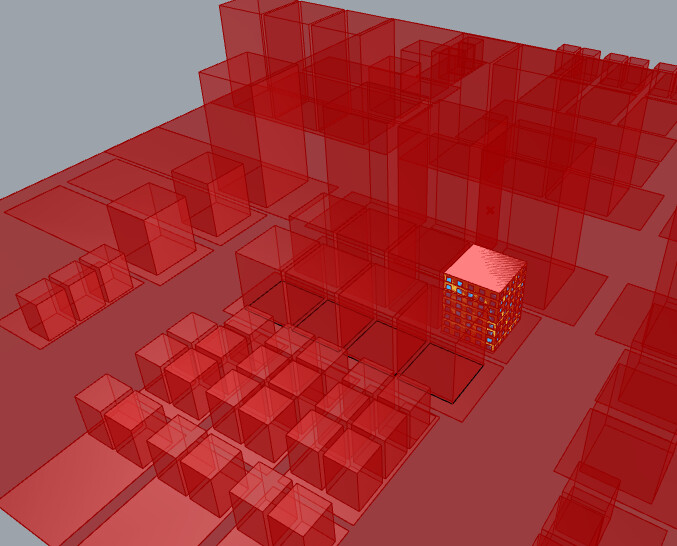
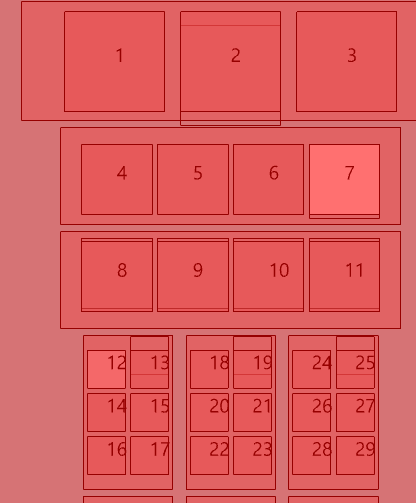
As shown in the screenshots below, when I set the Building location number slider to 6, the building that should appear at location #12 disappears.
This seems to happen dynamically depending on the building index selected.
 Goal:
Goal:
- I want to allow each of the 29 building blocks (numbered 1–29) to be individually controllable in height using a separate parameter (like a slider or list).
- I’m not sure how to best structure the algorithm or data trees so that the massing components remain persistent across different scenarios and location changes.
 What I’ve tried so far:
- Checked for list mismatches and tree structure misalignments.
- Tried to graft/flatten inputs but didn’t get the expected behavior.
- Verified that the geometry is not hidden or culled—it’s just not being generated.
I’ve attached screenshots showing the setup and issue.
Any advice on how to manage geometry consistency and allow per-building height control would be greatly appreciated!
Thank you in advance 
250720.3dm (1.2 MB)
20250720_(A)-3.gh (187.8 KB)
20250720_(A)-BF.gh (173.6 KB)