Hi @chris I installed the latest LBT 1.10.0 through Pollination Rhino installer but I am having issue with loading some components as shown below,
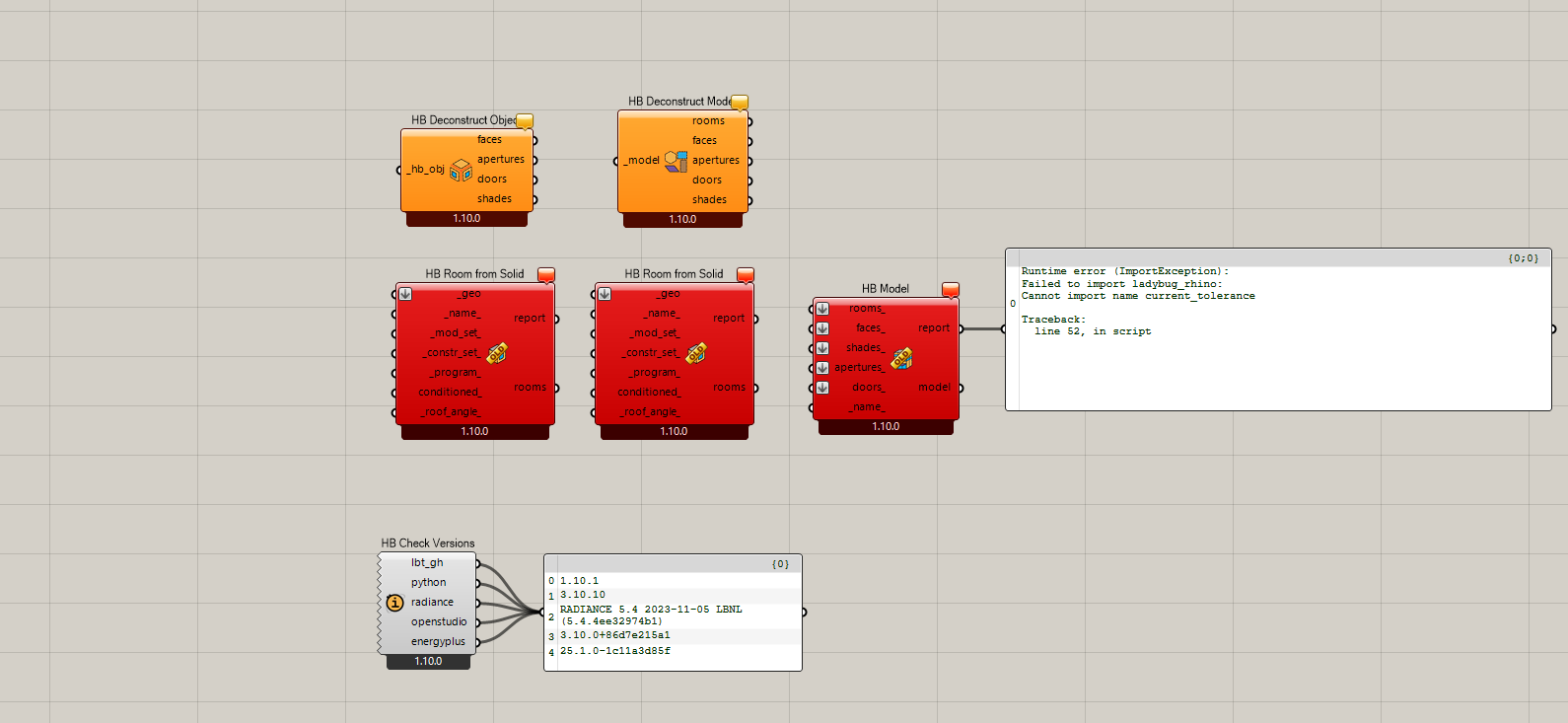
Is there a bug?
Hi @chris I installed the latest LBT 1.10.0 through Pollination Rhino installer but I am having issue with loading some components as shown below,
Hi @Asisnath ,
It’s clear that you have old core Python libraries loaded into your Rhino environment instead of the Python libraries that came with the single-click installer.
This can happen if you have installed via the Food4Rhino installer.gh in the past but you do not run the uninstaller.gh file from Food4Rhino before a different user on the machine (like an IT department) runs the Pollination single-click installer.
So you can either run the uninstaller.gh file from Food4Rhino or just delete the following folder on your machine:
C:\Users\[USERNAME]\ladybug_tools
After doing either of those operations and restarting Rhino, everything should work.
@chris Thanks for the reply, I tried this but still the error persisits!
I tried to find this folder in my user name C:\Users[USERNAME]\ladybug_tools
but it doesnot exists
Thanks, @Asisnath .
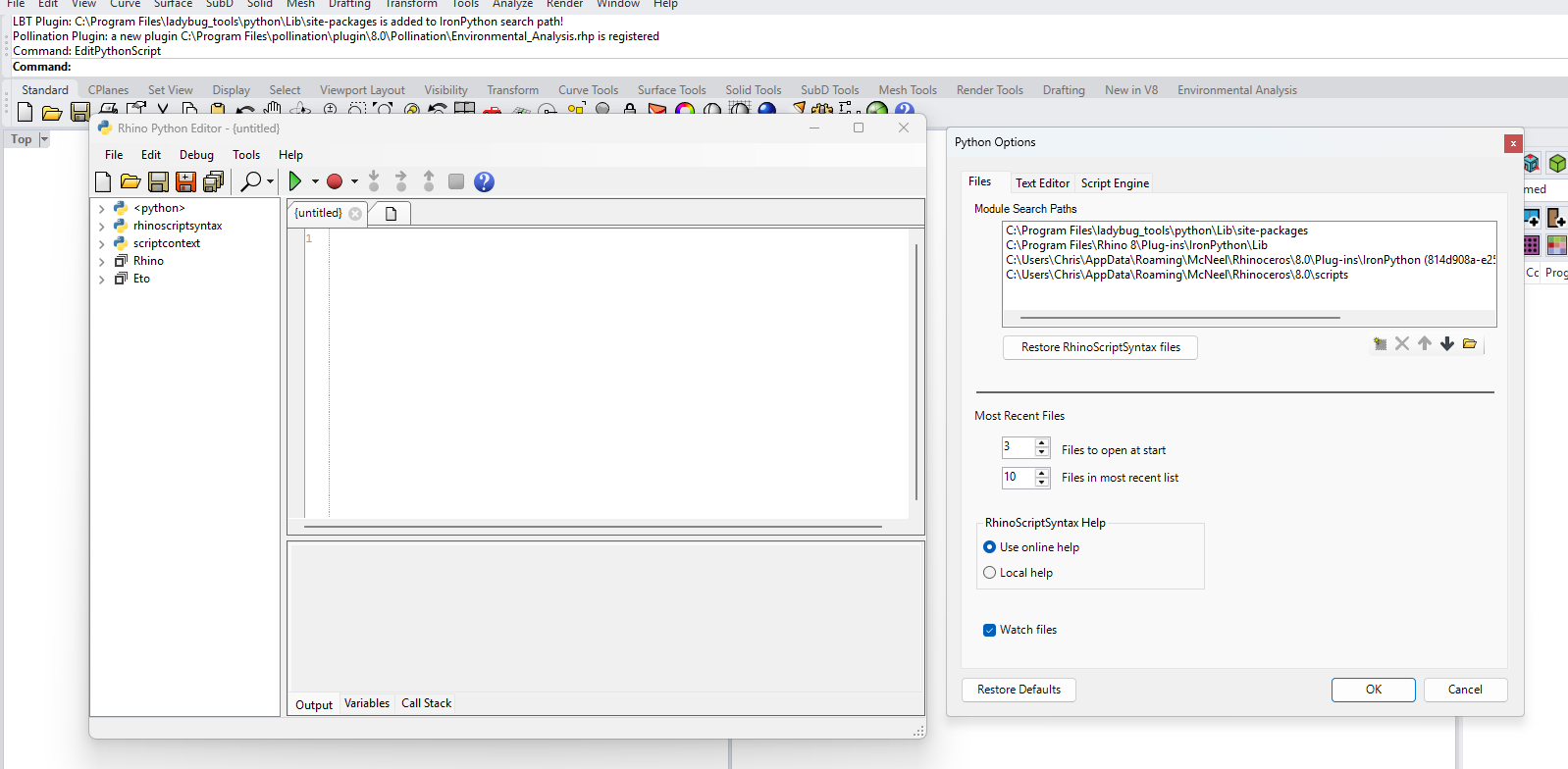
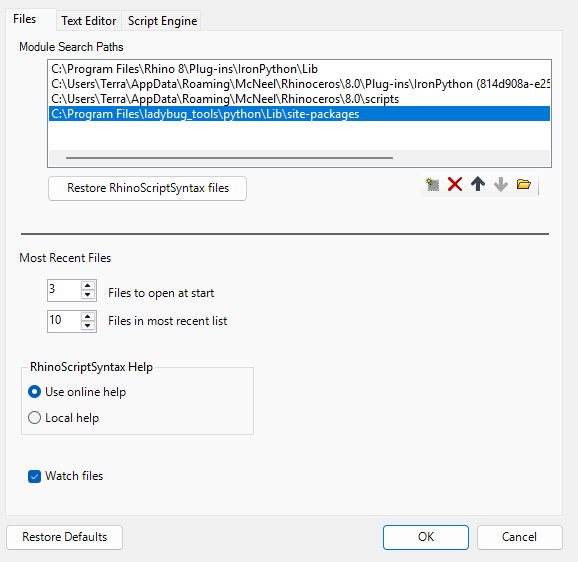
Maybe you have something that is really specific to your machine going on here. What are the folders that you see when you use the EditPythonScript command in Rhino and then go to Tools > Options:
You can move the following path to the top of the list:
C:\Program Files\ladybug_tools\python\Lib\site-packages
And that will ensure that the correct core libraries get loaded up first before the old ones on your system get loaded and then break everything.
Maybe you also want to delete any paths that you have on your machine which I do not have if you want to ensure that you do not get this problem in the future.
Hi @Asisnath ,
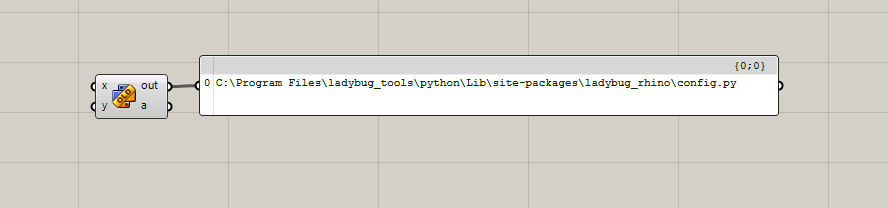
Ok. If this did not fix it, I have one last test. What do you see when you open the following .gh file:
If it is the same thing that I have, then I think we have somehow released a buggy single-click installer. What version of the single-click installer do you have?
And can you try re-downloading and re-running the latest single-click installer?
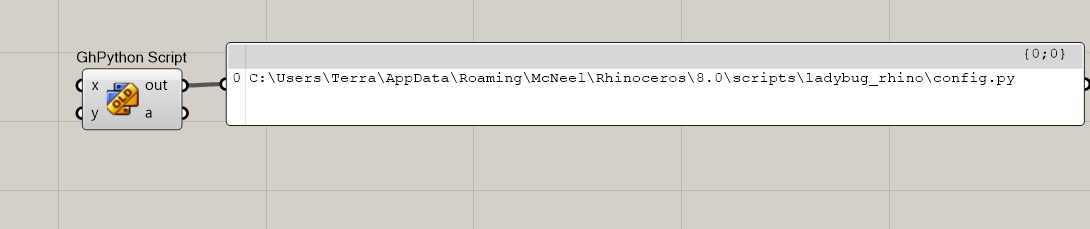
Oh, phew! We found the problem and it is not a buggy single-click installer.
Delete all of the files and folders that you have here:
C:\Users\Terra\AppData\Roaming\McNeel\Rhinoceros\8.0\scripts
Then, restart Rhino and you should be good to go.
OMG! That’s it! you got it right this time @chris ! You just saved me on a critical time of submission. But how these files got attached here. I hope the installer should delete this folder if present next time. Thanks again!
Glad to hear it, @Asisnath .
I really don’t know how you got a copy of the core libraries in that location. I remember putting them in that scripts folder location waaaay back before we released LBT 1.0. But none of the installers on Food4Rhino or pollination installers ever put them there.
Also, Rhino 8 wasn’t out at that time so I don’t know why they would have been there in the Rhino 8 scripts folder. So I really do not know. Is there a chance that you might have manually copied them there at some point and then forgot about it?
Hi @chris I really don’t think I have ever manually copied any core libraries there. Any ways the thing is rectified. Thanks again!