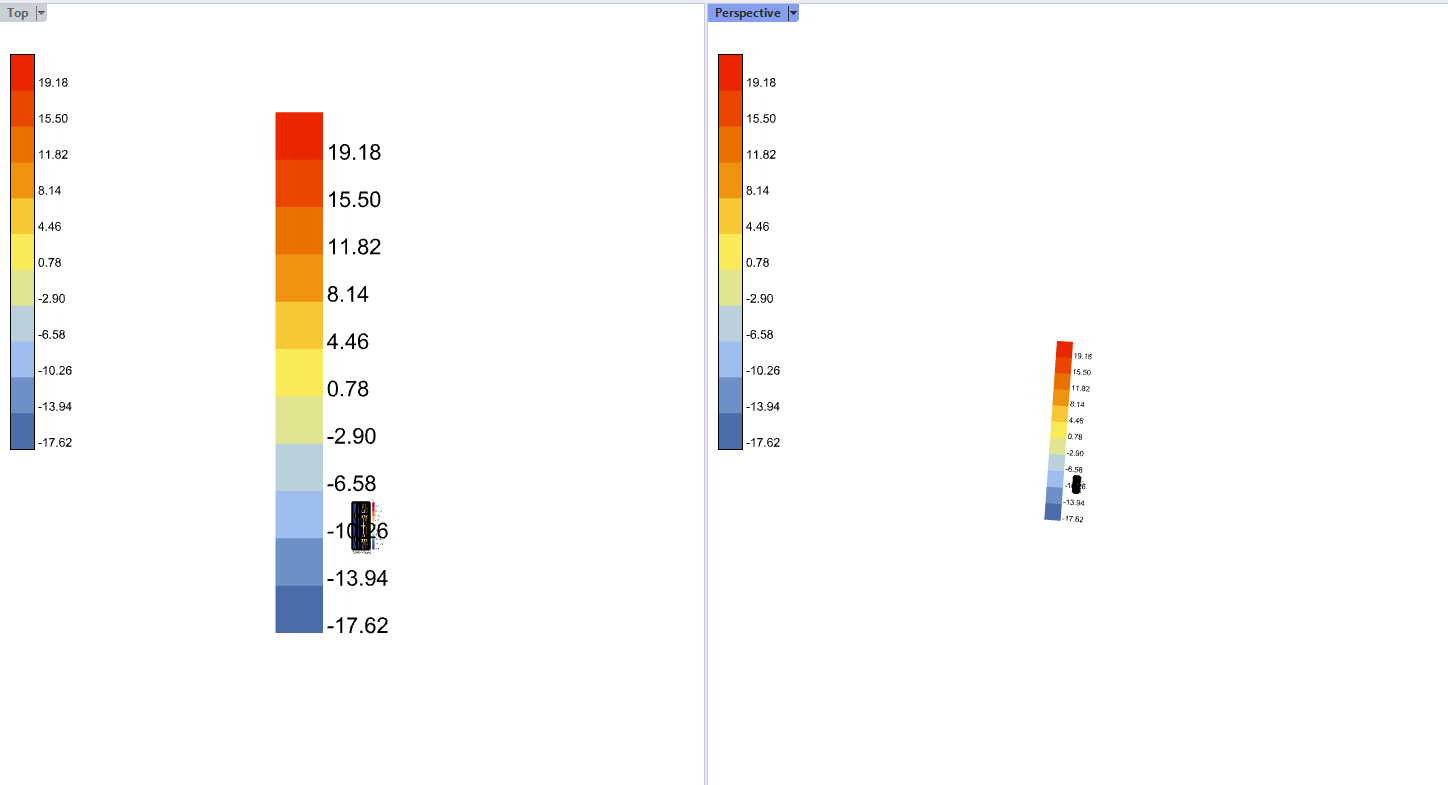
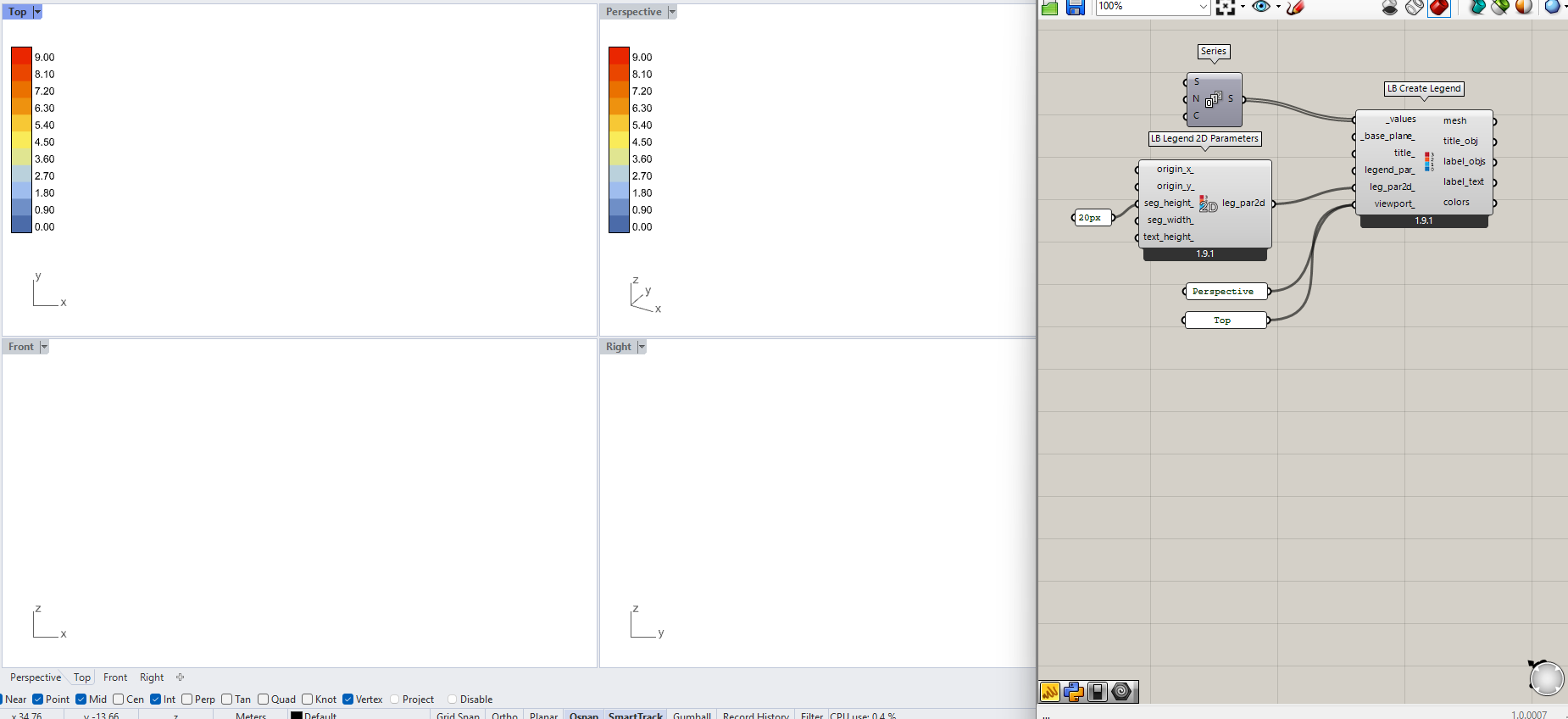
Ladybug “Create Legend” Multi-Viewport Modified
(See demo video at the end)
Follow-up to the previous post, with improvements on viewport handling and rendering behavior. Again, these modifications were mainly made for my own work presentations and data visualization outputs. Just mentioning @chris here — this is more of an experimental tweak for reference.
In the original LB Create Legend component, legend generation relies on
VisualizationSetConverter.convert_legend2d() which depends on ActiveView.
This design leads to several practical limitations:
- When multiple Rhino viewports are open, the legend aligns only with the ActiveView,
often causing incorrect scaling or misalignment in other viewports. - It’s not possible to specify which viewports should display the legend.
- When a viewport is maximized or minimized, the legend does not automatically realign or resize.
- When the component is disabled, the legend remains visible on the screen.
 Modification
To address these issues, this modified version introduces the following updates:
 Use
Use args.Viewport– The drawing logic now references the viewport passed throughDrawViewportWiresinstead of relying on ActiveView, ensuring correct alignment within each active display context.- Automatic Size Synchronization – The legend automatically rebuilds when a viewport changes size (e.g., maximize or minimize).
- Add
viewport_Input – Allows users to specify which viewports the legend should appear in. - Disable Handling – When the component is disabled, drawing is automatically stopped to prevent residual legends.
 Implementation
This version makes no modifications to external Ladybug files (e.g., preview.py).
Instead, it extracts the essential legend-generation logic and rewrites it as an internal utility function, serving as an experimental embedded version for multi-viewport support and testing.
Original:
Modified:
Script:
# ✅ Utility function: Generate a legend sprite based on the specified viewport
def convert_legend2d_JT(legend, viewport):
    """
    Convert Ladybug legend to 2D bitmap sprite using a specific viewport,
    avoiding dependency on ActiveView.
    """
    # LB Original: Module imports (same as original)
    import System
    import Rhino.Display as rd
    import Rhino.Geometry as rg
    from ladybug_rhino.color import color_to_color, black

    try:
        # ✔ Modified: Use the given viewport size instead of ActiveView
        v_size = viewport.Size
        vw, vh = int(v_size.Width), int(v_size.Height)

        # LB Original: Generate color matrix from legend
        color_mtx = legend.color_map_2d(vw, vh)
        color_mtx = [[color_to_color(c) for c in row] for row in color_mtx]

        # LB Original: Convert color matrix to .NET Bitmap
        net_bm = System.Drawing.Bitmap(len(color_mtx[0]), len(color_mtx))
        for y, row in enumerate(color_mtx):
            for x, col in enumerate(row):
                net_bm.SetPixel(x, y, col)
        rh_bm = rd.DisplayBitmap(net_bm)

        # LB Original: Calculate legend pixel dimensions
        l_par = legend.legend_parameters
        or_x, or_y, sh, sw, th = legend._pixel_dims_2d(vw, vh)
        s_count = l_par.segment_count
        s_count = s_count - 1 if l_par.continuous_legend else s_count
        leg_width = sw if l_par.vertical else sw * s_count
        leg_height = sh if not l_par.vertical else sh * s_count
        cent_pt = rg.Point2d(or_x + leg_width / 2, or_y + leg_height / 2)
        draw_sprite = (rh_bm, cent_pt, leg_width, leg_height)

        # LB Original: Generate 2D text (labels + title)
        _height = legend.parse_dim_2d(l_par.text_height_2d, vh)
        _font = l_par.font
        txt_pts = legend.segment_text_location_2d(vw, vh)
        cent_txt = False if l_par.vertical else True
        draw_2d_text = [
            (txt, black(), rg.Point2d(loc.x, loc.y), cent_txt, _height, _font)
            for txt, loc in zip(legend.segment_text, txt_pts)
        ]
        t_pt = legend.title_location_2d(vw, vh)
        draw_2d_text.insert(
            0, (legend.title, black(), rg.Point2d(t_pt.x, t_pt.y), False, _height, _font)
        )

        # LB Original: Return sprite and 2D text
        return draw_sprite, draw_2d_text

    except Exception:
        # ✔ Modified: Original raises an error or returns None on failure.
        #   Here we safely return (None, [])
        return None, []


# ✅ Main class: Create Ladybug Legend (2D / 3D)
class MyComponent(component):

    # ✔ Modified: Added extra state attributes to support multi-viewport and sprite caching
    def __init__(self):
        super(MyComponent, self).__init__()
        self.draw_2d_text = None
        self.draw_sprite = None
        self.colored_mesh = None

        self._legend_for_sprite = None  # Temporarily store legend for sprite regeneration
        self._vp_size_prev = (0, 0)     # Record last viewport size to avoid rebuilding every frame
        self.viewport = ()              # Default empty tuple = all viewports

    # ✔ Modified: RunScript adds viewport_ parameter and reorganizes structure
    def RunScript(self, _values, _base_plane_, title_, legend_par_, leg_par2d_, viewport_):
        # LB Original: Component metadata
        ghenv.Component.Name = "LB Create Legend"
        ghenv.Component.NickName = 'CreateLegend'
        ghenv.Component.Message = '1.9.0'
        ghenv.Component.Category = 'Ladybug'
        ghenv.Component.SubCategory = '4 :: Extra'
        ghenv.Component.AdditionalHelpFromDocStrings = '0'

        # LB Original: Module imports
        try:
            from ladybug.legend import Legend, LegendParameters
        except ImportError as e:
            raise ImportError('\nFailed to import ladybug:\n\t{}'.format(e))
        try:
            from ladybug_rhino.togeometry import to_plane
            from ladybug_rhino.fromobjects import legend_objects
            from ladybug_rhino.color import color_to_color
            from ladybug_rhino.grasshopper import all_required_inputs
        except ImportError as e:
            raise ImportError('\nFailed to import ladybug_rhino:\n\t{}'.format(e))

        # ✅ STEP 1: Validate inputs and build legend
        # LB Original: all_required_inputs + create LegendParameters
        if all_required_inputs(ghenv.Component):
            legend_par_ = legend_par_.duplicate() if legend_par_ is not None else LegendParameters()
            if _base_plane_:
                legend_par_.base_plane = to_plane(_base_plane_)
            legend_par_.title = title_

            # Create Legend
            # LB Original: Create legend and compute colors, labels
            values = []
            for val in _values:
                try:
                    values.append(float(val))
                except AttributeError:
                    values.extend(val.values)
            legend = Legend(values, legend_par_)
            colors = [color_to_color(col) for col in legend.value_colors]
            label_text = legend.segment_text

            # 3D / 2D mode branch
            # LB Original: Branching based on leg_par2d_
            if leg_par2d_ is None:
                # --- 3D Mode ---
                self.draw_2d_text, self.draw_sprite = None, None
                rhino_objs = legend_objects(legend)
                mesh, title_obj, label_objs = rhino_objs[0], rhino_objs[1], rhino_objs[2:]
            else:
                # --- 2D Mode ---
                mesh, title_obj, label_objs = None, None, None
                legend.legend_parameters.properties_2d = leg_par2d_

                # ✔ Modified: Do not immediately create sprite; store legend for DVW dynamic generation
                self._legend_for_sprite = legend
                self.draw_2d_text = None
                self.draw_sprite = None

        else:
            # LB Original: Reset outputs when inputs incomplete
            mesh, title_obj, label_objs, label_text, colors = None, None, None, None, None
            self.draw_2d_text, self.draw_sprite = None, None
            # ✔ Modified: Clear viewport state
            self.viewport = ()

        # ✅ STEP 2: Handle viewport input
        # ✔ Modified: Added viewport_ input logic to support multi-viewport filtering
        if viewport_:
            if isinstance(viewport_, (list, tuple)):
                self.viewport = tuple(str(vp).strip() for vp in viewport_ if vp)
            else:
                self.viewport = (str(viewport_).strip(),)
        else:
            self.viewport = ()

        # ✅ STEP 3: Update state
        # LB Original: Save mesh as colored_mesh and return
        self.colored_mesh = mesh
        return (mesh, title_obj, label_objs, label_text, colors)

    # ✔ Modified: Fully rewritten DrawViewportMeshes for multi-viewport support,
    # dynamic sprite generation, and scale handling
    def DrawViewportMeshes(self, args):
        try:
            if ghenv.Component.Locked:
                return

            display = args.Display

            # ✅ STEP 0: Dynamically rebuild sprite and text for each viewport in DVW
            # ✔ Modified: Added safety check — return early if legend not available
            if not self._legend_for_sprite:
                return

            # ✔ Modified: Compare current vs previous viewport size to avoid unnecessary rebuild
            vw, vh = float(args.Viewport.Size.Width), float(args.Viewport.Size.Height)
            if getattr(self, "_vp_size_prev", None) != (vw, vh):
                self._vp_size_prev = (vw, vh)
                try:
                    # ✔ Use custom convert_legend2d_JT() instead of LB internal version
                    d_sprite, draw_list = convert_legend2d_JT(self._legend_for_sprite, args.Viewport)

                    self.draw_sprite, self.draw_2d_text = [], []

                    # sprite
                    if d_sprite and len(d_sprite) == 4:
                        img, pt, w, h = d_sprite
                        self.draw_sprite.append((img, pt.X / vw, pt.Y / vh, w, h, vw, vh))

                    # text
                    for (text, color, pt, justification, size, font) in draw_list:
                        self.draw_2d_text.append({
                            "text": text,
                            "color": color,
                            "rx": pt.X / vw,
                            "ry": pt.Y / vh,
                            "justification": justification,
                            "size": size,
                            "font": font,
                            "ref_vh": vh
                        })

                    import System.Diagnostics
                    System.Diagnostics.Debug.WriteLine(
                        "[JT] Sprite & Text rebuilt for viewport '{}', size=({}, {})".format(
                            args.Viewport.Name, int(vw), int(vh)
                        )
                    )

                except Exception as e:
                    import System.Diagnostics
                    System.Diagnostics.Debug.WriteLine("Sprite rebuild failed: {}".format(e))

            # ✅ STEP 1: Check display condition
            # ✔ Modified: Added multi-viewport filtering via self.viewport
            if not self.viewport:
                # No input → show in all viewports
                allow = True
            else:
                # Only show in specified viewports
                allow = args.Viewport.Name.lower() in [v.lower() for v in self.viewport]

            # ✅ STEP 2: Perform drawing
            if allow:
                # LB Original: Draw 3D mesh
                if self.colored_mesh is not None:
                    display.DrawMeshFalseColors(self.colored_mesh)

                # ✔ Modified: Draw2dText now scales dynamically based on viewport ratio
                if self.draw_2d_text is not None and len(self.draw_2d_text) > 0:
                    vw, vh = float(args.Viewport.Size.Width), float(args.Viewport.Size.Height)

                    # Precompute ratio to avoid repetitive division
                    scale_ratio = vh / float(self.draw_2d_text[0]["ref_vh"])

                    for entry in self.draw_2d_text:
                        pt_px = rg.Point2d(int(entry["rx"] * vw), int(entry["ry"] * vh))
                        dyn_size = int(entry["size"] * scale_ratio)
                        display.Draw2dText(entry["text"], entry["color"], pt_px,
                                           entry["justification"], dyn_size, entry["font"])

                # ✔ Modified: Draw sprite with proportional scaling
                if self.draw_sprite is not None:
                    vw, vh = float(args.Viewport.Size.Width), float(args.Viewport.Size.Height)
                    for sprite in self.draw_sprite:
                        if len(sprite) == 7:
                            img, rx, ry, w, h, ref_w, ref_h = sprite
                            pt_px = rg.Point2d(int(rx * vw), int(ry * vh))
                            scale_factor = vw / ref_w
                            display.DrawSprite(img, pt_px, int(w * scale_factor), int(h * scale_factor))
                        else:
                            display.DrawSprite(*sprite)

        except Exception as e:
            System.Windows.Forms.MessageBox.Show(str(e), "script error")

    # LB Original: Keep get_ClippingBox definition unchanged
    def get_ClippingBox(self):
        return Rhino.Geometry.BoundingBox()