Hello everyone,
My name is Minjae Lee, and I’m a PhD student based in South Korea. I’m working on strategies to reduce greenhouse heating/cooling loads using EnergyPlus through Honeybee/Ladybug Tools.
I’m stuck on one issue regarding longwave (infrared) transmittance of glazing:
What I observed
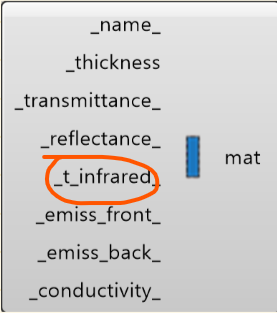
In Honeybee, I can input glazing properties including infrared (longwave) transmittance (e.g., infrared_transmittance in EnergyWindowMaterialGlazing).
However, when I run simulations, changing glazing IR transmittance does not change HVAC loads (heating/cooling) at all. Only emissivity seems to affect the results.
What I found in the documentation
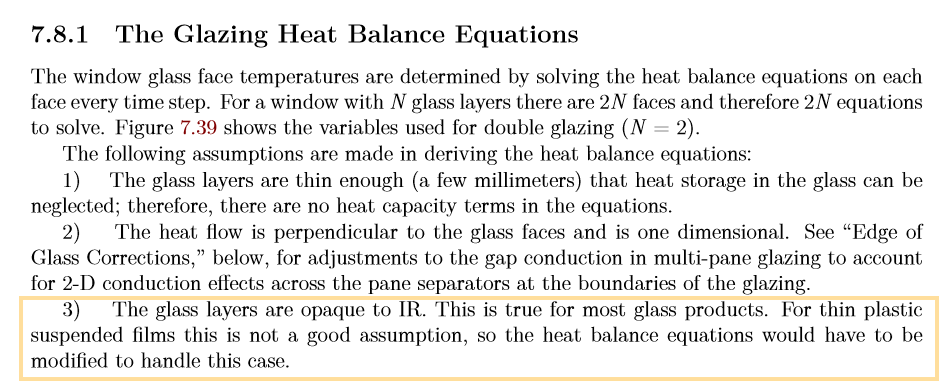
In the EnergyPlus Engineering Reference, the standard window heat-balance formulation appears to assume glazing is opaque in the longwave band (i.e., effectively τ_LW = 0), so longwave transmittance does not participate in the heat-balance equations.
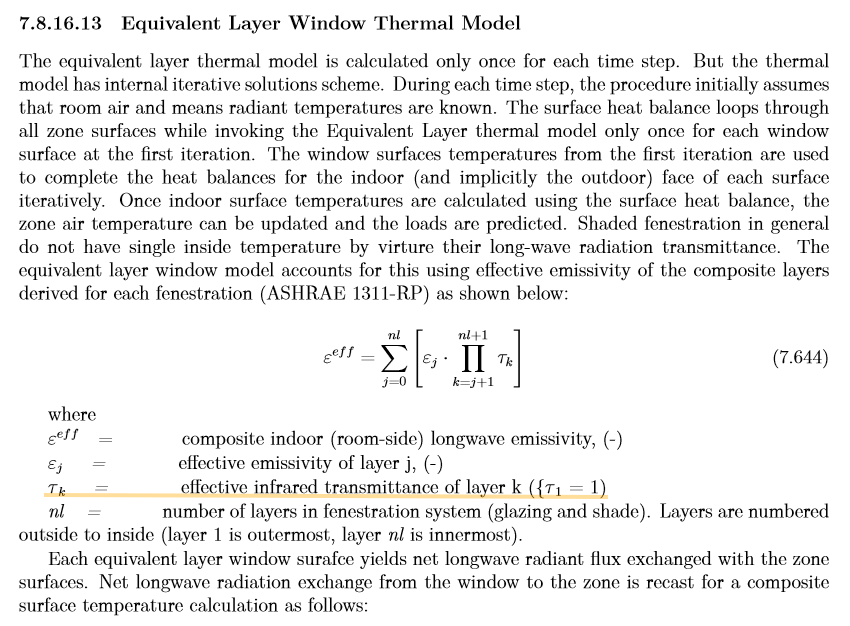
I also came across discussions suggesting that longwave-transmitting layers (e.g., thin plastic films) may require a different modeling approach (e.g., Equivalent Layer / ASHWAT or another method), and I’m wondering whether there is a way to model longwave-transmitting glazing in EnergyPlus in a way that actually affects the heat balance and loads.
Has anyone successfully modeled non-zero longwave (IR) transmittance for glazing in EnergyPlus such that it affects heat balance / HVAC loads?
If the standard glazing model assumes τ_LW = 0, is there any recommended workaround within the EnergyPlus/Honeybee workflow (e.g., WindowEquivalentLayer, custom IDF edits, EMS, etc.)?
If it is fundamentally unsupported in the standard model, could someone point me to the most appropriate EnergyPlus approach (or documentation) for greenhouse films where τ_LW > 0?
Any feedback or pointers would be greatly appreciated. Thank you!
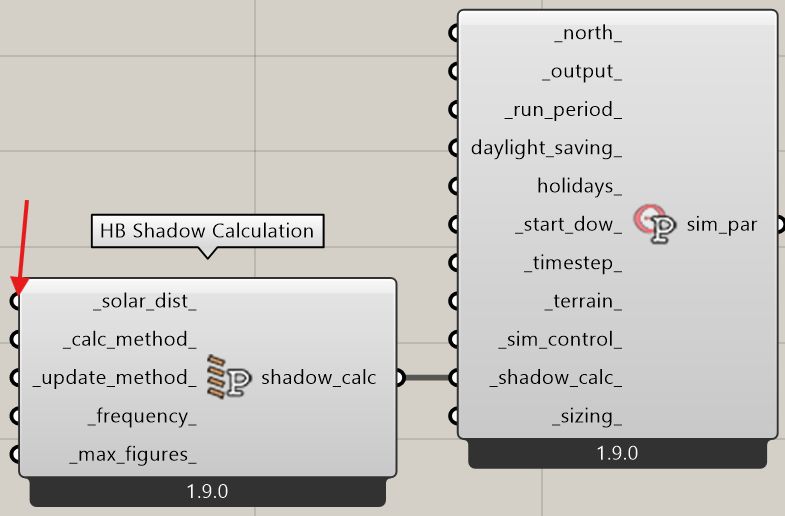
Hi @imj06050215 I may not be of help but are you using option number 4?
Args:
        _solar_dist_: An integer or text desribing how EnergyPlus should treat beam solar
            radiation and reflectances from surfaces that strike the building surfaces.
            Default is "FullExteriorWithReflections". Choose from the following.
            * 0 = "MinimalShadowing" - In this case, exterior shadowing is only computed
                for windows and not for other opaque surfaces that might have their
                surface temperature affected by the sun. All beam solar radiation
                entering the room is assumed to fall on the floor. A simple window
                view factor calculation is used to distribute incoming diffuse
                solar energy between interior surfaces.
            * 1 = "FullExterior" - The simulation will perform the solar calculation
                in a manner that only accounts for direct sun and whether it is
                blocked by surrounding context geometry.  For the inside of the
                building, all beam solar radiation entering the room is assumed
                to fall on the floor. A simple window view factor calculation is
                used to distribute incoming diffuse solar energy between
                interior surfaces.
            * 2 = "FullInteriorAndExterior" - The simulation will perform the solar
                calculation in a manner that models the direct sun (and wheter it
                is blocked by outdoor context goemetry.  It will also ray trace
                the direct sun on the interior of rooms to distribute it correctly
                between interior surfaces.  Any indirect sun or sun bouncing off
                of objects will not be modled. Note that, if you use this
                method without setting the _calc_method_ to PixelCounting,
                EnergyPlus will give Severe warnings if your rooms have concave
                geometry (aka. are "L"-shaped). So it is recommended that this
                solar distribution only be used with the PixelCounting.
            * 3 = "FullExteriorWithReflections" - [DEFAULT] The simulation will perform the
                solar calculation in a manner that accounts for both direct sun
                and the light bouncing off outdoor surrounding context.  For the
                inside of the building, all beam solar radiation entering the room
                is assumed to fall on the floor. A simple window view factor
                calculation is used to distribute incoming diffuse solar
                energy between interior surfaces.
            * 4 = "FullInteriorAndExteriorWithReflections" - The simulation will perform
                the solar calculation in a manner that accounts for light bounces
                that happen both outside and inside the rooms. This is the most
                accurate method but will take longer to run. Note that, if you
                use this method without setting the _calc_method_ to PixelCounting,
                EnergyPlus will give Severe warnings if your rooms have concave
                geometry (aka. are "L"-shaped). So it is recommended that this solar
                distribution only be used with the PixelCounting
and you are using model to osm and not the annual loads component? the annual loads component if I’m not mistaken @chris correct me if I am wrong:
But the annual loads component uses a simplified simulation compared to what you can do with model to osm or to idf, I highly doubt that the annual loads component is using #4 for solar calculations as the component was designed to be as efficient as possible.
Hopefully the _solar_dist_ component set to 4 will solve the problem
I set up a simple test model for this and you are right, @imj06050215 , that I can’t see any impact on the output loads as a result of changing the infrared transmittance.
Granted, I could imagine that maybe the impact is subtle because I would assume that this infrared transmittance refers to only the longwave infrared and not the shortwave infrared that is already accounted for with solar transmittance. But I would at least expect there to be some small impact at least.
And E+ clearly does a check for this T-infrared against the emissivity of the material as evidenced by the error that you can get if you don’t coordinate the two:
This is starting to smell a little bit like a bug in E+. Either that or maybe there’s just some global setting of E+ that needs to be changed for this glass infrared transmittance to have any effect on the simulation.
There has been a lot of refactoring of the E+ solar calculation over the last few years so I imagine that a bug is not out of the question. If anyone is willing to dig into this further, I recommend posting a question to the Unmethours forum with IDF files that recreate the problem here.
If no one responds there or if others confirm that the result does not make sense, we can open an issue on the EnergyPlus Github. I did a check to see if there have been any recent issues reported regarding infrared transmittance and I could not find any:
So, if this is a bug, it would seem that the E+ team is probably not aware of it.
As you suggested, I used option 4 and performed the energy analysis using the OSM model. However, the results showed no change in energy consumption with respect to longwave transmissivity.
I will try the approach that @chris mentioned below, and if the issue is resolved, I will share the outcome.