Hi everyone,
Is it possible to use radiance material like Trans, Mirror and BRTDfunc in Honeybee Plus?
I tried to connect a panel with the material definition to Honeybee surface-radmat component but doesn’t work.
Is there any possibility to use these materials in the new honeybee?
Thanks
Andrea
You have to use radiance custom material class to create one. It takes a dictionary with the data for each line. Trans and Mirror are straight forward and easy to add. BRTDfunc should also work. If you share the material definition I can help you with creating an example.
Hi @mostapha,
Here you can find two materials.
void trans Roller_shade
0
0
7 0.87 0.87 0.87 0.000 0.000 0.25 0.05
BRTD glazing:
void BRTDfunc GlzSys_front
10
0.144 0.121 0.168
0.392 0.479 0.464
0 0 0
glaze1.cal
0
9 0 0 0 0 0 0 0 0 0
Can you explain to me how to create a GH component starting from the GitHub code?
Thank you so much
Andrea
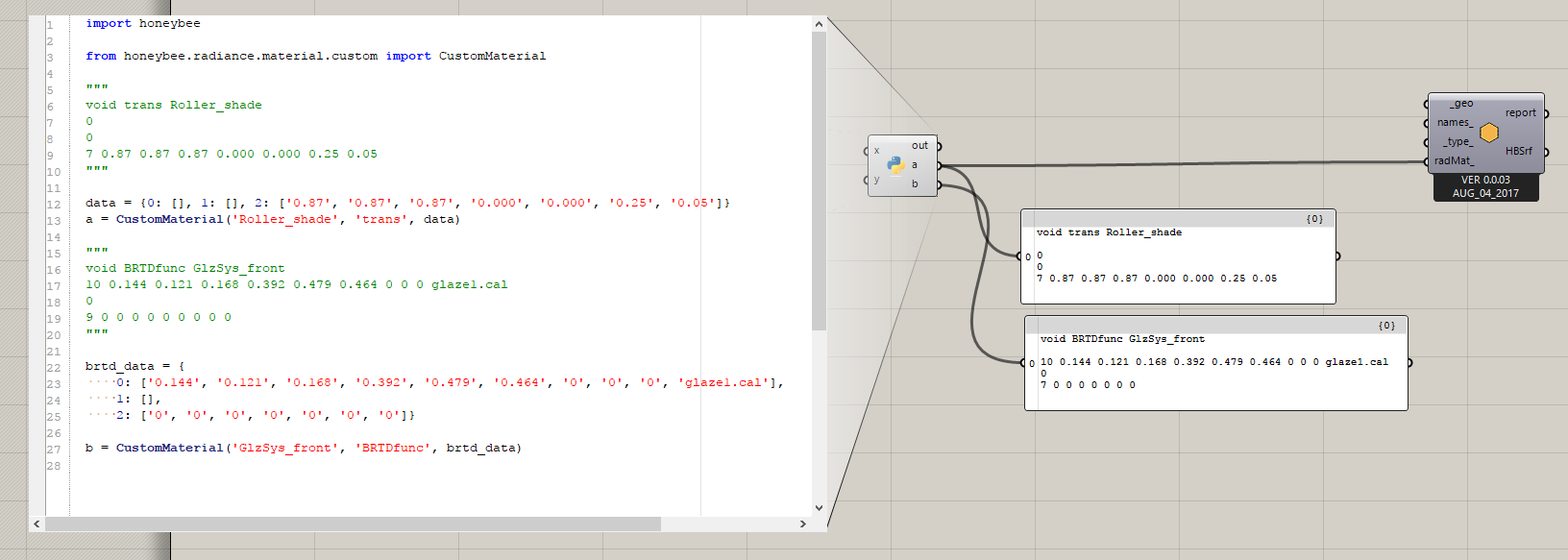
Here is how you can create both using CustomMaterial class.
from honeybee.radiance.material.custom import CustomMaterial

"""
void trans Roller_shade
0
0
7 0.87 0.87 0.87 0.000 0.000 0.25 0.05
"""

data = {0: [], 1: [], 2: ['0.87', '0.87', '0.87', '0.000', '0.000', '0.25', '0.05']}
trans_material = CustomMaterial('Roller_shade', 'trans', data)

"""
void BRTDfunc GlzSys_front
10 0.144 0.121 0.168 0.392 0.479 0.464 0 0 0 glaze1.cal
0
9 0 0 0 0 0 0 0 0 0
"""

brtd_data = {
    0: ['0.144', '0.121', '0.168', '0.392', '0.479', '0.464', '0', '0', '0', 'glaze1.cal'],
    1: [],
    2: ['0', '0', '0', '0', '0', '0', '0']}

brtd_material = CustomMaterial('GlzSys_front', 'BRTDfunc', brtd_data)
trans will work with no issues for BRTDfunc you need to make a minor adjustment to the code and add it to the TYPES.
use_custom_radiance_material.gh (7.4 KB)
Thanks, Mostapha.
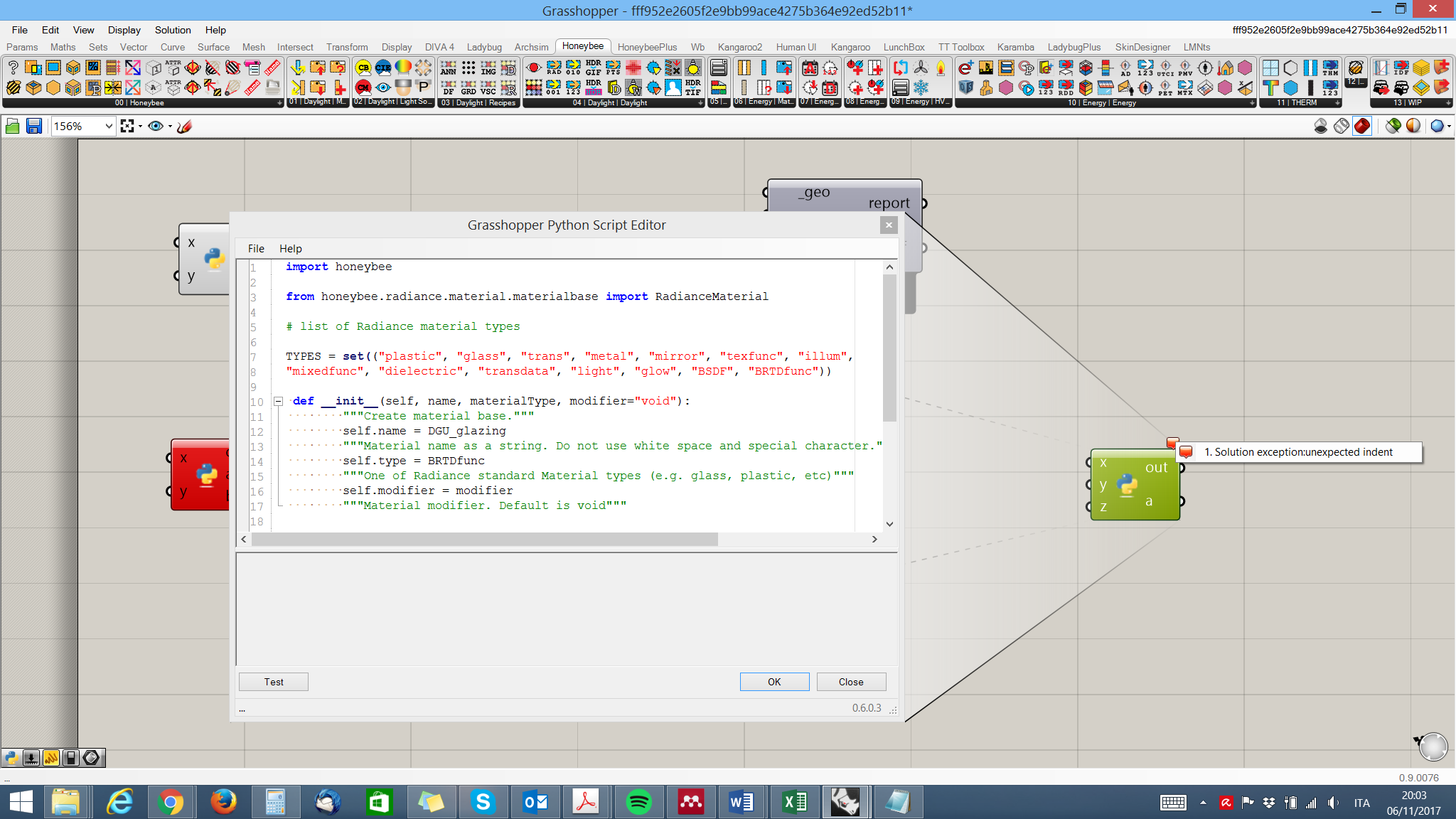
My problem is that I don’t know where I can find the code. In honeybee components, I cannot see the string that I have to change.
I tried doing something similar to your procedure but doesn’t work (you can see in the image).
I don’t know how to do it. Do you have any advice?
Sorry but I have no experience with python and GitHub.
Thanks again
Andrea
Copy these two lines in a GHPython component and you can find the folder where the honeybee is installed. Then look for honeybee/radiance/material/_materialbase.py. That is the file that you need to modify.
import honeybee
print(honeybee.__file__)
Hi @mostapha,
is it possible to create this material (definition below) in honeybee?
void glass glass_alt_mat
0
0
3 0.96 0.96 0.96
void brightfunc glass_angular_effect
2 A1+(1-A1)(exp(-5.85Rdot)-0.00287989916) .
0
1 0.08
glass_angular_effect mirror glass_mat
1 glass_alt_mat
0
3 1 1 1
Thank you so much
Best,
Andrea
@AndreaZani905, I just saw your new question when I used this topic as a reference for a similar question.
The challenge will be with the modifier. I started to fully implement the modifier but for now you can create the last part (mirror with glass_angular_affect) as a custom material and add the other two material as a file to radiance_scene.
I start the implementation of modifiers and in the near future you can pass another Radiance material as a modifier.
Hi Mostapha,
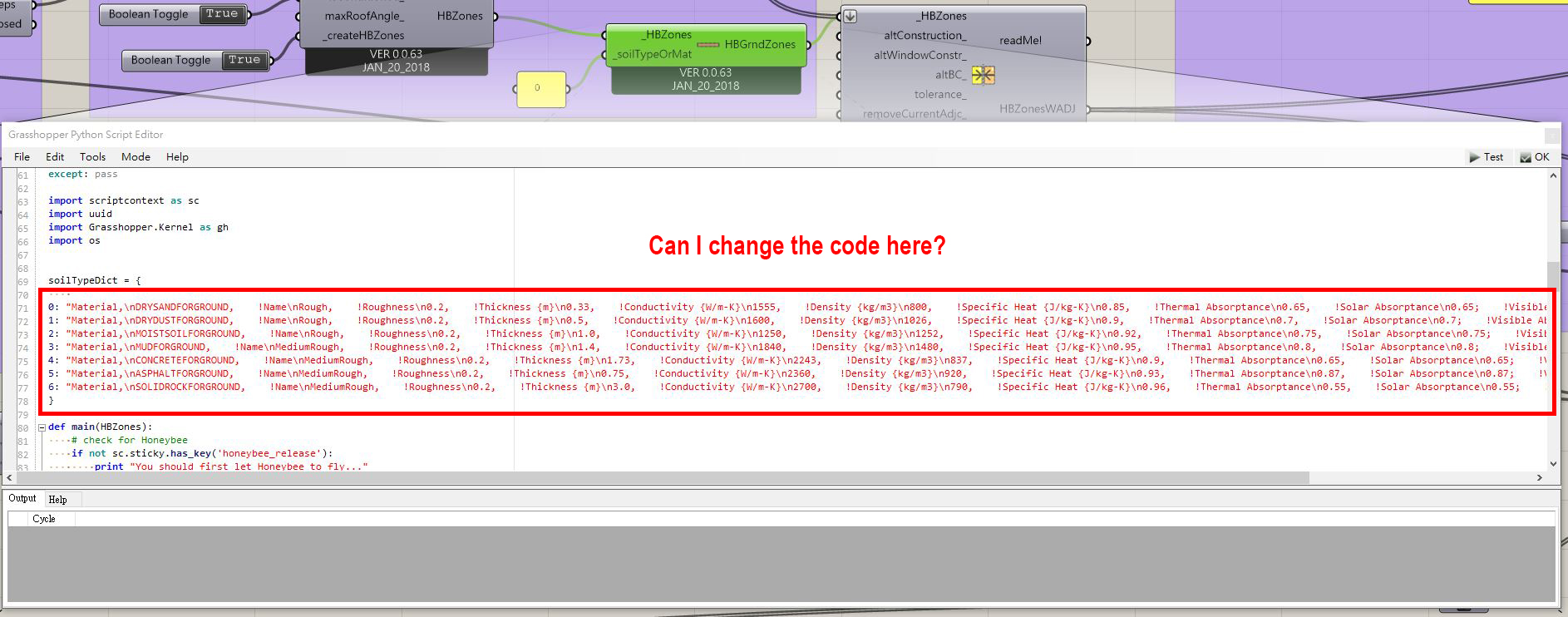
I appreciate your sharing of CustomMaterial. I wonder if this method can be applied on exterior pavement as well. Since I’m doing outdoor micro-climate with “Honeybee_Create EP Ground”, I’m thinking if it can be applied on “_soilTypeOrMat”. Also, I wonder if it’s allowed to change the code in “Honeybee_Create EP Ground” if I want to customize material. Thanks in advance.
Best Regards,
Chien-Yu