Hey all, is there a way to reference a BSDF XML file within the ComplexFenestrationState object in Energyplus instead of copy paste all the matrices to the main idf file? I want to switch between multiples ComplexFenestrationStates using EMS. Thank You in Advance!
@MohssinDr you should be able to use your ems script or the ComplexFenestrationState objects with the _add_str_ on the to OSM component or the run idf component.
best
-trevor
Thank you Trevor, I’ll give it a try and report back.
I also believe that you reference the BSDF file via your ComplexFenestrationState object and place the BSDF file in the idf’s directory
But the ComplexFenestrationState Fields require the actual matrices name not the filename! am I wrong?
@MohssinDr correct, I misspoke, you reference the BSDF file in a material object and then apply it to the Construction:ComplexFenestrationState obj.
Here is an example (untested for reference)
! --- BSDF MATERIAL ---
WindowMaterial:ComplexShade,
  VenetianShade_BSDF,         !- Name
  VenShadeBSDF.xml,           !- Basis File (Klems Full BSDF XML)
  Visible,                    !- Optical Data Type
  0.001,                      !- Thickness {m}
  0.0,                        !- Conductivity {W/m-K}
  0.0,                        !- IR Transmittance
  0.9;                        !- IR Emissivity

! --- GLASS LAYER ---
WindowMaterial:Glazing,
  Clear_6mm,                  !- Name
  SpectralAverage,            !- Optical Data Type
  0.006,                      !- Thickness {m}
  0.84,                       !- Solar Transmittance
  0.075,                      !- Solar Reflectance Front
  0.075,                      !- Solar Reflectance Back
  0.9,                        !- Visible Transmittance
  0.081,                      !- Visible Reflectance Front
  0.081,                      !- Visible Reflectance Back
  0.0,                        !- IR Transmittance
  0.84;                       !- IR Emissivity

! --- COMPLEX FENESTRATION CONSTRUCTION ---
Construction:ComplexFenestrationState,
  DoublePane_Shade,           !- Name
  Clear_6mm,                  !- Layer 1 (Outside)
  VenetianShade_BSDF;         !- Layer 2 (Inside)

! --- APPLY TO A WINDOW SURFACE ---
SurfaceProperty:ComplexFenestrationState,
  Office_Window,              !- Surface Name
  ,                           !- Construction State Schedule Name (optional)
  DoublePane_Shade;           !- Complex Fenestration State Name
Hey again Trevor, your code doesn’t resemble to anything from the documentation! Where did you come up with this object SurfaceProperty:ComplexFenestrationState from? Also the
WindowMaterial:ComplexShade’s 3rd field argument is “Thickness” which should be a number not a string? Is your code based on an old documentation?
Hi @MohssinDr The third argument for the WIndowMaterial:ComplexShade is ‘opptical data’ not thickness
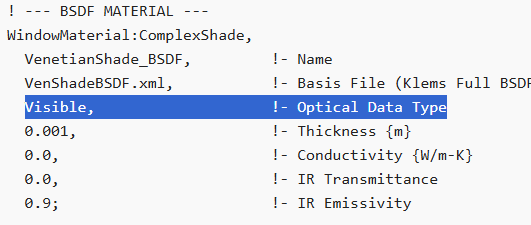
as for SurfaceProperty:ComplexFenestrationState I mixed up with Construction:ComplexFenestrationState, you are correct the latter doesn’t exist. I’ll Make a small shoebox model that runs the ems, tweak if needed and upload it
best
-trevor
Thank you Trevor! looking forward for your example…
For future users, I asked the same question on the Unmethours forum and someone suggest using input macros which is a feature that comes built-in with Energyplus. Sorry for the ping @chris but is there a similar feature in LB tools?
Hi @MohssinDr ,
I am sorry to say that you are working with EnergyPlus features that have not even made it into the OpenStudio SDK let alone Ladybug Tools. You may be able to get a lot of what you need into the IDF Honeybee writes via _add_str_ as @TrevorFedyna suggested but some things may be missing such that you still need to do some manual edits on the resulting IDF.
I have never worked with EnergyPlus Macros but, if they involve inserting logic into the IDF, then it should be possible in theory to get it all to work with just the correct text added via _add_str_.
Thank you chris, I’ve been able to achieve what I was looking for using the _add_str_ feature. But I just want to highlight that the Run IDF component can read the input macro files by default so it can be used for batch processing files.