Wonderful members of the Ladybug Tools community,
I am happy to announce that, after several years of collaboration with the teams at NREL (now known as NLR) developing the URBANopt SDK, dragonfly workflows for modeling District Energy Systems (DES) are now ready for use on your projects!
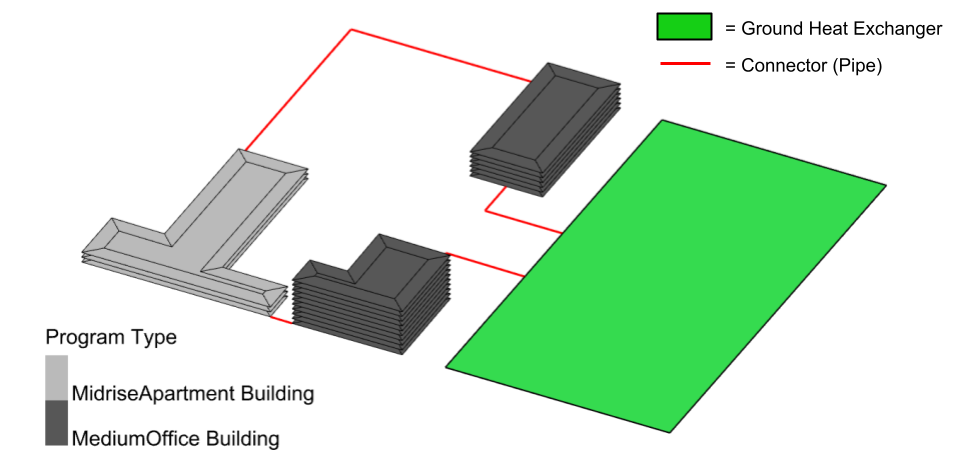
The currently available features are aimed at informing feasibility studies of new district systems with either a fourth-generation or fifth-generation architecture. The OpenStudio/EnergyPlus models of these systems that you can now set up with Dragonfly help illustrate the energy savings to expect with different system configurations, forecast average loop temperatures, and assist in sizing ground heat exchangers for fifth generation district systems given land constraints of the project.
How to get the new components
The new dragonfly District Thermal components are currently available via the latest Pollination Grasshopper/Rhino plugins single-click installer, which is the easiest way to get the components. Alternatively, they are also available via the LB Versioner component.
What is included in the update
Once you have the components installed, you should find a fleshed-out ‘5 :: District Thermal’ tab of your Dragonfly plugin.
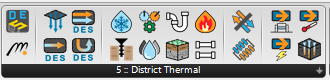
Notable additions include components for setting up fourth generation systems with traditional heating and cooling plants. Full support is available for heat recovery chillers, which are sized to meet the peak simultaneous overlap in district heating and cooling loads over the year.

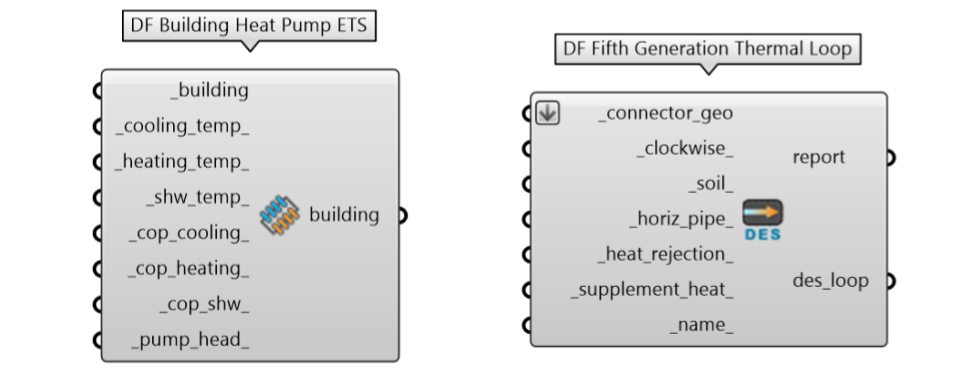
There are also components available for modeling fifth generation district systems, which make use of waste heat by having building chillers reject heat to a shared ambient loop, where buildings with heating needs can then extract it with heat pumps.
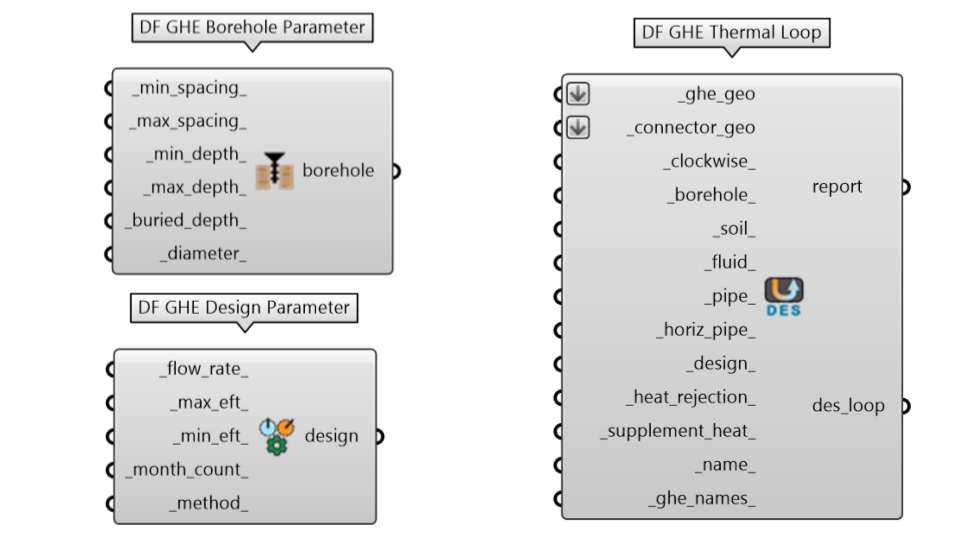
Lastly, for those of you interested in storing waste heat between seasons, there are several components to support the autosizing of ground heat exchangers for fifth generation district systems.
How to use the components
If you are ready to dive into the new capabilities, we have a tutorial playlist ready for you with ~4 hours of video content:
The videos cover everything from the history of district systems to the simulation of fully-customized ground heat exchangers that help you take maximal advantage of waste heat across a district. You will find links to the relevant sample files in the descriptions of each video so that you can follow along. You can also find all of the available sample files here on the dragonfly-grasshopper repository (all samples that begin with des_ are related to the new district system features).
Any questions or feature requests about the new capabilities should be posted to the dragonfly category here on the forum.
Possible Future work and WIP features
For those of you who make it to the last video of the playlist above, you will see a walkthrough of the very much WIP workflows for detailed modeling of these systems in Modelica. These workflows are what we eventually hope people will use to specify equipment and model all of the “what if” scenarios that arise during the engineering process.
At the moment, you should not expect these models to work out of the box but, if you have experience with the Modelica Buildings Library, you may be able to get them to work by iteratively testing and tweaking them in an interface like Dymola, Modelon Impact or OMEdit. While there is still a long way to go towards getting these models to run consistently without the need to edit them, the demo in the video shows that the concept is proven and illustrates why we think it is just a matter of time before these types of Modelica models become the preferred way to design and test these systems.
Credits
A huge thanks is due to several people at the National Renewable Energy Lab (now the National Lab of the Rockies) who worked on the Python packages used by these new capabilities. In particular, the contributors to the GHEDesigner package, the ThermalNetwork package, and the geojson-modelica-translator all deserve credit for bringing these new capabilities to your machines. Thanks is also due to the maintainers of the openstudio-standards gem, who provided clearly documented routines for setting up various types of plant equipment with the OpenStudio SDK, including heat recovery chillers.