Hi,
I’ve just update to 1.27.19,
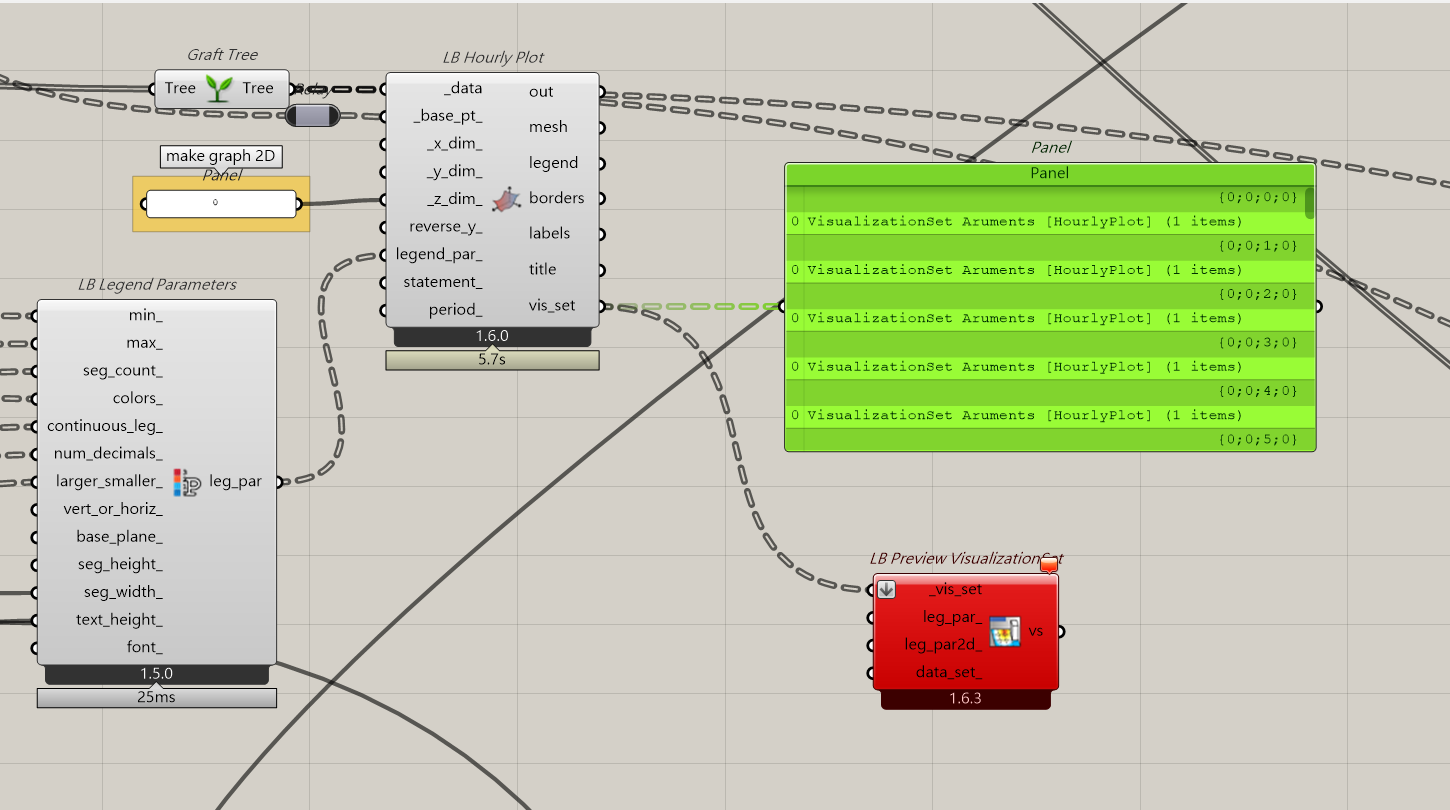
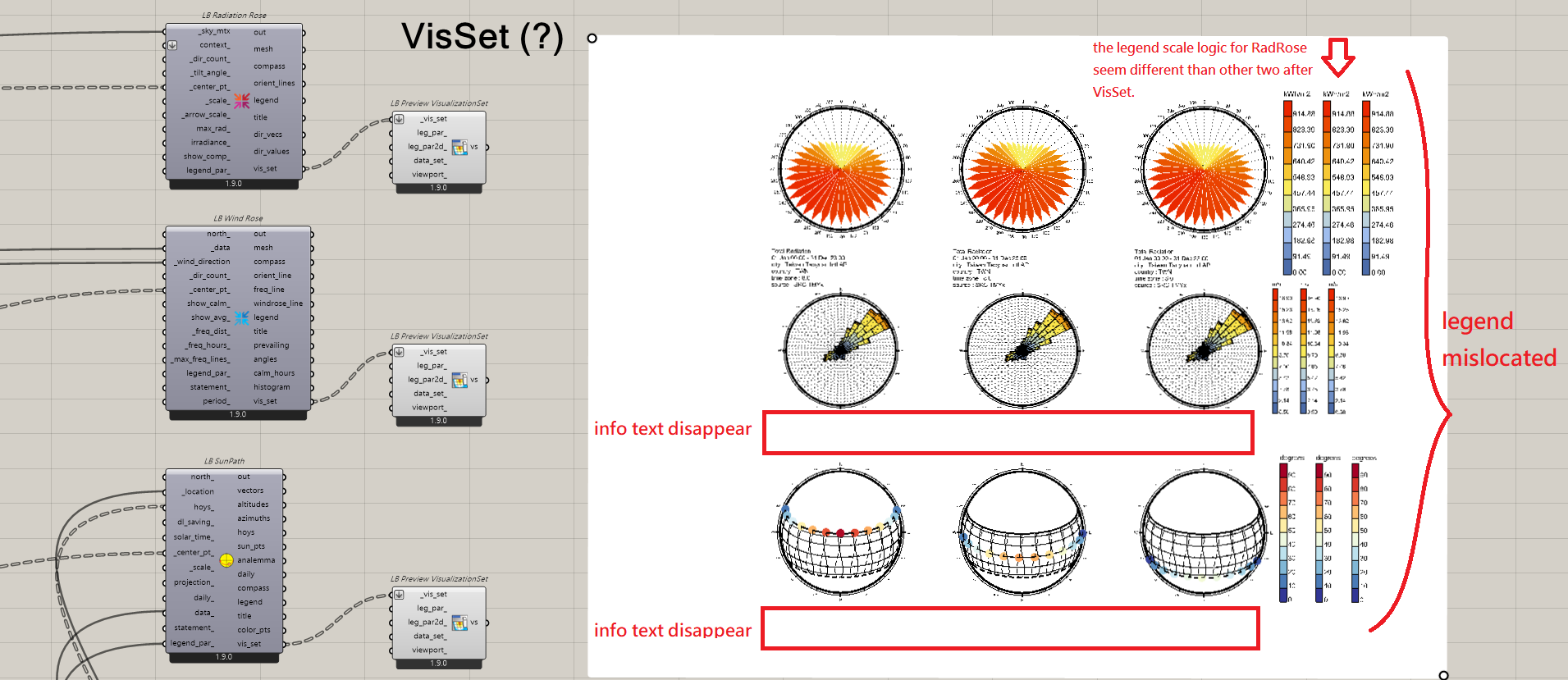
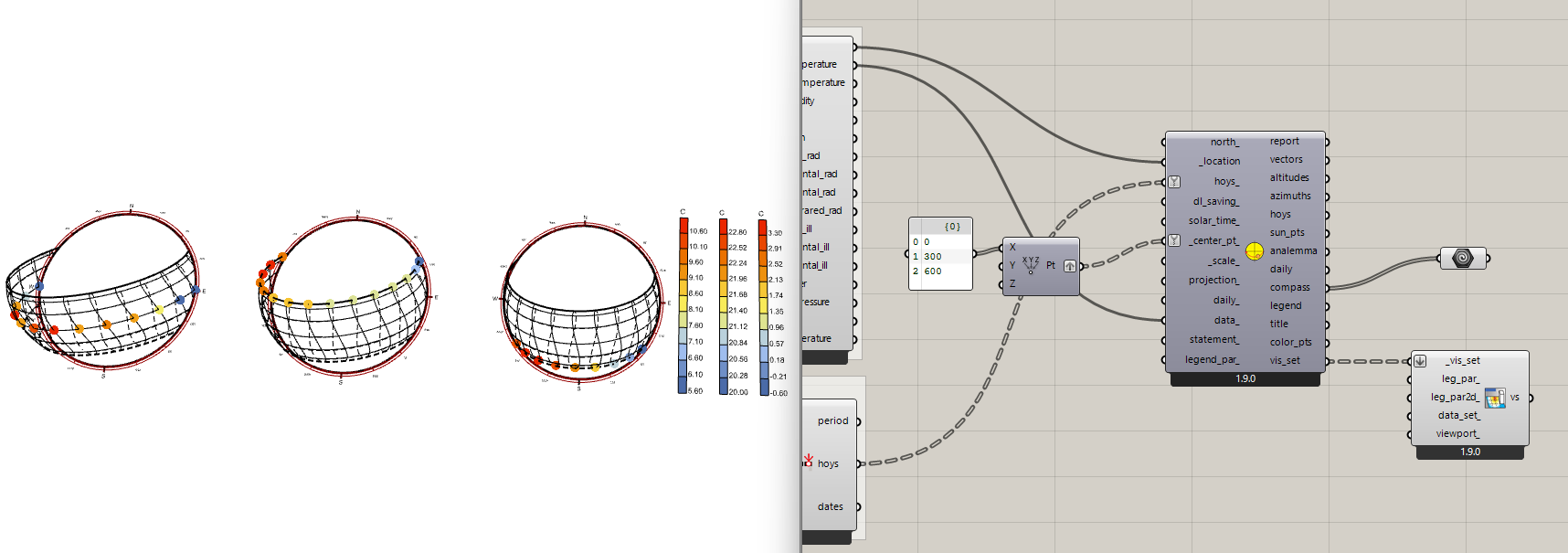
however the LB Preview VisualizationSet still can’t accept multiple input as image shown below.
Any ideas?
Hi @tutu7931 ,
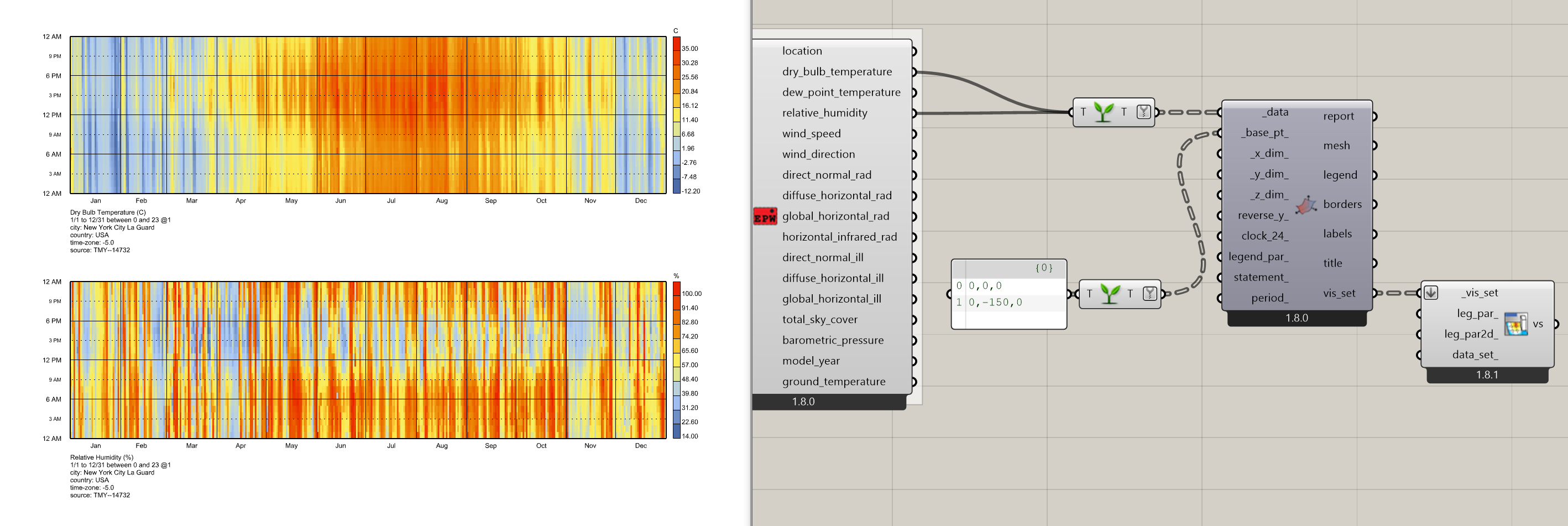
Thanks for bringing this up and sorry for the incredibly late response. This must have fallen through the cracks as I was taking care of other issues brought up on the forum. The easy way to address this in the past would have been to just not graft the input data to the hourly plot. But I just pushed a version of the LB Preview VisualizationSet component that can handle this type of grafted input:
You can get the fix now with the LB Versioner component and this fix will also be within the Pollination single-click installer within a few days. I am going to leave the LBT 1.8 release on Food4Rhino as it is since we’ve already had a few updates since then.
Hi @chris
I think there’s still a problem with LB Preview VisualizationSet.
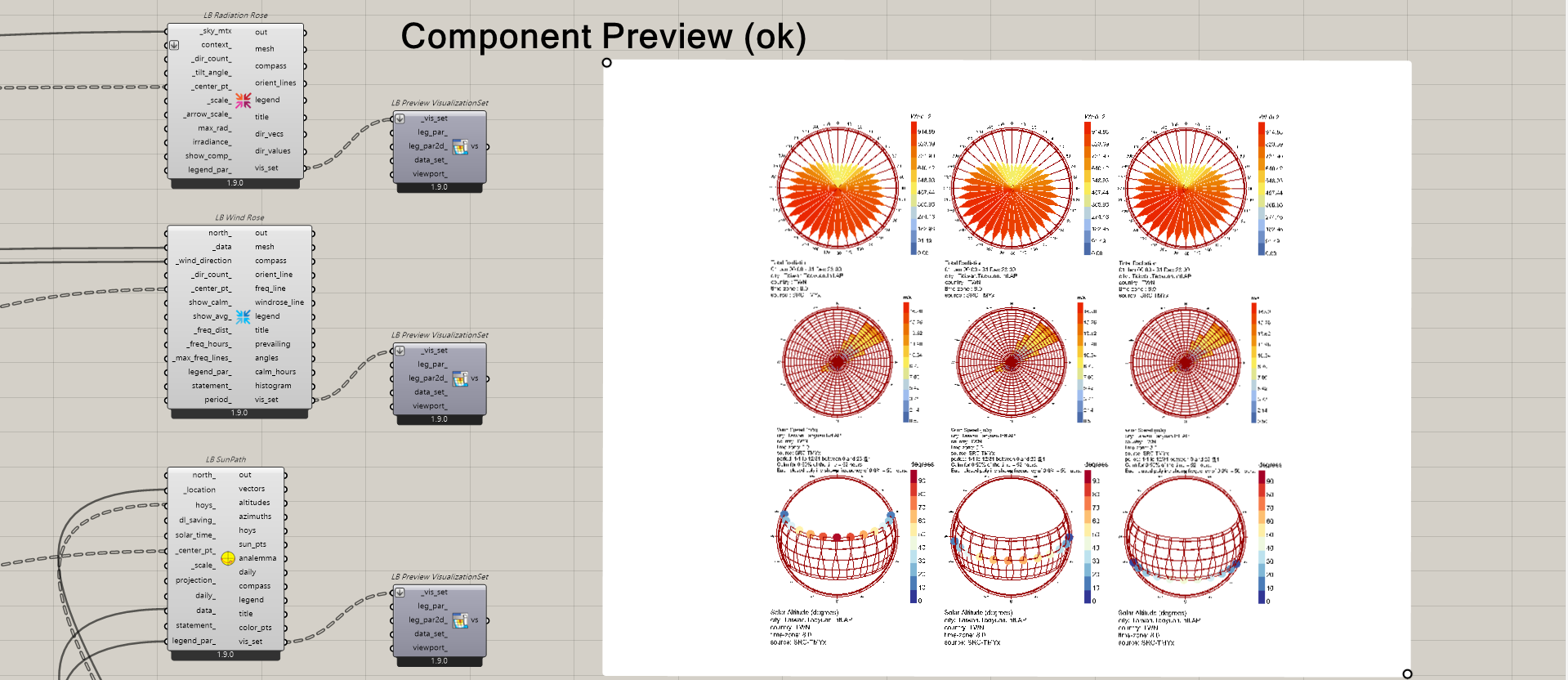
Here are some tests I ran while trying it with Sunpath:
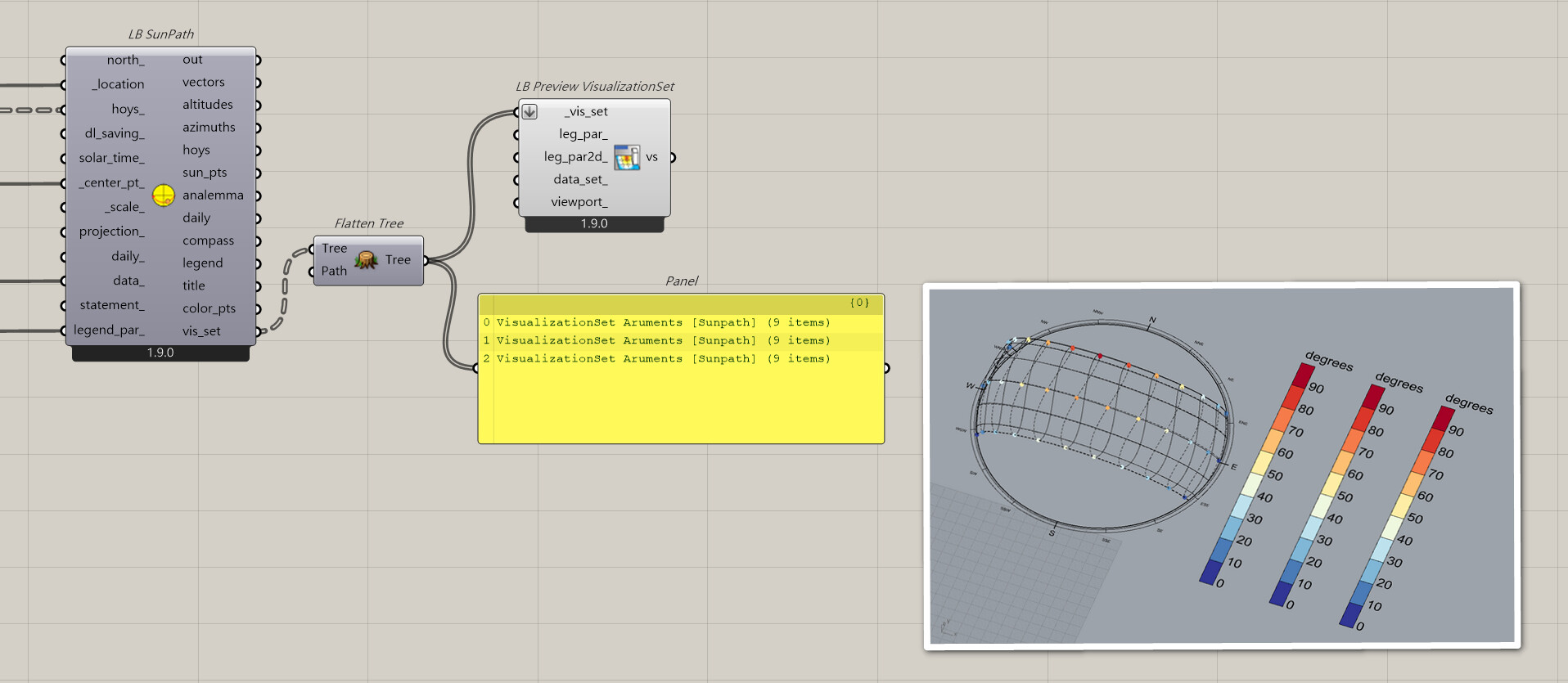
As you can see in the second image, the legends got piled up.
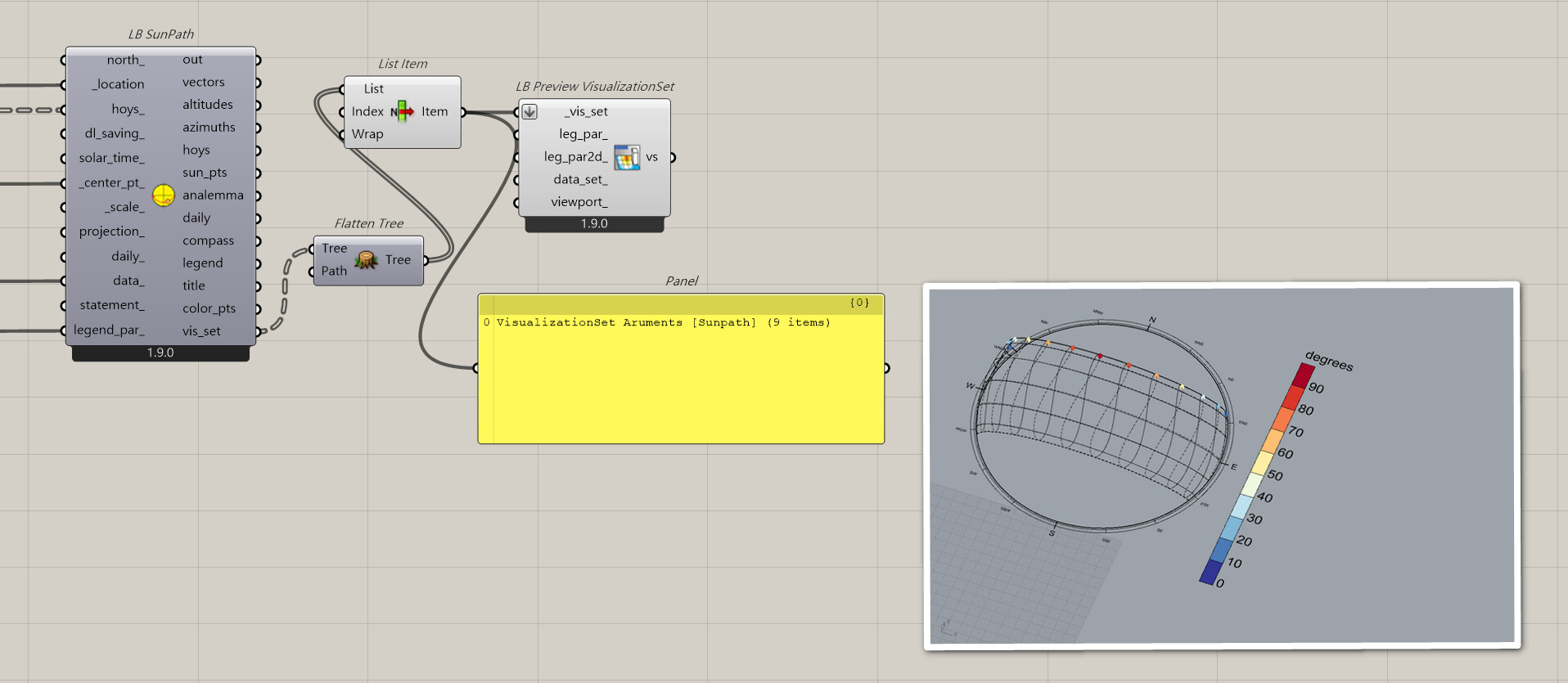
SUN_PATH_vis_single:
SUN_PATH_vis_multi:
Hi @tutu7931 ,
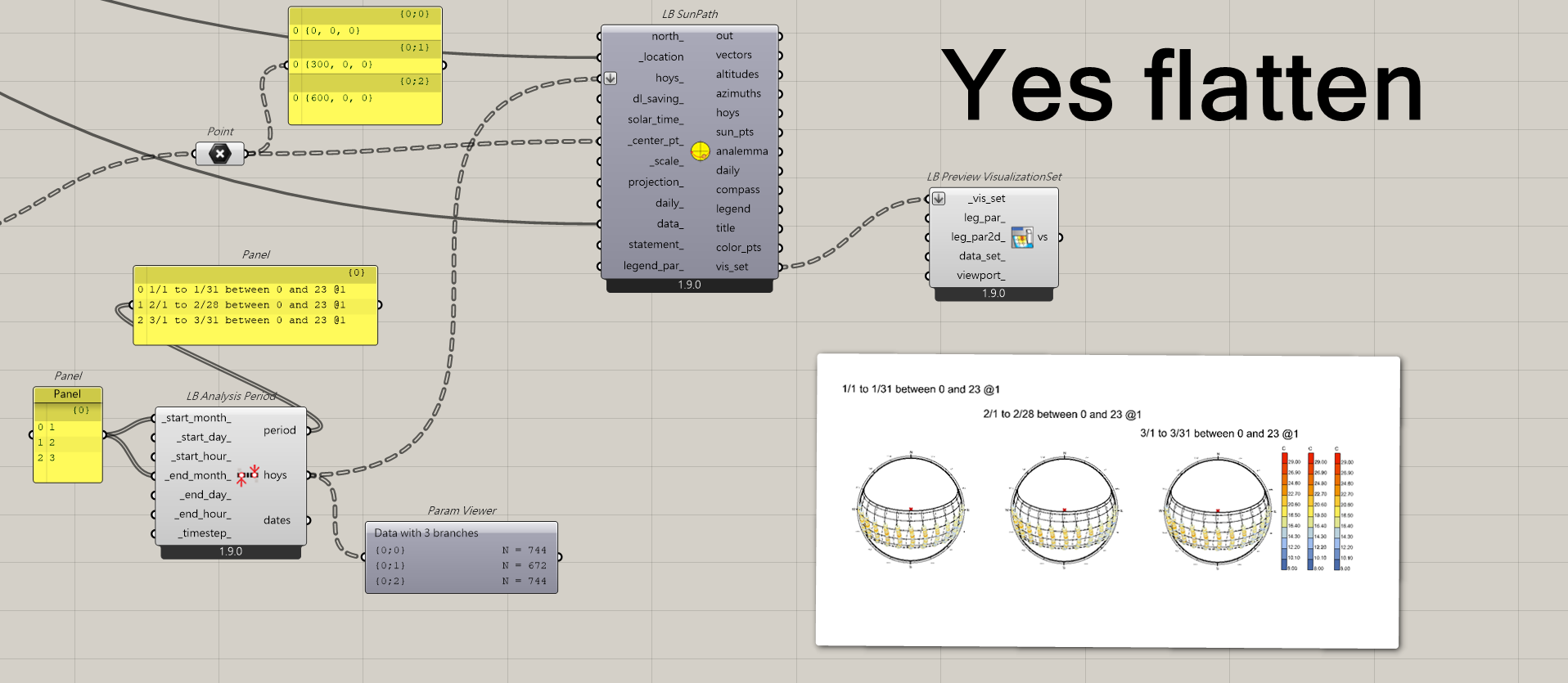
Flatten the hoys_ input to the Sunpath component and you will get the result that you want.
I know Grasshopper Data Trees are one of the toughest concepts to fully wrap your head around as a Grasshopper user but trust me that, once you get the hang of them, it is really empowering.
Also the Visualization Sets of sun paths and wind roses don’t include the title text by default because the title of these graphics is primarily there to help Ladybug users understand what they have done as they play around with the inputs. In other words, it is often not something that you want when you are making production-level graphics or if you are using LB Legend 2D Parameters with the visualization set or LB Screen Oriented Text to display relevant info about the graphic.
If you really want the title to appear in the Rhino scene, you can always take the title output from the sun path or wind rose and connect it to a native Grasshopper “Geometry” component with the preview on. Then, you’ll have both the title and the visualization set appearing in the scene.
Hi @chris,
hoys: ***List*** of dates in this analysis period.
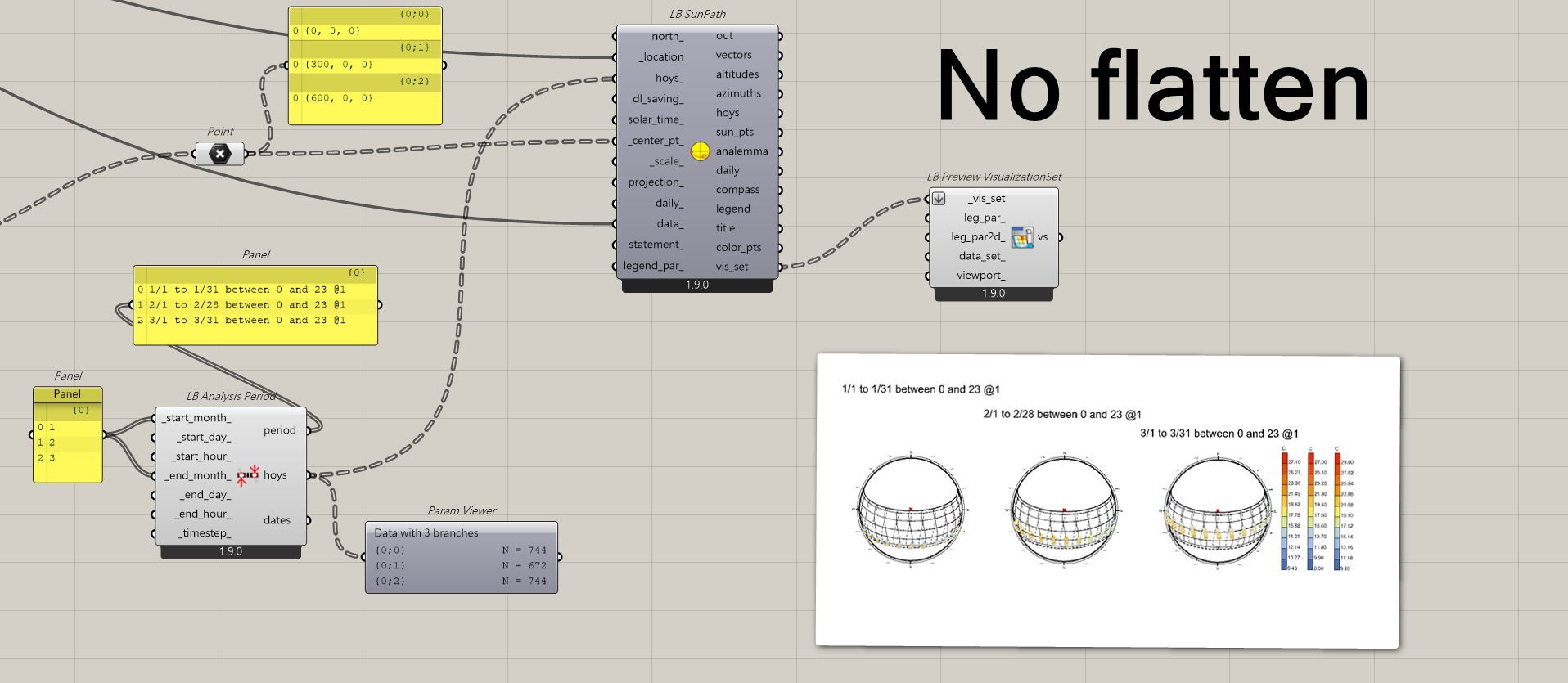
What I was trying to say in my previous reply is that, in the component preview (without flattening), everything looks correct.
However, when using the same data structure as input, the result appears different in the LB Preview VisualizationSet component.
Regardless of the title for the moment, if you look closely, the Sun Paths are correct in both the component preview and the VisualizationSet output. My concern is specifically about the legend placement in the VisualizationSet.
I see what you mean, @tutu7931.
I am going to eat my words in my comment about data trees because the way that they interact with theLB Preview VisulaizatioSet component is a bit different than most other Grasshopper components because of how “Preview VisualizationSet” works with the Rhino display pipeline.
This preview component can only render one VisualizationSet at a time because each set of instructions to the Rhino display pipeline overwrites the others. This is why you will see, if you connect a data tree of visualization sets to a preview component in a way that the input is not flattened, only the last visualization set gets rendered:
So what we do when we flatten the input of the preview component is effectively merge all of the inputs into a single VisualizationSet under the hood, which causes all of the legends to be displayed and coordinated together at one side of the whole graphic:
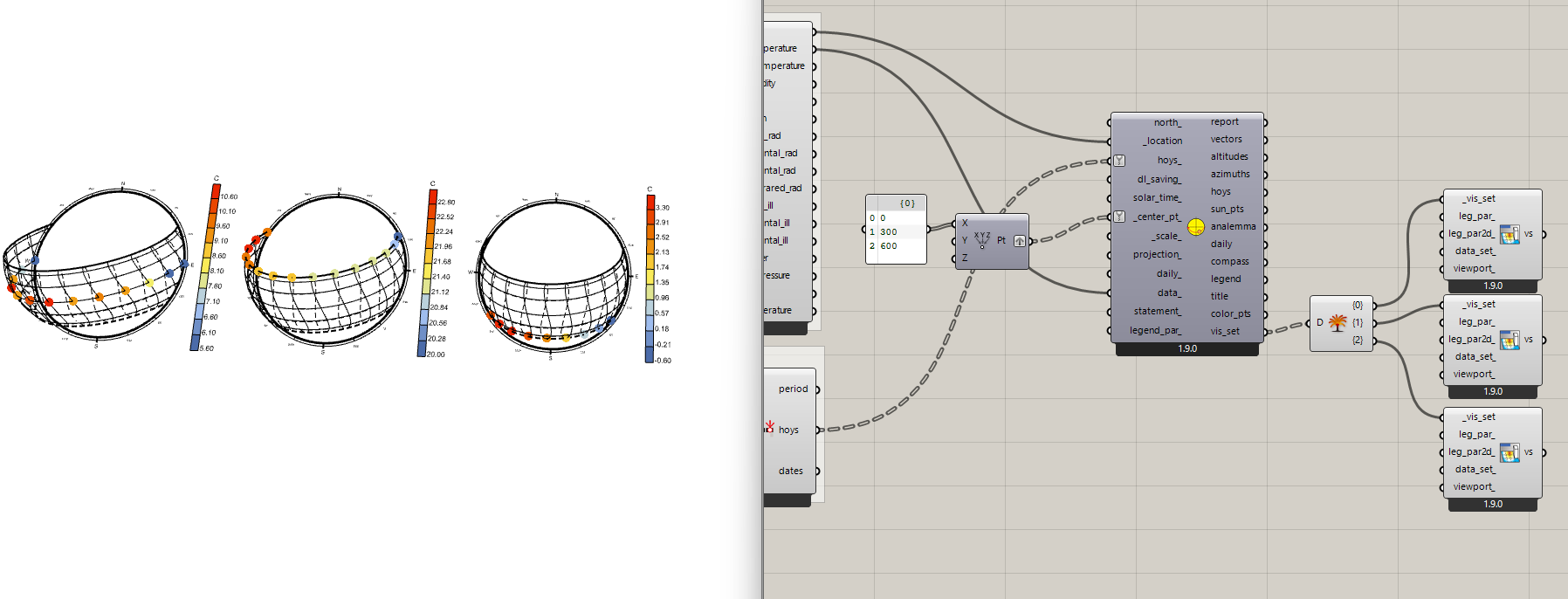
Now, to get the visualization that you want, what you have to do is essentially deconstruct the data tree and copy/paste a few “Preview VisualizationSet” components for each graphic you want to have its own legend next to it:
Then, you will have each preview component rendering one VisualizationSet, which is faithful to the original graphic.
Here is the file that shows how to get what you want:
multiple_visualization_set.gh (36.8 KB)
Let me know if you have any other questions.