Recently I have encountered the following error that appears in all ladybug, honeybee and dragonfly components: 1. Solution exception:No data is available for encoding 0. For information on defining a custom encoding, see the documentation for the Encoding.RegisterProvider method.
Error logs
Runtime error (NotSupportedException): No data is available for encoding 0. For information on defining a custom encoding, see the documentation for the Encoding.RegisterProvider method.
Traceback:
line 950, in open, "C:\Program Files\Rhino 8\Plug-ins\IronPython\Lib\logging_init.py"
line 920, in init, “C:\Program Files\Rhino 8\Plug-ins\IronPython\Lib\logging_init_.py”
line 64, in init, “C:\Program Files\Rhino 8\Plug-ins\IronPython\Lib\logging\handlers.py”
line 171, in init, “C:\Program Files\Rhino 8\Plug-ins\IronPython\Lib\logging\handlers.py”
line 9, in , “C:\Program Files\ladybug_tools\python\Lib\site-packages\honeybee_init_.py”
line 65, in get_logger, “C:\Program Files\ladybug_tools\python\Lib\site-packages\honeybee\logutil.py”
line 46, in script
LB tools version - 1.9.0
Rhino version - 8.22
The error appeared after I have imported codecs library using old python component in Rhino 8, but I am not sure if that can be a direct reason.
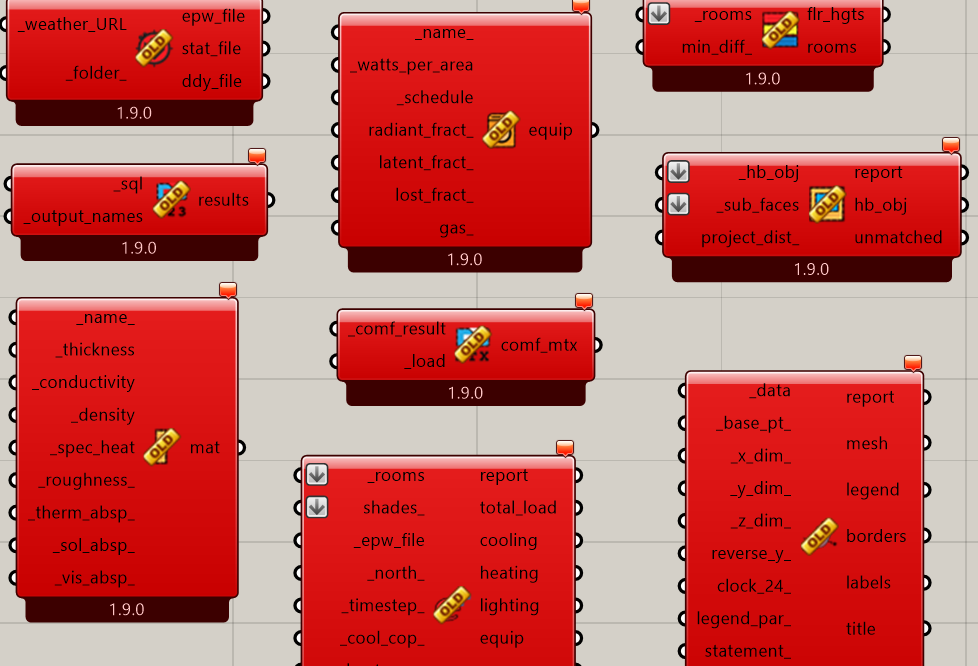
The other strange thing is that there is badge “old” on all components, despite that this is the latest version.
The error disappears only when starting Rhino as administrator. But it’s my work computer so I can’t do that myself.
What has been done:
Pollination reinstallation
Full Rhino reinstallation
We tried to install LB tools to user folder too
We tried to add different python path to env variables
All this didn’t help and we run out of ideas : (
Other plugins or scripting components in Grasshopper are not affected. I am wondering if you can suggest any other solutions. I rely on ladybug a lot in my work, and it’s the first time even reinstallation didn’t help.
The traceback is useful and I can see that this is the line of our code that triggers the failure:
… but the failure itself is deep within the IronPython that ships with Rhino and it’s technically an issue that is more on McNeel’s side of things.
However, we might just be able to put the line of code on the Ladybug Tools side into a try/except with no negative consequence and this would solve the issue. Before I try to do this, do you have a sample file with how you are importing the codecs module that might help me recreate the issue?
I also have another question for you - is there a chance that you have a non-ASCII character in your username? I can see how this possibly could trigger an encoding error here.