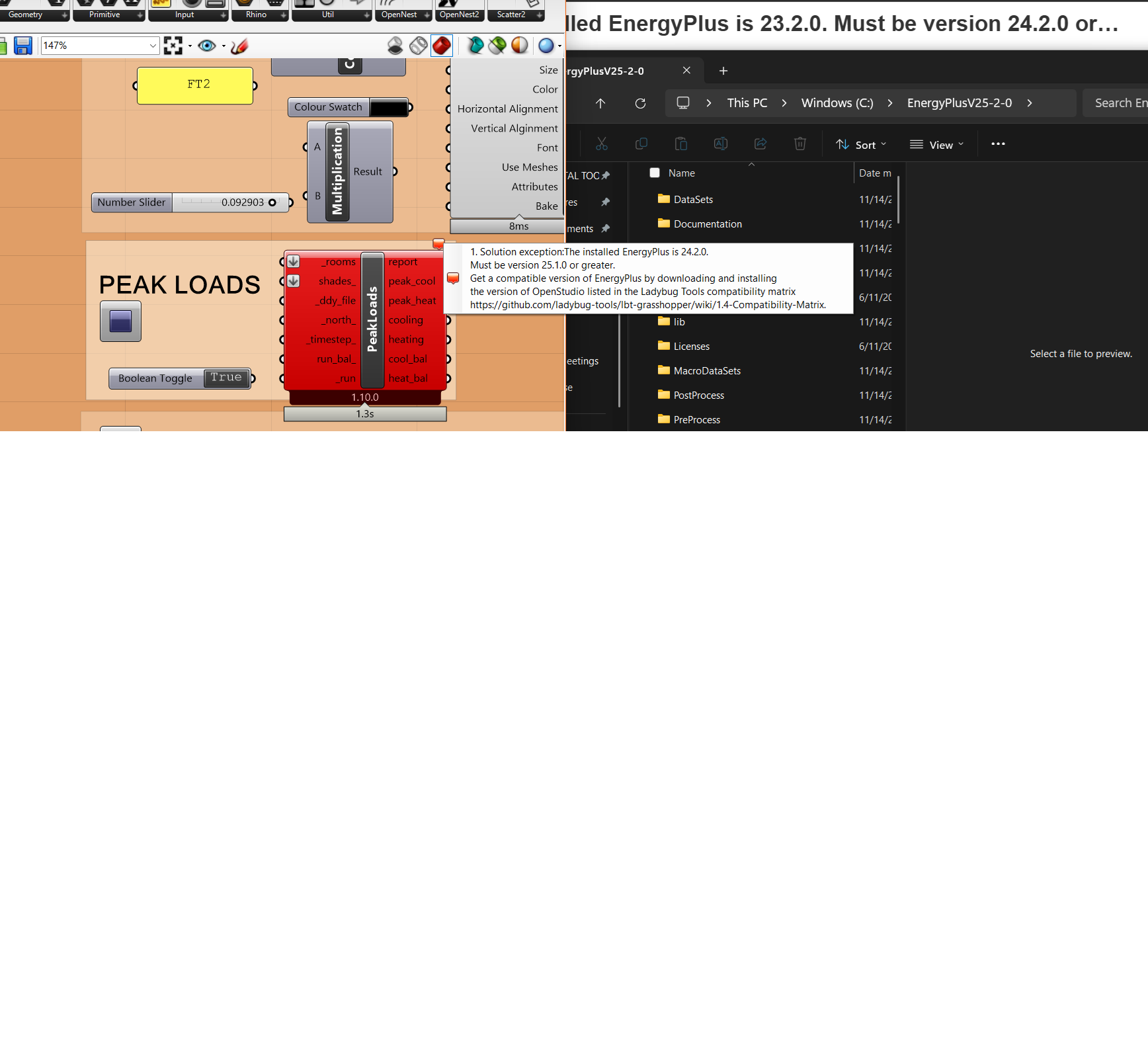
same problem but with 1.10 and energy plus 25.10
The easiest way to address this is to just use the pollination single-click installer. It always comes with the compatible version of OpenStudio/EnergyPlus so that you don’t end up installing the wrong version manually.
I have the right software installer, as you can tell by my screenshot 25.2
It’s something else, other people have also reported that problem.
Okay, now I know, ladybug looks for Enegy plus in the open studio installation.
I installed energy plus separately, that was the problem,…
Sorry for misunderstanding, @Alakelele.
Yes, Ladybug Tools is set up to fist look for any versions of OpenStudio/EnergyPlus found with the pollination single-click installer. If it does not fid those (eg. the installation was done with Food4Rhino), then it looks to see if there’s a standalone installation of OpenStudio. If found, it uses the EnergyPlus included with that OpenStudio installation. Lastly, if there is no OpenStudio installation, only then will look for installations of standalone EnergyPlus.
So, when in doubt, the best solution is to use the pollination installer. If that’s not an option, then updating/installing OpenStudio is the next best way to manage the E+ that Ladybug Tools uses.