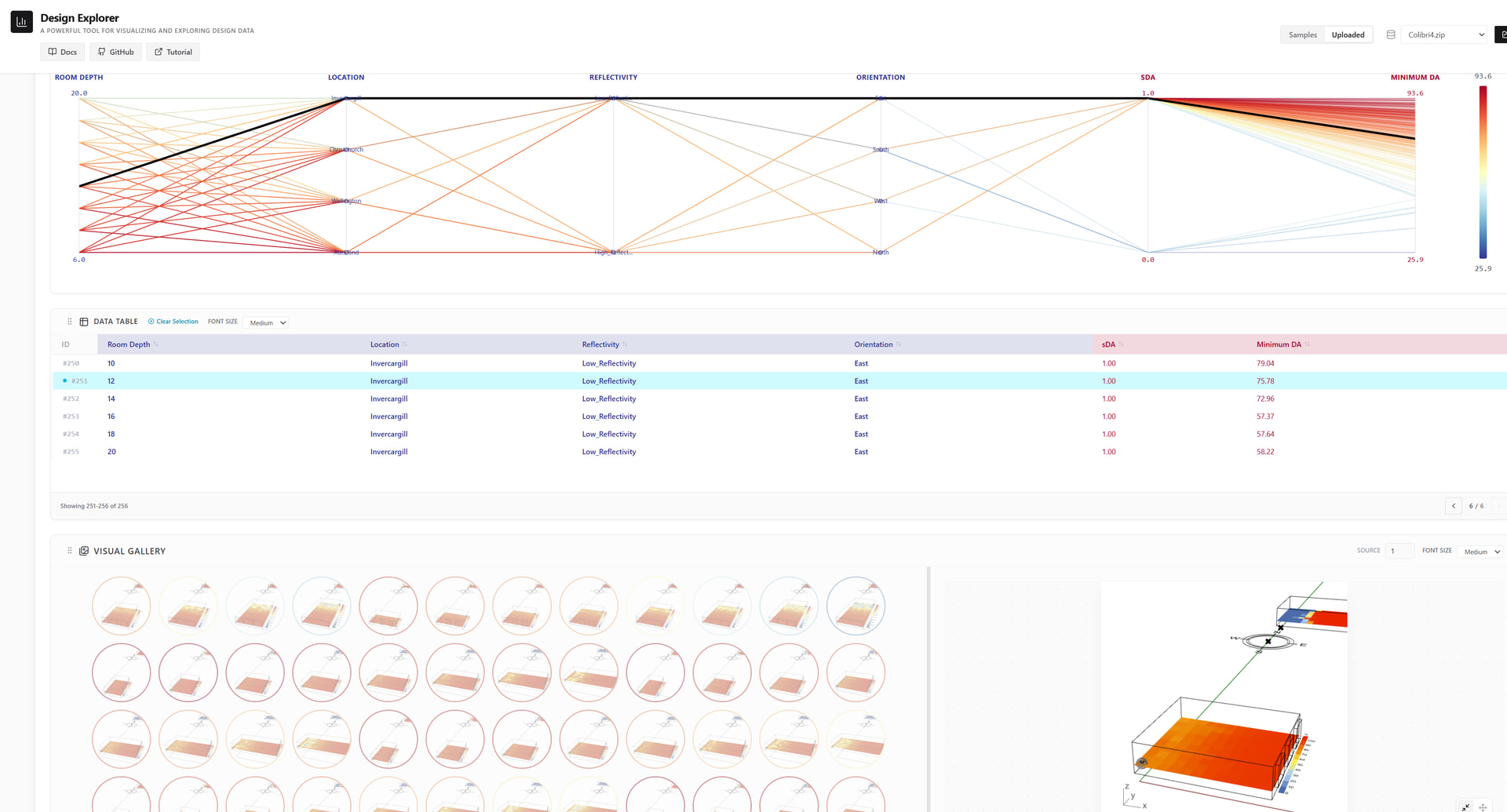
The React version of Design Explore is now available

Hi all,

Design Explore has always been a popular tool on the forum. However, in previous versions, it only supported the method of uploading cloud files to preview the design data and image groups you created.
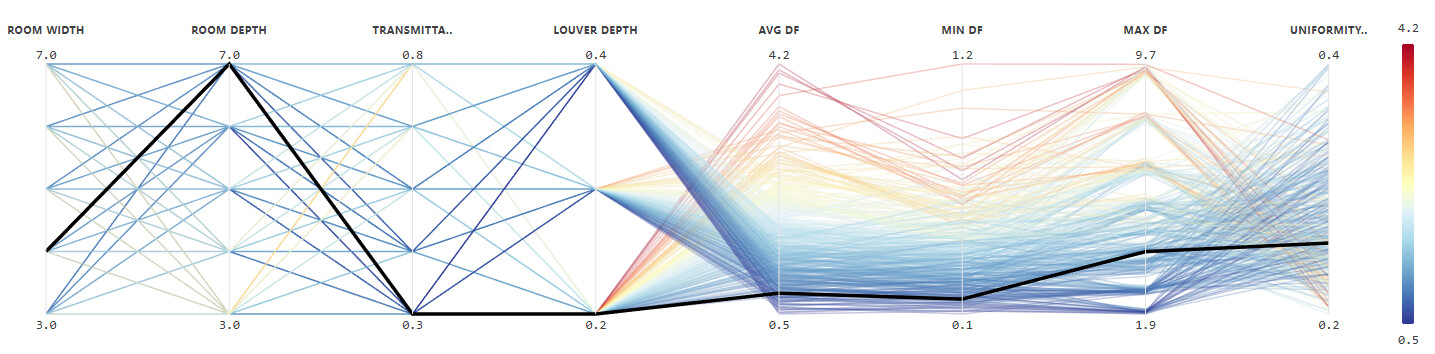
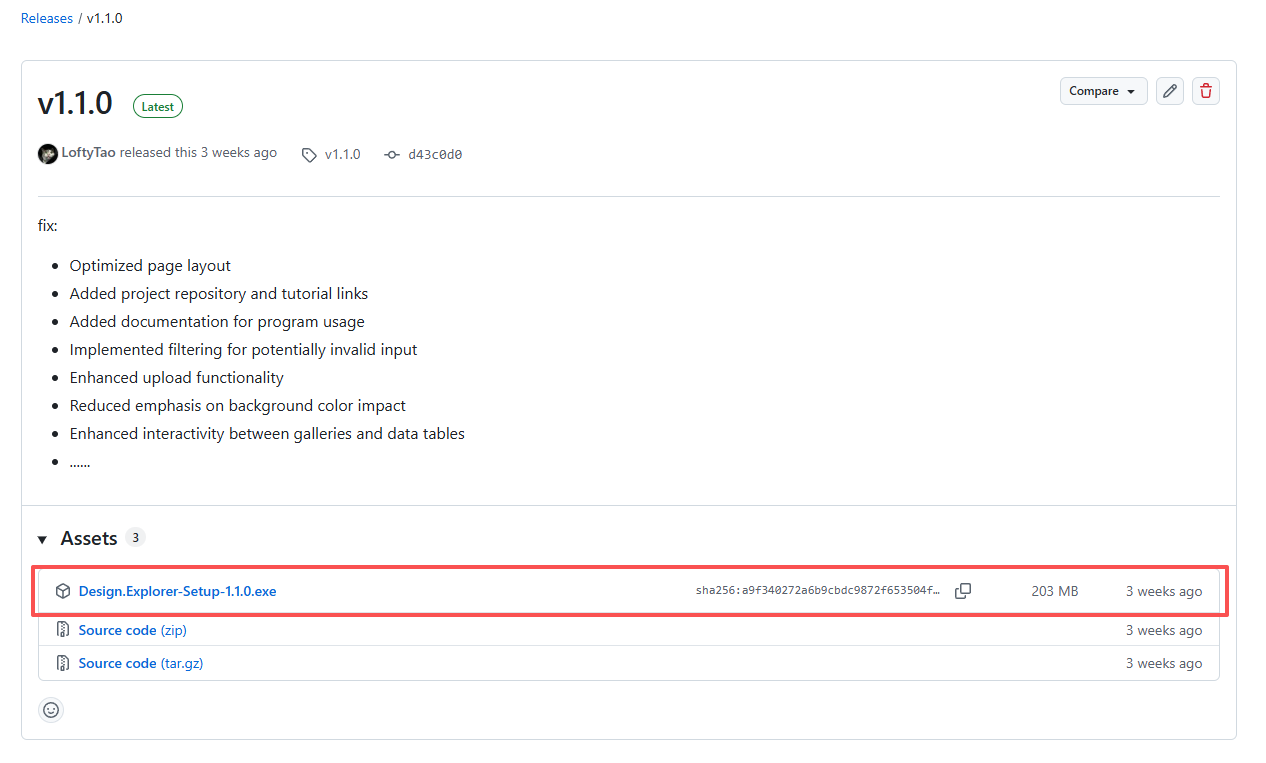
I drew on the main functions of the previous version and used React + Vit to create a deployable local program, allowing people to preview these data and images by uploading files.You can obtain the latest version in this project repository. It is a locally deployed application, packaged with Electron.

LoftyTao/design-explorer-react: Design Explorer - Visualize and explore design data with ease.
Or you can try out the online service provided by our micro servers.

Design Explorer — Online

This is the function introduction.

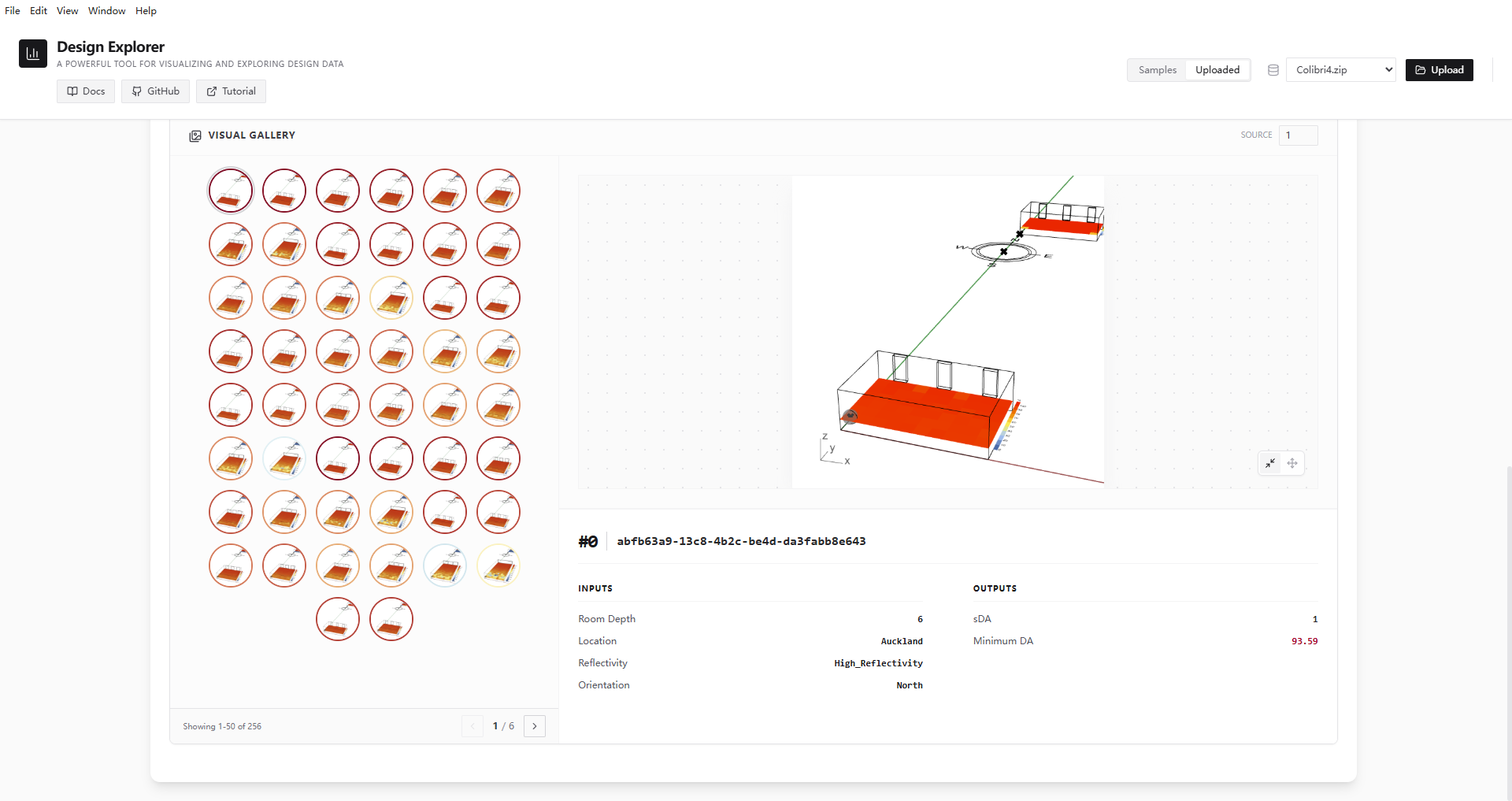
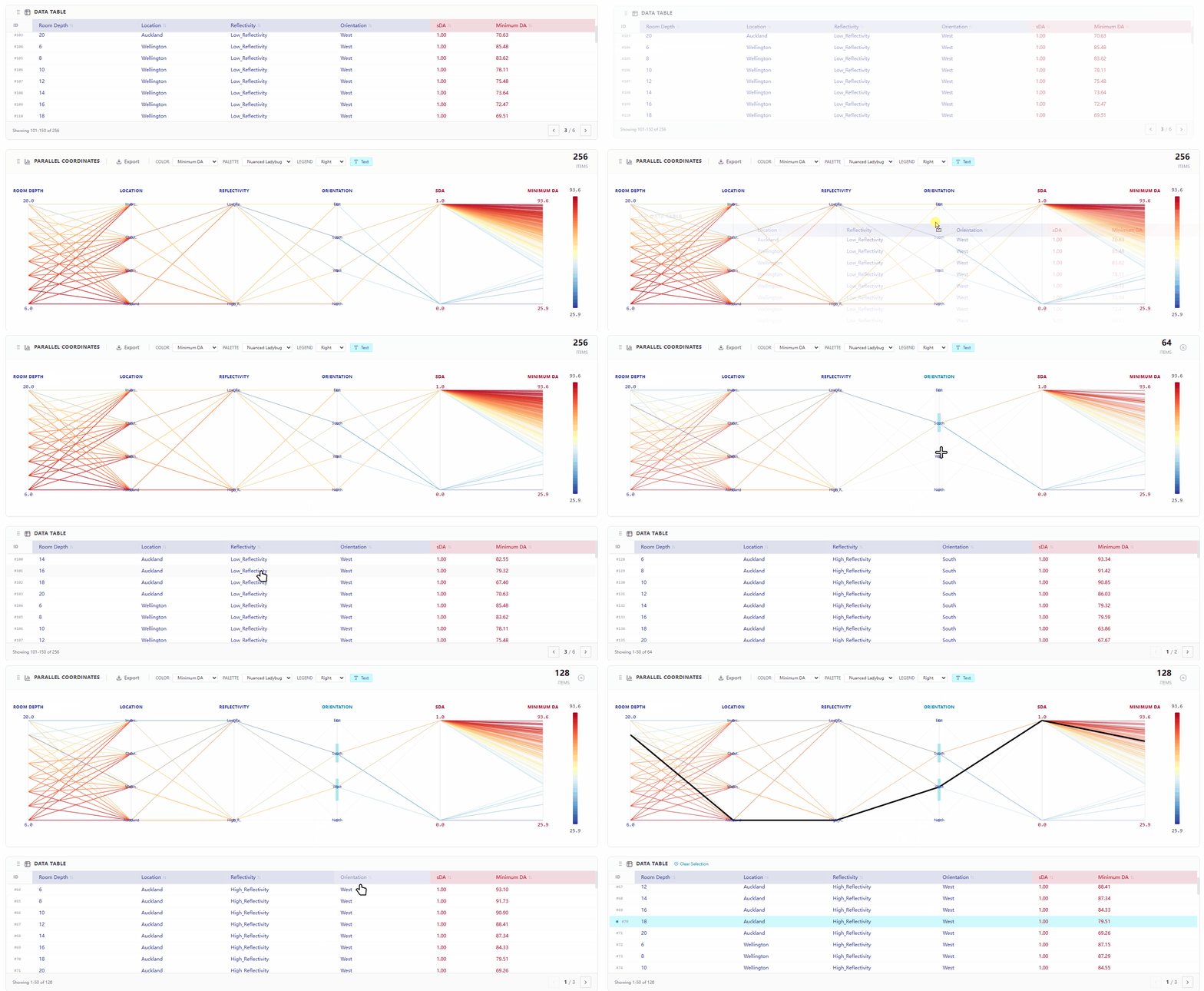
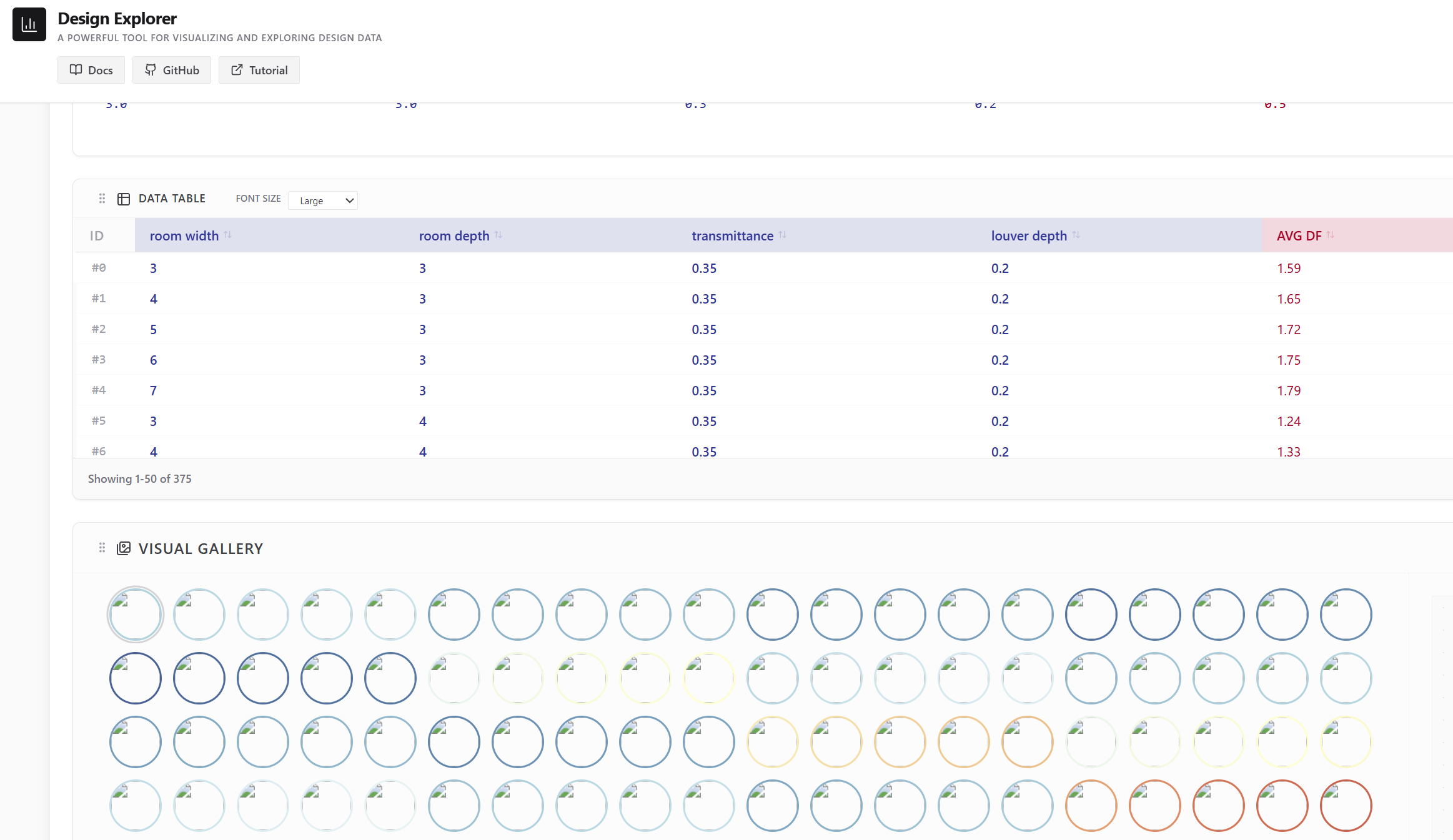
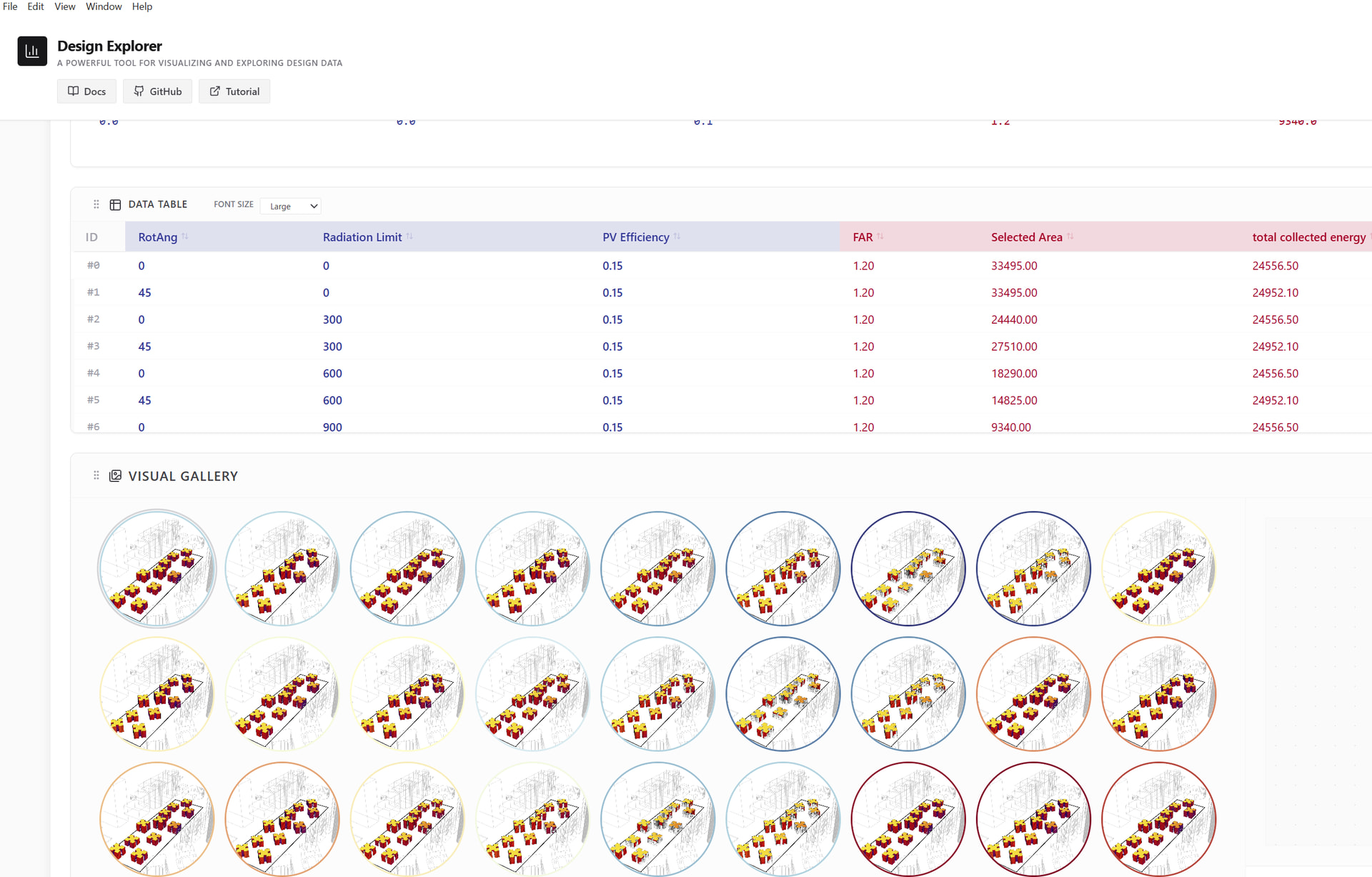
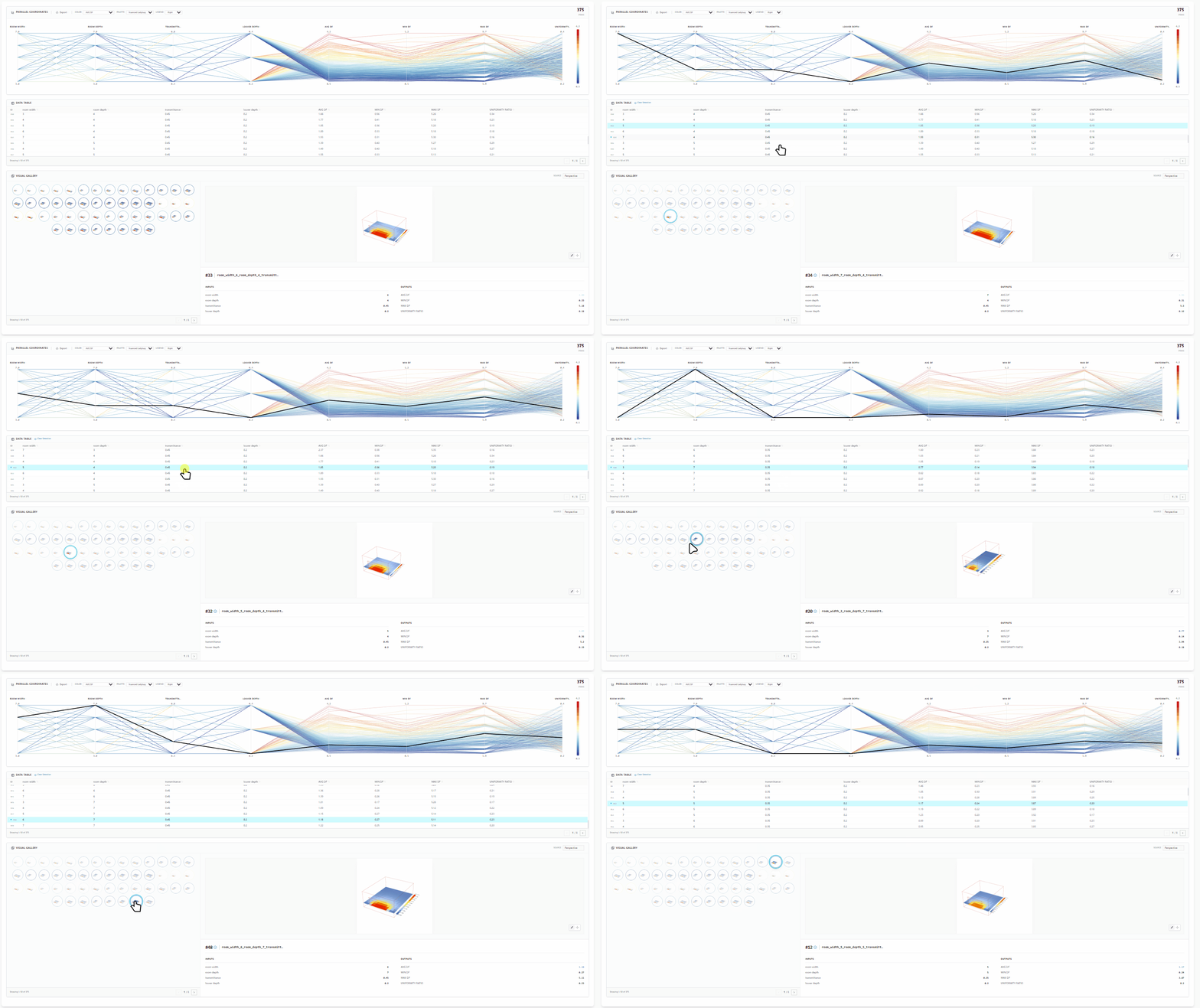
The entire page is divided into three sections: parallel coordinate graph, data table, and gallery.

What is different from before is that the interactions of these elements are all mutually responsive. You can select any data row in the data table or click on any thumbnail image in the gallery, and the highlighted display will focus on other constituent elements.
testgif4

In this version, we recommend that you use the PO Fly and PO Fly ID components to prepare the data files.These two components are of the same type as those of Colibri, but they are directly provided by Pollination’s Grasshopper installation program. Users do not need to download any additional tools to use them.

You can easily package the file set generated by Pollination and drag it to upload into the program for preview.Even multiple sets of files that need to be previewed can be uploaded, and the actual set to be previewed can be selected through a drop-down list.
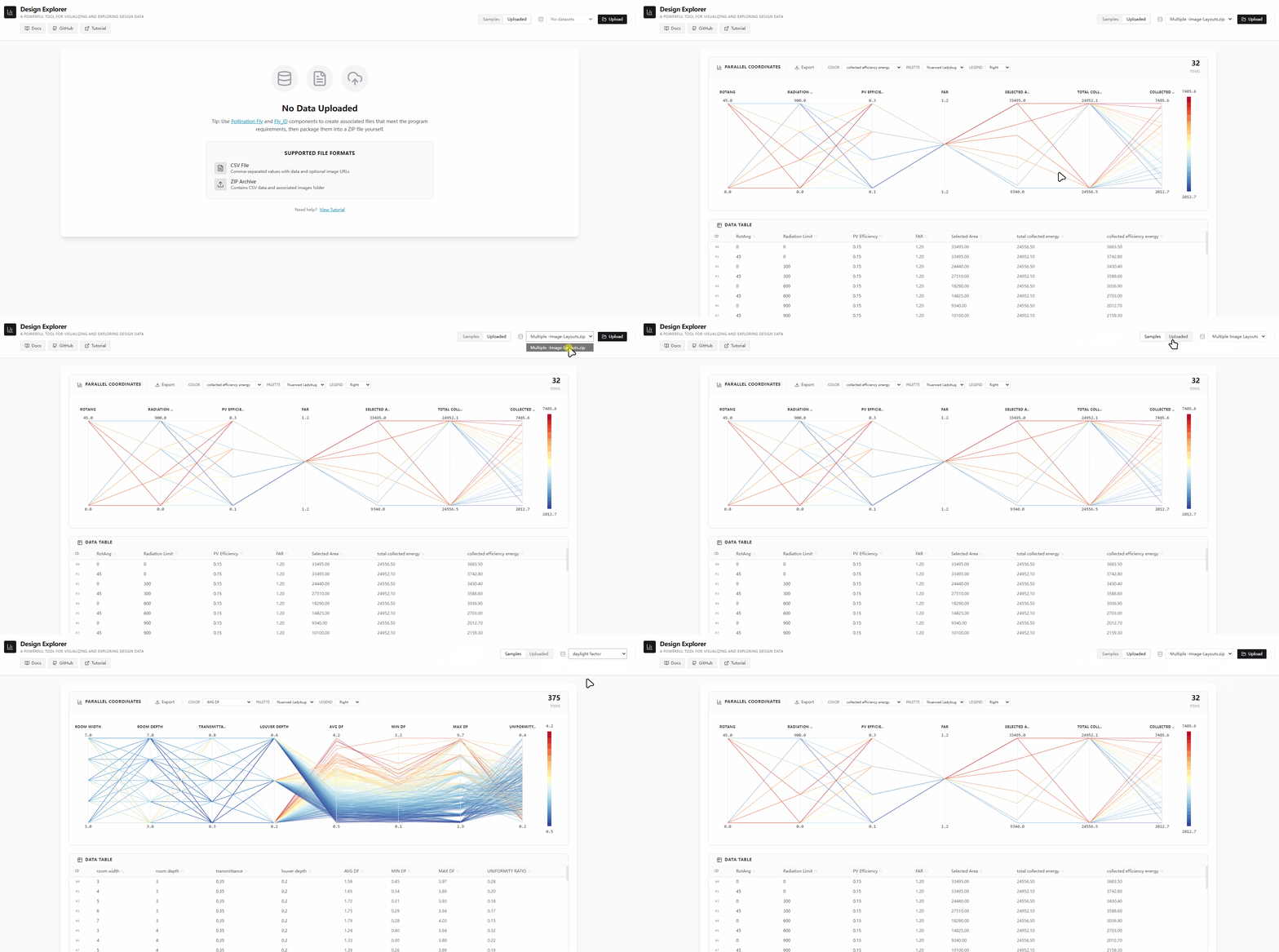
testgif5

If you haven’t yet familiarized yourself with the components of Pollination Fly, you can watch this video tutorial which was recorded by @mostapha .
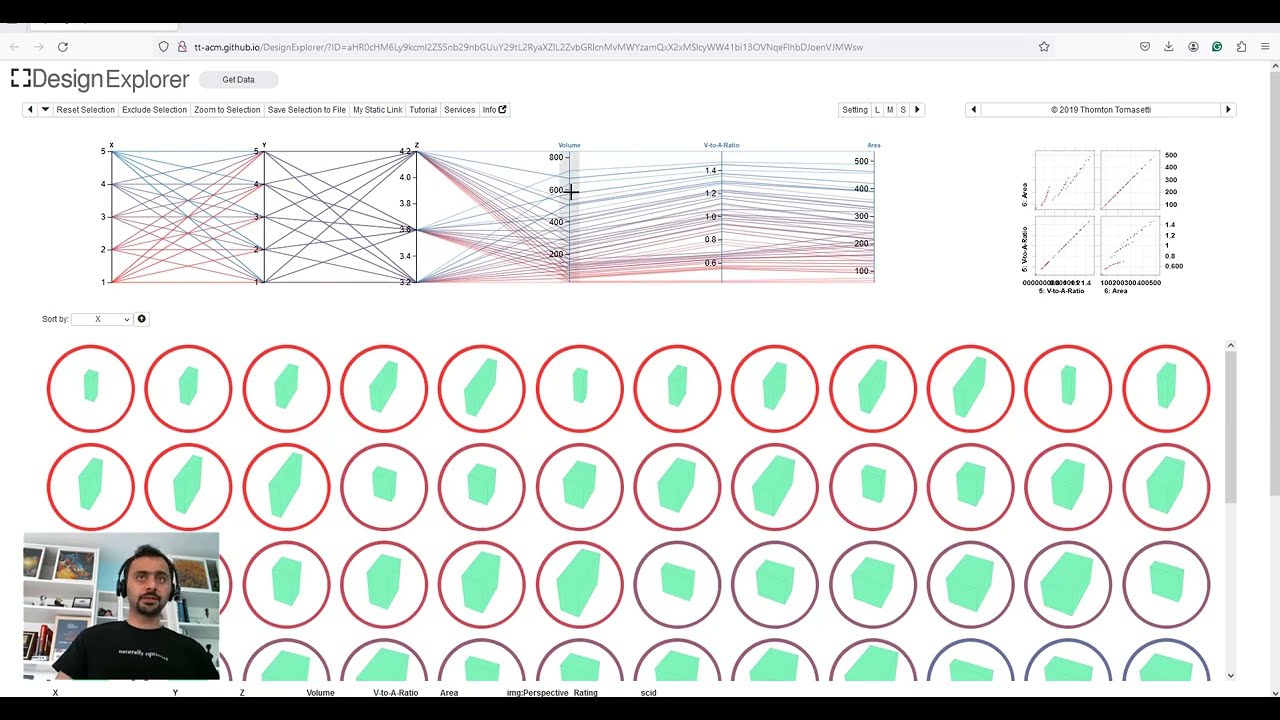
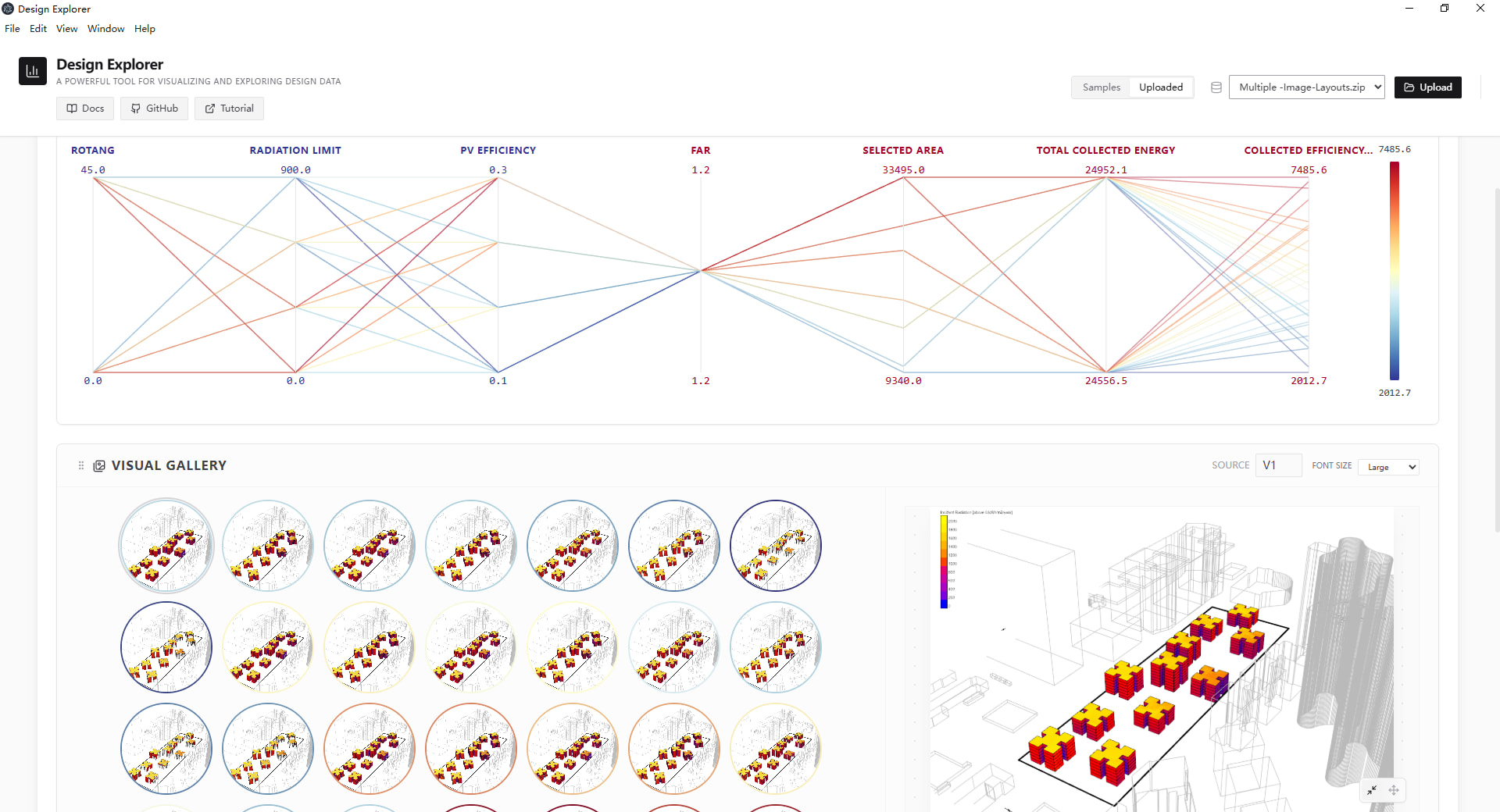
In addition, this version also provides support for multiple sets of image groups. When you have multiple different illustrations for each set of data, you can switch to the part you need at any time, and the current selection status will not be overwritten.
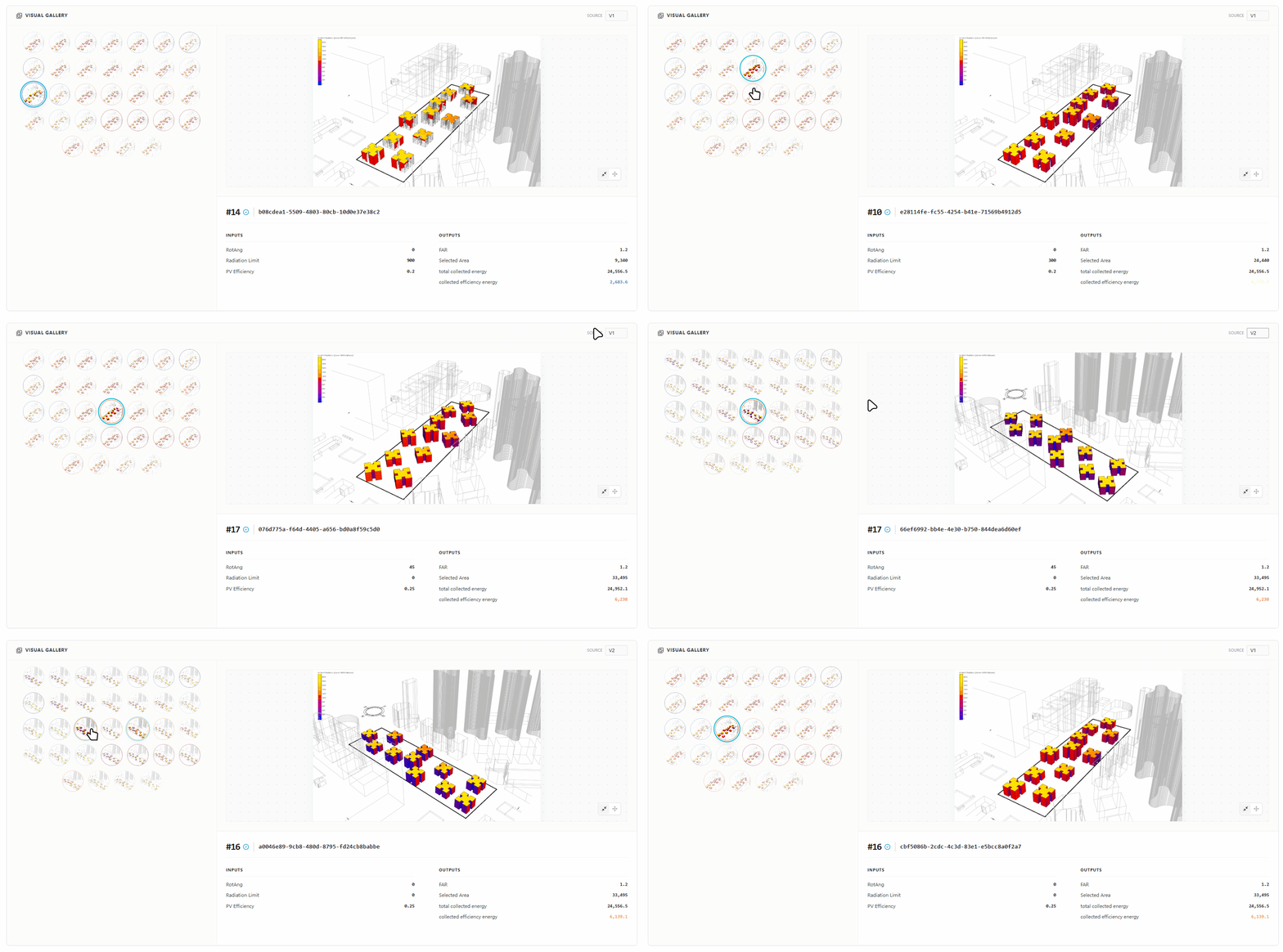
testgif6

For the presentation of the data set, I adopted the excellent design of HotPlot, which enables us to focus more on the selected results.Whenever we select any data, the data that is displayed is always the most prominent.
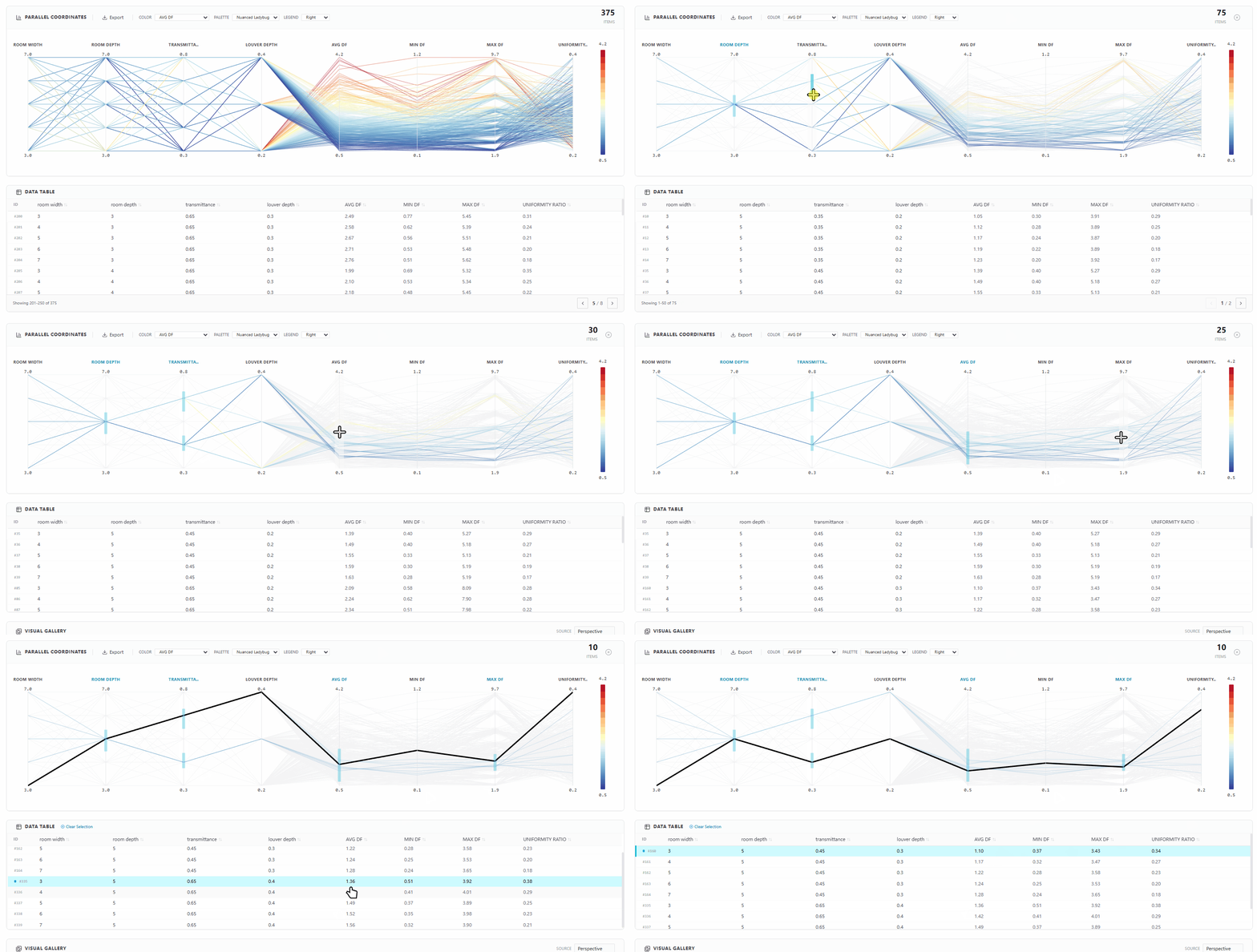
testgif7

In addition, I have retained the sorting function of the data, and on this basis, I have also added the common color schemes that people are accustomed to.

This project has received limited usage and feedback from community users. Currently, all the main functions are operating quite well, so I have chosen to share it with everyone.

It should be noted that I would like to express my gratitude to @MingboPeng and @mikkel for their contributions to the two projects(projects1 and projects2) I referred to, as well as @AbrahamYezioro for his testing and feedback.

Please enjoy it!

Zhengrong

16 Likes

Thanks for sharing @ZhengrongTao !!
This is great!!
-A.

1 Like

amazing work! thank you for sharing!
best
-trevor

1 Like

Great stuff! Thank you.

I have installed the Windows Executable.

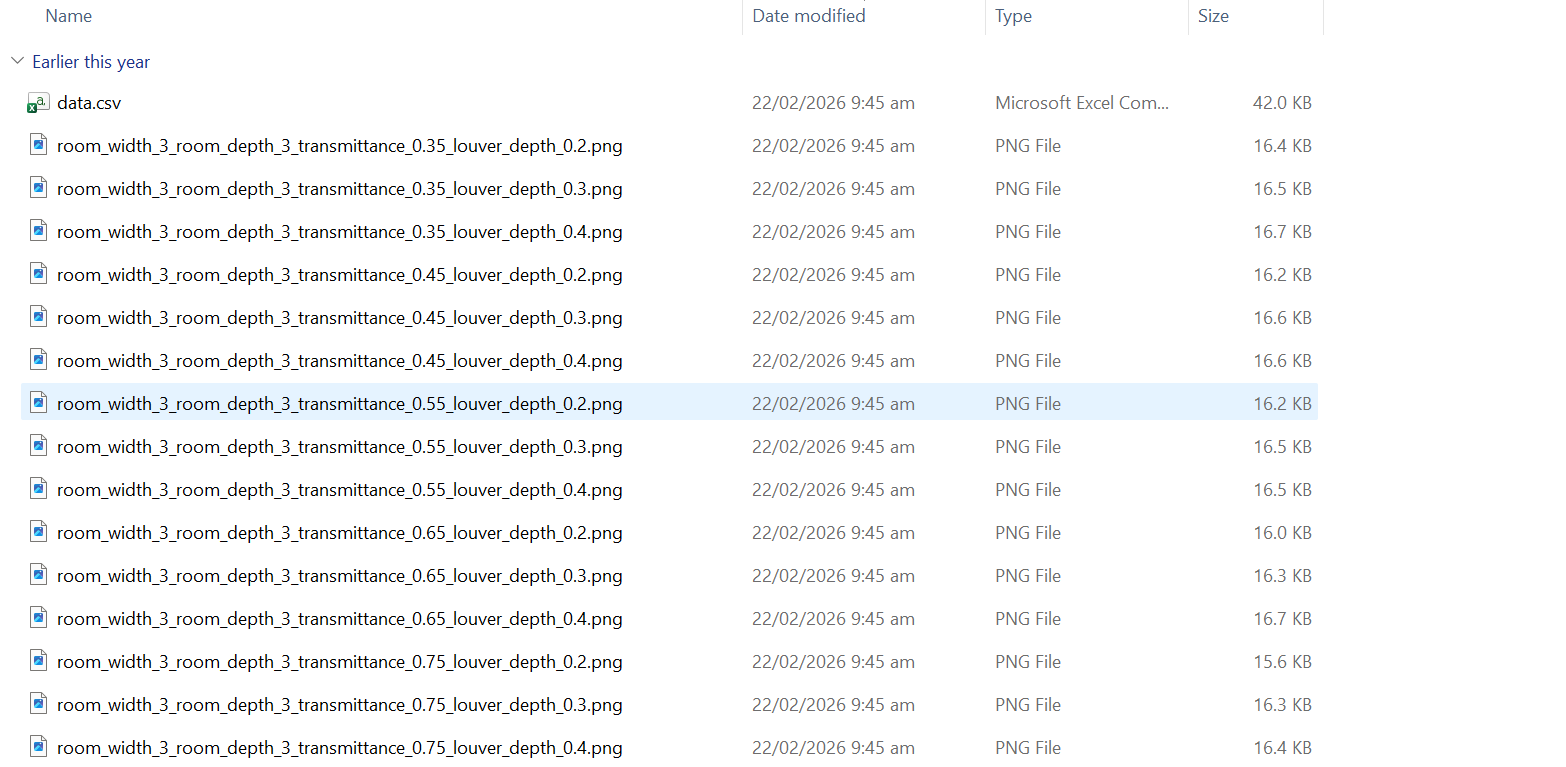
I have a set of 256 files from the past (including 5 x .png image sets).

Exciting to see the capabilities locally available.

I was disappointed to realise that you are filtering out text descriptions of variables so my daylight study did not have a high/medium/low option or a location option. While I can convert these to numbers (Wellington = 1, Christchurch = 2 and so on) in the .csv file, this is not informative to the design team. Is there a possibility to allow text based labels as parallel graph axes?

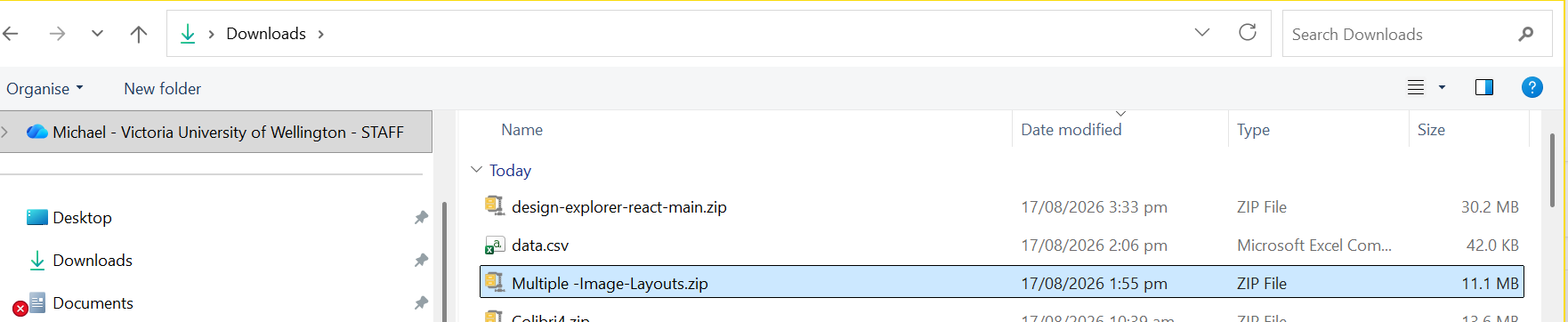
And, finally, the images do not turn up when I upload the zip file. Is there a limit on the number of images to switch between or on the size of each individual .png image that might be stop the multiple images from being displayed?

1 Like

hi, @MichaelDonn

This issue was also raised by @AbrahamYezioro in the initial test feedback.(Once again, I would like to point out that I have not forgotten this issue.) I admit that I underestimated the impact of the text description on users. As I am currently on vacation, it is expected to be resolved in two weeks.

I haven’t set any limit on the number of image uploads, but the file size might be relevant. Due to possible cloud deployment reasons, I have imposed certain restrictions on file uploads. Could you please send me these files for me to conduct some testing and debugging?

Not sure I should be sending these when you are on vacation … :wink:

I am also puzzled about the cloud deployment question. I had assumed that the files were being dealt with locally by this executable. If, yet again they are being uploaded to a remote server somewhere, I have some data sovereignty questions…

But, thank you

hi, @MichaelDonn

This problem is simpler than I thought. :grinning:

I noticed your data.csv file. The titles of the images are img_1, img_2, … In fact, it should be img:1, img:2… After I made the modification, I was able to preview all the images normally.

I don’t know if Colibri has any other settings, but I think you won’t encounter these issues when using Pollination Fly.

2 Likes

OMG

Thank you so much.

M

@MichaelDonn

I forgot to clarify this.

The application is fully localized, and you don’t need to worry about any files being uploaded to locations outside your computer. Only the online service, which is the Demo page I provided at the beginning of this post, can be considered a possible cloud service, because this project also supports other users for possible local area network or limited remote services.

best.
Zhengrong

hi @AbrahamYezioro @MichaelDonn

I have released a beta version of v1.2.0.

In this version, if the elements of your data.csv file contain textual descriptions, they will be correctly rendered.In addition, it also supports the sorting of elements in charts, data tables and galleries by simply dragging and dropping. The display colors of inputs and outputs change according to the color scheme of the palette.

testgif8

Since I’m still on vacation, I may not have enough time to conduct some tests. If you’d like to give it a try first, please feel free to do so. If you have any comments, you can leave a message at any time.

best.
Zhengrong

3 Likes

Hi @ZhengrongTao ,
I’ve been testing a little bit the beta version. Good stuff you implemented since the previous one.
Like a lot the possibility of dragging the windows on the platform.
Some things I suggest to address:

  1. Possibility of changing /setting the font size. Right now, for me, it is to small, hard to read and maybe in printing will be also difficult to understand. Suggest to have a menu for that with small, medium,large options to select.
  2. I understand the gallery is limited to 50 images. If possible i suggest to increase, since there is a lot of left space, which is s a pity.
  3. If possible, I suggest to enlarge the gallery to the same size as the parallel graph [similar to the legacy DE]. If not possible I thing that at least, half of the window should be assigned to the gallery
  4. The export image has some delay once you pick png/jpg, of a few seconds. If possible to improve this, will be nice.
  5. I’m trying to understand the logic of the “color” option, but can’t get it. Can you explain?

That’s it for now … If something else come up, I’ll post.
Thanks!!
-A.

1 Like

Follow greensimhub.com.cn, follow greensimhub.com.cn, thank you nya.

hi,@AbrahamYezioro

I have been on vacation these days, so this reply is a few days later than expected.I spent a little time making some minor corrections. You can conduct the test later.

In the new version, I have added an option. Currently, it is possible to change the font size (large, medium, and small) for each of the three main elements separately. This modification is currently being tested as it may not be universally applicable across different sample sizes. In this regard, I believe some continuous feedback and minor adjustments are necessary.

I was aware of this issue before. Due to the tight schedule of my last version update, I overlooked it. In the newly released version, the display quantity will be automatically increased. Moreover, when checking a small number of image samples, it will be enlarged to a certain extent to better focus on the selection of different solutions.

A very good suggestion. I appropriately expanded the size of the gallery. I referred to the previous version of DE developed by Mingbo. I believe the fixed parameter preview box might better suit my aesthetic preferences for the program.

This issue can only be somewhat optimized at present, rather than being truly resolved - I need to spend some time considering other solutions. Currently, the entire coordinate parallel graph is drawn using the SVG method. When there are a large number of elements, the processing time will appropriately increase to ensure the quality of the image. However, in the current test set provided by the community, I think these few seconds can still be waited for.

The “color” option is mainly used to provide a basis for color sampling for the legend. For example, the value range of parameter A (or any other input or output parameter) is 0 to 100, and there are a total of 10 sampling intervals. Therefore, the color mapping of the current image scheme will be determined by parameter A. Currently, the default solution I consider always takes the parameter with the most numerical distribution as the benchmark. Therefore, we can always see the most visually appealing image at the earliest.

Of course, this option has a significant impact on the overall situation. For instance, the edge colors of the gallery images. When you perform some sorting operations in the data table, it will correctly color them according to your current “color by” setting. Besides, it will also color this option in the “summary” section of the selected image (of course, I think sometimes it doesn’t work very well. If I have a good idea, I will definitely modify it immediately).

best.

Zhengrong

2 Likes

Hi @ZhengrongTao ,
Looking good, really!!
This time I don’t have more requests. For what I tested everything is working just fine.
I’ll keep testing, so if I find something … I’ll be back.

Thanks for your great work!!
-A.

Edit:
Maybe a couple of things

  1. There are two font size controls. One in the parallel panel and one in the data table. I think each should control it’s own “domain” and not be global. I mean, if you change the size in the parallel panel it applies for both panels instead of just the parallel.
  2. I wish if it will be possible to “hide” some of the inputs/outputs. Sometimes you know you don’t want to select them [or parts of them] so they just occupy space in the parallel panel that sometimes can get very dense and hard to read. As a matter of fact, you allow to hide the “text” right now, so I assume it can be possible to add more parameters.
2 Likes

@AbrahamYezioro

Thank you for your long-term testing and feedback.

I have seen your two suggestions for revisions. They are not particularly difficult, and I expect they will be improved in the next update. However, it might not happen very soon because my spare time these days is almost completely occupied by various documents and video tutorials.

When I am close to completing these tasks, I will take some time to solve these problems.

Zhengrong

2 Likes

Don’t worry @ZhengrongTao . Take your time.
Thanks!!
-A.