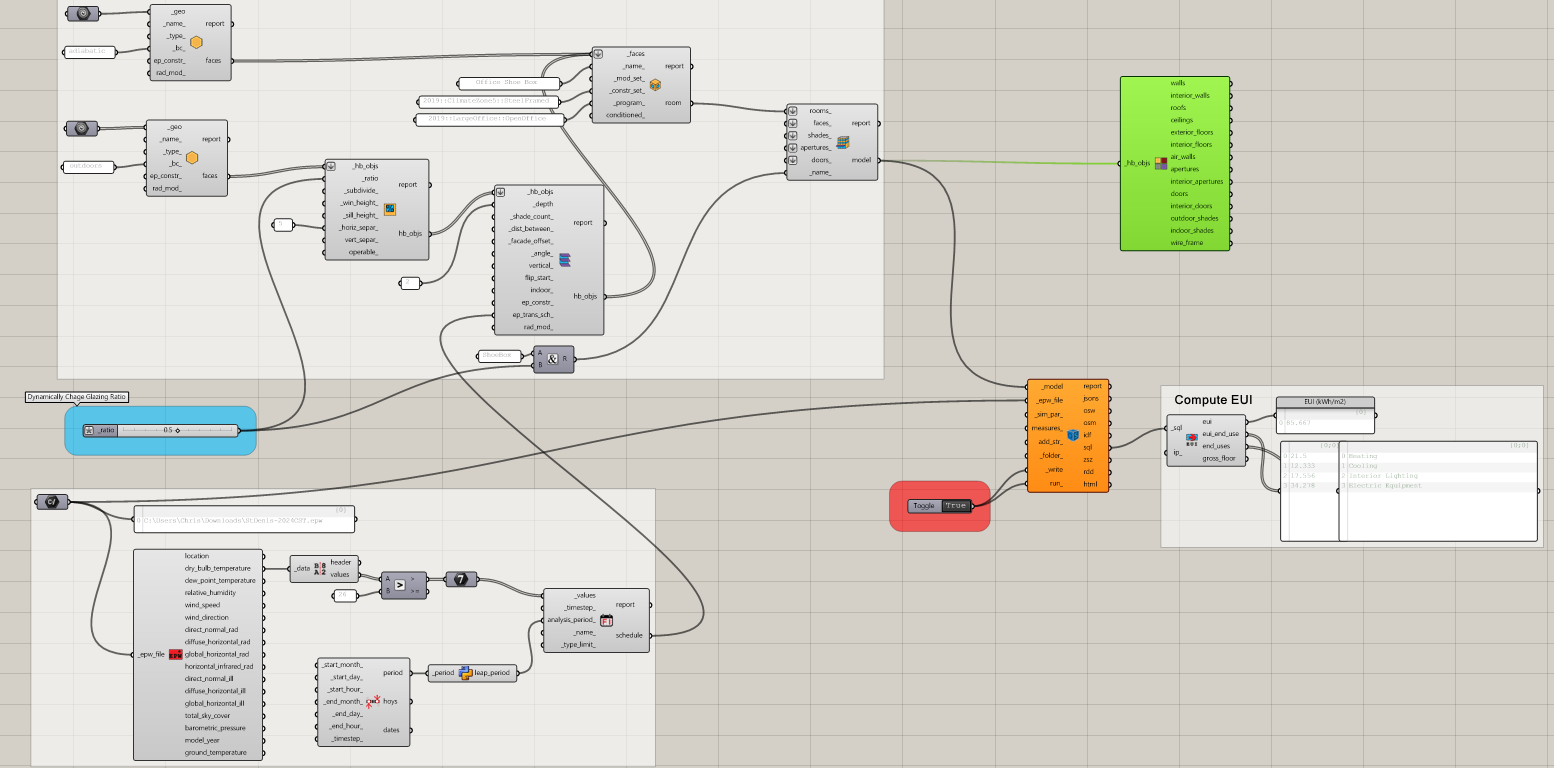
I ran into an issue using fixed schedules with leap years.
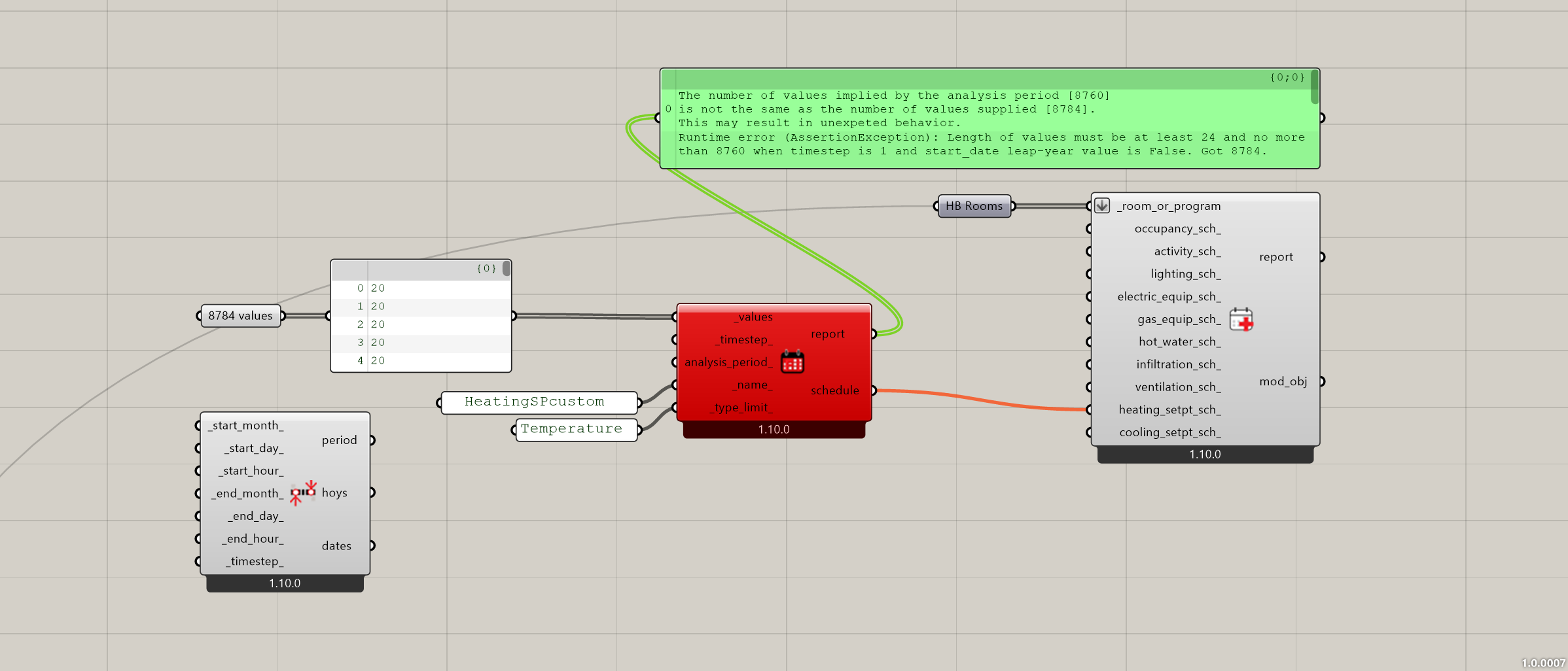
The Fixed Interval Schedule component expects 8760 values (standard year, timestep = 1), but I am running a leap year (2024), and if i supply 8784 values it gives this error:
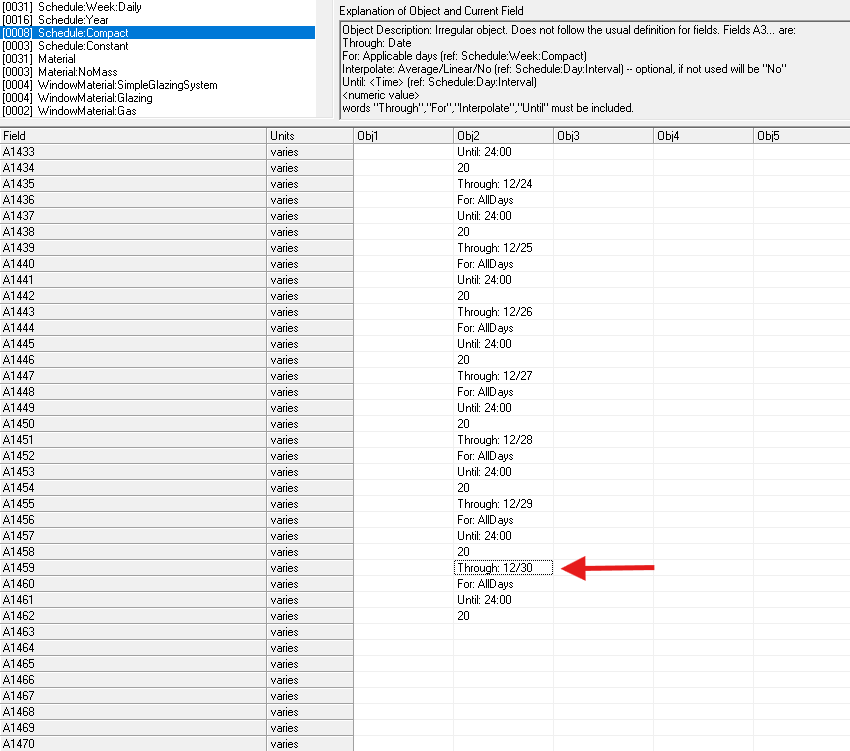
If i supply 8760 values, the fixed schedule gets written into the idf but runs out on December 30th (since February 29th eats a day that isn’t accounted for), and E+ crashes with:
** Severe ** ProcessScheduleInput: Schedule:Compact = HEATINGSPCUSTOM
**   ~~~   ** has missing days in its schedule pointers
**  Fatal  ** ProcessScheduleInput: Preceding Errors cause termination.
...Summary of Errors that led to program termination:
..... Reference severe error count=1
..... Last severe error=ProcessScheduleInput: Schedule:Compact = HEATINGSPCUSTOM
Following up from this fix, this issue also comes up when HB automatically assigns a leap year to the RunPeriod.
For now I’ll make some workarounds to get the simulation running but would be good if you can take a look. I would suggest either only allowing 8760-value schedules (as of now) but duplicating the 28 Feb value onto 29 Feb when HB finds a leap year, or directly allowing 8784 values in the fixed schedule.
I’ll have to refresh my memory about how we implemented leap years but the intention was to support them. If you have a leap year EPW that I can use to test, that would be very helpful.
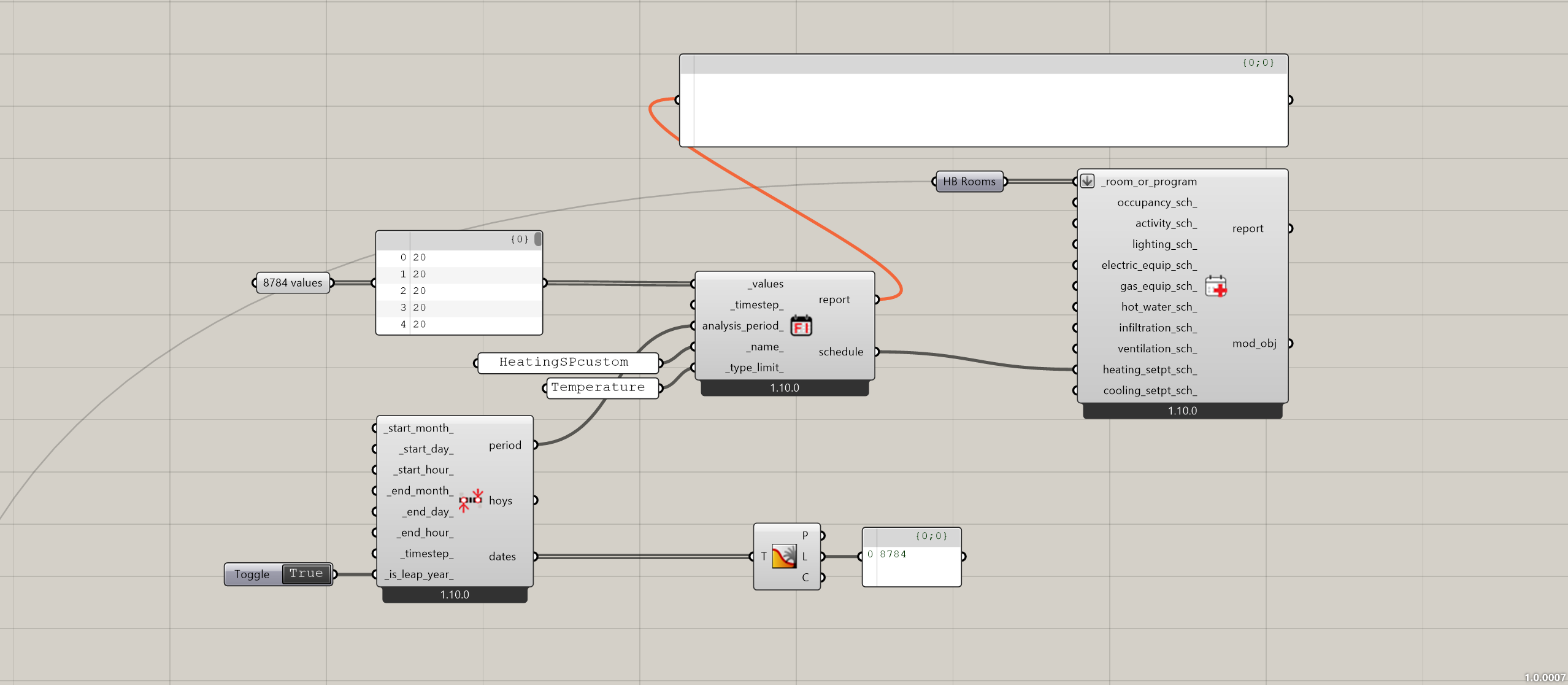
@Vuth also suggested that exposing is_leap_year in the Analysis Period component lets the fixed schedule accept 8784 values directly, and it works fine.
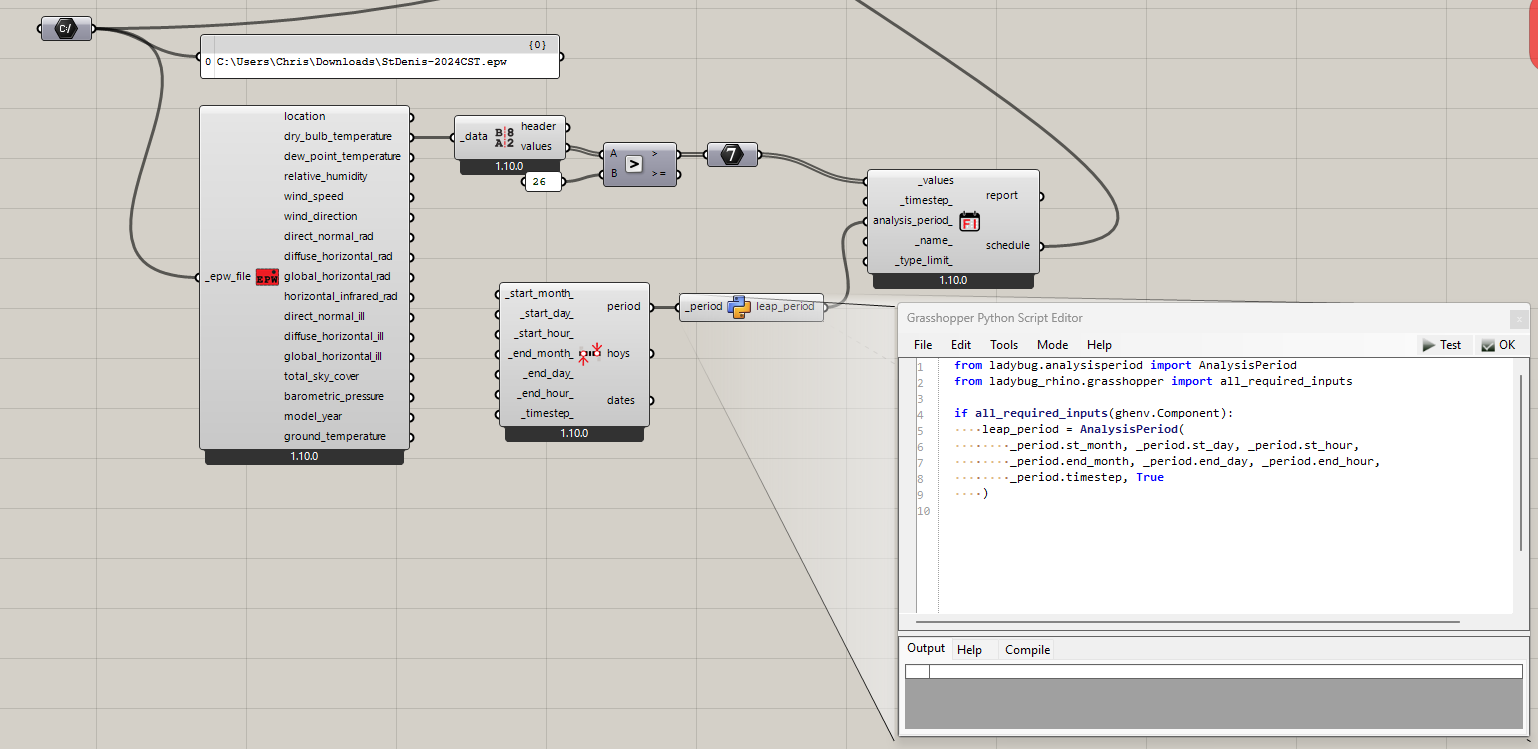
I implemented the support for leap years on the SDK layer of Ladybug Tools and I did not expose it on the official components because it can make the management of GH scripts harder for new users if they have to consider whether each analysis period instance is a leap year or not. My thought was, if a person is advanced enough to be running simulations of leap years or working with leap year EPWs, they can probably also just make a Grasshopper component with a little Python in it to convert the analysis period to a leap year. This way, the advanced people can still get what they need with a little Python in a GH component while all other users are unaffected by the complication of managing leap year data.
Here is a Grasshopper script with a custom component for conversion to leap years:
… but I had to edit your EPW since it was invalid. It had the Leap Year flag in the file set to No, which does not align with the rest of the data in the file:
Also, FYI, this type of invalid EPW has come up enough times that I just implement a patch that tries to accommodate it. Certain edge-case functionality with invalid EPWs like this might not work correctly but everything you do with the EPW in the official Ladybug Tools Grasshopper components should work as long as you convert your Analysis Periods to leap years using the custom component in the script I posted above.
You can get that patch if you run the LB Versioner in an hour or so.
I cannot really test this right now, because I ran the Versioner and none of my simulations were working anymore, due to errors related to the update from EP 25.1 to 25.2 (which is maybe not handled automatically by the Versioner?). For now I went back to the previous Pollination version as I still need 25.1, but happy to test it on my next update.
I agree it is good to keep the Leap Analysis Period only for advanced users who run leap year simulations on purpose. Just, I don’t understand if this also solves the issue in the case when HB automatically sets a leap year depending on the start day, which is out of the control of any user. FYI, when I ran the model with a leap year, I also noticed that HB Read Custom Result was not working either.
About the leap EPW, I never noticed that flag, because it runs fine when I launch it directly through EP-Launch, but good to hear it’s sorted in the LB environment. For reference, to generate these EPWs I use the EP Weather Converter tool, and I double checked but I don’t see any way to set that flag to Yes.