Hole Found, but no hole found - Simple CW - Modelling practices?

It is highly probable that I am doing something wrong, but:


I have this very simple CW, inside boundary and outside boundary.

  1. Solution exception:The Shapes of the input model do not form a contiguous region without any holes.
    1 distinct region with 1 total holes were found.

No matter what I do, I am getting an error about a hole being found, and for the life of me I cannot find any hole, gap, or surfaces that are not touching (if there is a component or some easy way to find these, would be great, simscale has a feature “find gaps” on their web app for CFD…)

But maybe I am just modelling this incorrectly and missing something?
thanks

You could opening the *.thmz file and try running the simulation inside of THERM, it usually shows a red circle on the problematic geometries to help you debug whatever issues.

I can take a look if you share your file.

Hi @remyweather I suggest also try to update the core libraries using LBT update component. Many Bugs were rectified recently!

Let me try updating the core libraries and see if that helps, thanks @Asisnath

good idea, let me try, thanks!

Hi @Gspahr file is attached, I rebuilt it with more detail, but still 2 holes, and I am not sure why. I am using the base script that was provided for now.
ThermTesting_CW.3dm (442.6 KB)
570_Analyze_THERM_Results_for_Condensation_Risk.gh (86.9 KB)

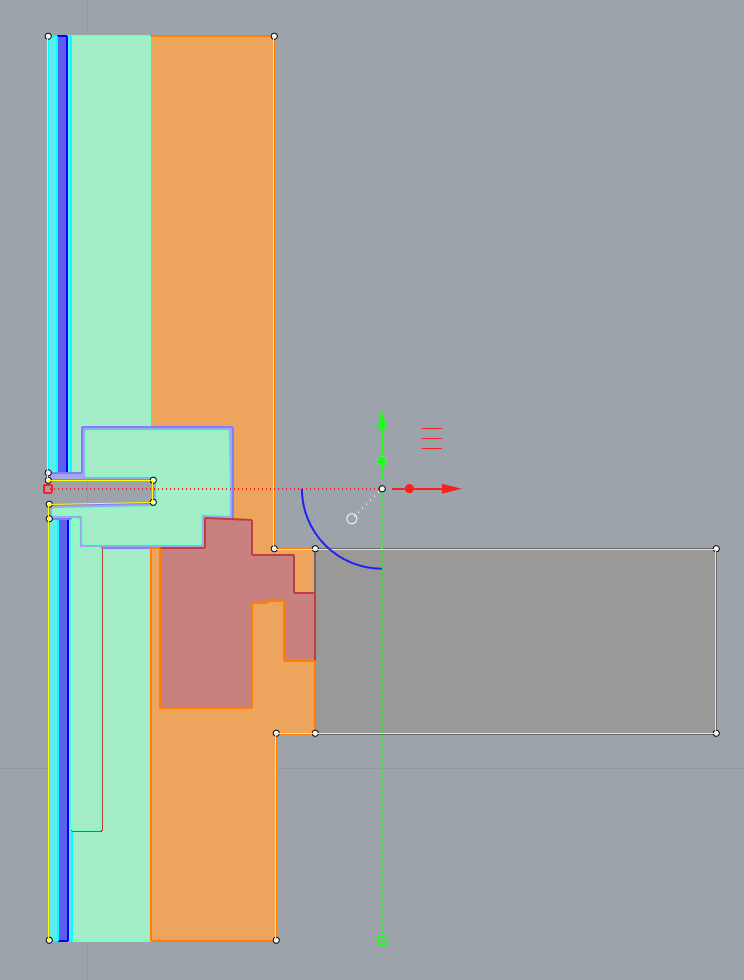
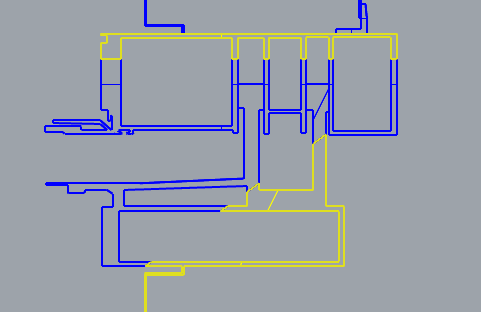
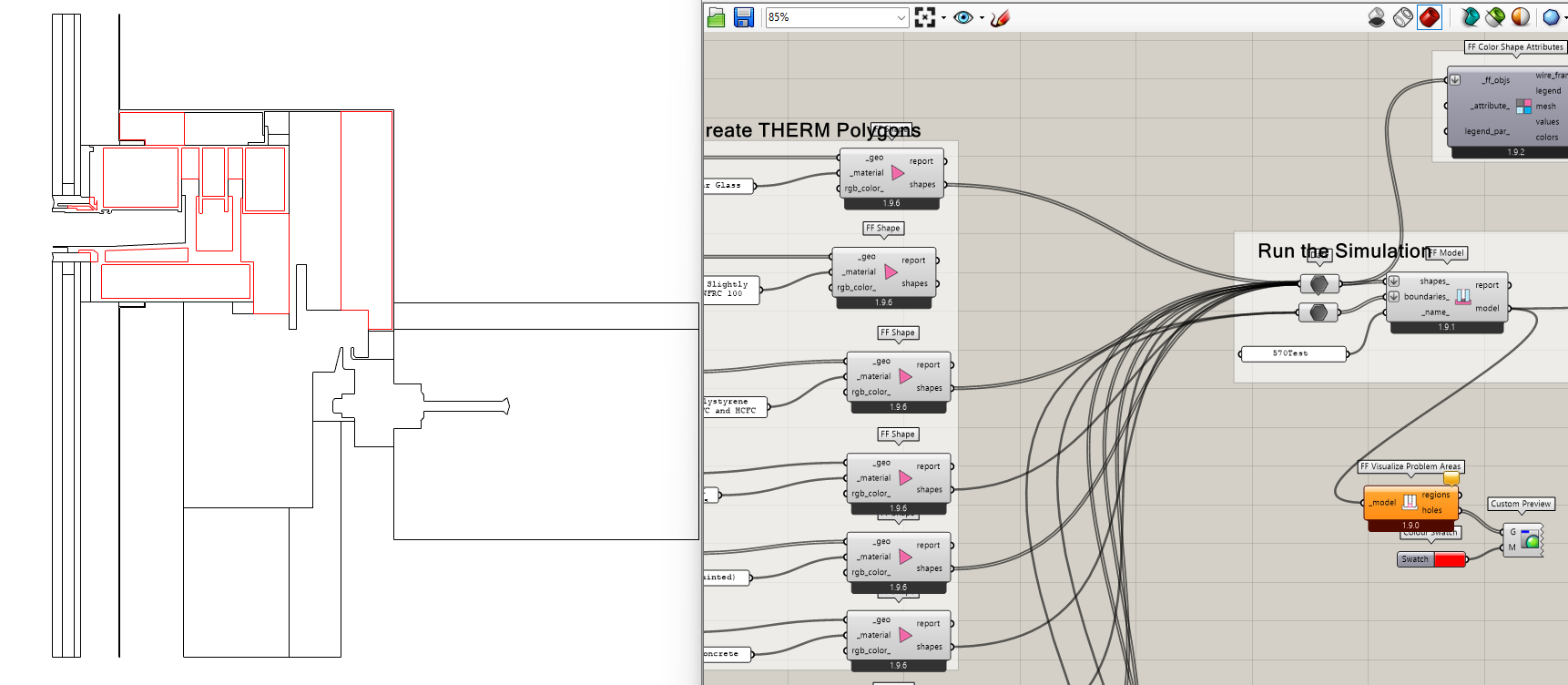
Hey @remyweather, after a few tries I figured out the problem with the geometry. It seems that THERM is unable or unwilling (deep philosophical stuff, I know) to process shapes that have holes and the only way I found to workaround this issue was so split the geometry with a straight line cutting through the cavity (or in this case, cavities) such that the hole doesn’t exist anymore.
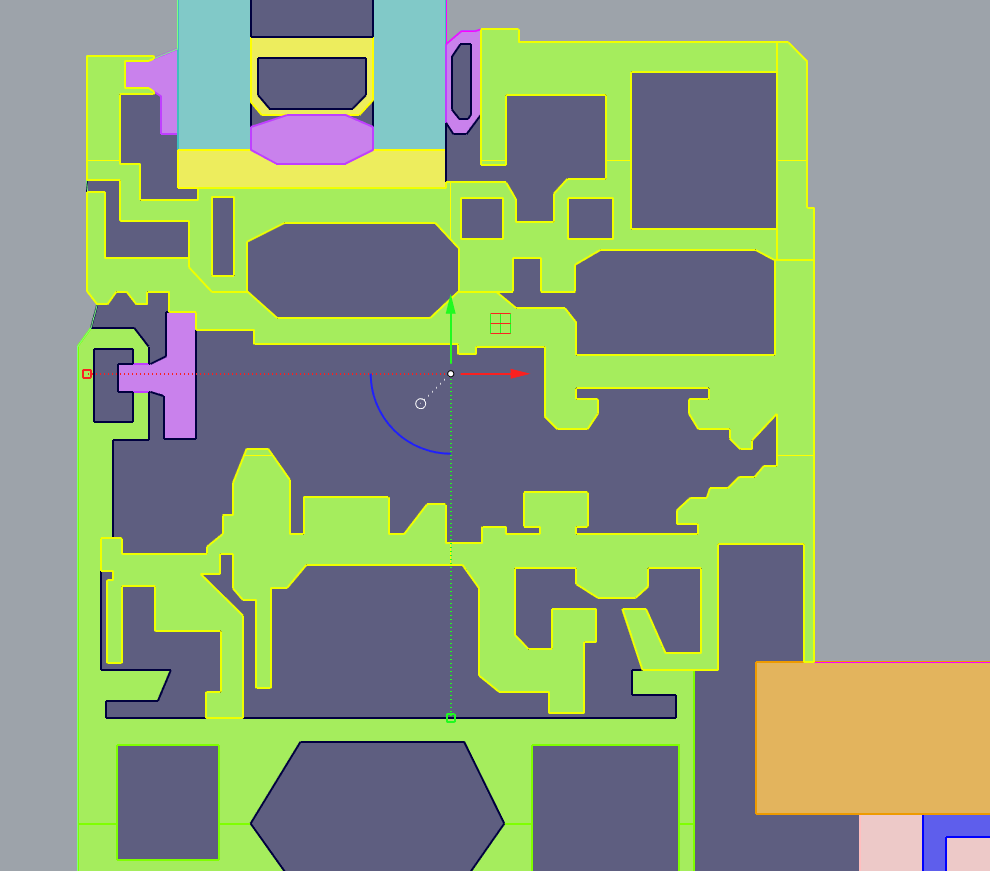
The only shapes that had this problem were the aluminum pieces, and you can see down below what I did with your model to get it going.
image

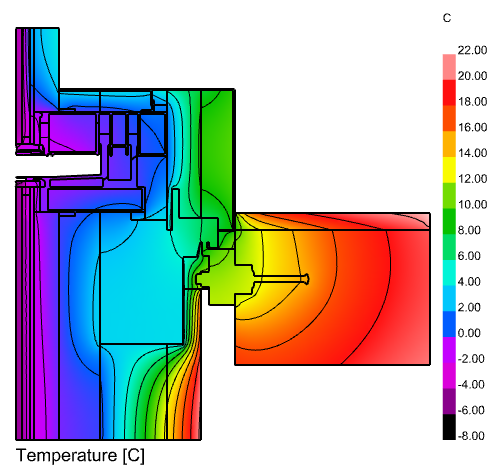
After this workaround THERM can finally simulate just fine. I hope in future versions this hole issue gets resolved.
image

Beautiful, @Gspahr thank you so much.
What a (fun?) little quirk that THERM has.
Will note that for future sims.

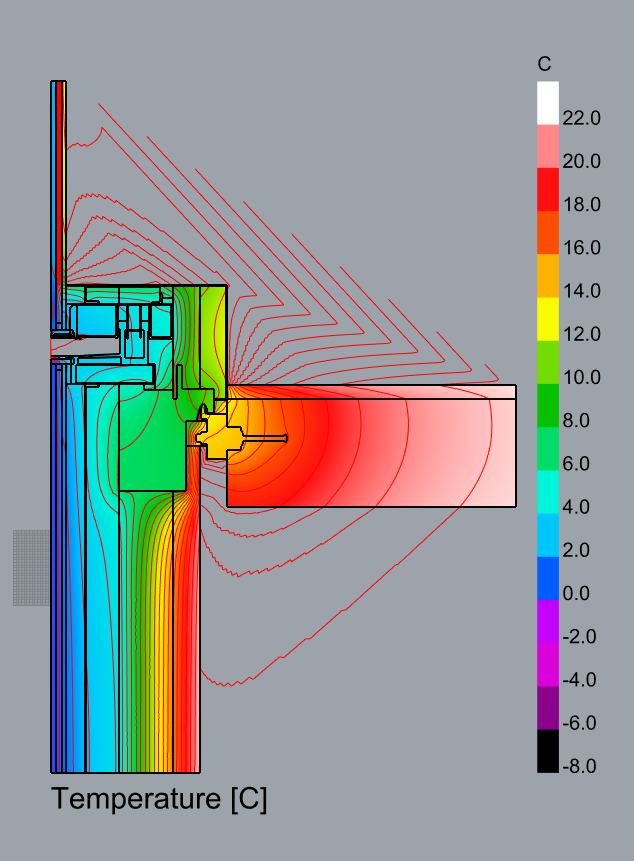
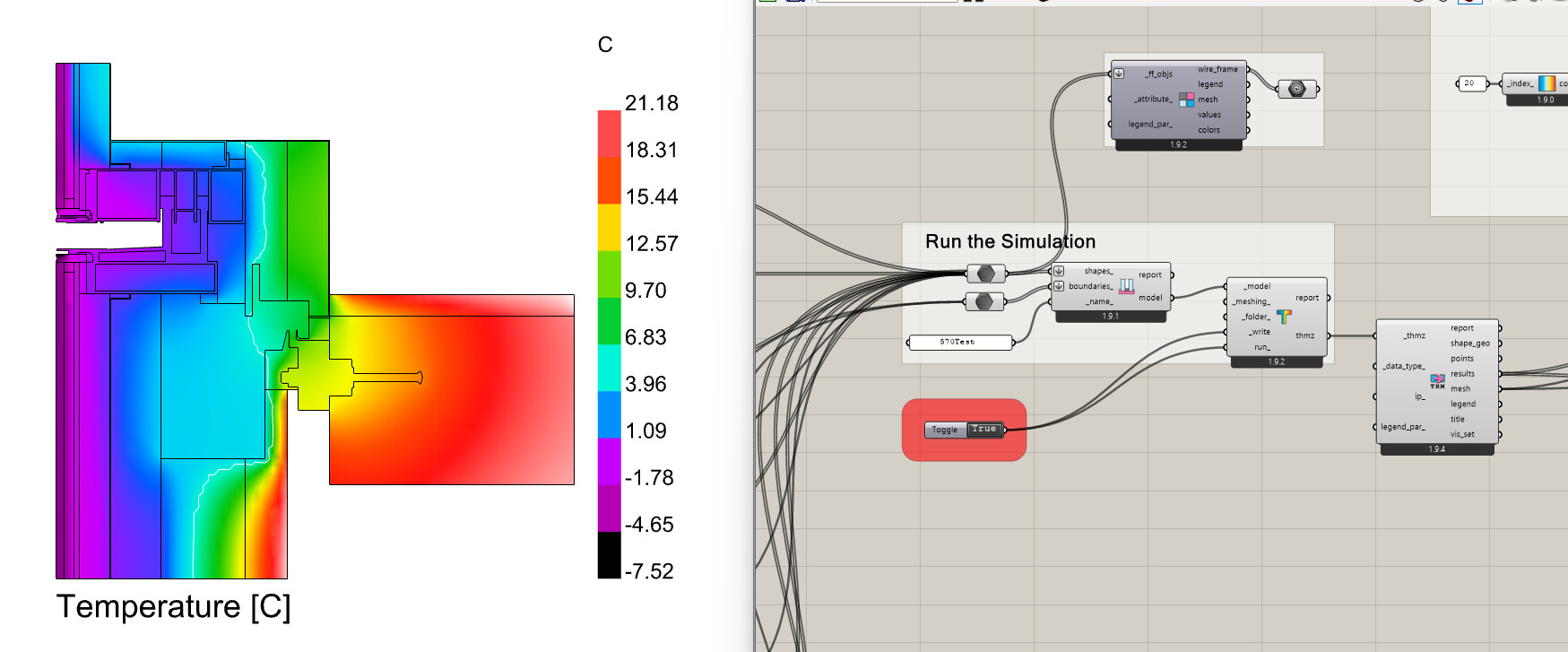
@Gspahr may I ask how you got the isotherms in rhino?

Sure, no problem. Check out this GH definition that I shared on my other FairyFly feedback thread.

I literally made a DeLaunay mesh from THERM’s output points, raised them according to their values, then intersected the mesh with horizontal planes to obtain contour lines.

1 Like

@remyweather ,

I had a sense that, however detailed I tried to make the error message here, we were going to need something more visual to fix these types of problems:

So I think I will try adding a “problem regions” output to the new “FF Model to THMZ” component similar to what we had for the Legacy version of this component. I’ll try to add this tomorrow and then figure out what exactly went wrong for your model here.


@Gspahr,

Thank you for helping out here and unblocking @remyweather but I can’t really blame THERM for not supporting cases with holes because most simulation engines do not have a concept of “holes in geometry” (including both E+ and Radiance). The translation methods that I wrote for converting Fairyfly Shapes to THMZ are supposed to have a way of handling shapes with holes (splitting them into two or more pieces), as you can see in this part of the source code:

… but, for some reason, these methods aren’t helping much for this case. I’ll investigate first thing tomorrow but, if you find any more cases like this where the holes in the “FF Shape” geometry are responsible for the problem, please let me know via my @chris handle because I consider it a bug and I’ll fix it fi I know about it.

Also, that’s a brilliant way of getting isotherms using Rhino. I’ll comment more over on the other topic.

1 Like

Brilliant @Gspahr; the only thing I would say (and not your fault, a known problem with this component) is that it does not know not to connect the isotherms outside of the boundary of the analysis:


I think we have an easy way to fix this and can take a stab.

Thanks for the explanation Chris. A warning or message would be helpful, I do not think the component necessarily has to do the actual work in fixing the mesh, because drawing / splitting the shapes is easy to do, people just need to know that they have to do that.

Yeah, I ran into that problem since this geometry had some concave shapes: because the isotherms were floating at different heights, I projected them onto the XY plane first, then trimmed away the ‘external’ lines with the THERM boundaries… Just average grasshopper geometry problems.

yep!

My next quest is to figure out how to accurately model glazing with Coatings, etc., without WINDOW integration at this point.

1 Like

This was a great model for debugging, @remyweather. I had a lot of other test models that has shapes with holes but the complexity of this one enabled me to make some real improvements to the algorithm, here:

Also, because I made the improvement in our core geometry library, it means that not only will the THERM methods get better in their treatment of shapes with holes but all of the other parts of our software that use this core geometry method will also improve.

So, while I appreciate that you don’t mind splitting geometries with holes manually for your THERM models, this type of “splitting a shape through holes” operation is pretty essential to a few different parts of the software. We would have a lot more questions about “what went wrong with my model” if we didn’t have a reliable method for automatically doing this.

Long story short, please let me know if you ever find a get a case like this as it’s an opportunity to make the whole software better. With the fixes that are now available via the LB Versioner, I can get your original model to simulate without issues:

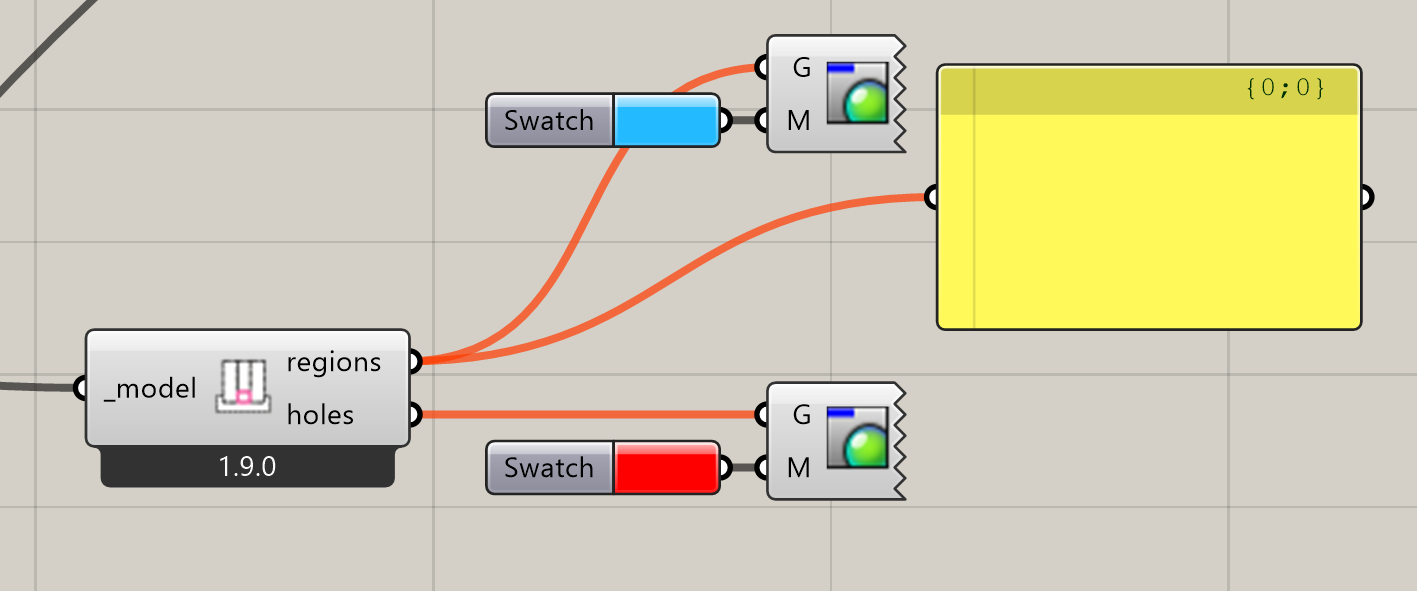
FYI, I also added a new component to help visualize problematic holes and cases where the input THERM model has disconnected regions that would cause a failure in THERM:

I’m sure that my future self with be thankful to have something that helps direct my focus on parts of my model that I need to fix and, if anything, it’s great for helping see when I failed to connect certain shapes to the model:

Granted, it would not have been all that helpful for your model here because the “holes” that fairyfly was finding were the result of a bug, meaning that they had zero area and they would not have shown up with this component. But, now, we at least have something to check first if we find an error like this in the future and we are trying to figure out if it’s a bug vs. just a modeling issue to be fixed.


We will have good solutions for the window geometry in time. I know that accounting for low-e coatings on one side of the glass currently requires you to open the THMZ in THERM, edit the emissivity, and re-simulate. I promise that this will get much better over the next couple of months.

And, as I said on the other post, I am going to aim for getting a new contour component before the LBT 1.10 release next week.

5 Likes

For the time being we should be applying a custom emissivity to the glass pane with the coating, right? Which of course would mean modeling a low-e coating on both two sides of the pane… Unless maybe splitting the single glass pane into two thin glass layers glued together, making one of them with low emissivity, and the other one with standard emissivity.

It would be neat to have the ability to add coatings as a single line like we currently do for boundaries. Perhaps a future FF feature?

@chris incredible as always!

I just used the versioner and tested the model and it works perfectly. I intentionally screwed with the model too and the new component for visualizing problem areas works quite well, super helpful for debugging.

Very excited for this, opening in THERM is fine for now - will be great to have it all in GH though.

I agree here, also for adding something like an AVB, unless this is already possible.

nice!

I am thoroughly impressed as always with the improvements and new features and the speed in which they come.

1 Like

@Gspahr @chris I have a new pecularity for you.
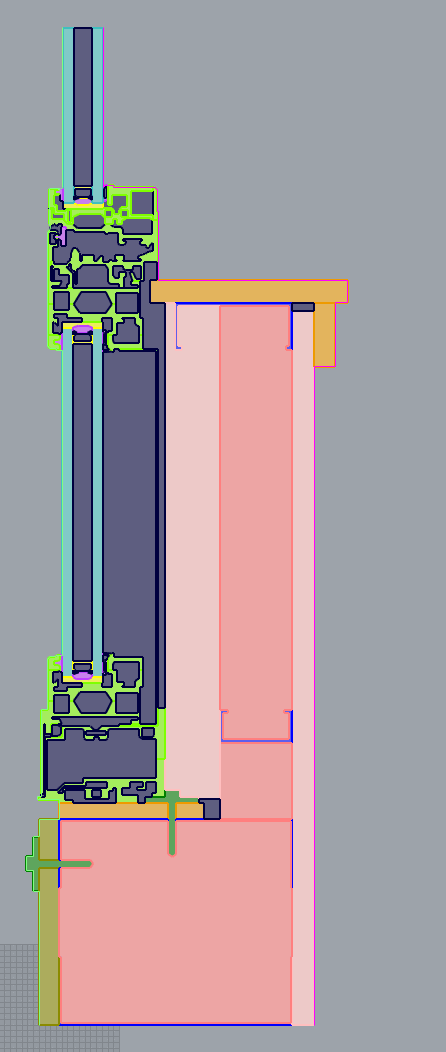
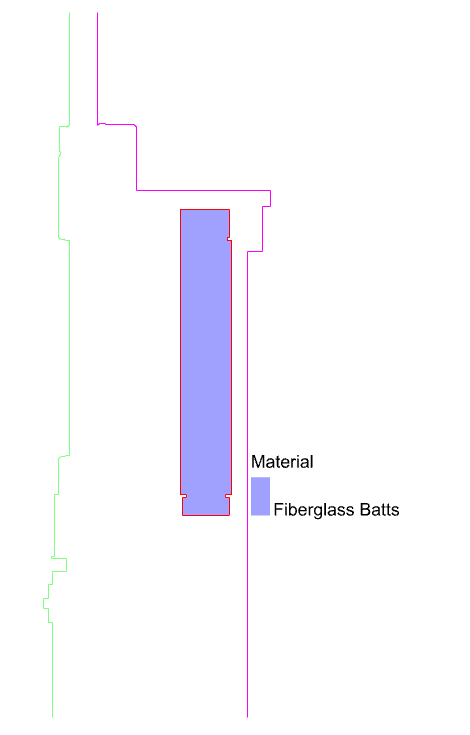
I traced a spandrel detail I found lying around. See files attached, and image below:


First error, to @chris your hole finding mechanism, I am once again getting the error that there are holes, yet the component you made to find holes shows nothing. If I split the surfaces it works.

Next error, if I fix the above and split the surface, and run the script, it seems to mesh fine, makes the sim, but the sim fails due to an overlapping error:

Runtime error (ValueErrorException): THERM simulation failed. Open the thmz file in the THERM interface for more info.
Tue Feb 3 09:41:58 2026
C:\Users\rmermelstein\Desktop\TypicalResiSpandrel\SpandrelTyp.thmz
The geometry contains overlapping regions. The edges surrounding these regions will be highlighted in red. You must fix this problem before simulating. ID(s): 115Model geometry and Boundary Conditions need to be properly defined before a calculation can be performed.
2

Traceback:

  • line 57, in run_model, “C:\Program Files\ladybug_tools\python\Lib\site-packages\fairyfly_therm\run.py”*
  • line 88, in script*

I did a search online and found many posts from 2018-2021 for legacy LB THERM users having this same issue in R7 but not R6, with no clear explainer why. I checked the tolerances, and made the mesh option high. If I open the file in THERM it highlights all the boundaries between the air (voids) and materials; is this that those regions are too small? Yet they are typical size for a spandrel I think given I traced to scale.

Files attached.
TypicalResiSpandrelTHERMTest.gh (172.9 KB)
TypResiSpandrel.3dm (1.2 MB)
SpandrelTyp.thmz (41.7 KB)

Ah, thank you for testing everything with such a big construction detail, @remyweather . This is quite possibly one of the largest I have seen for this level of detail.

You can be pretty confident whenever you have this situation:

… it is a bug. I’ll look into it more but I assume that the model you have uploaded here is already split. I see some of the holes have been manually split while others have not. If you get the chance to upload the model that recreates this error, I’d appreciate it.

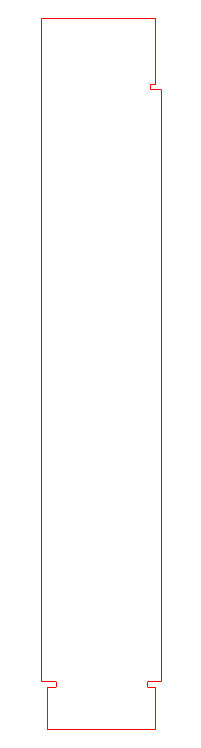
Now to get to the blocker. For the life of me, I cannot figure out why THERM is failing here. When I open the model in THERM, there is nothing highlighted in red. The geometry with ID 115 that it is complaining about is this one:

I checked the THMZ and the coordinate values for this shape are clean in the 2D THERM canvas:

326.2, -377.8
329.0, -377.8
329.0, -342.7
268.5, -342.7
268.5, -694.8
276.0, -694.8
276.0, -697.8
271.5, -697.8
271.5, -720.4
329.0, -720.4
329.0, -697.8
324.7, -697.8
324.7, -694.8
332.0, -694.8
332.0, -380.8
326.2, -380.8

… making a neatly-closed polygon:

I notice that, even when I change the order of the shapes, it always complains about shape with ID 115. So it seems like it always highlights the 115th polygon in the file as problematic.

Now I am wondering if there is some implicit limitation in THERM that it just does not permit you to simulate a model with more than 115 shapes. Let me do a few more tests and see.