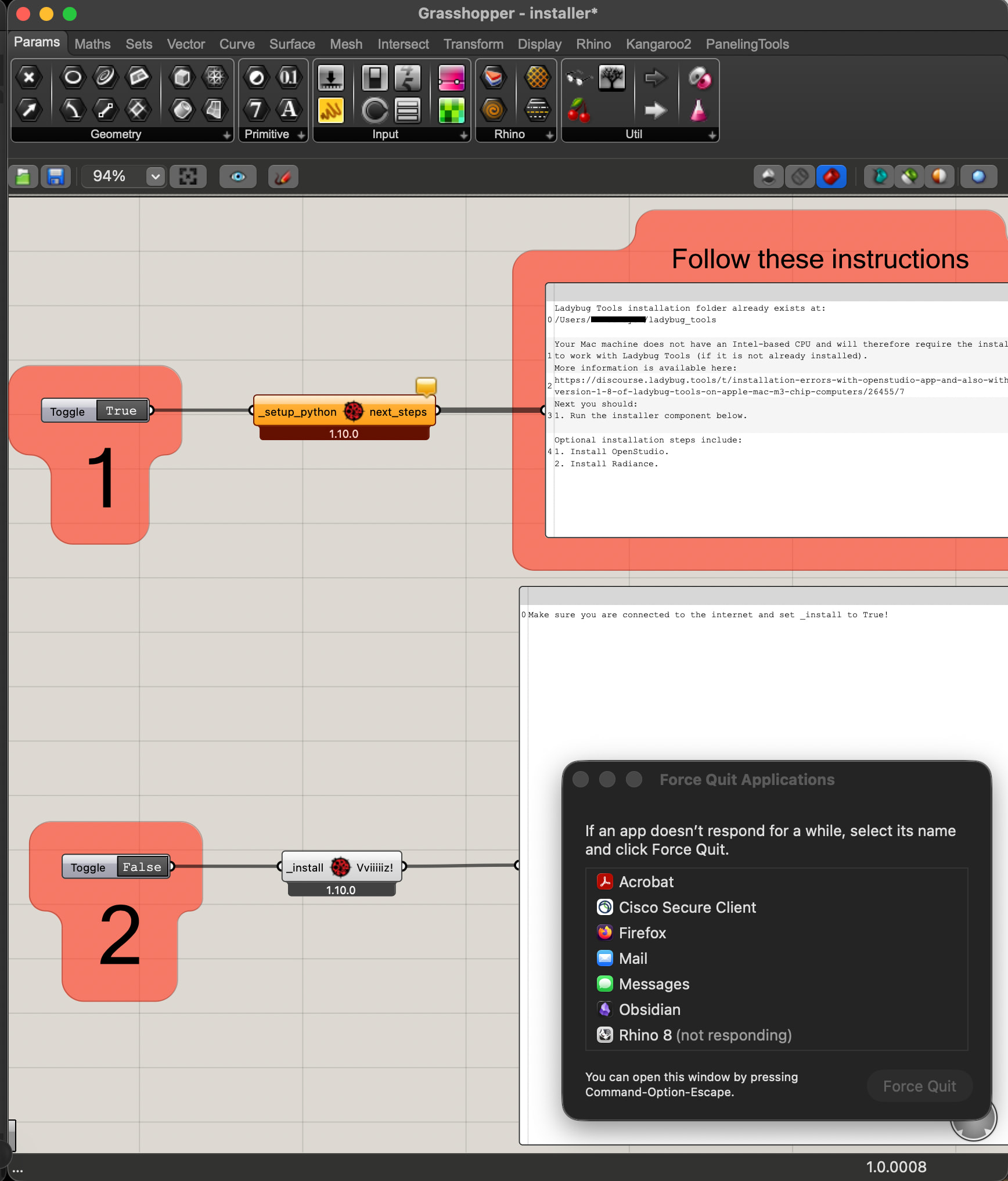
I experience difficulties during my installation process of ladybug on my Mac with Apple Silicon processor.
The problem appears after the first step of the installation process:
After unzipping the ZIP file when toggling the second installation step, the loading color circle of the Mac appears and suddenly Rhino is not responding anymore.
I tried to do the same with another Mac (also Apple Silicon) and unfortunately it failed as well.
Rosetta 2 should be installed so I would be happy for any advise!
Greetings, Lu!
PS: I could replicate that problem also with both Rhino 7 and Rhino 8 on Mac. Also the Version Ladybug Tools 1.9.0 couldn’t solve the problem.
In the meanwhile I managed to install LBT for my old Rhino 7 License so the necessary installations should be in the right place I guess. Still I would love to have LBT also in my Rhino 8 as this is the Version of Rhino I am actually using.