Hi ! I am an architecture student and Im struggling with making aperture shadows. I wanted to make shades (something like roller blinds) that will activate only at night or when my buildings is closed. I wanted to use “HB Window Construction Shade” along with Shade Material, but every time I plug it into HB Apertures an error occurs in “ModeltoOSM” right before Energy Simulations. I tried a lot of diffrent possisiblities and I ran out of ideas, could anybody help me? Unfortunately im a new user so I cannot upload the gh file :(( or more than 1 picture
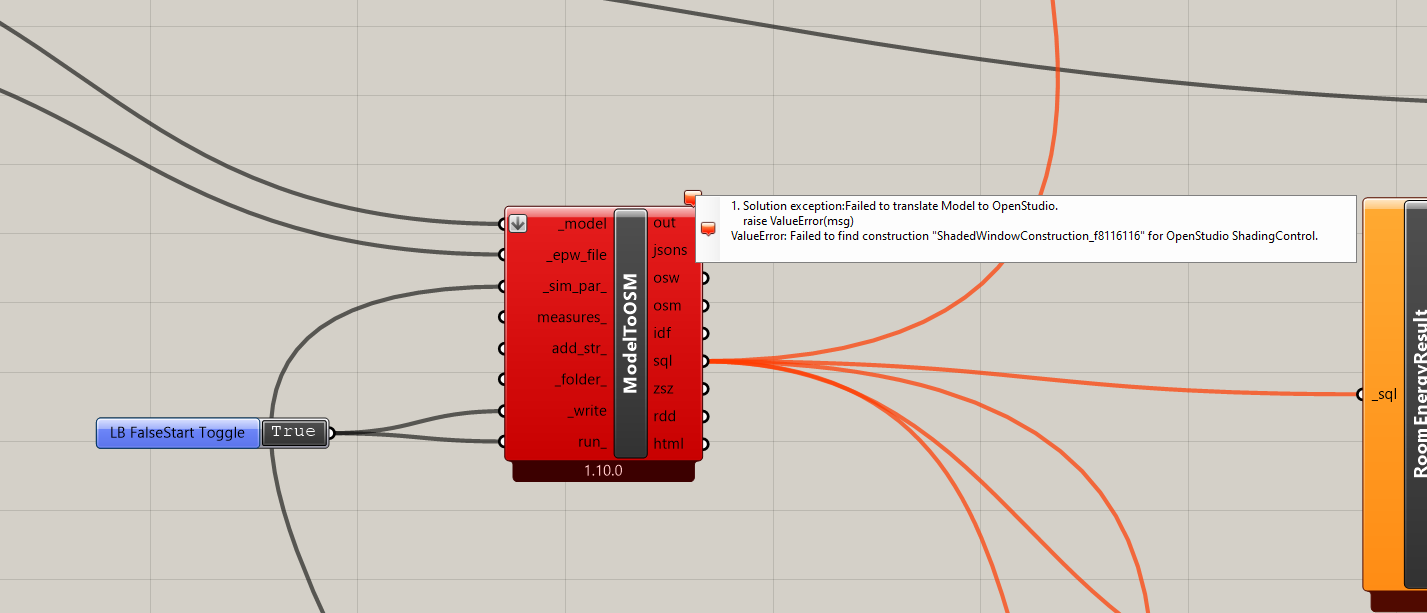
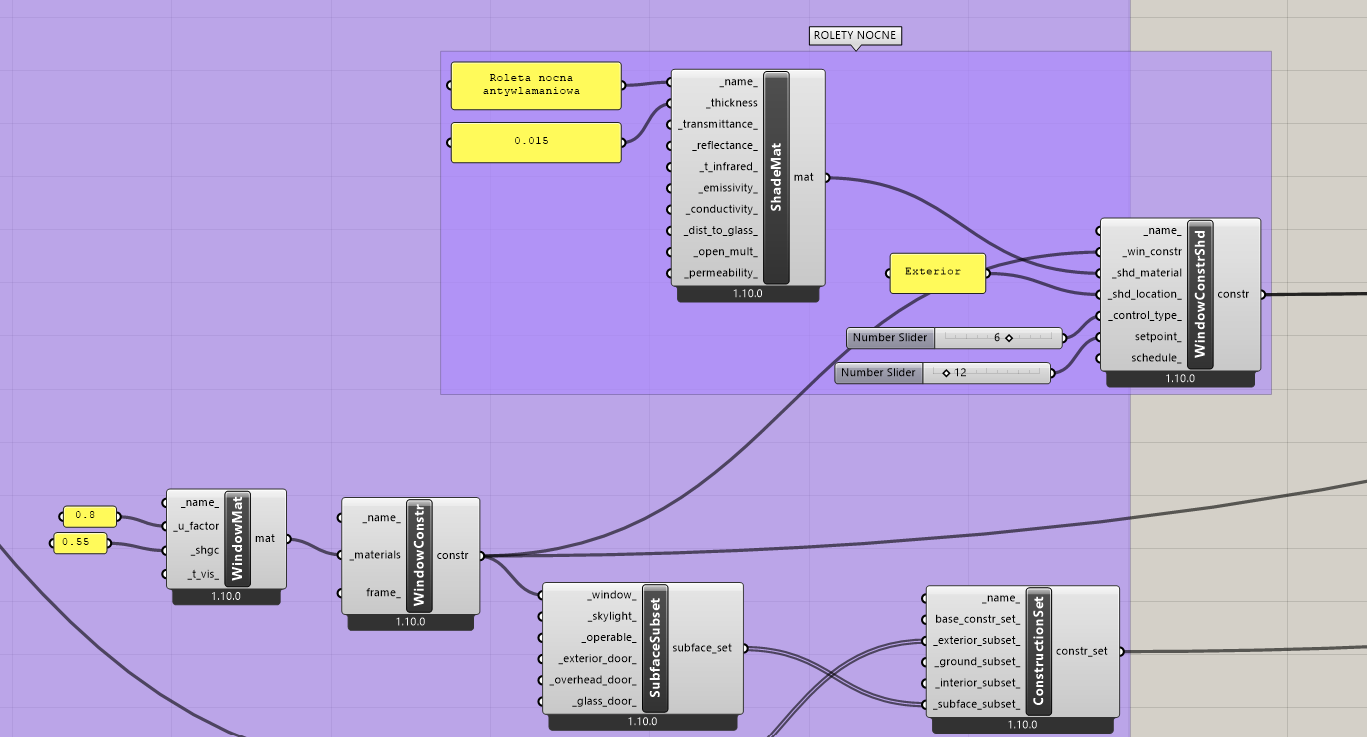
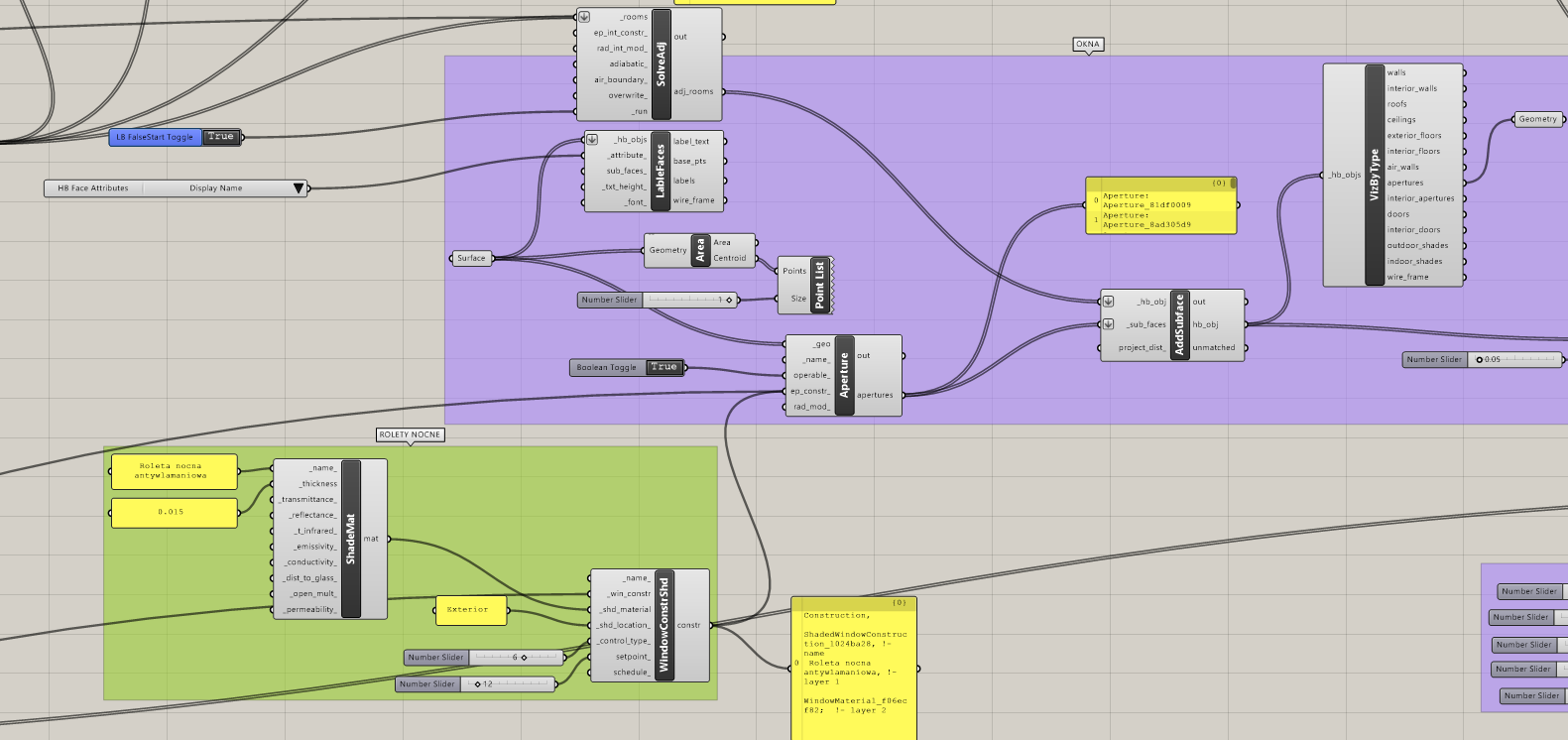
Hello !! I have also been facing this issue very recently, especially after moving from 1.8 to 1.9 or 1.10.
I think there is a similar discussion about this before
Bug: incorrect referencing of window construction - grasshopper / honeybee - Ladybug Tools | Forum
In my case, I have made a construction. hbjson that I refer to for about 10k simulations, and then only change the window material in the hbjson with roller blinds. So my process also looks like this
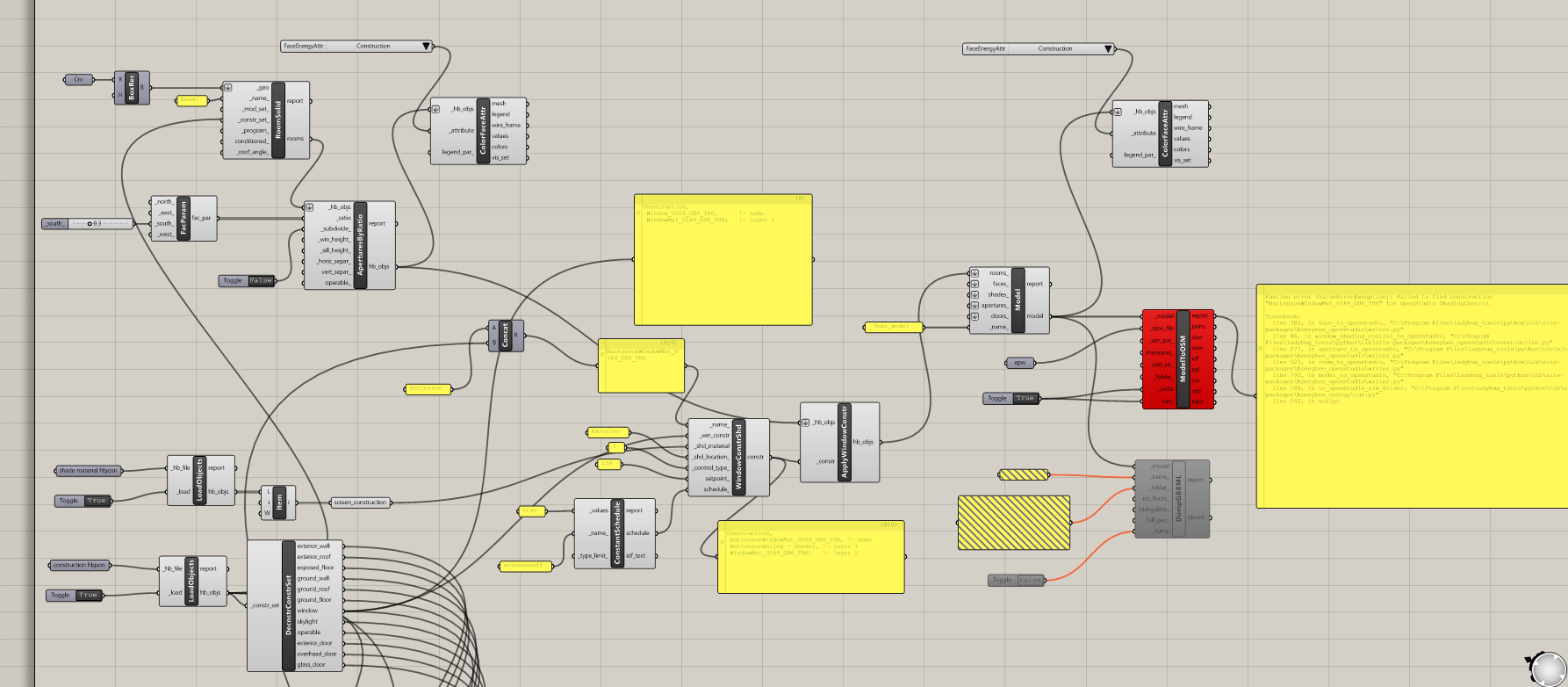
As you can see in my base construction.hbjson: the window material is Window_U164_G06_T06. I then add the shade material BuitenzonWindowMat U164 G06 T06, reapply it using windowconstructionshd and applywindowconstr components, but this results in an error about not finding the new window material I created.
So I am not sure if this is a bug where the model-to-OSM component gets confused between the two materials.
Anyway, how I solved this is to deconstruct my base material. hbjson and create a new base construction set without any windows in it. It solved my issue.
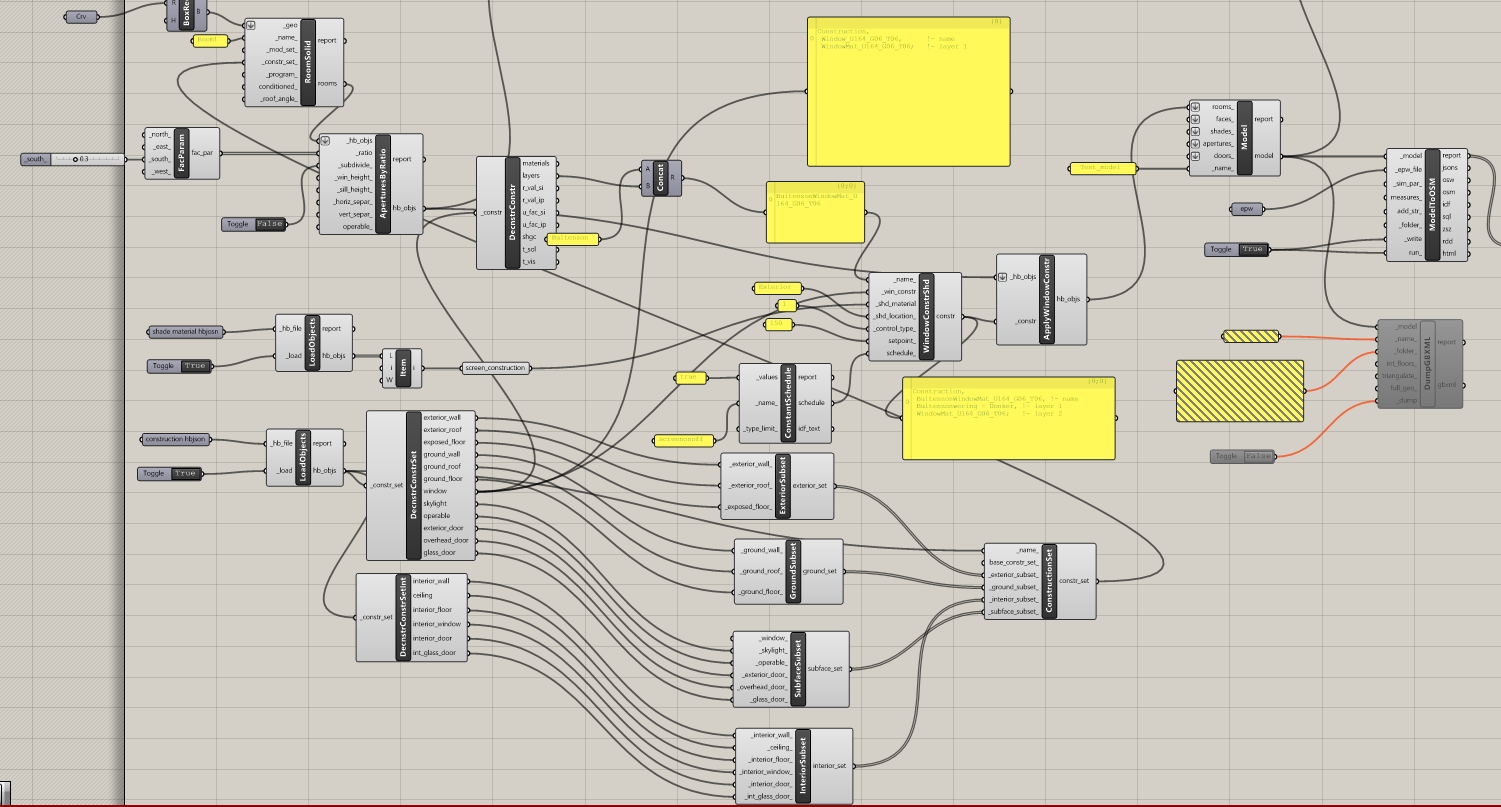
I am not sure if this helps you, but I hope it does because the frustration is very real 
Prateek
The official answer to this issue right now is to either install Ladybug Tools via the Pollination single-click installer, which already has a version of Ladybug Tools with the fix in it (recommended for all Windows users), or use the LB Versioner to go the the latest development version of the plugin (recommended only for Mac users or advanced users keeping up with the latest development).
If you are still experiencing issue with this after updating, please post a minimal Grasshopper sample file that recreates the issue and I will investigate further.
Hi Chris !! Thankyou for your reply.
As you recommended, I reinstalled using the single-click installer, but I still face the issue where the model to OSM shows an error of not finding the window with shade construction.
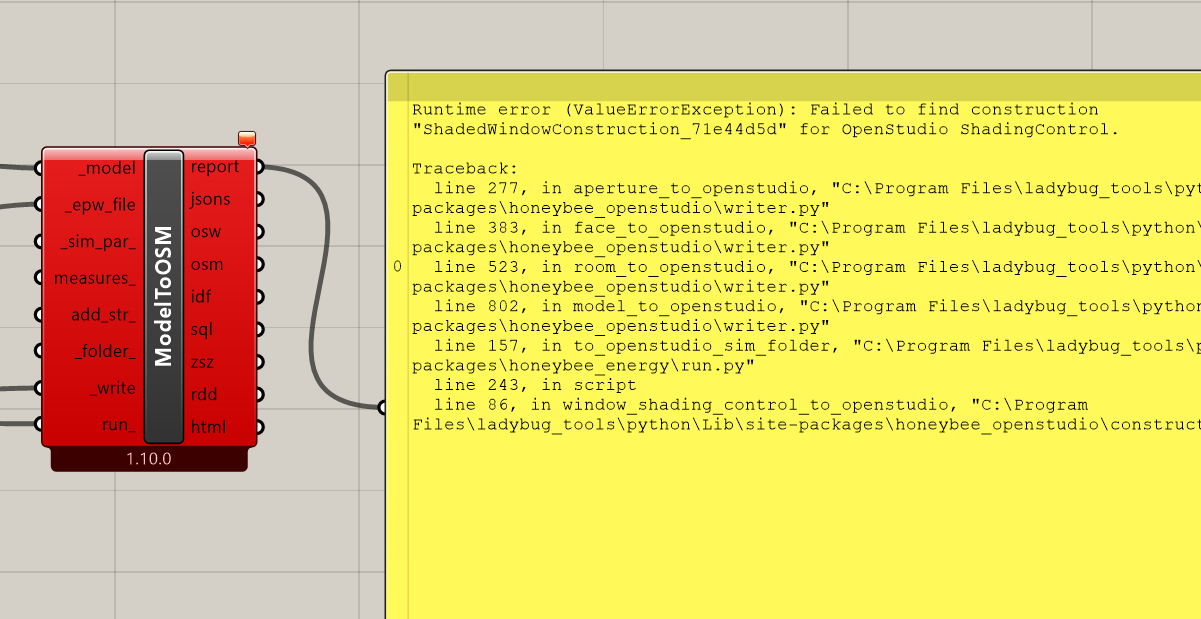
I am attaching a minimal Grashopper file for your reference.
You can also find my workaround for avoiding adding window construction to the subsurface_set. This adds a generic double-plane default window construction, and then the model to OSM can find the window construction with shades.
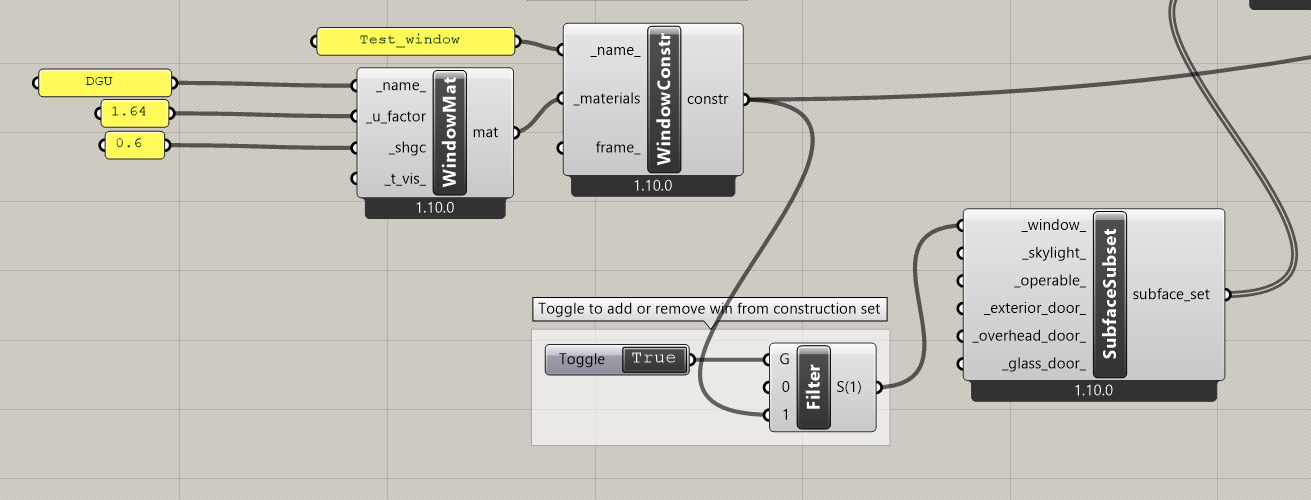
I am very curious about this and looking forward to your findings.
Shaded_wind_const_issue.gh (57.6 KB)
Hi @prtkwh953 ,
I cannot recreate the issue on my end:
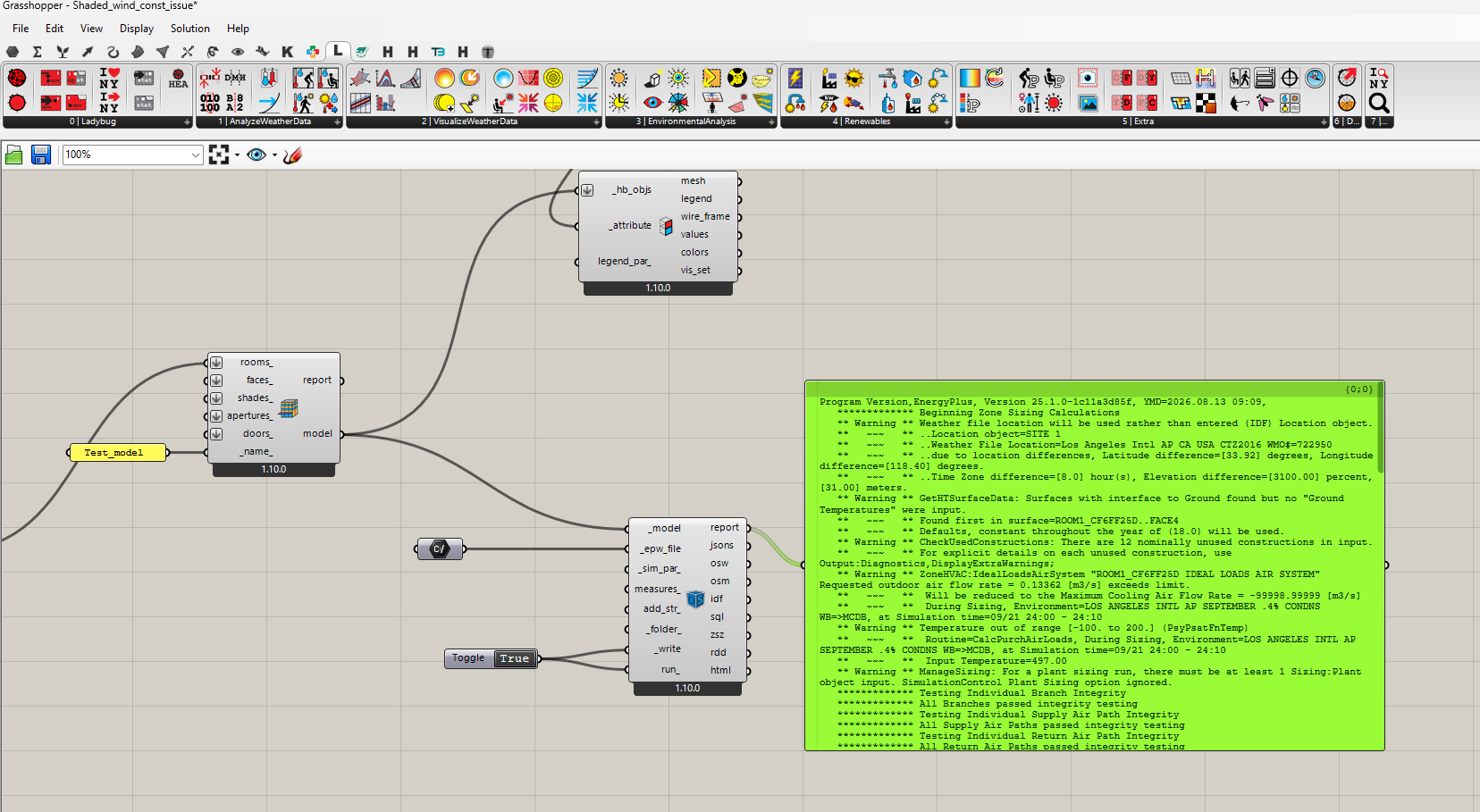
So it seems pretty clear that you have some old LBT python libraries installed. If you are certain that you downloaded the latest single-click installer before you installed (last updated a couple of weeks ago), then you may need to check to make sure you don’t have some old libraries sticking around on your system that are getting loaded before the correct ones.
See here how to check your Python paths:
Hi Chris !!
Thank you for your reply.
Yes, I reinstalled Ladybug tools using a fresh installer download from the pollination website. I also checked the steps in the post you shared, and the site-packages directory was already on Rhino’s search path.
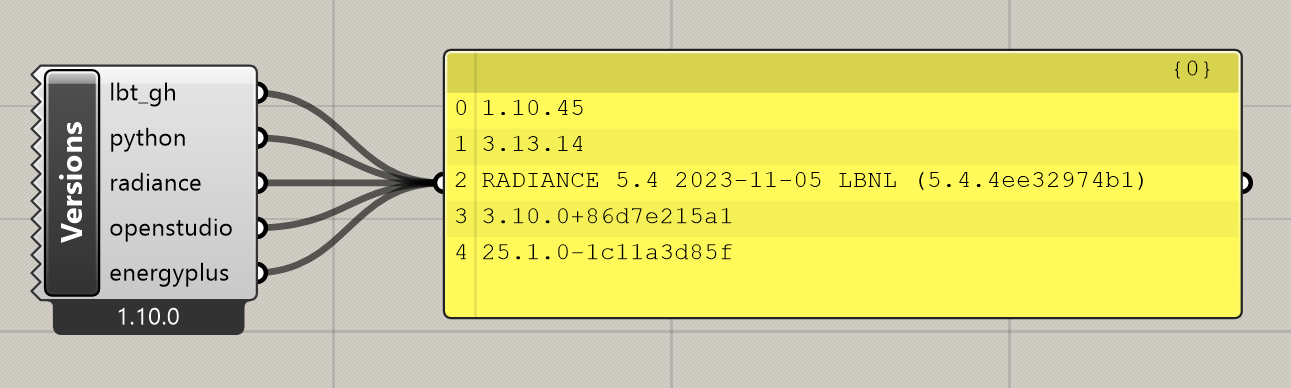
I also checked the versions and compared them with the compatibility matrix, and it all seems at least as up to date as the versions compatible with 1.10.

Ah, sorry, @prtkwh953 .
I was not using your sample file correctly. I can recreate the error and I see how it’s an issue. There’s essentially an ID collision between the shaded and unshaded version of your window construction.
Let me think about it more and push a solution.
I fixed the bug here, @prtkwh953
… and it should now be available via the LB Versioner. Thanks again for reporting and for bearing with my ignorance with checking your sample file to recreate the error.
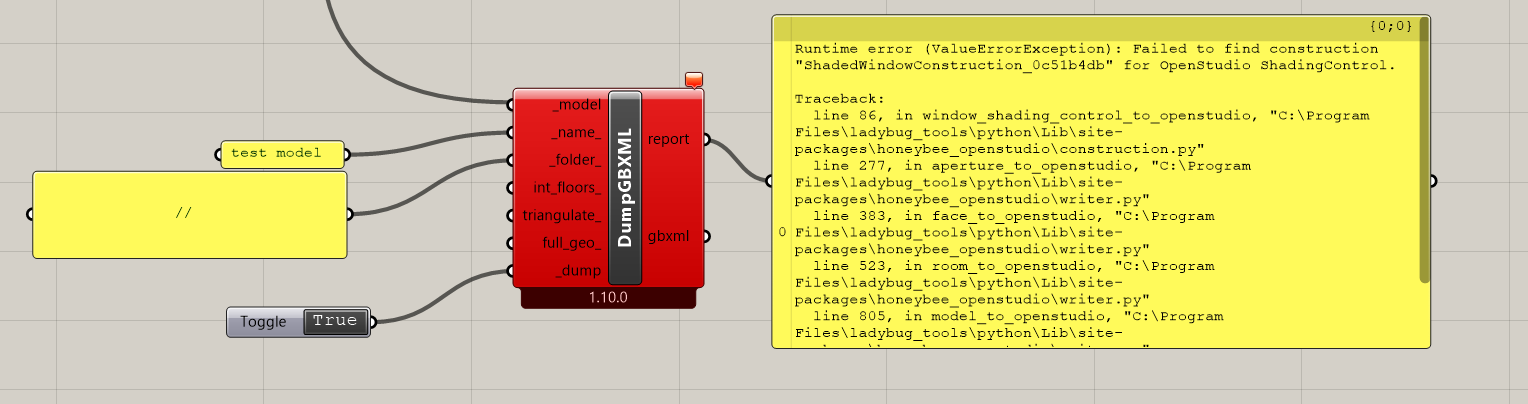
Hi @chris ,
It seems a similar problem occurs with the HB Adaptive Comfort Map analysis. It runs fine with normal windows but returns this error when running it with “HB Window Construction Shade”.
Solution exception:
The recipe failed to run with the following error(s):
2026-11-03 19:38:52 ERROR: “CreateIrradianceContribMap” failed. See below for more information:
AttributeError: ‘str’ object has no attribute ‘_collection_type’
2026-11-03 19:38:58 ERROR: “CreateIrradianceContribMap” failed. See below for more information:
AttributeError: ‘str’ object has no attribute ‘_collection_type’
2026-11-03 19:40:02 ERROR: “CreateIrradianceContribMap” failed. See below for more information:
AttributeError: ‘str’ object has no attribute ‘_collection_type’
2026-11-03 19:40:58 ERROR: “CreateIrradianceContribMap” failed. See below for more information:
AttributeError: ‘str’ object has no attribute ‘_collection_type’
2026-11-03 19:41:31 ERROR: “CreateIrradianceContribMap” failed. See below for more information:
AttributeError: ‘str’ object has no attribute ‘_collection_type’
2026-11-03 19:42:28 ERROR: “CreateIrradianceContribMap” failed. See below for more information:
AttributeError: ‘str’ object has no attribute ‘_collection_type’
2026-11-03 19:43:43 ERROR: “CreateIrradianceContribMap” failed. See below for more information:
AttributeError: ‘str’ object has no attribute ‘_collection_type’
2026-11-03 19:43:49 ERROR: “CreateIrradianceContribMap” failed. See below for more information:
AttributeError: ‘str’ object has no attribute ‘_collection_type’
2026-11-03 19:44:56 ERROR: “CreateIrradianceContribMap” failed. See below for more information:
AttributeError: ‘str’ object has no attribute ‘_collection_type’
2026-11-03 19:46:12 ERROR: “CreateIrradianceContribMap” failed. See below for more information:
AttributeError: ‘str’ object has no attribute ‘_collection_type’
2026-11-03 19:46:19 ERROR: “CreateIrradianceContribMap” failed. See below for more information:
AttributeError: ‘str’ object has no attribute ‘_collection_type’
2026-11-03 19:47:44 ERROR: “CreateIrradianceContribMap” failed. See below for more information:
AttributeError: ‘str’ object has no attribute ‘_collection_type’
2026-11-03 19:48:36 ERROR: “CreateIrradianceContribMap” failed. See below for more information:
AttributeError: ‘str’ object has no attribute ‘_collection_type’
2026-11-03 19:48:51 ERROR: “CreateIrradianceContribMap” failed. See below for more information:
AttributeError: ‘str’ object has no attribute ‘_collection_type’
2026-11-03 19:49:12 ERROR: “CreateIrradianceContribMap” failed. See below for more information:
AttributeError: ‘str’ object has no attribute ‘_collection_type’
Execution Summary
Scheduled 283 tasks of which:
- 187 ran successfully:
- 3 CalculateSphericalViewFactors(…)
- 3 CalculateSphericalViewFactorsLoop(…)
- 3 ComputeSphericalViewFactors(…)
- 1 CopyGridInfo(…)
- 1 CopyRedistInfo(…)
…
- 15 failed:
- 15 CreateIrradianceContribMap(…)
- 81 were left pending, among these:
- 26 were missing external dependencies:
- 1 RunRadianceDynamicContribution(…)
- 5 RunRadianceDynamicContributionLoop(…)
- 5 RunRadianceWindowContrib(…)
- 15 RunRadianceWindowContribLoop(…)
- 15 had failed dependencies:
- 15 _RadianceContribEntryPoint_6b5ce744Orchestrator(…)
- 14 had missing dependencies:
- 1 LetAdaptiveComfortMapFly(…)
- 1 RestructureConditionIntensityResults(…)
- 1 RestructureConditionResults(…)
- 1 RestructureCspResults(…)
- 1 RestructureHspResults(…)
…
- 26 was not granted run permission by the scheduler:
- 1 RunRadianceDynamicContribution(…)
- 5 RunRadianceDynamicContributionLoop(…)
- 5 RunRadianceWindowContrib(…)
- 15 RunRadianceWindowContribLoop(…)
- 26 were missing external dependencies:
This progress looks  because there were failed tasks
In Honeybee (LBT 1.x), the ModeltoOSM failure with HB Window Construction Shade almost always boils down to one of two structural requirements in OpenStudio’s translator:
-
Missing Baseline Glazing Construction:
HB Window Construction Shademodifies an existing window construction, but it does not provide a standalone glass assembly on its own. You must plug a valid baseline glass construction (e.g., from the default Honeybee library or anHB Window Constructioncomponent) into the_window_coninput. If left empty while assigning dynamic shading, OpenStudio cannot serialize the base layer in OSM and aborts right before simulation. -
Schedule Type Limits on Shading Control:
If you want night-time blind deployment, ensure your shade schedule is strictly defined withFractionalschedule type limits (0.0 = withdrawn, 1.0 = deployed). When passing a custom Grasshopper list of values, if the schedule limits aren’t explicitly assigned, the OpenStudio SDK rejects theOS:ShadingControlobject. -
Aperture Surface Normal & Co-planarity:
Also verify that the aperture surface normal points outward from the parent Honeybee Room. If the aperture plane is slightly non-planar with the host wall or has an inverted normal, OpenStudio’s sub-surface geometry validator chokes during coordinate transformation. If you’re importing complex facade geometries from Rhino Breps, checking that surface meshes and facet normals are clean beforehand prevents silent OSM translation failures: STL Mesh Inspector: Triangle Count, Volume & Watertightne...
Try connecting an explicit double-clear glazing construction into _window_con and your ModeltoOSM component should run without crashing.