Hello Ladybug Tools community,
As we announced earlier this year, as part of our goal of further integrating the LBT Grasshopper plugin with the needs of large professional projects, we are starting to expose new recipes for several standard daylight compliance recipes.
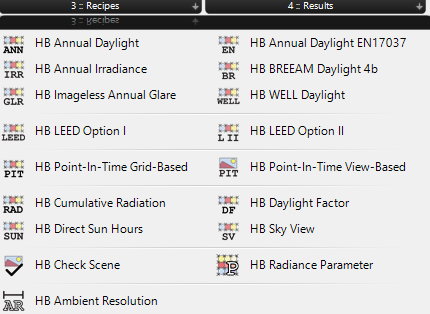
This first release adds 5 different compliance recipes to Ladybug Tools:
- LEED I (v4.1) - Annual Daylight
- LEED II (v4.1) - Point-in-Time Daylight
- WELL (v2, Q2 2025) - Annual Daylight
- BREEAM 4b - Annual Daylight
- EN 17037 - Annual Daylight
You can find them under the Honeybee Radiance recipes tab.
Getting Started
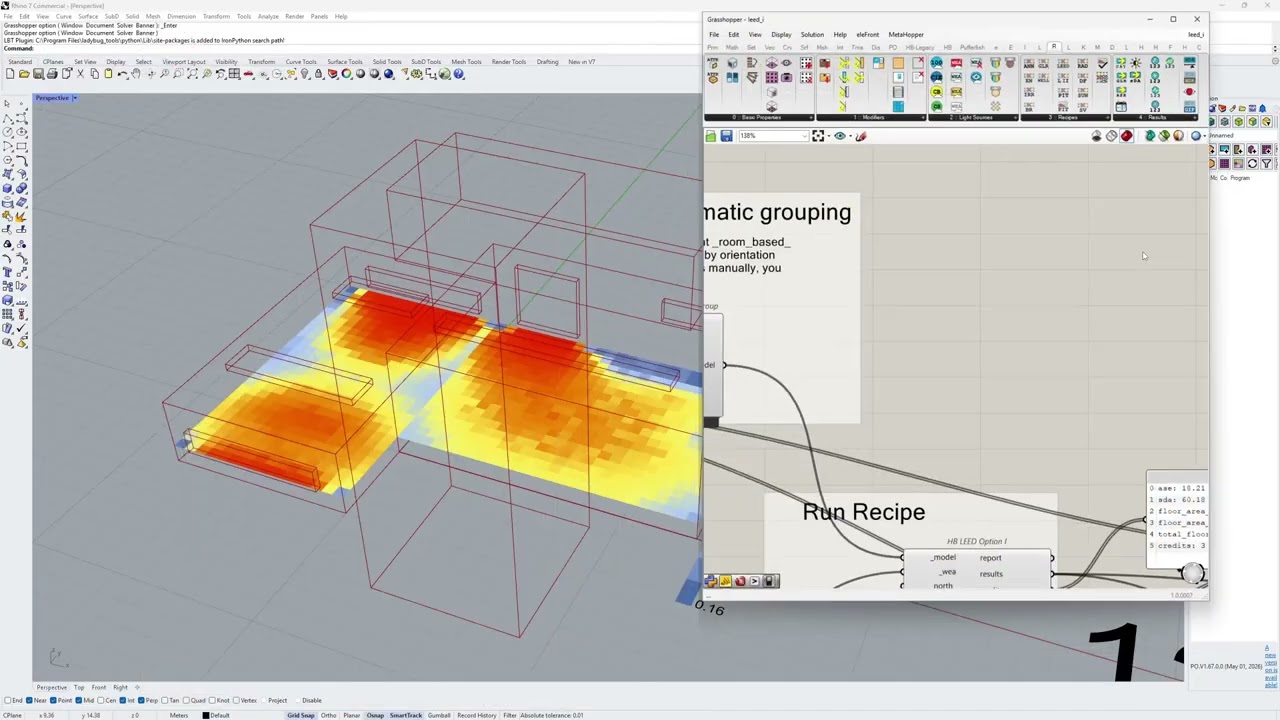
To make it easy for you to get started, we have released new sample files for each of these compliance recipes. These sample workflows demonstrate the minimum required setup such as aperture groups and programs.
The sample files can be found here. You can also use the Ladybug Samples component to load them into Grasshopper after installing the latest version.
In addition, here is a video that gives you a high-level understanding of aperture groups and programs.
Input models
There are four basic criteria for the input models, however, the required application varies depending on the recipe.
-
Sensor Grids
The model must contain Sensor Grids, which are used in all grid-based recipes to calculate the daylight levels.- Required in: All recipes
-
Rooms
The model must contain Honeybee Rooms, which are used in combination with Window Groups or with Honeybee Energy Programs – basically, Rooms are a precondition for Window Groups and Honeybee Energy Programs. See more in the sections below.- Required in: LEED I, WELL, BREEAM 4b
-
Window Groups
The model must contain Window Groups, which are used to calculate sDA according to IES LM-83. You can create the group manually or automatically, using either HB Dynamic Aperture Group or HB Automatic Aperture Group, but you should only use one of the methods. If you have a model with Window Groups, you can still use the model in recipes where grouping is not required.- Required in: LEED I, WELL
-
Programs
The model must contain Honeybee Energy Programs, which are used to categorize the building and space types. Programs are exclusively used in the BREEAM recipe. Please refer to the BREEAM section or the sample file to see how to use the programs.- Required in: BREEAM 4b
Post-processing
Unlike running the non-compliance Honeybee recipes like annual daylight, these recipes include post-processing, which means that additional post-processing should not be required, although you can still feed the data into existing Ladybug Tools components for further custom analysis.
Installation
You can access the latest recipes either by using the LB Versioner component, or by using the latest version of the Pollination single-click installer for Grasshopper or Rhino.
Note for Pollination users
If you have been using any of these recipes through the Pollination Grasshopper plugin, you can safely replace your workflow with these new native components since they are the exact same recipes under the hood.
Recipes breakdown
To help everyone get started, here is a quick, simple breakdown of the five newly integrated recipes and the basic criteria they follow to calculate compliance or award points. As a quick rule of thumb, all of these track annual daylight, with the exception of LEED II.
As always, we highly recommend familiarizing yourself with the basics of these codes and simulations before using them.
LEED I (v4.1) - Annual Daylight
- Compliance Basis: Spatial Daylight Autonomy (sDA) and Annual Sunlight Exposure (ASE).
- Criteria: To achieve credits, a target percentage of the space must receive at least 300 lux of daylight for at least 50% of the annual occupied hours (sDA 300/50%), while ensuring that excessive, glare-inducing direct sunlight (over 1000 lux for more than 250 hours, or ASE 1000/250) is kept to a minimum.
LEED II (v4.1) - Point-in-Time Daylight
- Compliance Basis: Point-in-time illuminance levels under specific sky conditions.
- Criteria: Unlike its annual counterpart, this recipe looks strictly at two precise snapshots: 9:00 AM and 3:00 PM on a clear day near the equinox. Points are awarded if a specified percentage of the space falls securely between 300 lux and 3000 lux during both hours. If glare control is enabled the upper limit of 3000 lux is disregarded.
WELL (v2, Q2 2025) - Annual Daylight
- Compliance Basis: Spatial Daylight Autonomy (sDA) (through IES LM-83) or target/average illuminance (through EN 17037).
- Criteria:
- Feature L01 (Light Exposure - Precondition): Requires baseline daylighting to be met, such as ensuring regularly occupied spaces achieve sDA 150/50% > 30%, or a target illuminance of 200 lux over 30% of the space for 50% of daylight hours.
- Feature L06 (Daylight Simulation - Optimization): Earns up to 2 points based on performance tiers. Tier 1 requires sDA 300/50% > 55% or a target illuminance of 300 lux over 50% of the space for 50% of daylit hours, while Tier 2 requires sDA 300/50% > 75%, or a target illuminance of 300 lux over 50% of the space AND average illuminance of 100 lux over 95% of the space for 50% of daylight hours.
BREEAM 4b - Annual Daylight
- Compliance Basis: Evaluates annual daylight by requiring both average daylight illuminance and minimum point illuminance targets to be met. It checks compliance across a specific number of absolute hours per year depending on the space type.
- Criteria: For example, in Office and Education spaces, at least 80% of the area must achieve an average of 300 lux and a minimum of 90 lux at the worst-lit point for at least 2000 hours per year. Other spaces, like residential units or retail sales areas, track alternative targets such as 100 lux or 200 lux over 2650 to 3450 hours per year.
- For a breakdown of the criteria please refer to the documentation.
EN 17037 - Annual Daylight
- Compliance Basis: Evaluates annual daylight by requiring both target illuminance and minimum illuminance targets to be met.
- Criteria: It tests annual climate data against a dual benchmark evaluated across a percentage of the space for at least 50% of the daylight hours: achieving a target illuminance (300 lux) across 50% of the space, and a minimum illuminance (100 lux) across 95% of the evaluation space. Daylight hours are defined as the 4380 hours with the largest amount of daylight.
Next steps
This is just the starting point. Please try the recipes and let us know if you find that any recipe is missing a specific output you need. Please don’t hesitate to raise an issue. We are looking forward to hearing from you.