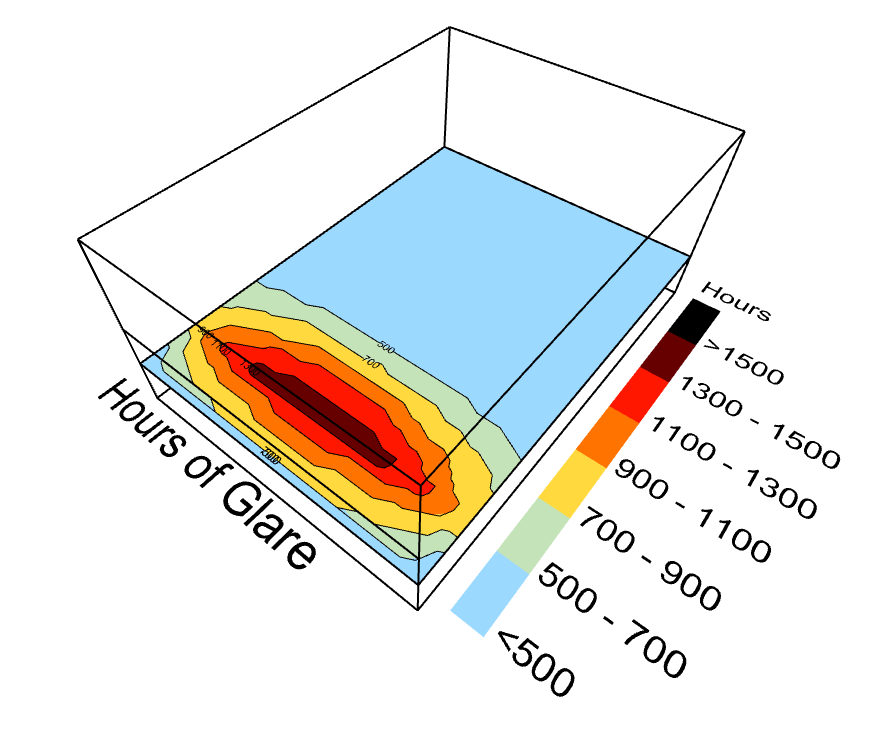
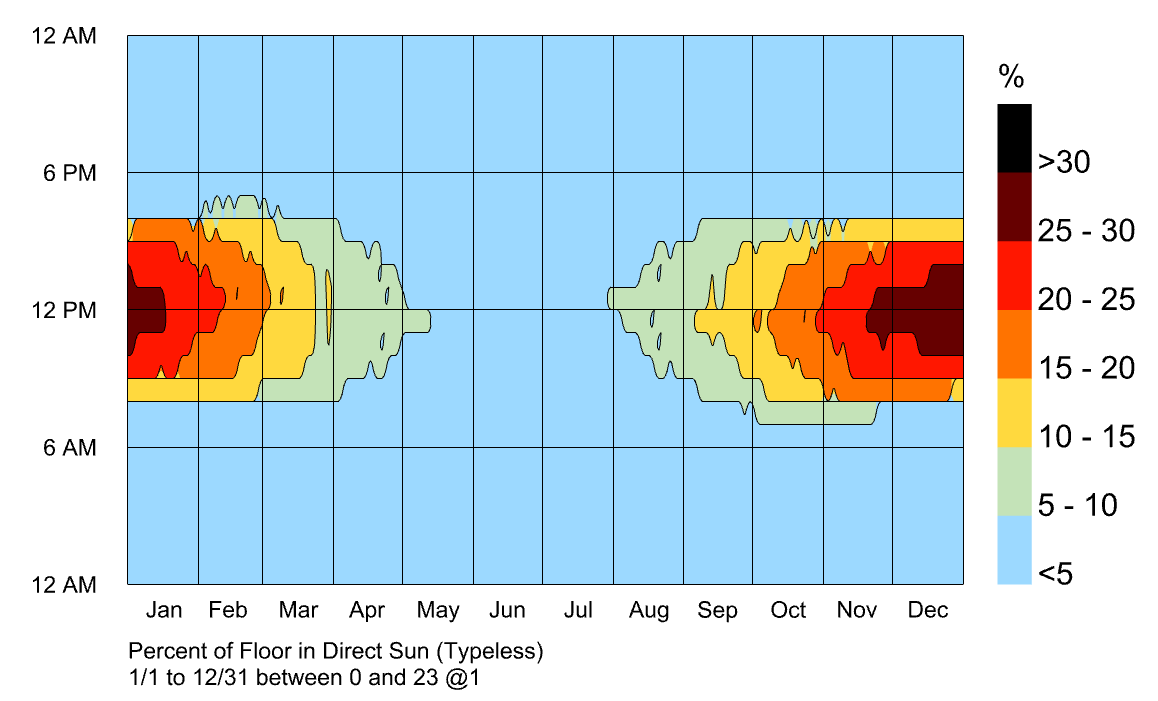
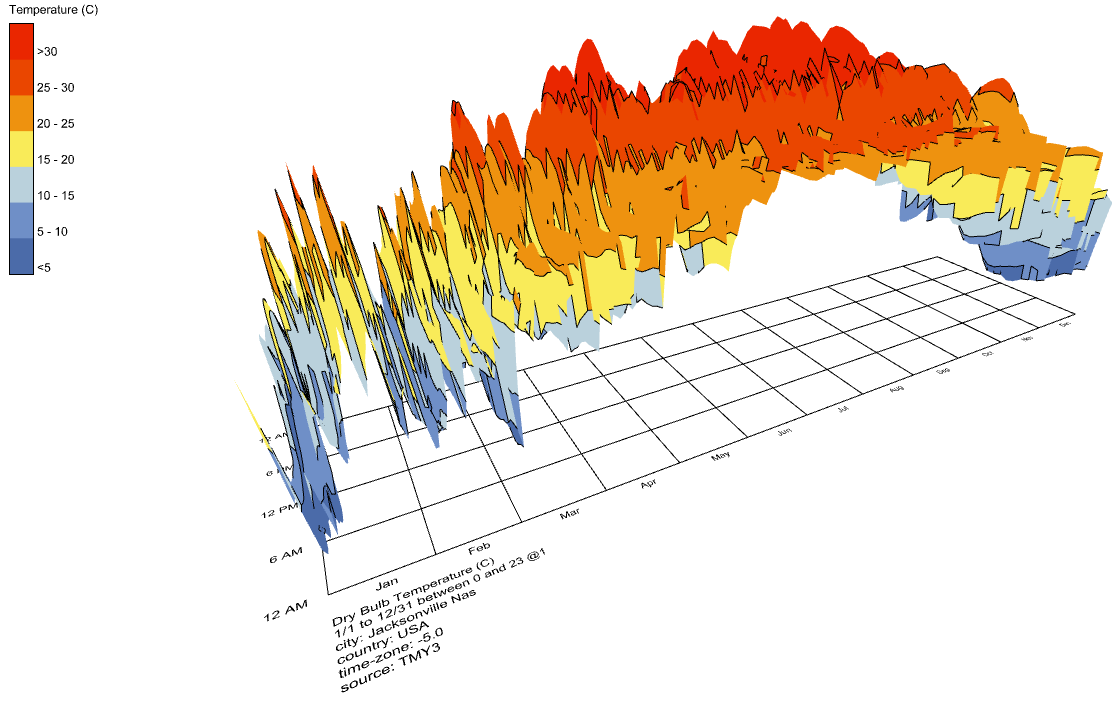
Contour Mesh Component for LBT?

Hello @chris, just a quick update. I wasn’t able to recreate the shifting geometry issue, still I have no idea why it happened. I will keep an eye out in case it happens again.

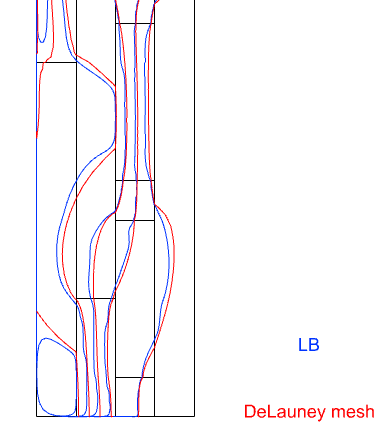
I recreated the workflow from my first try with new random shapes and this time everything went smoothly. Down below is a comparison from THERM and from FF.
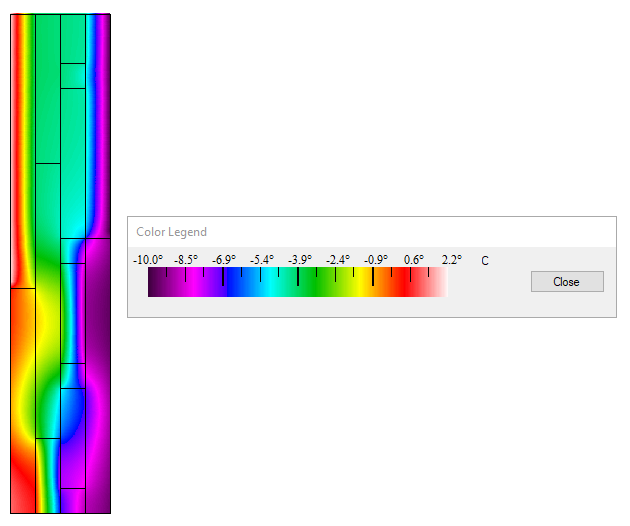
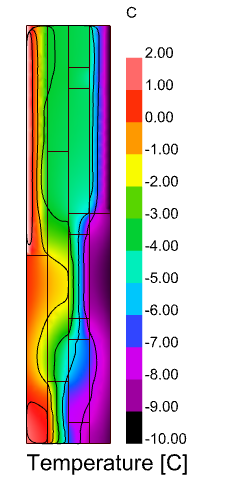
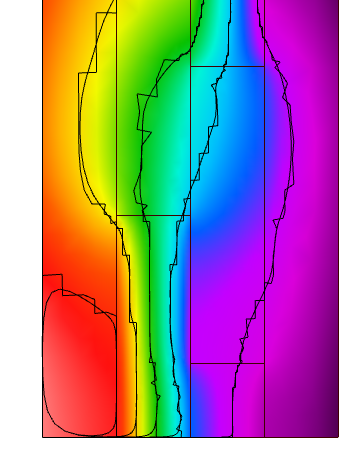
LBT screenshot

While playing around with visualization setttings I came across a new pet peeve with how isotherms are drawn inside of LB Mesh Threshold Selector as opposed as how they are drawn natively in THERM.
In the next image you can see how neatly isotherms encounter the condition boundaries as well as the remaining perpendicular boundary.
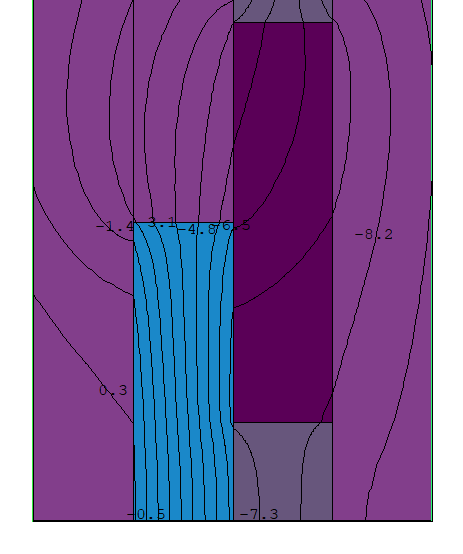
Inside of LBT I get jagged isotherms, because the mesh isn’t relaxed and the resulting intersection is a bit harsh.
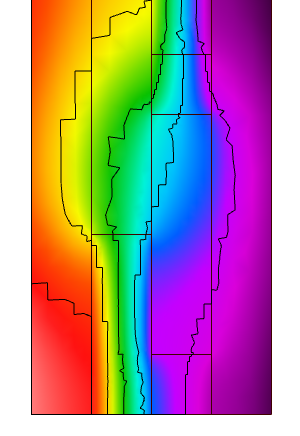
image

I tried a workaround to smooth these isotherms with Smooth Polyline
image

…but I get unwanted round corner curves where lines intersect the shape boundaries because the smoothing component is working with region closed curves instead of open polylines.
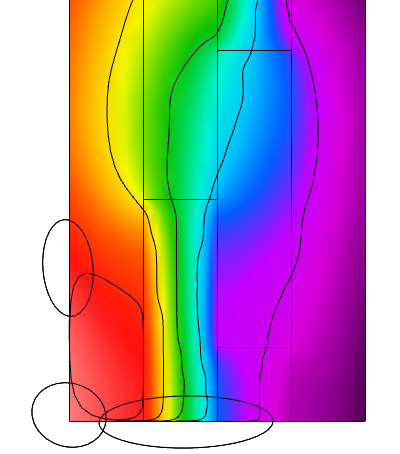
image

Not that it is a huge problem as I can imagine a few workarounds, but it would be nice if LB Mesh Threshold Selector had an optional output with outlines that don’t include the perimetral lines of the mesh.
1 Like

I made a workaround to visualize the isotherms in order to compare with LB Mesh Threshold Selector, as you can see there is a little discrepancy between the methods.
image

I’m sharing the grasshopper definition down below.
THERM3.gh (53.3 KB)

1 Like

@Gspahr ,

Wow. Your first suggestion for the isotherms is a really creative way to use the Rhino Geometry SDK.

For years with the Legacy plugin, I tried to get your second method to work reliably but the Rhinocommon methods for Mesh/Plane intersection are just really challenging to use if you want them to work reliably. Granted, they work really well for simple color results with really smooth, heavily subdivided meshes. But there were just so many cases I found where they fail to give you contours that I never got the Legacy Contour Mesh component that used this Mesh/Plane intersection method out of WIP or ported over to LBT.

But this other idea of just smoothing the lines that we get via the LB Mesh Threshold Selector is a whole different strategy that I had not considered. Clearly, we can get these threshold lines reliably given how we make them by just removing mesh faces or vertices. And converting these closed polylines output from the Threshold Selector to be open is not hard. All that we have to do is take the naked edges of the threshold-selected mesh and remove those that are also naked edges in the original mesh. This should give us really good starting lines to be smoothed. Then, I just need to figure out what the Rhinocommon methods are under the hood of the native Grasshopper “Smooth Polyline” component.

From there, we could even add some text labels to the contour lines like what the Legacy component did. If I get the time, I want to give a try at putting this all together tomorrow. If I don’t get all of the way there, I’m going to see if I can do it this weekend. But, whatever the case, I am sensing a new “LB Contour Mesh” component in the not-too-distant future.

Thank you for the creative problem-solving here, @Gspahr! Makes me realize how stuck you can get in one way of thinking when it’s just one person “polishing a turd” of a Legacy component. This is definitely one of those cases where I’m thankful that we have a creative community around this. To quote a good book, “The smartest person in the room is the room itself.”

2 Likes

Glad to hear that no sleep has been lost! :slight_smile:

The more that I think about it, THERM already makes some pretty broad assumptions about the radiant environment (eg. everything is the same emissivity) such that a few tenths of a degree is well within the expected margin of error between a THERM model and reality. So I’m inclined to keep things the way that they are, at least until we have first tackled some of the other gaps between THERM models and reality (eg. hydrothermal effects and transient simulation).

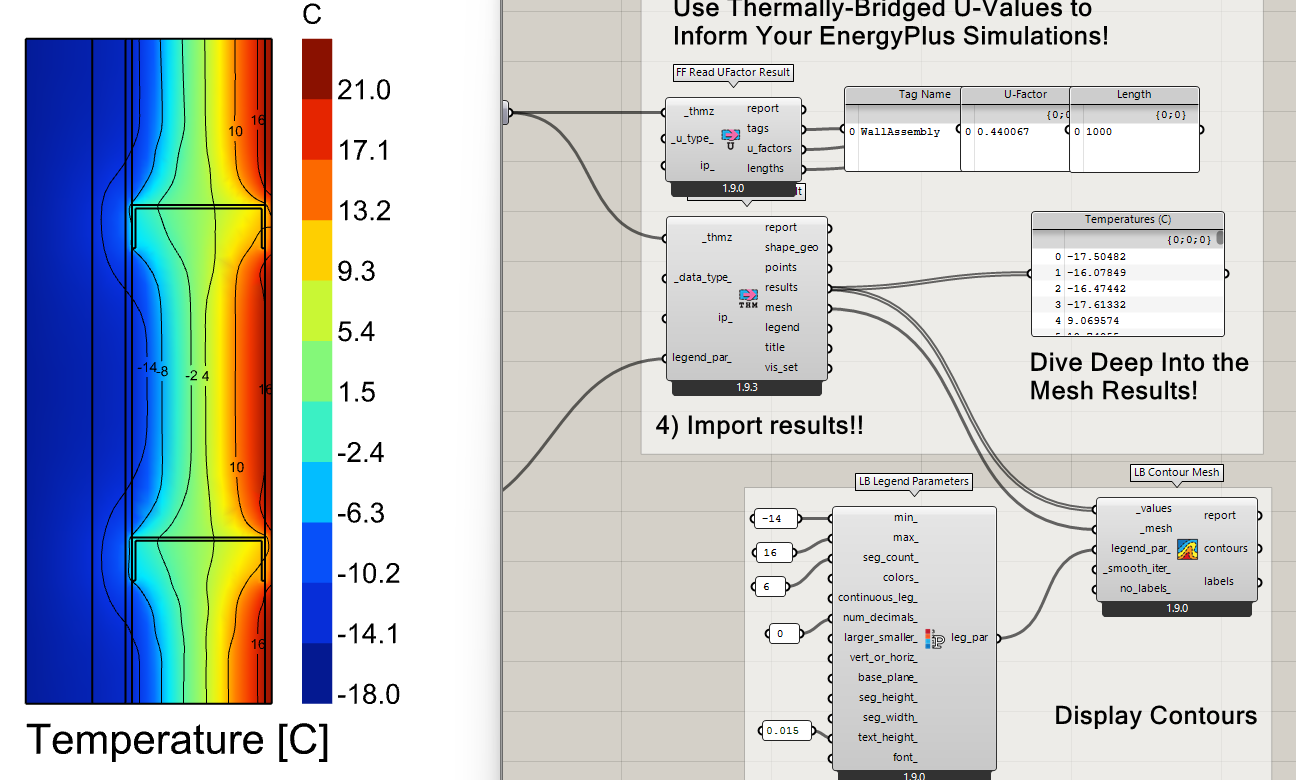
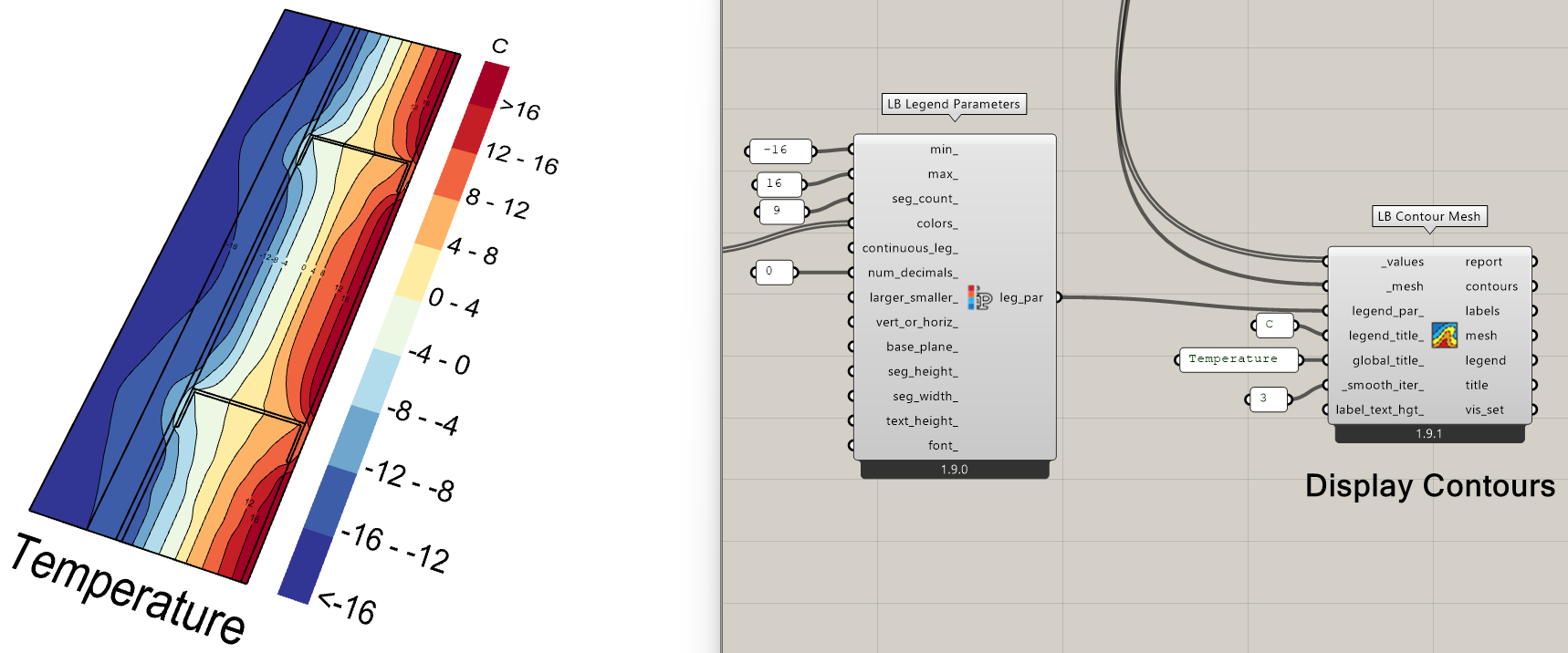
I also wanted to let you know that I pushed a new “LB Contour Mesh” component to the development version of the plugin yesterday, which is now available via the “LB Versioner”:

It uses the first method that you tried except that you won’t have the contour lines around the outside of the mesh so you can up the _smooth_iter_ of the component and not end up with any artifacts of curves jumping outside the mesh. And you can see that it is full customizable with LB Legend Parameters down to the font used on the contour labels.

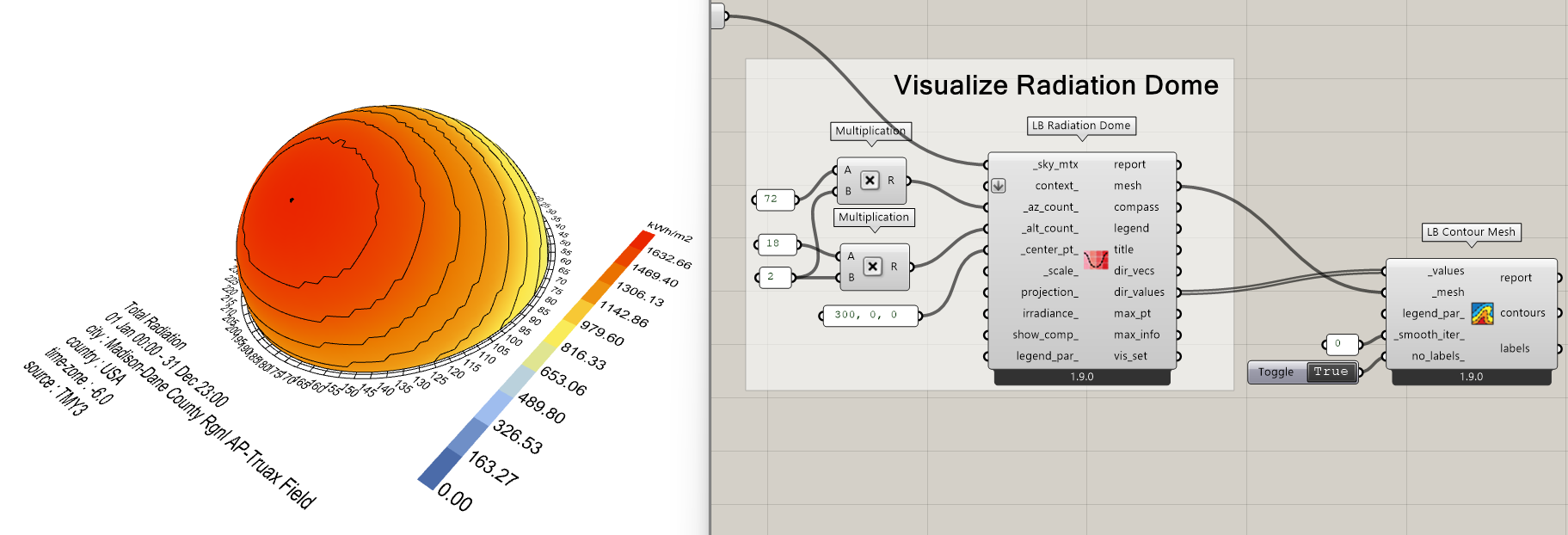
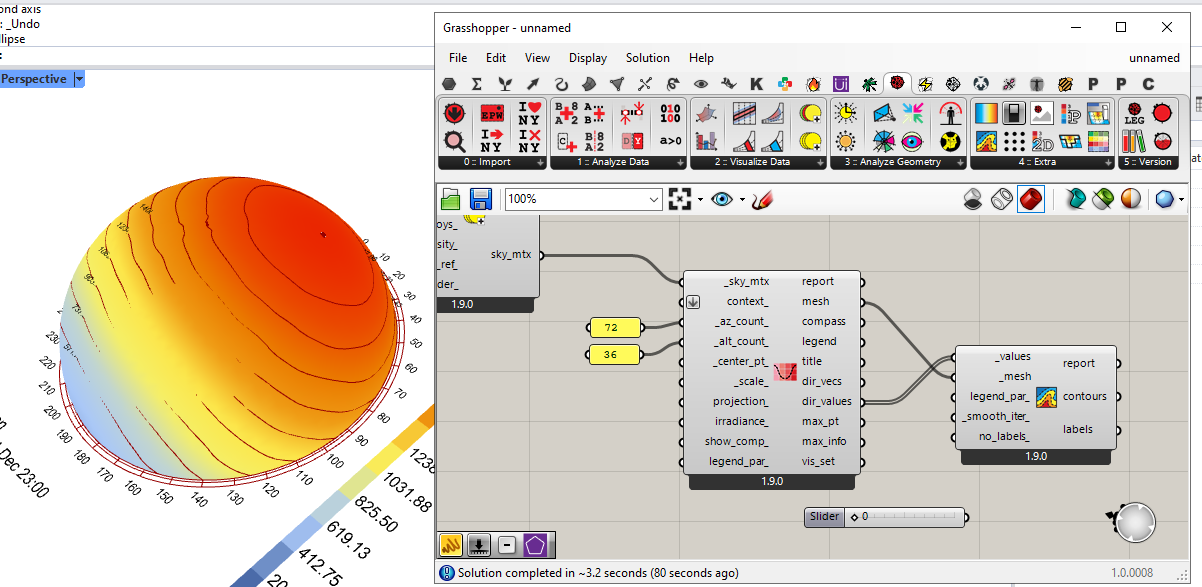
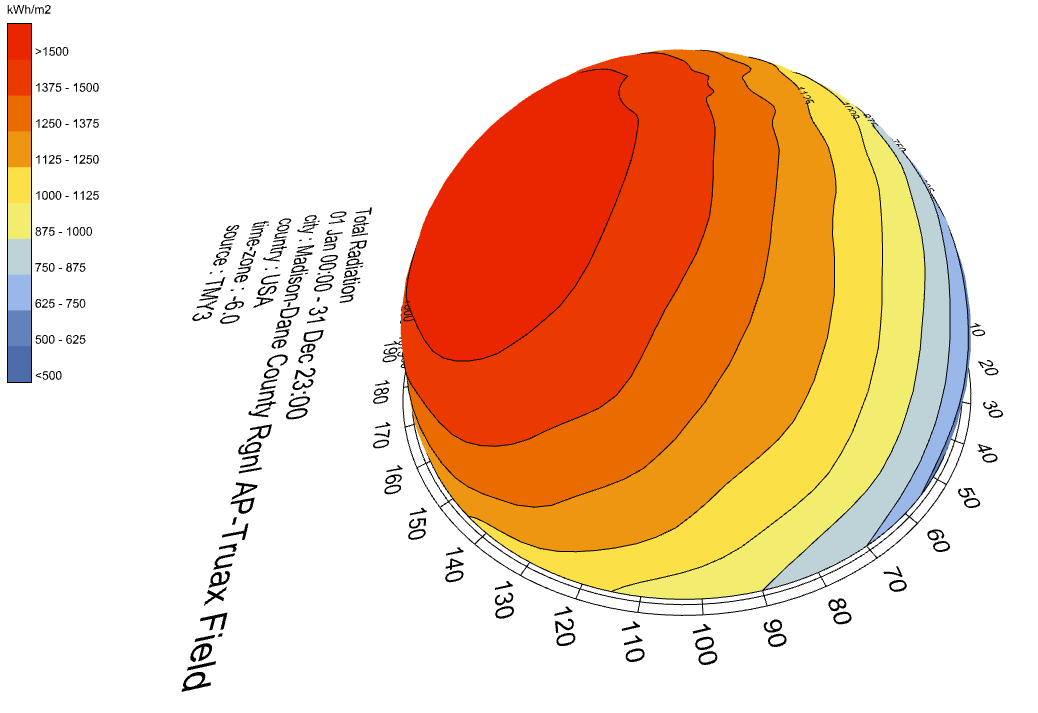
And the part that makes me particularly happy is that, because it uses your first method and not the plane intersection of a mesh height field (like the legacy version of this component), it can work with non-planar meshes like the radiation dome:

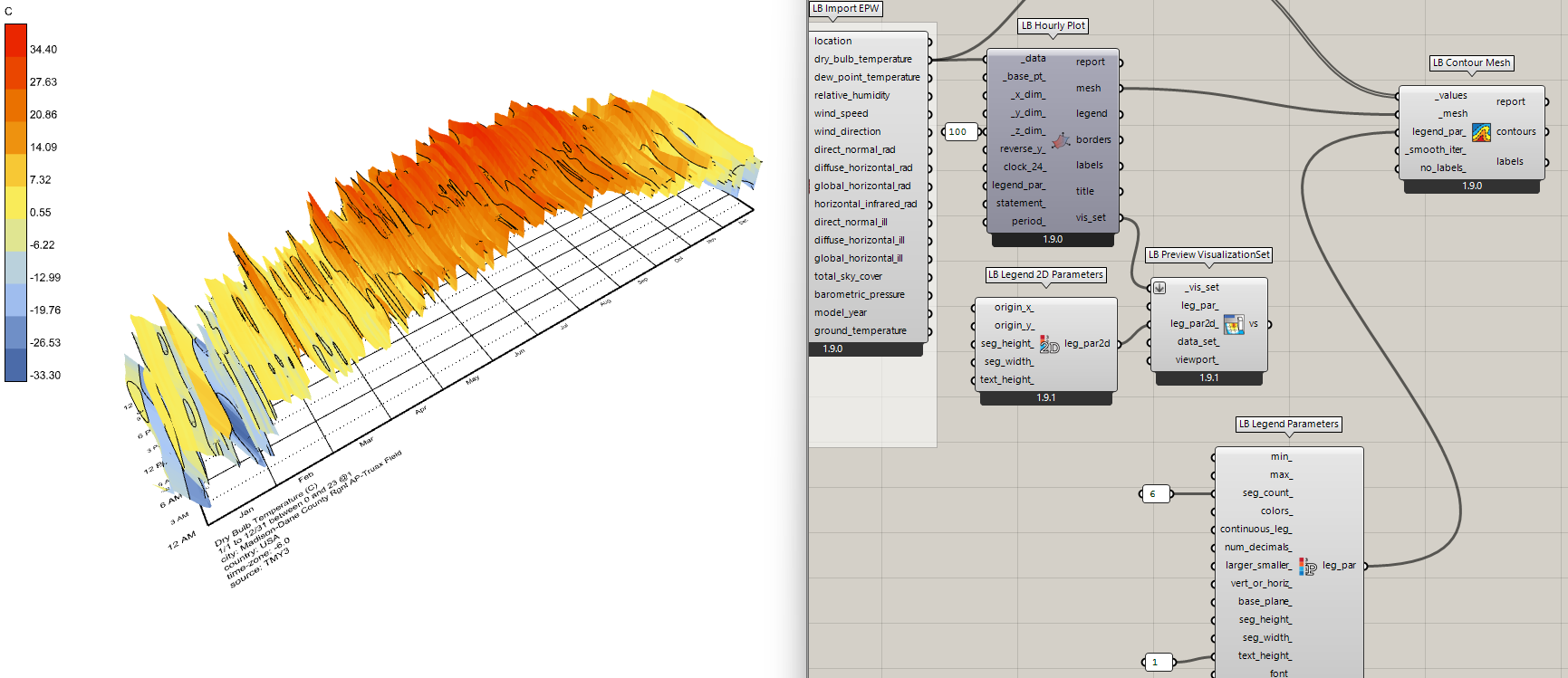
Or the 3D version of the hourly plot:

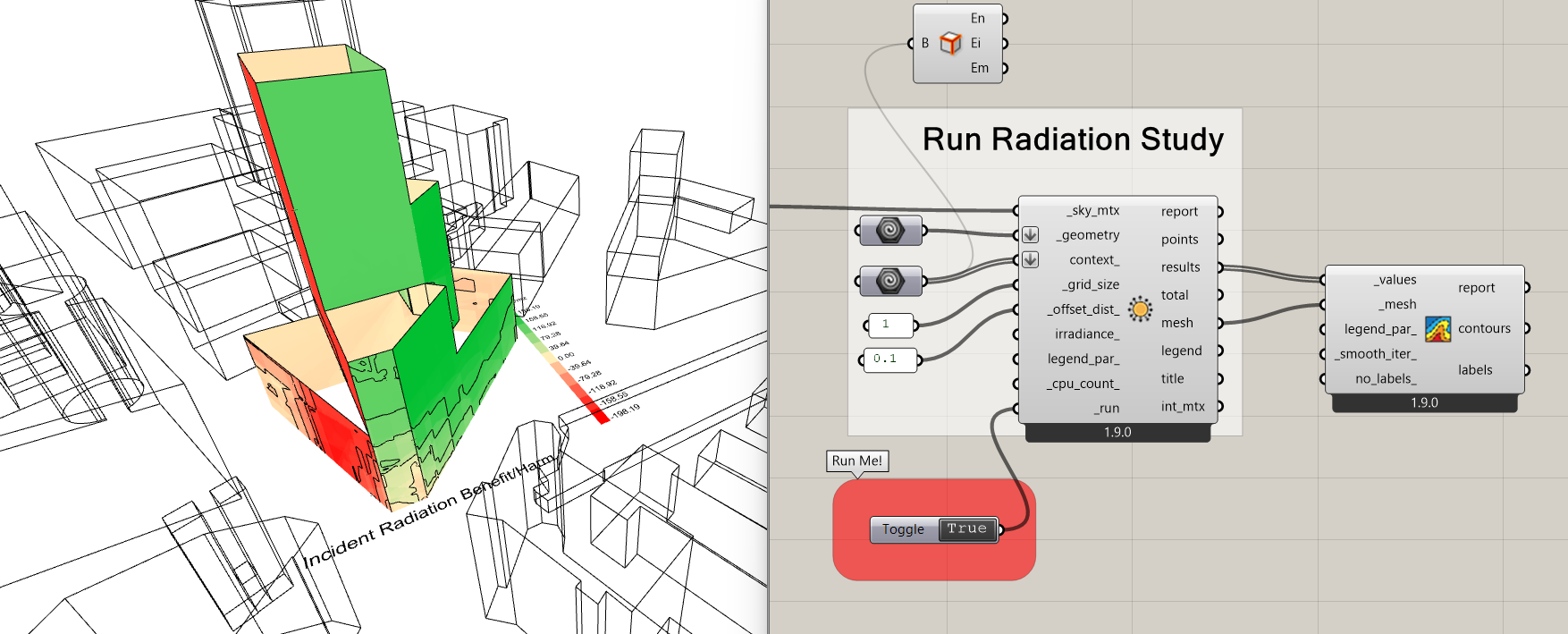
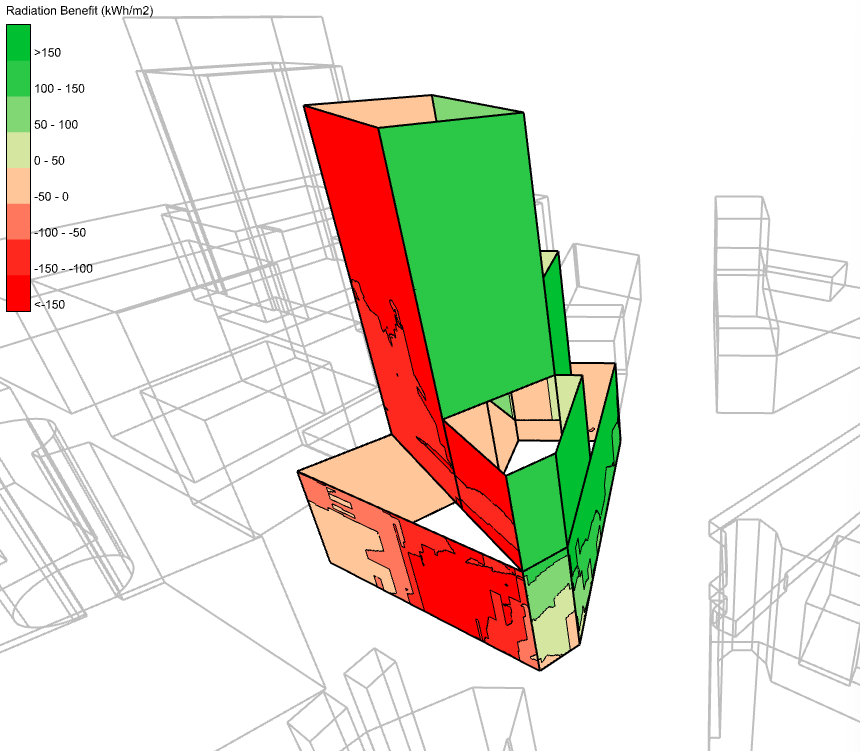
Or pretty much any Ladybug Radiation, Sun Hours, or View study:

I even have an idea to get the component able to also produce a colored mesh with solid bands between each of the contours, which I know made for some nice visualizations in Legacy when it worked. I’ll see if I can give this a try later today but let me know if you have any other feedback.

2 Likes

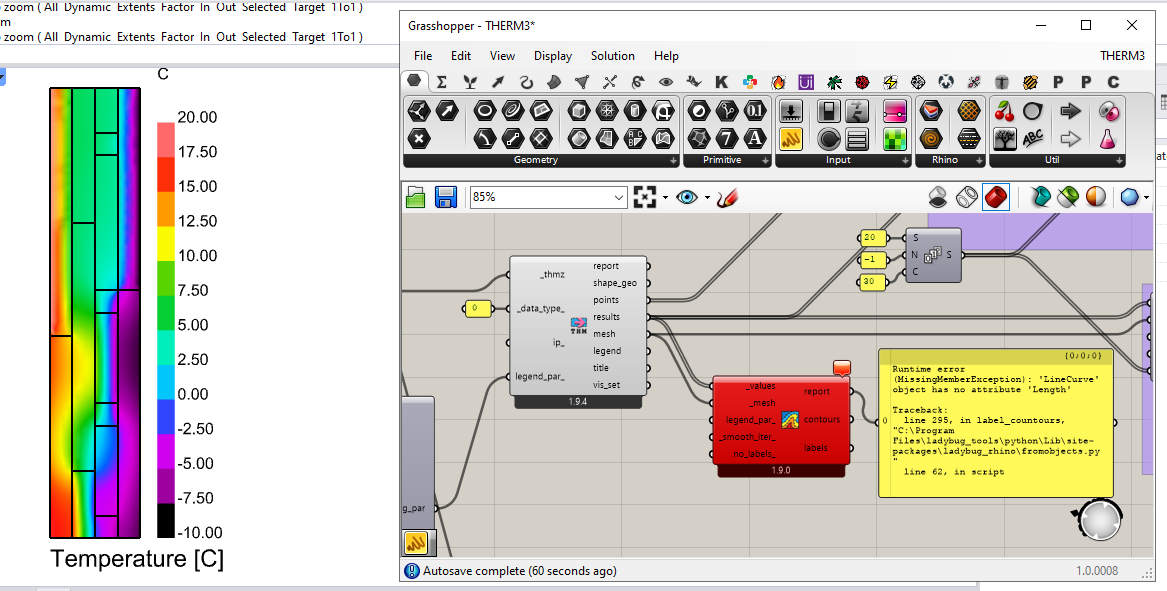
Hello @chris, great to hear about the LB Contour Mesh component! I updated via the versioner but I wasn’t able to get it working with the THERM results. I closed and opened Rhino a few times, I even restarted my PC, still I get the following error.

Runtime error (MissingMemberException): ‘LineCurve’ object has no attribute ‘Length’
Traceback:
line 295, in label_countours, “C:\Program Files\ladybug_tools\python\Lib\site-packages\ladybug_rhino\fromobjects.py”
line 62, in script

If the attached image is not enough, here’s my file for debugging purposes.
THERM3.gh (228.7 KB)

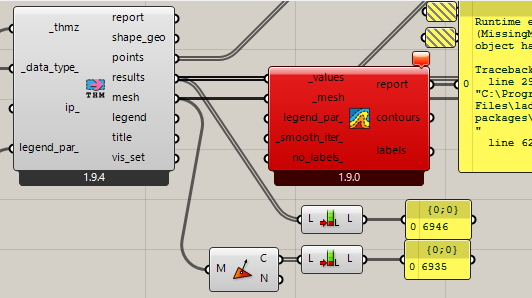
I noticed that the number of mesh faces is different from the number of results, but I’m unsure if that’s the cause.
image

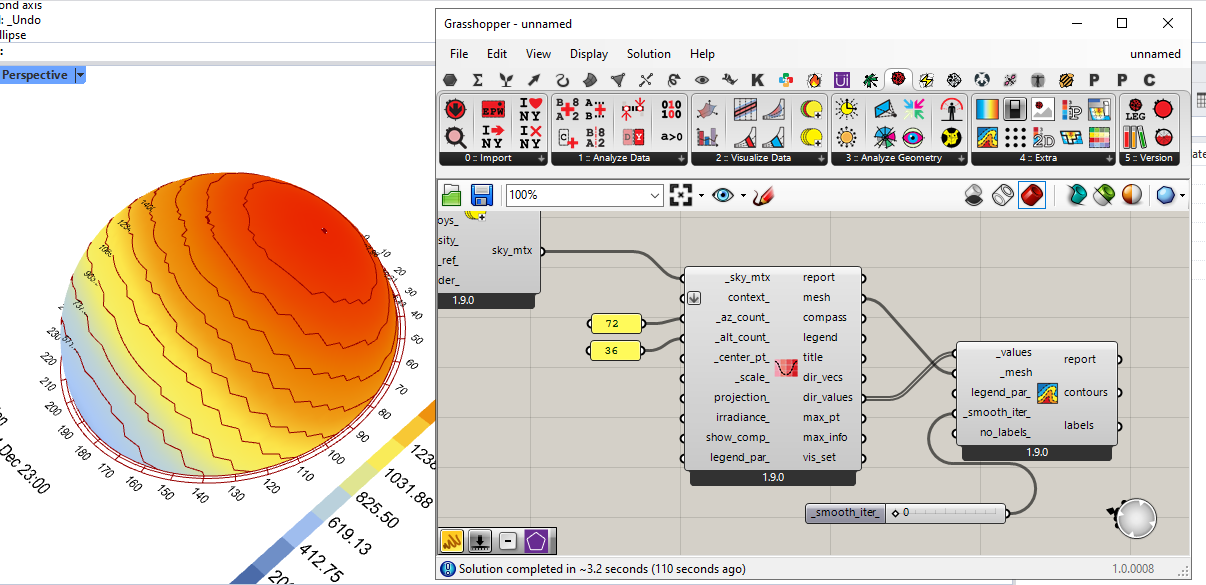
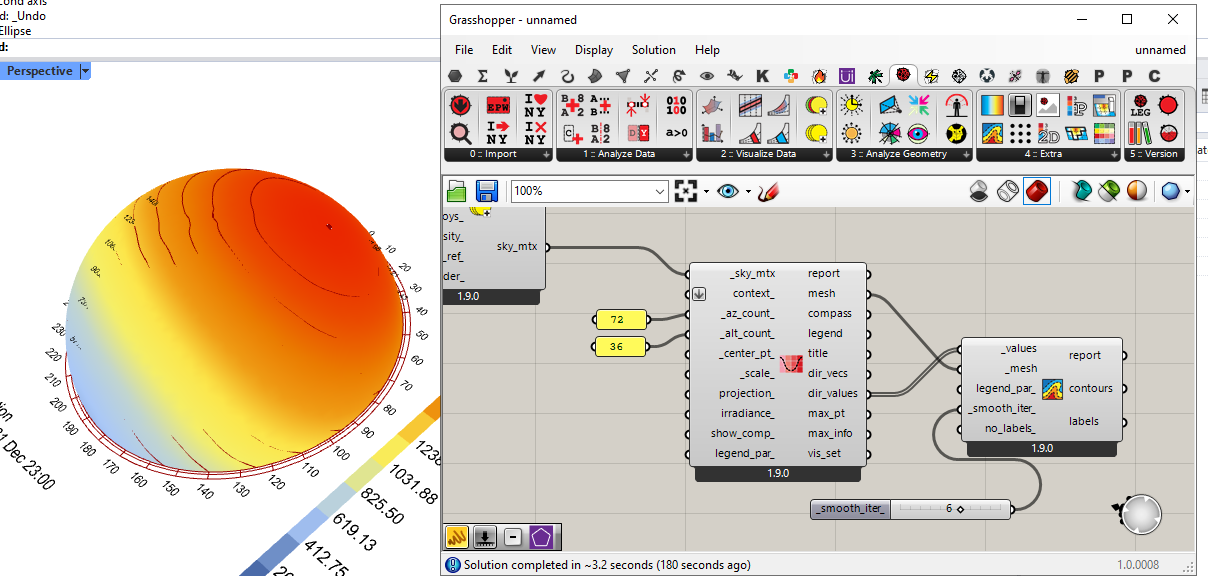
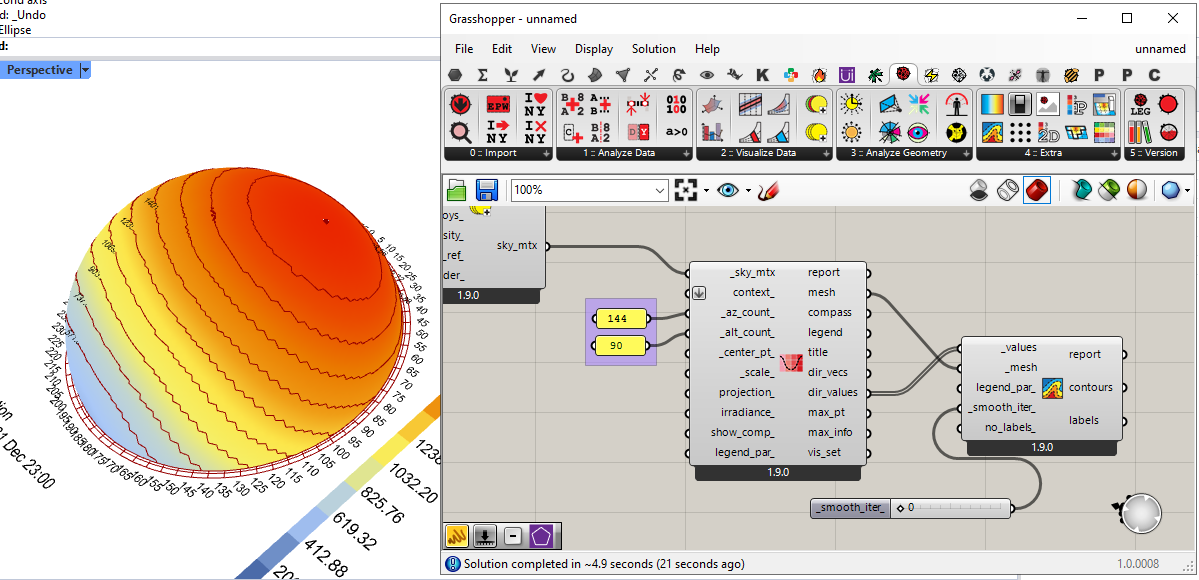
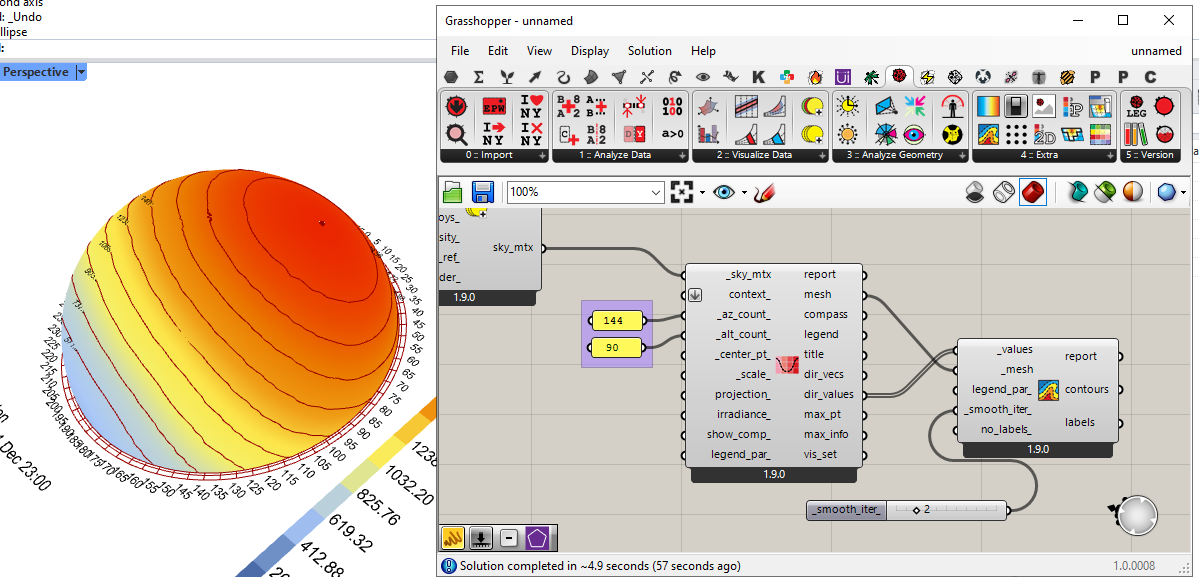
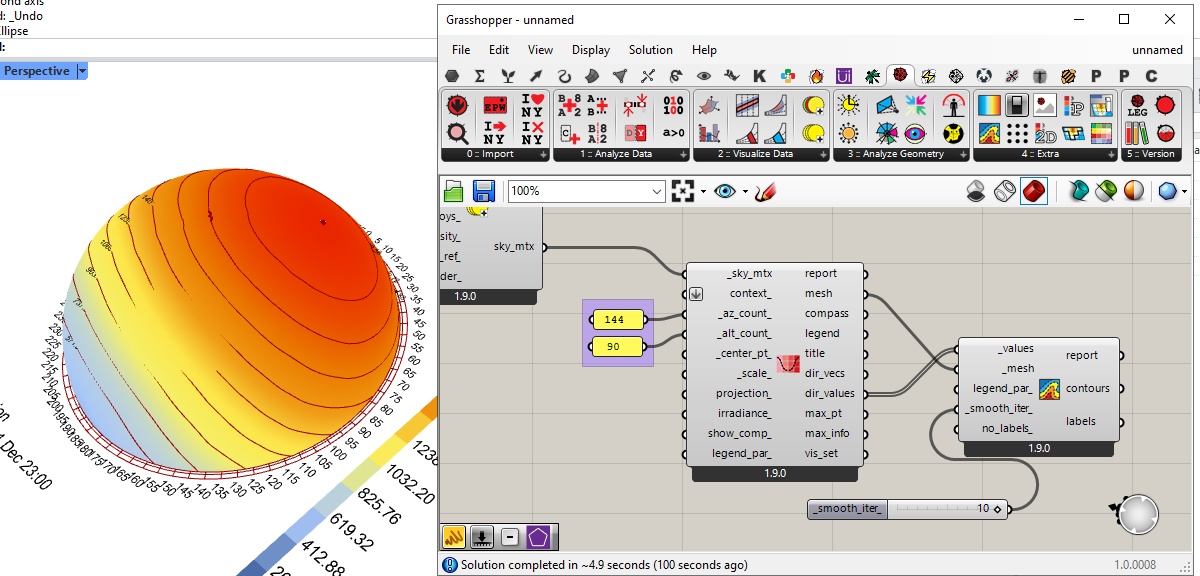
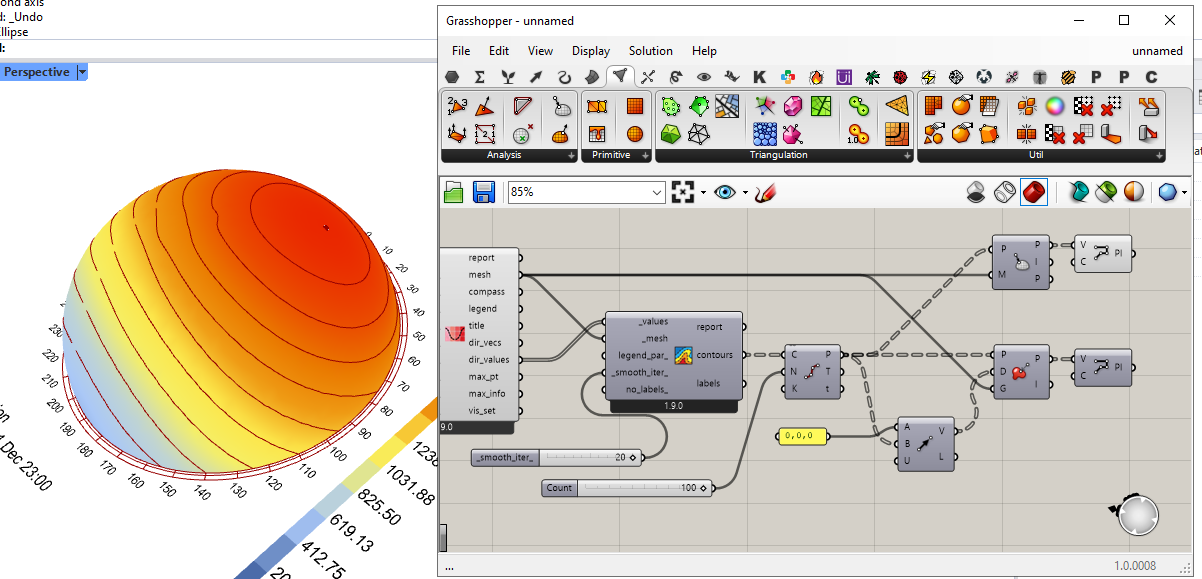
I did try it successfully with the radiation dome component, but it seems that under some settings the contour lines lay just below the colored mesh, becoming obscured in certain areas.

Seems to work fine on 0 smooth iterations (but with jittier lines)…

…and it becomes worse the higher the iterations.

Of course, by refining the mesh the lines become more precise…

…which also makes the contours more robust to few iterations…

…but skips below the surface again with a greater number of iterations.

I managed to find a couple of workarounds for this visualization: basically broke up the contours into points which I then projected onto the mesh, then made them back into a polyline. This method seems to work better with a very high setting for the smoothing iterations.

I’m not used to working directly with mesh geometry, so there might be a more clever way to do this.

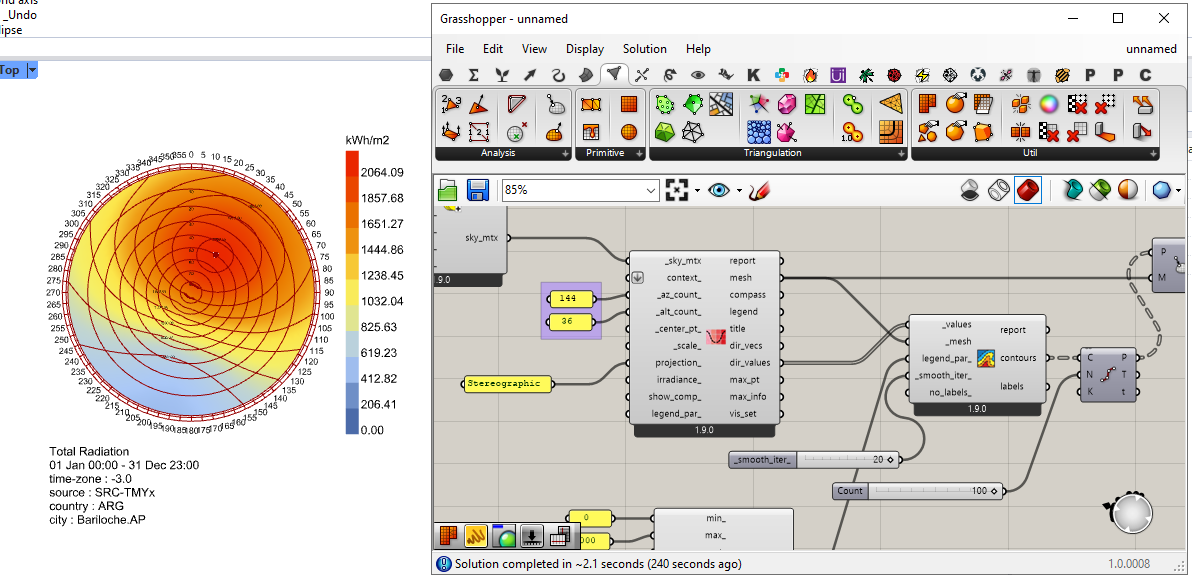
I also tested the 2D version of the radiation dome, and it worked fine.

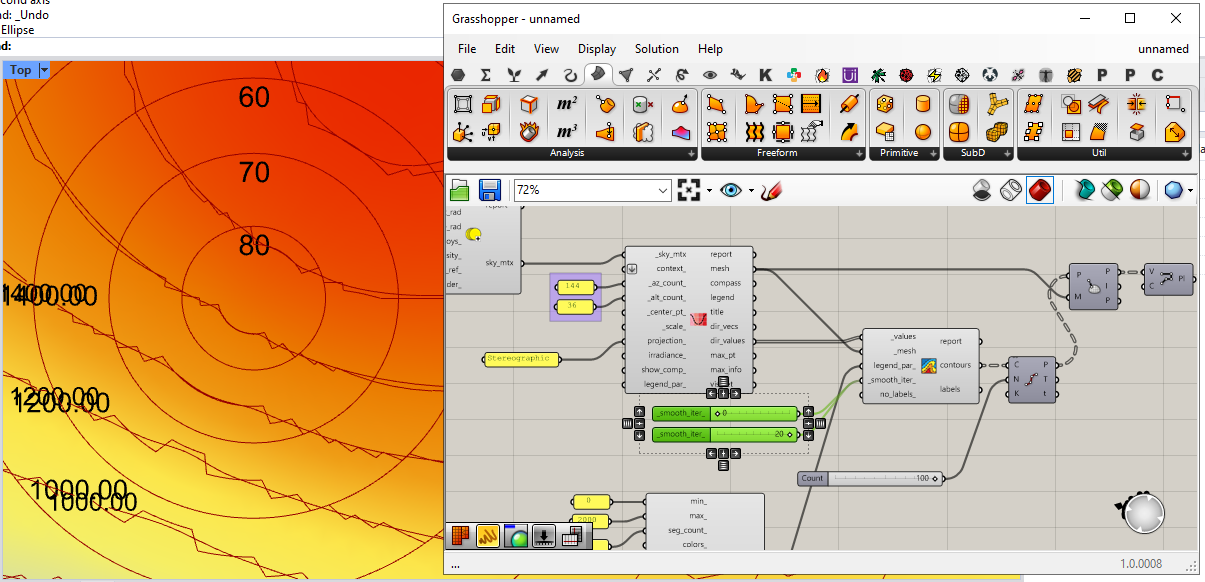
It just has a little visual artifact where the contours reach near the polar point of the sphere. (screenshot with 0 and 20 iterations on top of each other)

That’s as far as I got with today’s testing, I hope this feedback helps making LB more robust.

Thanks for the testing and the feedback, @Gspahr . I hope you don’t mind that I moved all of these posts related to mesh contouring to their own topic as it has become more generic than just THERM results.

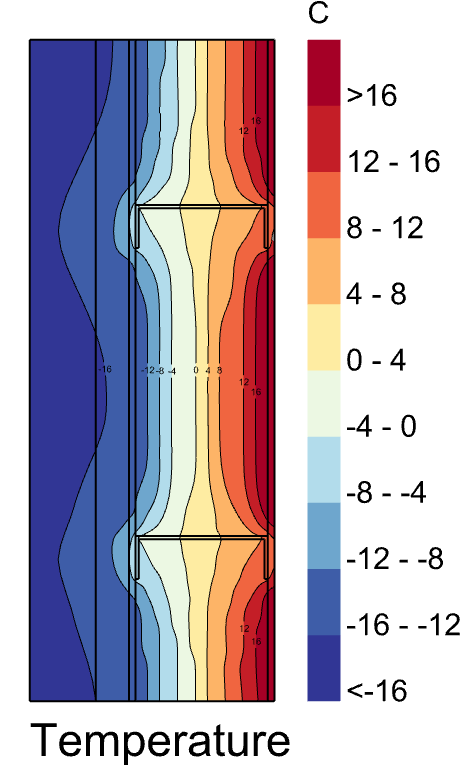
I just pushed a big update to the component. such that it now outputs a colored mesh that is coordinated with the contour lines:


The component works better with 3D meshes and you will find that bumping up the smoothing iterations won’t cause the mesh output from the component to obscure the contour lines (though the original input mesh can still do this if the preview is on). This is because the output mesh vertices are snapped to the contour curves as part of the component’s run. So this is what the Radiation Dome now looks like with some smoothed contours:

And it also works pretty well with your standard Ladybug analyses of geometry:

… or hourly plots:

Small visual artifacts are unavoidable in some cases where there just are not enough mesh faces to draw a clean set of contour lines. So in these cases, the primary recommendation is to rerun the study with a smaller grid size or, in the case of a Fairyfly THERM simulation, this involves making the mesh parameter higher. Alternatively, connecting “LB Legend Parameters” with a lower seg_count_ can produce fewer contours, which may provide the algorithm with enough data to draw the contours cleanly.

So I can’t necessarily promise that the component is always going to produce a perfectly good-looking result. But I can guarantee that the component should always return a result and not throw an exception. And, with some massaging of the legend parameters, component inputs, and the study grid size, it should usually be possible to get a nice-looking result. To this point, I fixed the bug that you reported that caused the exception (thank you for reporting it).

Let me know if you have any other thoughts or questions about how to use the component.

4 Likes

@chris getting this error when trying to use the new contour component:

  1. Solution exception:‘LineCurve’ object has no attribute ‘Length’

Seems to happen in any script I put it in when I connect values and mesh inputs.

Hi @remyweather ,

Try running the LB Versioner and restarting Rhino one more time. It looks like you are still using an older version of the core libraries.

If that does not fix it, please upload a file that recreates the issue and I will have a look.

Gotcha will try. I ran the versioner on Sunday, has there been a new version since?