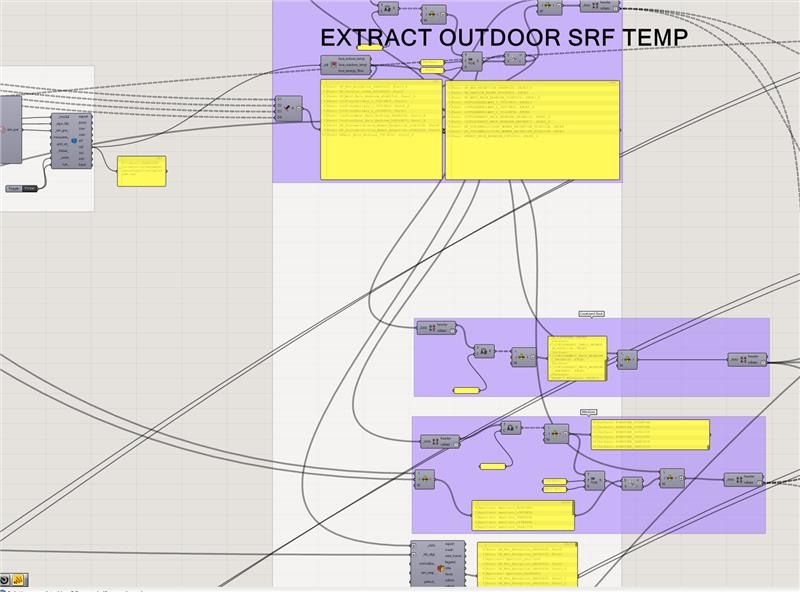
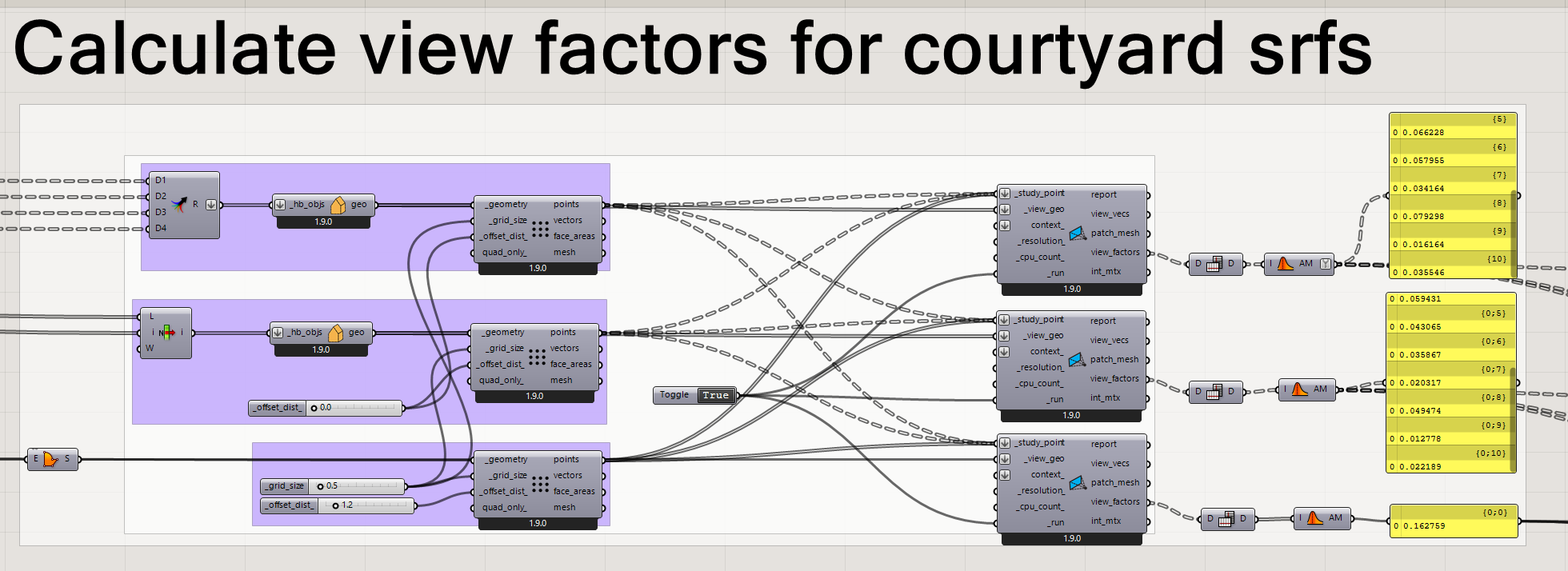
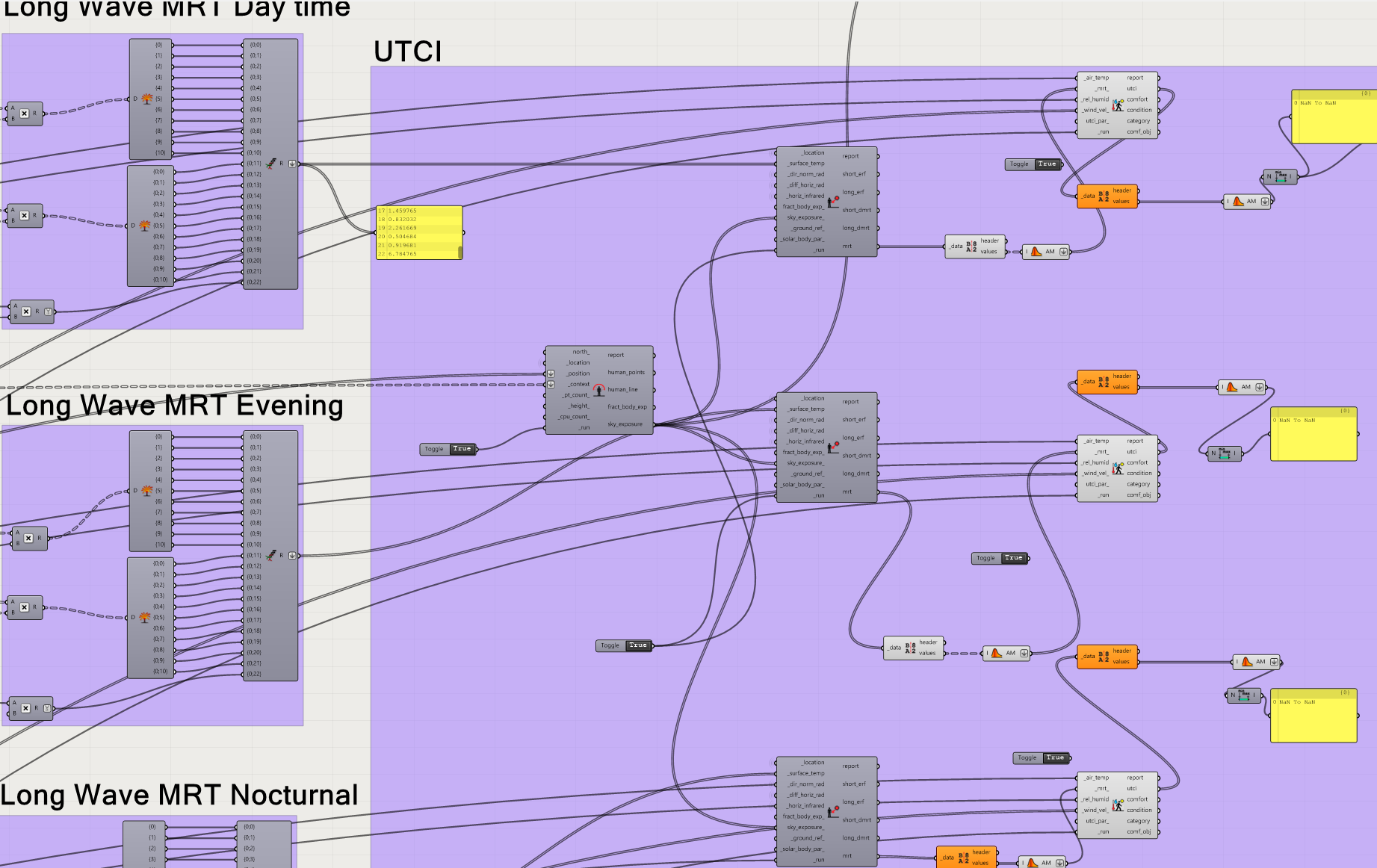
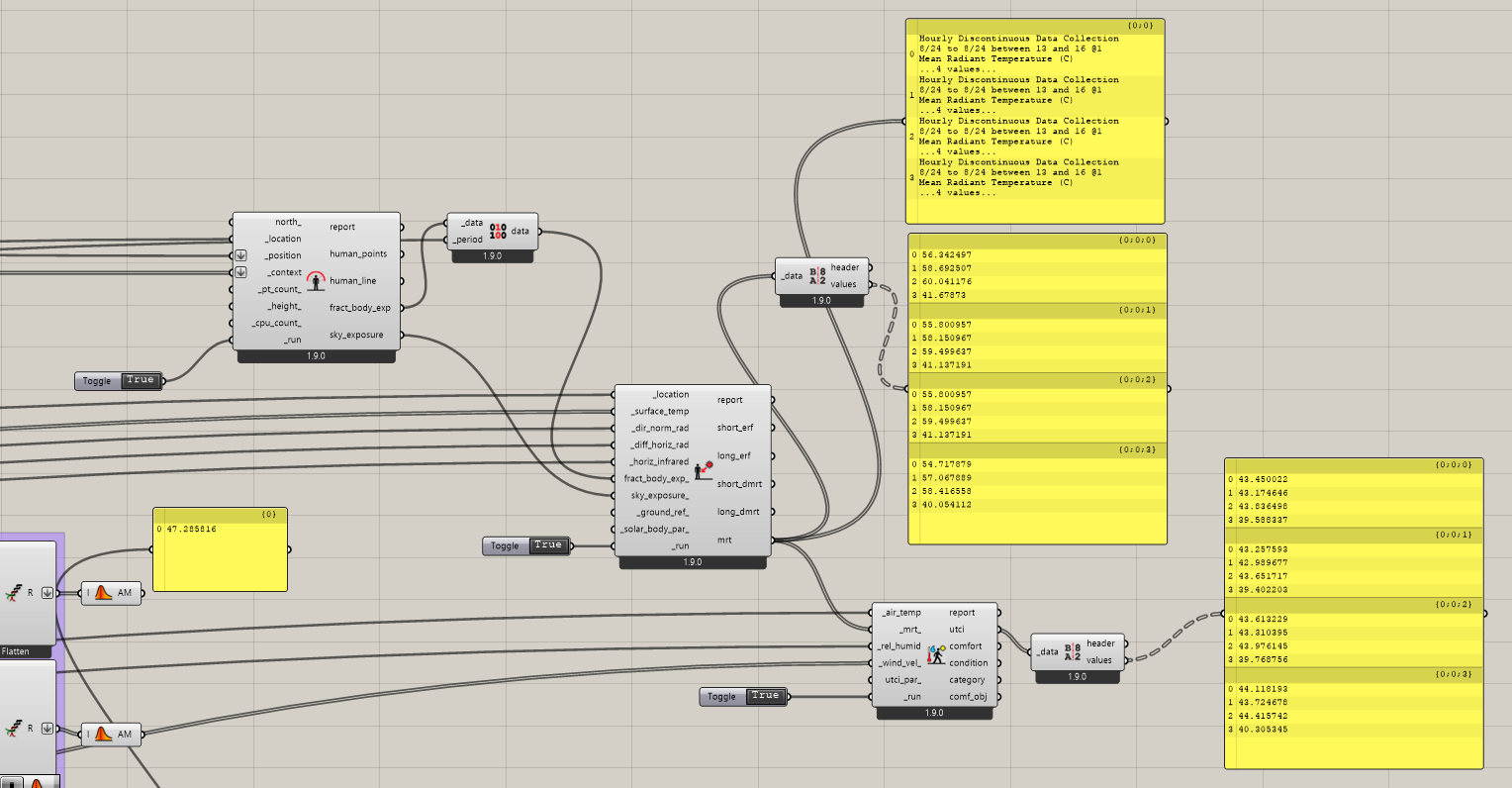
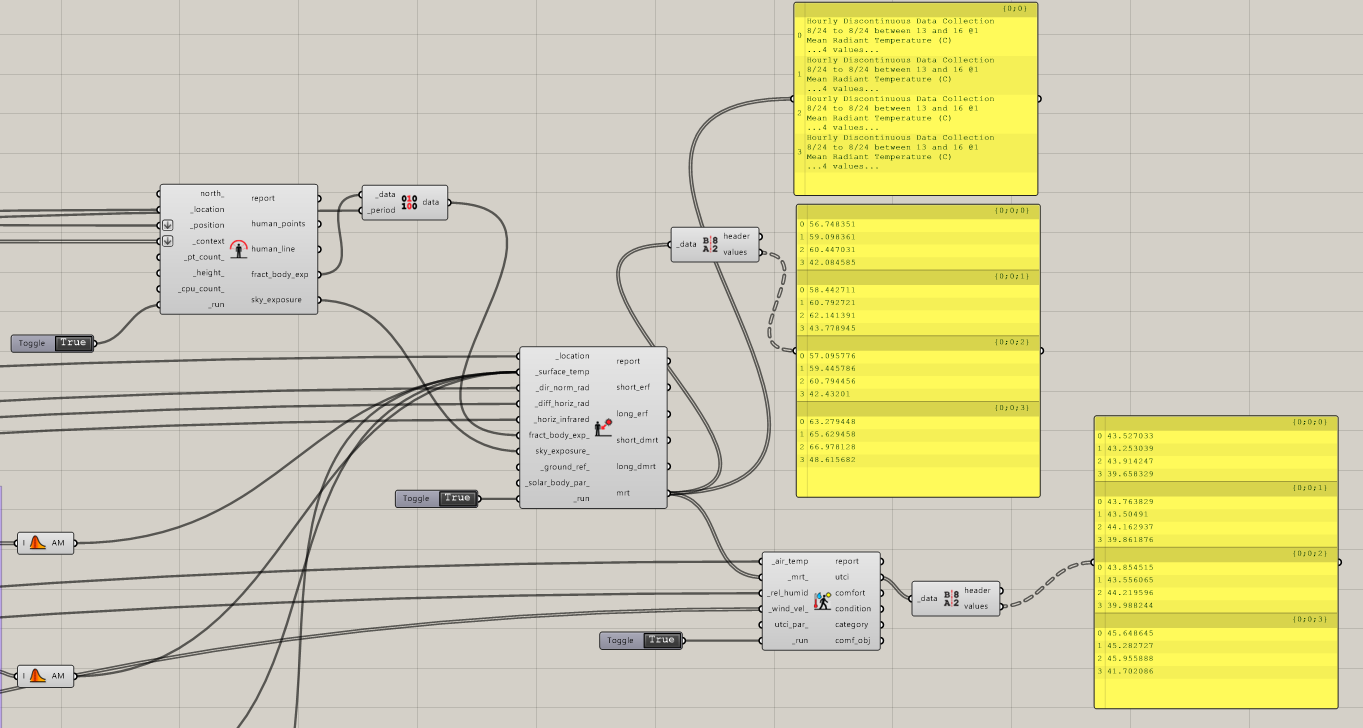
I have developed this workflow to measure the outdoor thermal comfort in a courtyard. I am however a bit confused about the proper approach to calculating the MRT values. I have read many threads in this community (like this one and this one), and the most relevant on I suppose was this one. In that one I think the user is plugging in srf temp after being multiplied by the view factor (which as I understood gives the LMRT) before these values are used as an input to the main MRT component.
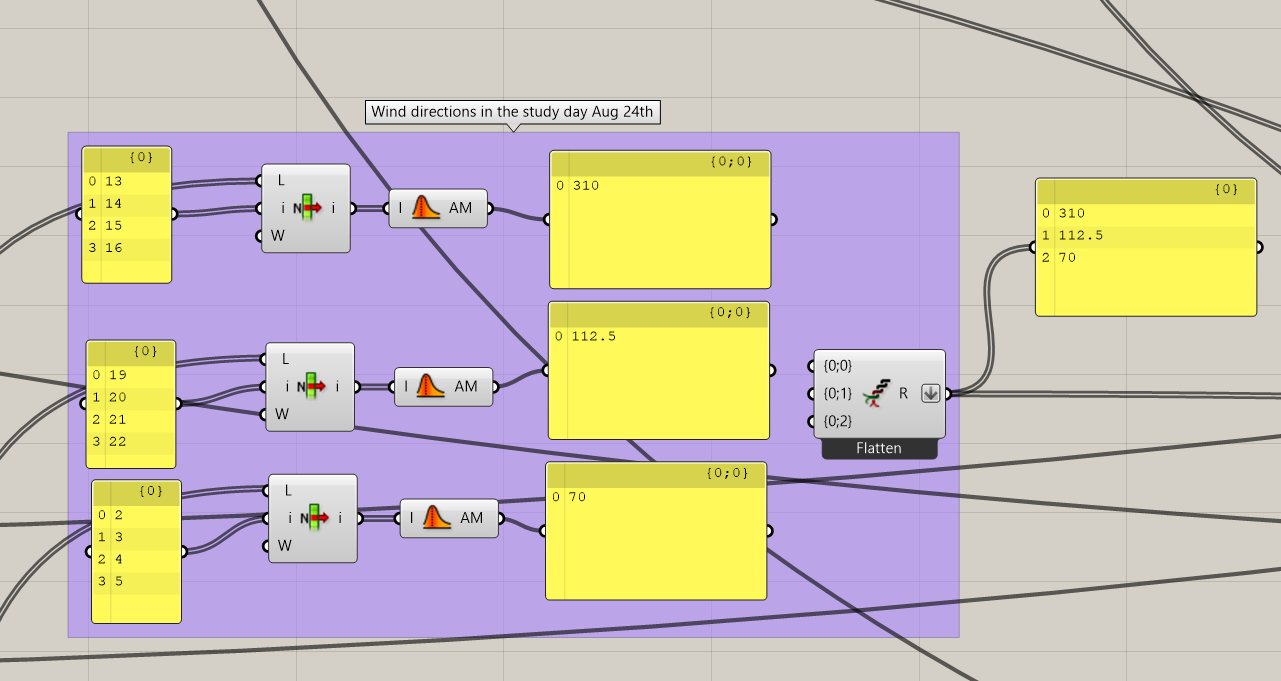
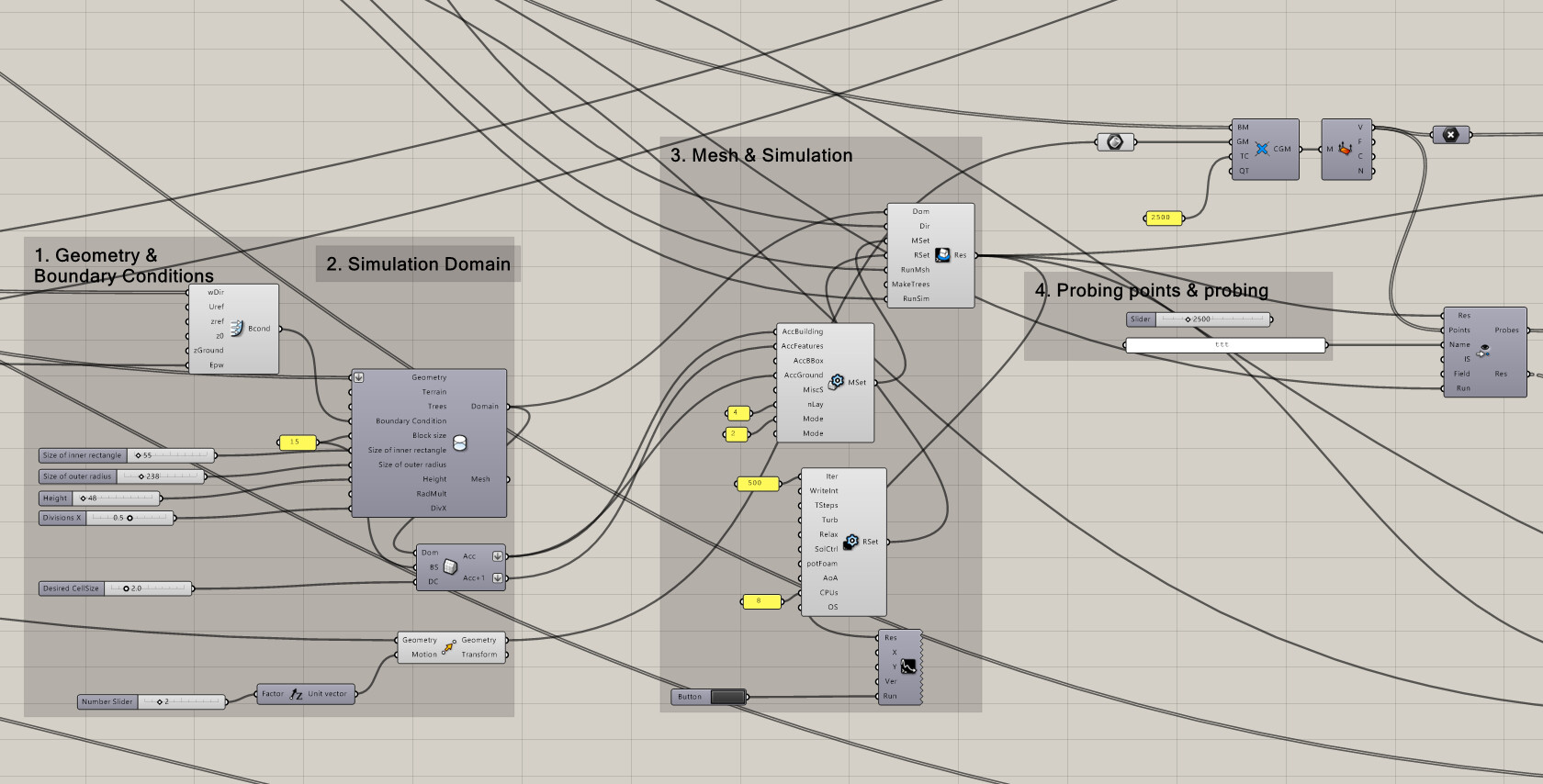
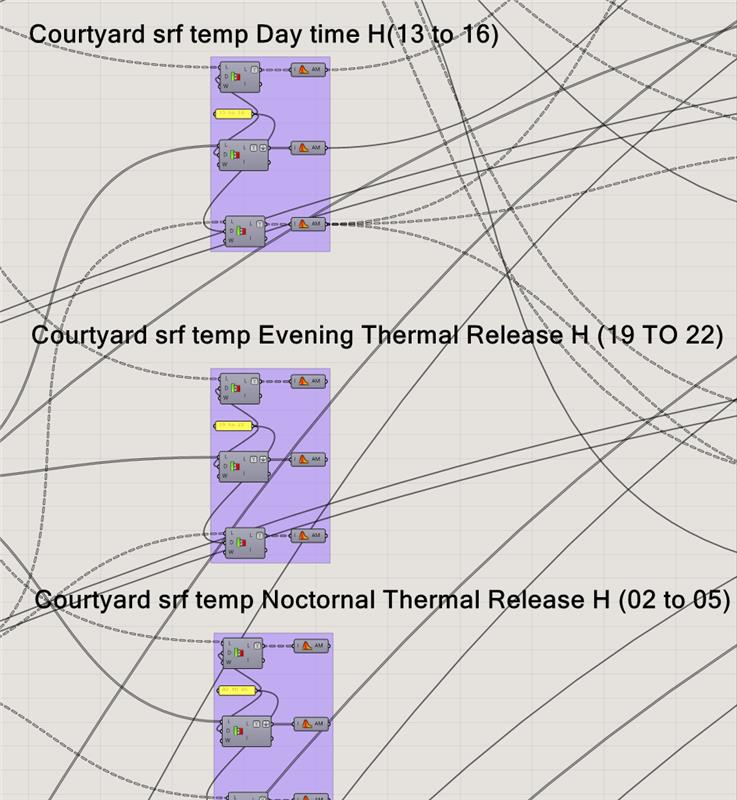
I have followed a similar approach, where I am trying to compare the MRT values in a peak day across 3 different time intervals (13 to 16) where peak short wave radiation, (19 to 22) when surfs begin to release stored heat as Long Wave Radiation, and (02 to 05) where I think the temperatures of external surfs and the air temp are balanced. In addition to this, I am feeding the wind velocity values from Eddy 3D (being calculated for diffrent directions per time interval). This is because I would like to study the impact of having an inlet and an outlet to the courtyard in accelerating wind and perhaps contributing to lower UTCI’s.
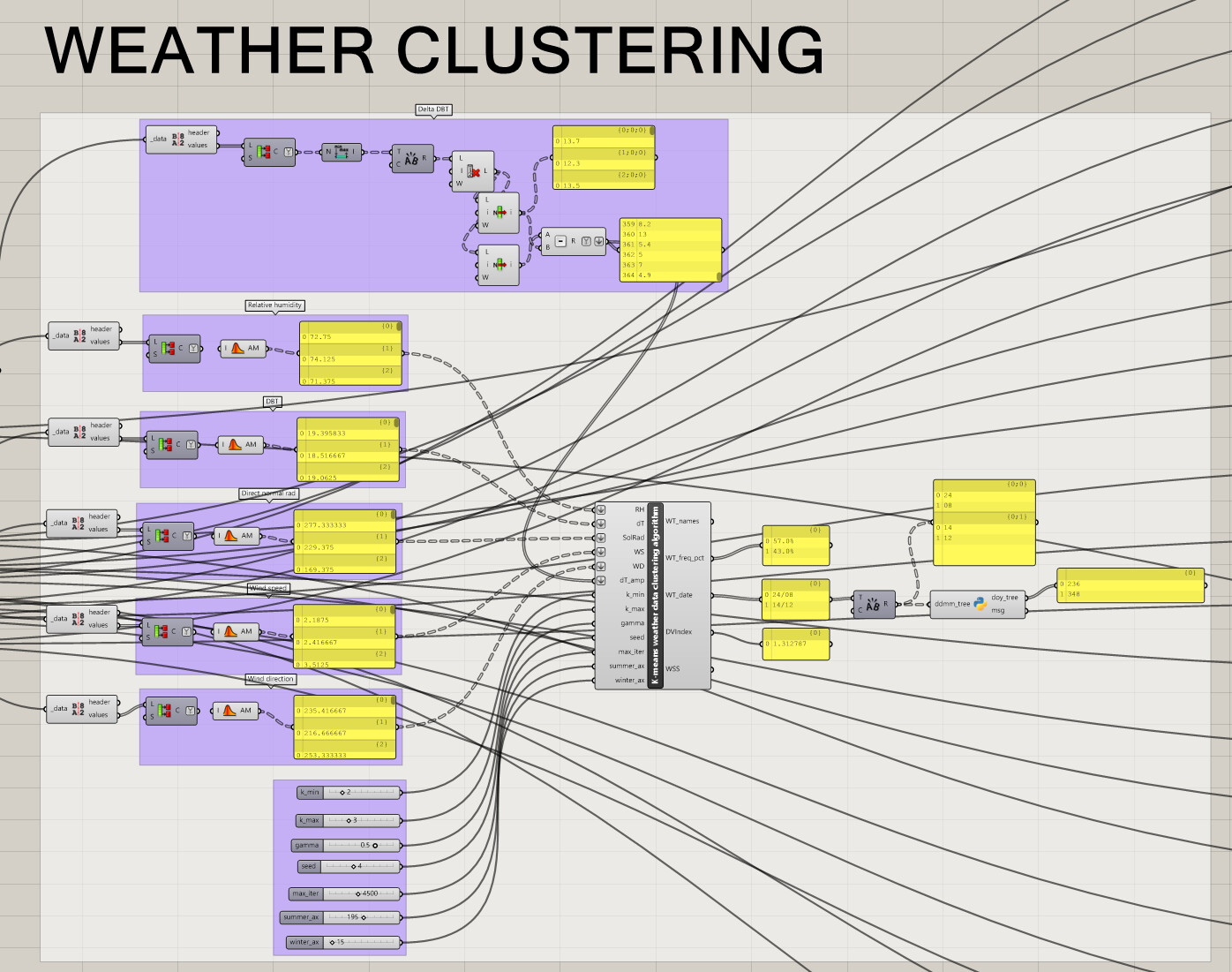
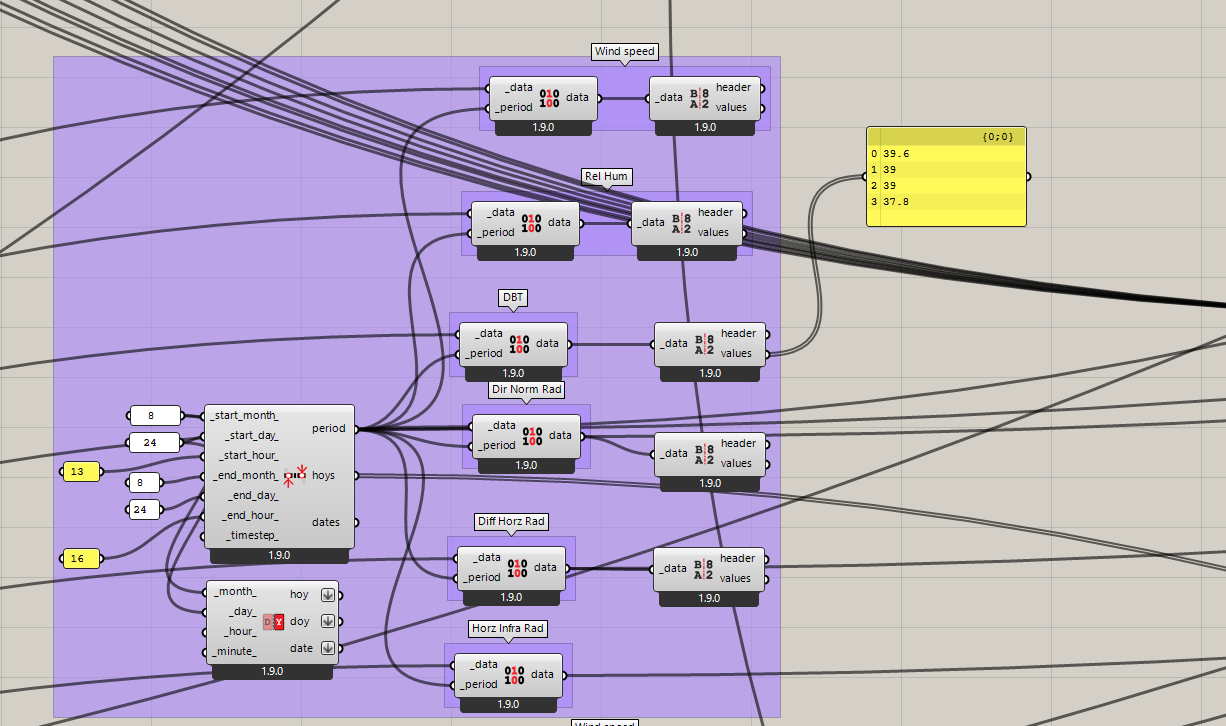
Below is a breakdown of the steps. First a weather clustering algorithm is used to deduce summer and winter day, which eventually gave very close result to the LB design days. 3 different wind directions per time interval are derived.
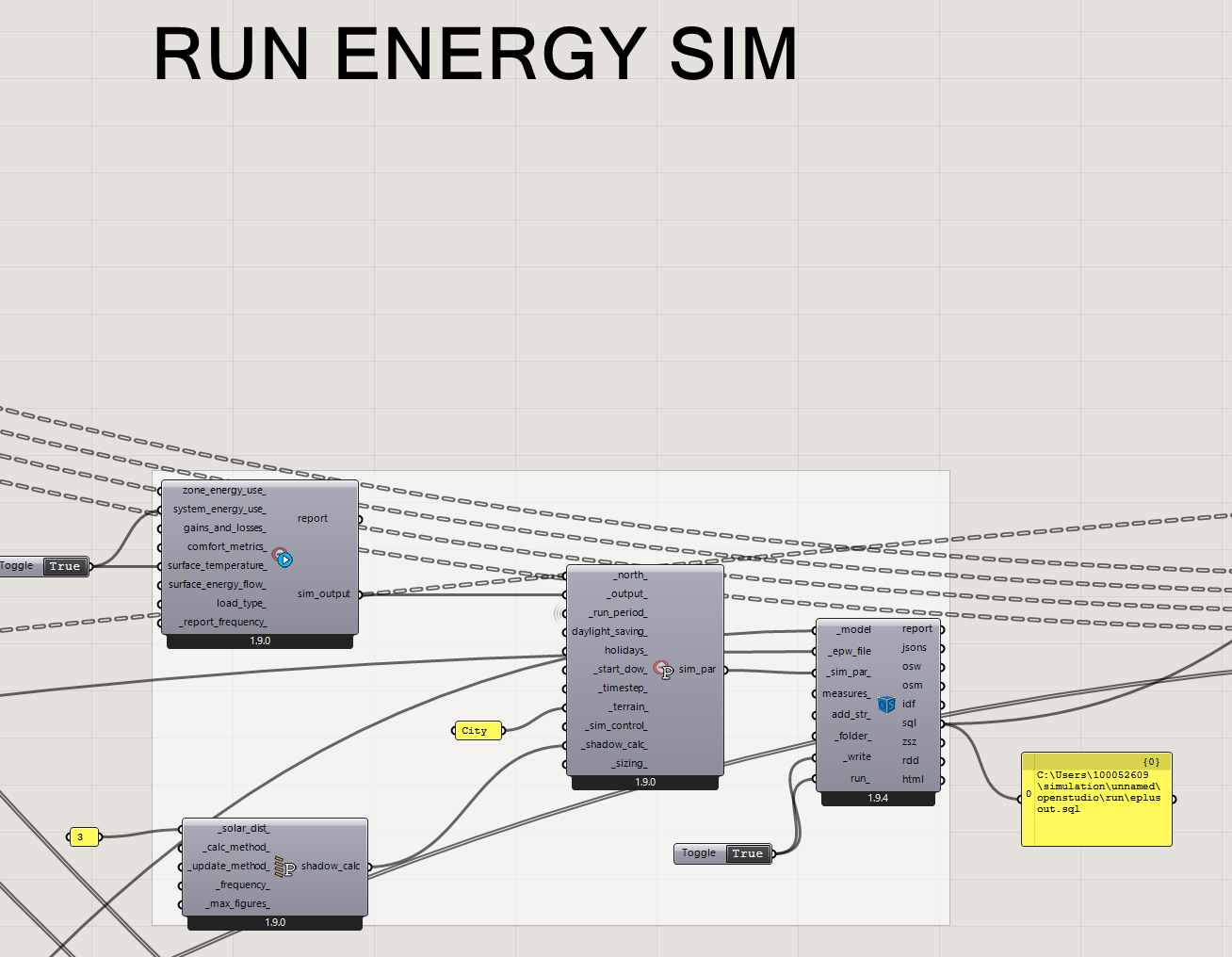
This is followed by the running the Energy Simulation (the HB model is validated before this input) and temp of ext surfaces are extracted (while making sure the walls temp are in a separate data flow from windows ones)
I should be multiplying the view factor of only the courtyard ground? rather than generating view factors separately for the walls, windows, and the ground and multiply them by the corresponding temp values? I would appreciate your help as I am unsure of my current workflow.
@noura2586 before I try to dissect everything you are doing in this workflow, is there a reason you are not using one of these methods and instead trying to create your own method?
Use the LB comfort components to calculate the MRT and various radiation components in a more simplified way, this takes into account shading, view factors, etc. already. You can still combine the results from eddy into the wind if you extract from eddy a list of values and grid points and match those grid points to the LB simulation, we do this a lot.
@remyweather thank you for your answer. I couldn’t find enough user-driven models that shows validated ways of how to craft a proper radiation model using Eddy 3D. This is unlike the LB tools which has plenty of examples. In response to the suggested answers:
thank you as I was not aware of this very helpful paper. I suppose I have to feed srf temp from the LB energy model, and the radiation components can internally handle everything else? if you have examples I would be more than grateful.
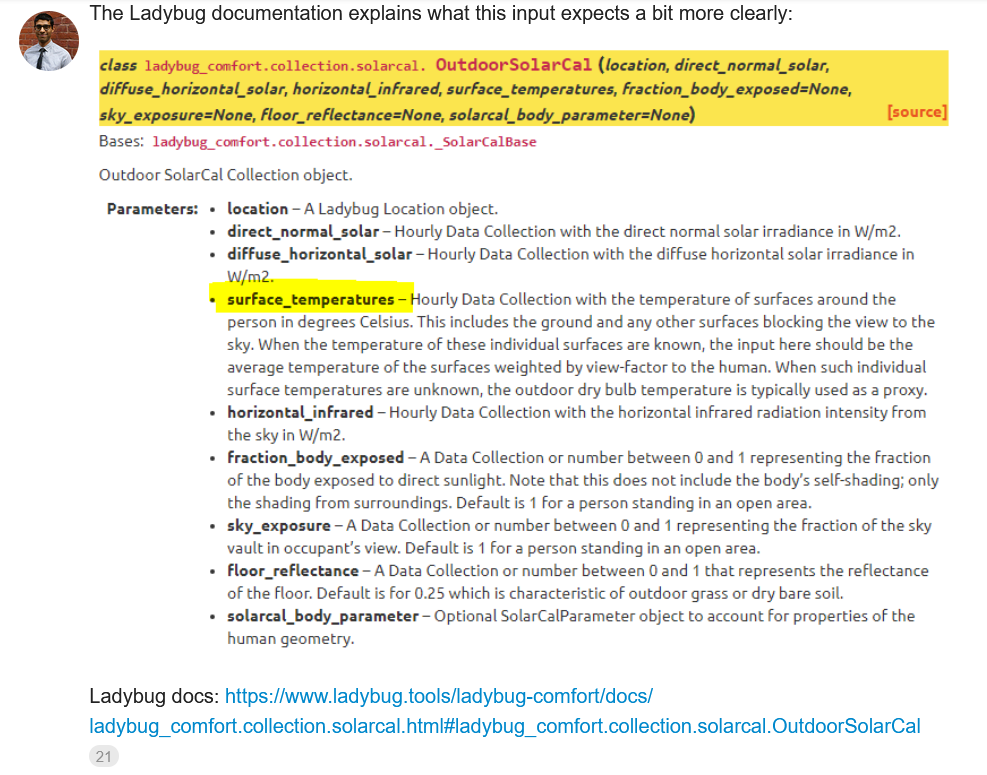
My problem with the LB MRT component is it’s not exactly clear neither from the primer nor from the examples in this forum whether I can directly input srf temps. In many examples I have reviewed here, its usually advised to multiple first the view factor with temp. Not sure how this is aligned with what has been mentioned in my referenced paper.
Finally, energy modelling is not exactly my filed of specialty and I am more than grateful for having access to these open source tools (Eddy 3D and LB). Both are equally trusted and I 'm still learning.
@noura2586 You do not need to feed surface temperatures from the LB energy model if you choose to simulate the entire thing with Eddy. Eddy Outdoor module will calculate all of the surface temperatures, MRT, UTCI, etc. for the model, and the effects of different types of materials provided you set up the script correctly.
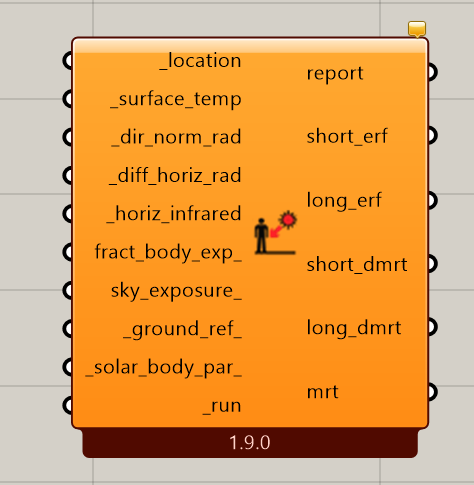
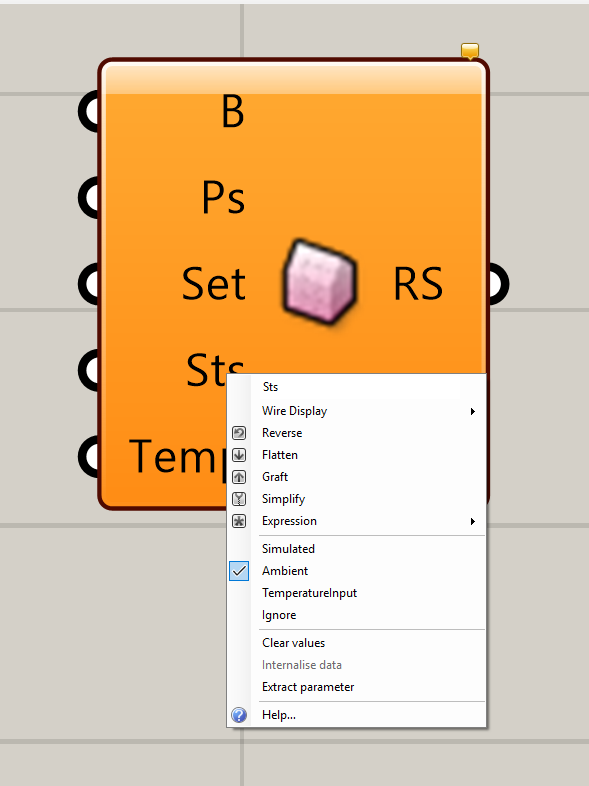
In the LB MRT components there is an input for SRF temp:
You can either input a single number here, or a list of different sfc temps, i.e. what we do often is take the DB output from the LB EPW component and add some amount to it, say 3 degrees or 5 degrees to represent some impact of the surface heating.
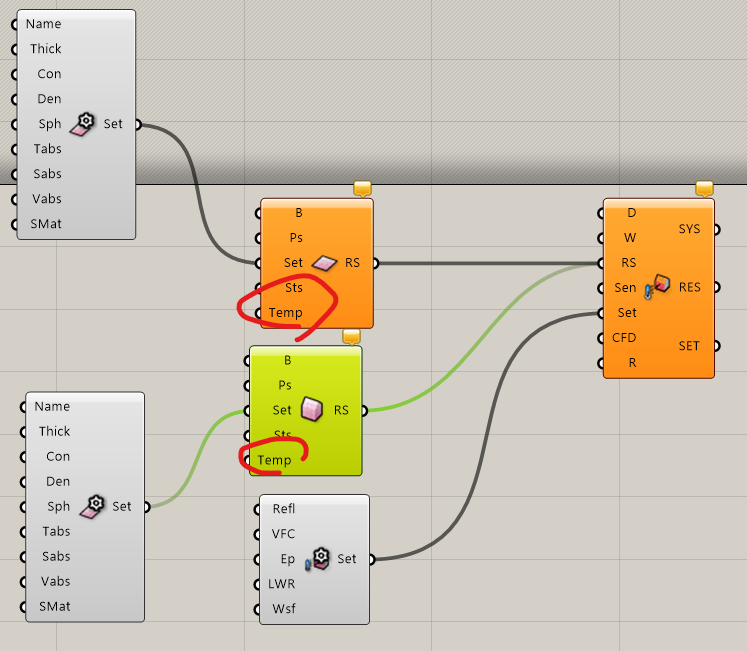
@remyweather so the input below in the radiation component (temp) should come from where? I don’t want to use the DB from the epw file as I am seeking more accurate optimization of the courtyard design impact on lowering both indoor and outdoor temps. Also, the CFD input wouldn’t accept the results path (From Eddy simulation component). I looked up the GH recipes in the case studies and they don’t provide clear gudince on the MRT compoennet (which seems different from what I have as seen below).
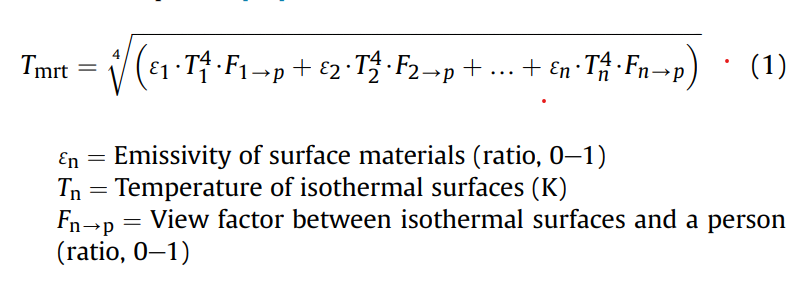
As for the srf temp from LB, I can easily extract external srf temp (in image number 5) but as per this thread, it’s explicitly stated that I have to weigh those temps by the view factor:
@chris I would appreciate your input here. before using the external surface temperatures derived from LB energy modelling, should they be multiplied by the view factor of the ground surface befoer being used as an input to the LB Outdoor MRT component? or should I be following the LW-MRT seen below?
You will see several options. If you click “simulated” it will simulate the surface temperature. If you click TemperatureInput it will use whatever you input into the Temp input below that. Ambient will use the ambient air temp. Ignore will do nothing to simulate the Sfc Temp then.
For it to accurately calculate the sfc temps you need to fill in the material profile using that component you have connected with the different properties.
It should accept the CFD input, that may be a bug, or you may be inputting it incorrectly.
As for this, there are many methods to calculate the view factors and then weight the Sfc temps, which you can do and then input into that component if you want to go that route.
Eddy will do that for you though.
Lol. It seems the LBT forum has become an unofficial forum for Eddy (they should really consider setting up one of their own).
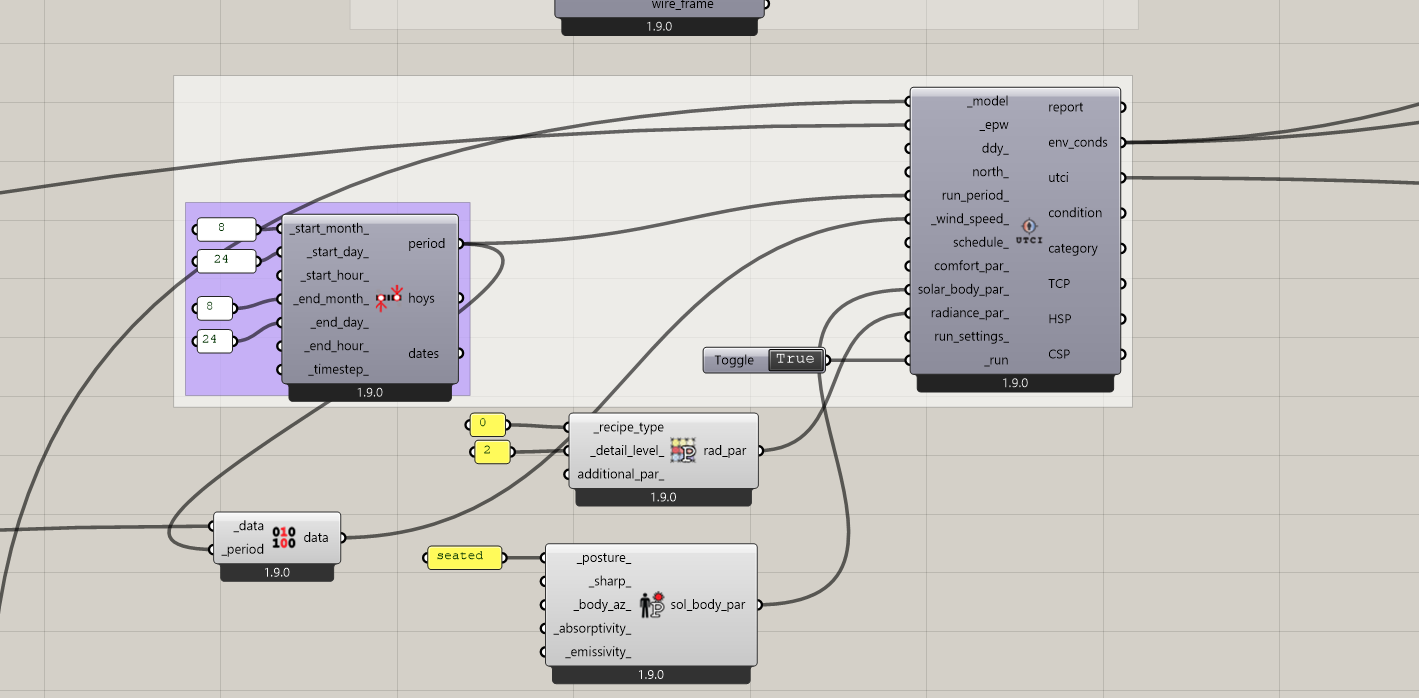
I don’t know anything about the Eddy components that compute MRT but, if you want to use CFD results with Ladybug Tools capabilities and surface temperatures calculated from a full EnergyPlus simulation, just do yourself a favor and use the HB UTCI Comfort Map. You can plug in a CSV of your air speeds from Eddy like you see here:
And this is going to involve way fewer Grasshopper components that together run a lot more efficienctly.
Thank you @chris for the help. I don’t mean to be annoying but I am still learning.
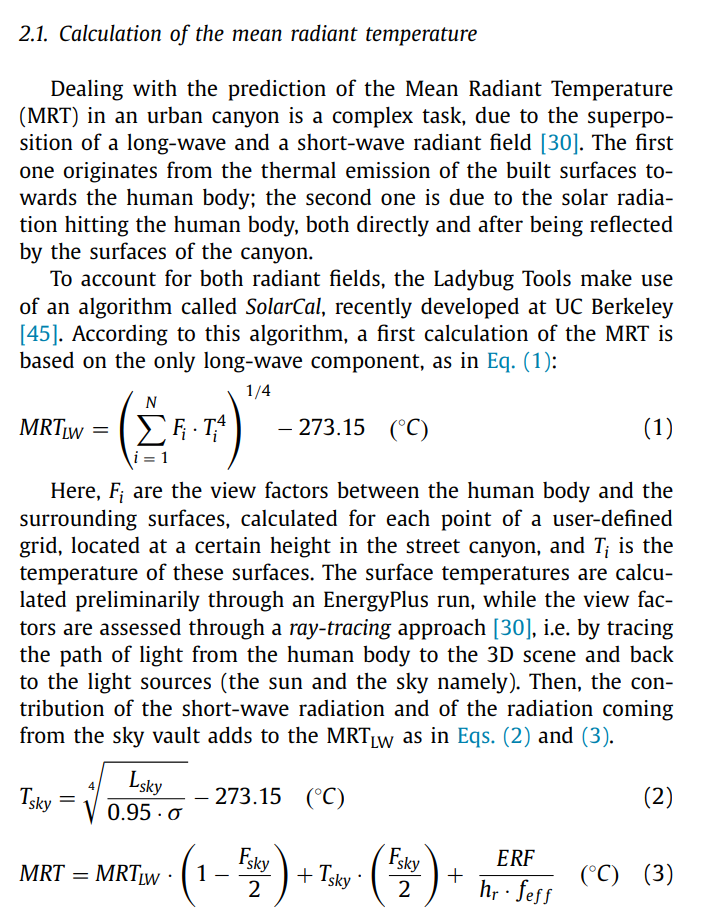
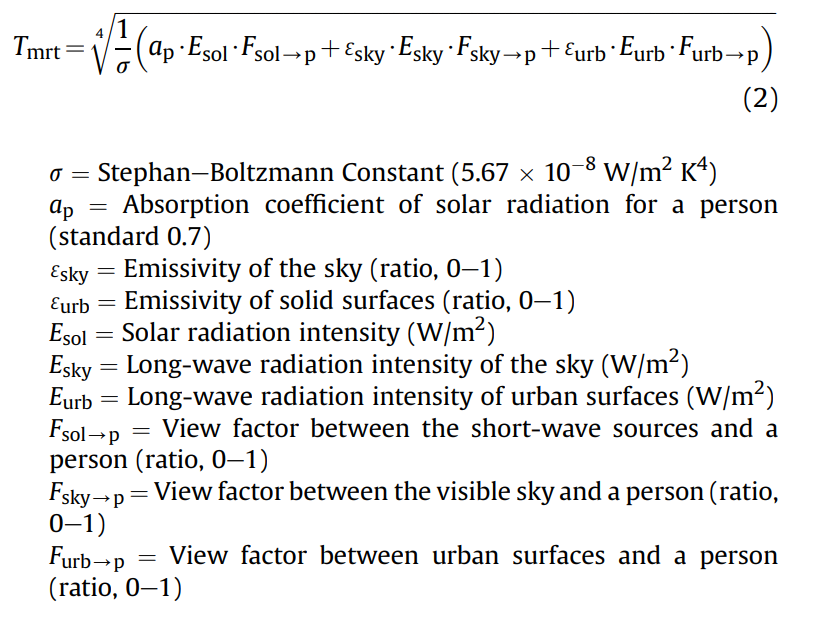
I want to use the MRT outdoor explicitly (not just the UTCI) so that the values can be compared across different times during the day. Since I couldn’t find an answer to the best practice on how to input external surface temperatures taken from the energy simulation, I am inputting them as raw values directly into the outdoor MRT component. However, in this interesting paper, it’s stated that the outdoor MRT value is a combination of multiple radiation sources, including the direct short waves from the sun and other surfaces, as well as the atmospheric long wave and others being reemitted from the urban surfaces:
I am not sure whether the Ladybug MRT component captures all of these aspects.
Ideally, my goal is to optimize the courtyard geometry to increase comfort hours not only by using UTCI as an objective, but also by understanding how short-wave and long-wave radiation vary over the course of the day and how they influence thermal comfort.
What I am trying to focus on now is to derive the urban surface long wave radiation (using the external surface temperatures from OSM) and use it to optimize the courtyard height and dimensions:
I’m not sure if such breakdown of values is possible from the MRT component?
As for the Eddy 3D wind input, it will be used to optimize the inlet and outlet size and location.
I have attached my file for refence (it has some things to be ignored like custom made components to control the sequence of the integrated simulation between Eddy 3D and LB). I am more than grateful for the help!
It is all good, @noura2586 . I know that there are a lot of factors to MRT calculation and it takes some time to wrap your head around all of them.
The UTCI comfort map does account for all of those factors and it uses a slightly more sophisticated method to account for shortwave solar on human geometry ([the solarcal model) than that equation suggests.
The methods in the CityComfort+ paper look pretty robust and they are probably good enough for a lot of applicaitons. But I think the HB comfort maps might still been the only tool that actually accounts for all of the MRT factors you listed with such a high level of input-customization since, as far as I know, the HB comfort maps are the only thing I know that leverage both EnergyPlus and Radiance together.
You really need something like Radiance if you want to account for shortwave reflections and compute good view factors (which I am glad to see the CityComfort+ method is doing). However, it seems that paper use a much simpler algorithm to compute urban surface temperatures and you really need something that performs building heat balance calculations like E+ if you want urban surface temperatures that account for things like the heat flow from the urban environment into/out of buildings. This is what the HB comfort maps do.
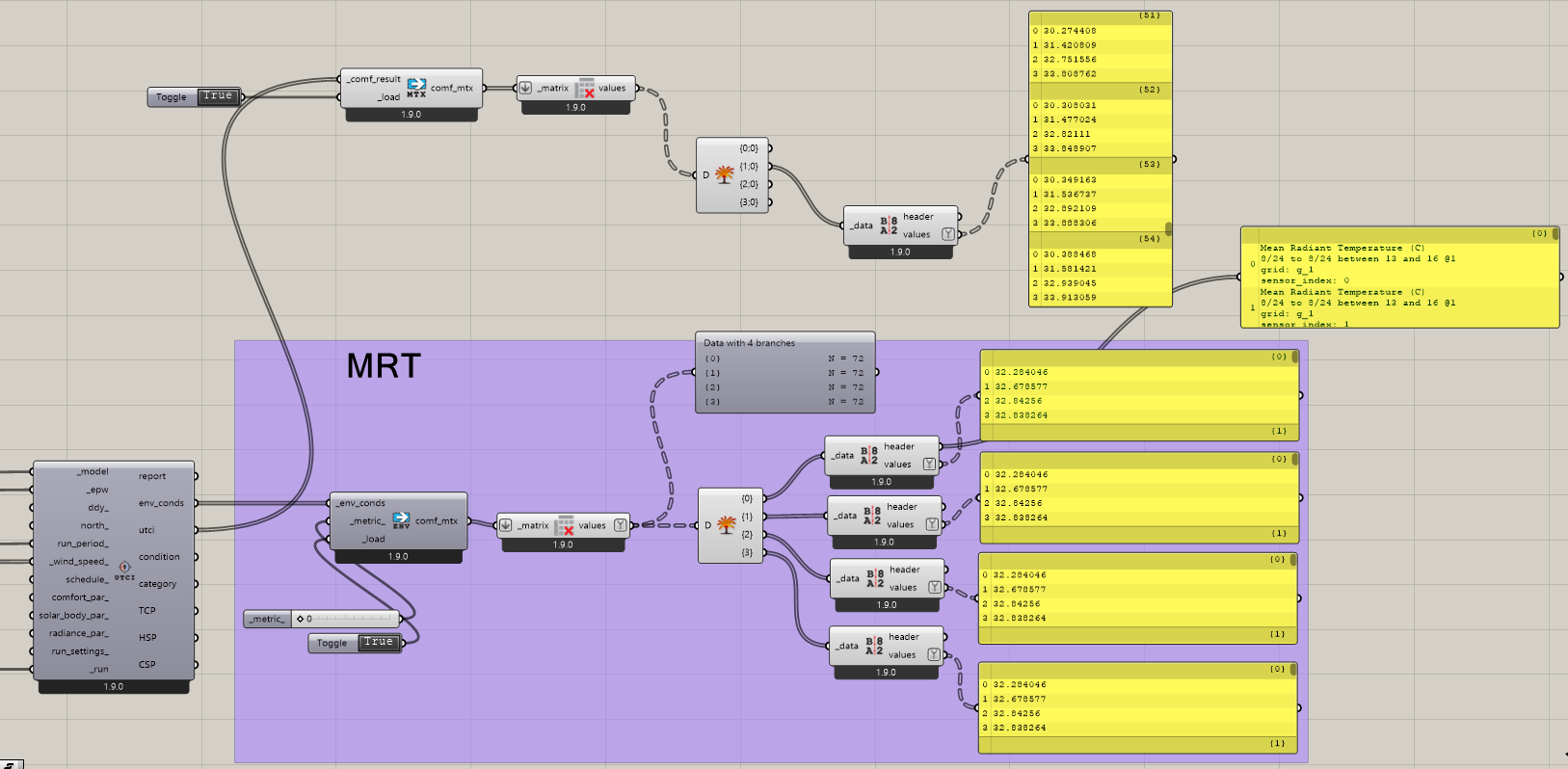
If you want to see just the MRT that the UTCI map component calculates, use the HB Read Environment MAtrix component.
@chris Thank you so much, Chris, for taking the time to respond. I have used the HB UTCI Comfort Map and compared its results with those from the LB MRT component. The former produces lower MRT values compared to LB MRT, which in turn results in significantly lower perceived air temperatures. In the context of Abu Dhabi’s hot summer conditions, the LB MRT values appear more plausible. However, the HB UTCI Comfort Map provides the type of output that I would ideally like to use for optimization.
I am also ensuring that a consistent analysis period is used across the entire workflow (August 24th, hours 13:00–16:00).
Unless I am missing something, I do not fully understand what is causing this discrepancy. My assumption is that the difference arises from the much higher external surface temperatures—relative to dry-bulb air temperatures—derived from the energy modeling and used as inputs in the LB MRT component. In contrast, I think that in the HB UTCI Comfort Map component, external surface temperatures are assumed to be equivalent to the air temperature?
If this is the case, which approach more accurately represents actual MRT values and resulting thermal conditions?
I can pretty much guarantee you that the UTCI comfort map accounts for more factors than you’ll reasonably be able to include in any script that you can build using the LB UTCI Comfort component.
In particular, the UTCI Map accounts for shortwave solar reflections, which are not at all accounted for by the LB Outdoor Solar MRT component. And, like I mentioned above, the UTCI map runs a whole EnergyPlus simulation inside of it to determine outdoor surface temperatures (and uses Radiance to compute view factors to those surfaces).
Your .gh file has too many external plugins in it for me to be able to run it and, if you are trying to validate something for yourself, I recommend doing comparisons with simpler models first. Something like outdoor comfort under a tree is a much better place to start.
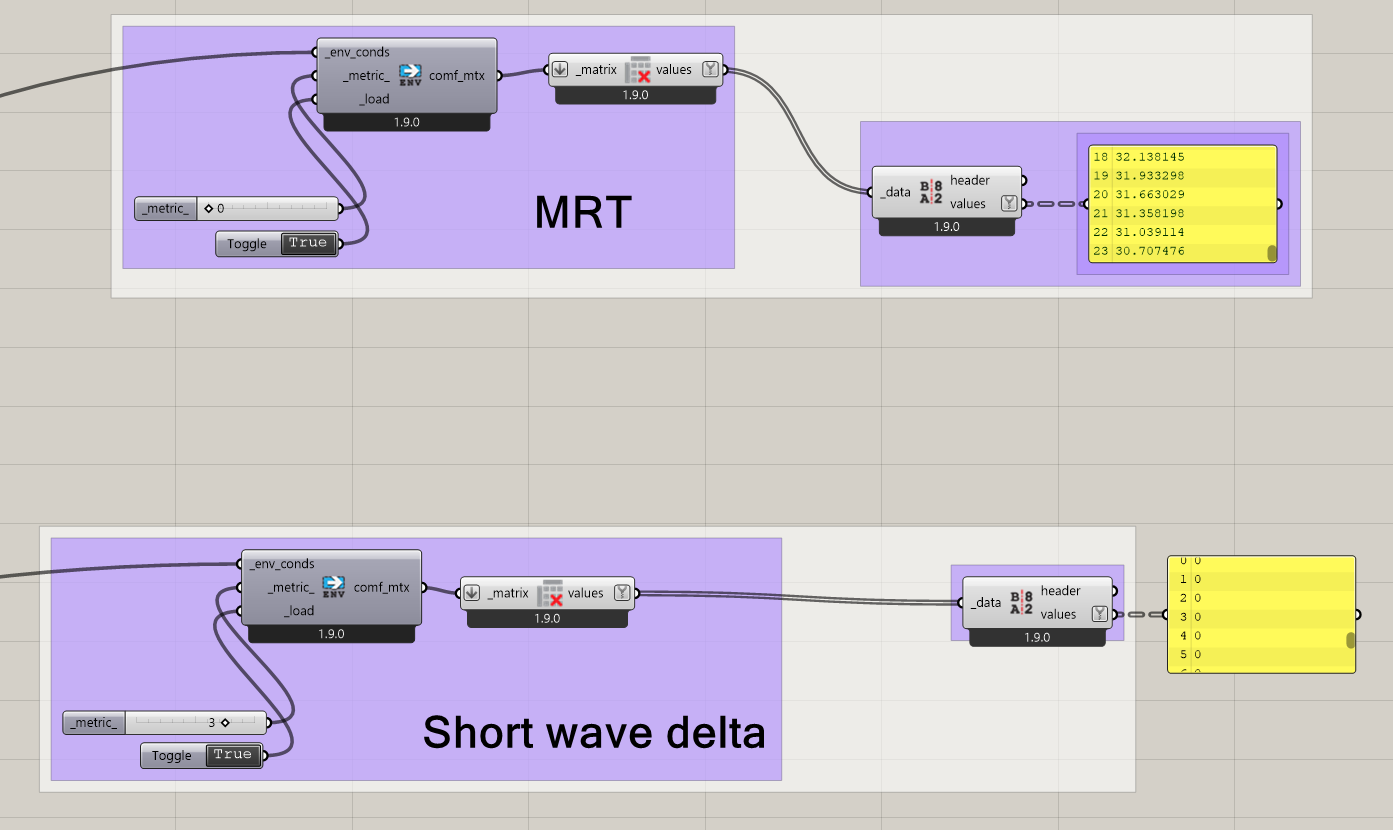
Hi @chris. Asking for your kind help again. Is there any explanation as to why I might be getting 0 values for the short-wave delta.I am getting readings for the rest of environment matrix and they seem normal. It seems that short waves are being accounted for some reason?
I 'm not sure where I am going wrong?
I have attached my setup and made sure that is free of none-LB native ingredients.
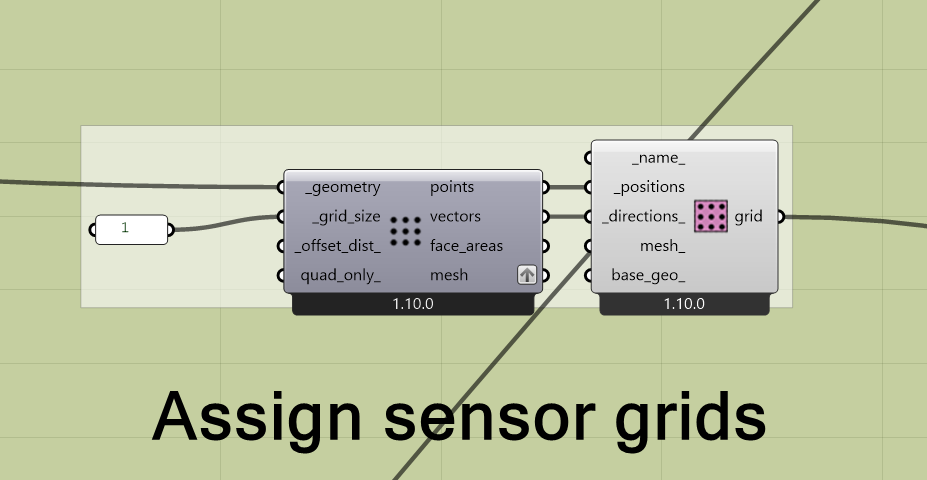
I would like to post an update: my mistake was not having a correct input for the sensor grid directions. Probably that’s why I was not getting a reading for short waves MRT.