Ladybug 1.9 not running in with 2020 intel MacBook

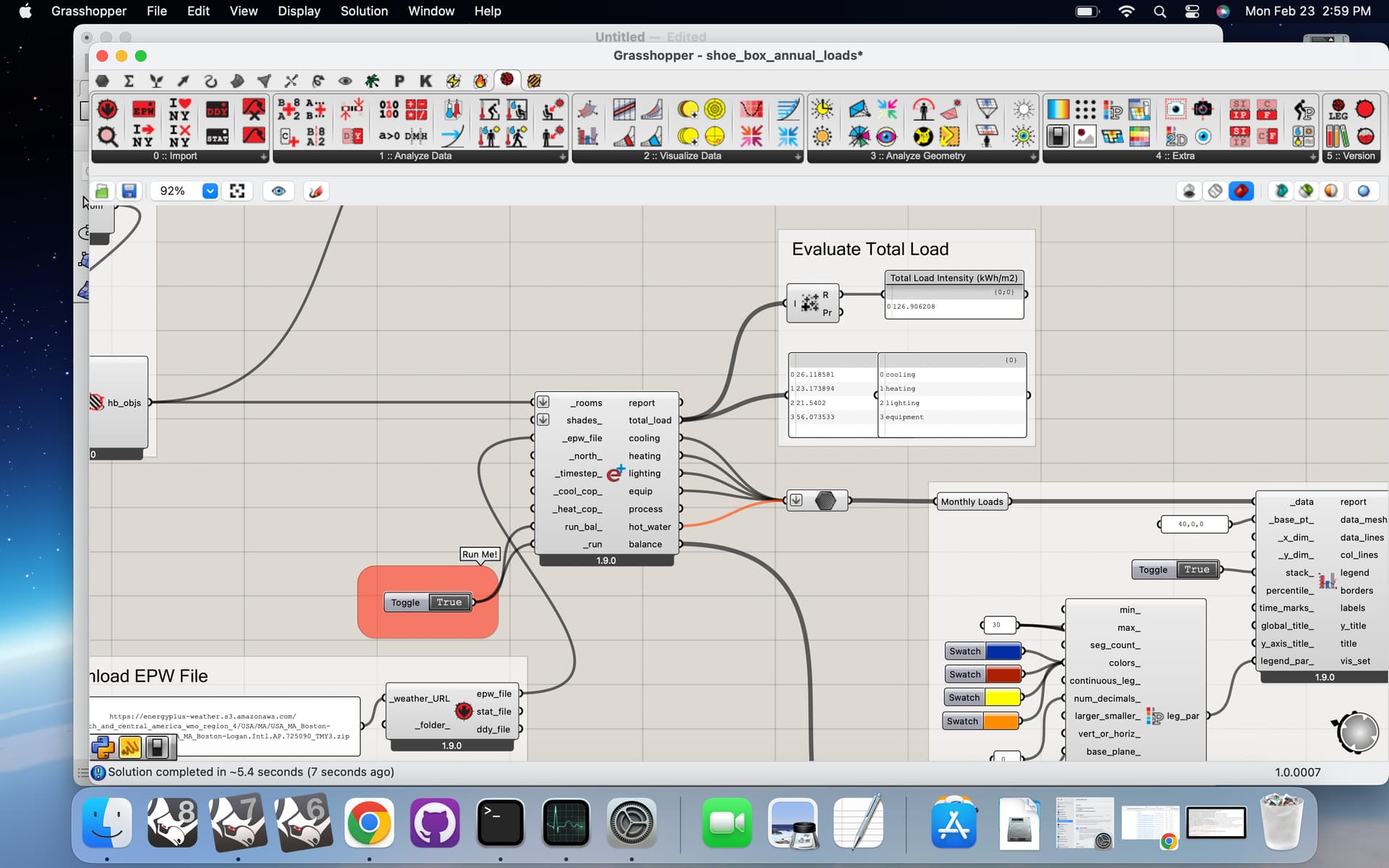
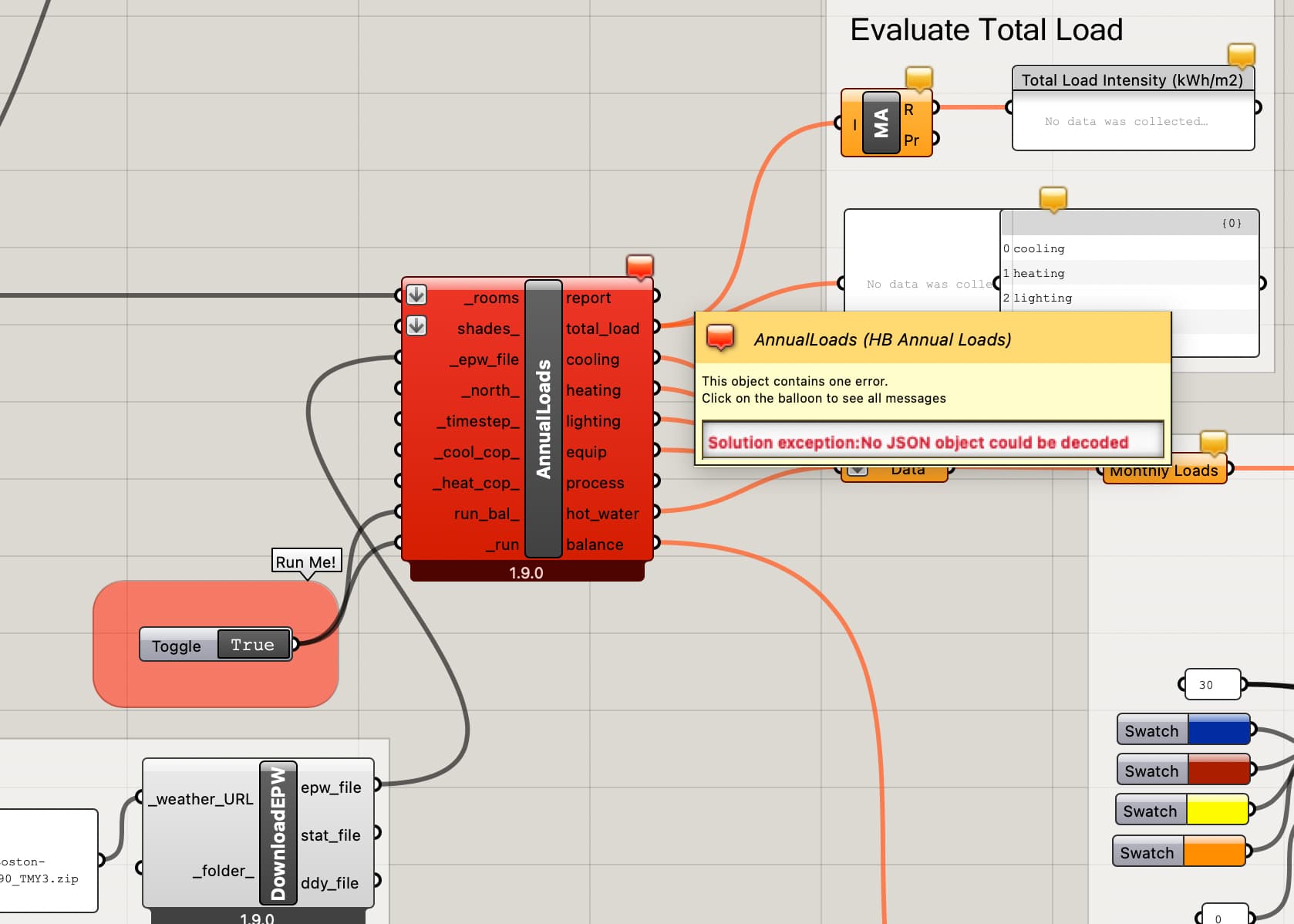
Hi, New to this and not that computer savvy. Have downloaded Radiance, Openstudio and ladybug 1.9 onto computer with Rhino 8 and cannot get shoebox_energymodel.gh to run. “No JSON object could be detected” error in AnnualLoads.


AI directed me to the GrassHopper special components folder and nothing is in it except ladybug_grasshopper_dotnet folder. AI said there should be .gha files for honeybee and others loaded in there. I have tried unlocking different permissions and loading different ladybug (1.8, 1.9, 1.7.62) and radiance and open studio versions all say they installed successfully but end in the same result. Any advice is appreciated. Just bought the Rhino 8 Mac license so hoping I can get this figured out for class.
Thanks

Thank you very much for bringing this to our attention, @Joshua.

It is a major bug that has flown under the radar for a little over a month now, which currently only affects Mac users of the LB Versioner. I’m so glad that you posted it today before I released LBT 1.10 and it also became a bug for all of the other Mac users who do not use the Versioner. :sweat_smile:

It seems that the entire process of updating with the Versioner on Mac has been broken under the hood since we announced support for GPU-based Radiance postprocessing last month. This is because the cupy-cuda12x package that we use for the GPU processing is not available on Mac. So what should be happening is that we don’t bother trying to install cupy-cuda12x on Mac and you stick to using the numpy/CPU-based methods for your Radiance studies.

However, given how this cupy-cuda12x package was integrated into the Versioner, the lack of Mac support meant that the Versioner updating process would just stop and exit, thereby leaving you with an old copy of the Ladybug Tools core libraries. So you have been running Ladybug Tools with a broken version of the core libraries, which ended up causing your issue here.

Needless to say, I pushed a fix here:

… and I verified that I can now run the Versioner successfully on Mac. After that, the “HB Annual Loads” component succeeds.

Thanks again for reporting, @Joshua .

2 Likes

Thank you for this thread @Joshua @chris . In my graduate class, this turned into a manageable but interesting problem because my students are using a wide range of laptops, and the lab desktops run protected university images. We took a different route and were able to resolve it today, but I will definitely try this method in the future.

For mac laptops with Intel processors, we installed “OpenStudio 3.9 Darwin-x86_64.dmg” instead of “Darwin-Arm64.dmg,” which is intended for M1–M4 chips. That resolved the JSON object detection issue. One additional note: for M1–M4 (Apple Silicon) Macs, we needed to install Rosetta 2, as prompted by the Ladybug Tools installer. Macs with Intel processors did not require this step.

We used the following command in Terminal:

“””

softwareupdate --install-rosetta --agree-to-license

“””

However, in general, we encountered a common issue across Windows, Mac, and lab computers while running Ladybug Tools 1.9 with OpenStudio 1.9. After installation, running scripts such as the shoebox energy model produced the following error:

“””
Solution exception: Failed to translate Model to OpenStudio

For further information visit: Redirecting...
“”””

The main issue was that the packages Pydantic and Queenbee needed to be downgraded.

After installing Ladybug and OpenStudio, we ran the following command in Command Prompt or Terminal, which resolved the issue on all machines:

“””

C:\Users<username>\ladybug_tools\python\python.exe -m pip install --force-reinstall “pydantic==1.10.26” “queenbee==1.28.3”

“””
There may be an easier or more streamlined solution, but this approach worked consistently across all of our computers.
1 Like

Thanks, @amanjayedi ,

The need to install rosetta 2 on Apple silicon chips is an issue as old as the Apple Silicon chips themselves.

But the other issue that forced you to pip install pydantic from command line is a major bug that I just discovered:

I am working to get a LBT 1.10 release out today, which will be the official permanent fix for the issue. After I get the release out, I think I’ll go back and update the older Food4Rhino installers so that they don’t give you a broken version of the plugin that you need to fix via command line.

1 Like

@amanjayedi ,

I’m just letting you know that I have released LBT 1.10, which does not have the issue with pydantic and queenbee. Taking all of these fixes together, this should solve @Joshua 's original issue.

I also pushed updated versions of installers for LBT 1.6 through 1.9 to Food4Rhino such that, if you install with them, you won’t have to do the extra --force-reinstall.

The --install-rosetta is still necessary for Apple silicon computers and you need to pick the correct OpenStudio installer as you said. But at least I can say the issue with pydantic, queenbee, and cupy-cuda12x are all fixed now. So things should work out of the box as long as you do the correct steps to install the simulation engines.

3 Likes