Hi,community!
I developed a Ladybug Tools MCP for coding-type Agent applications, enabling the use of the core functions of Ladybug Tools through natural language. This process does not require the use of a CAD interface.

Several months ago, I released the beta version of Honeybee-MCP. At that time, the functionality was quite limited. Apart from editing, there didn’t seem to be much else that could be done. However, after a long period of research and testing, it has now become a complete and scalable framework, capable of utilizing the core functions of Ladybug Tools in any system.
In this project, apart from MCP, there are two other main elements, namely “Garden” and “Flowerpot”. You can learn about their actual meanings through Github.
Let’s start by giving some brief introductions!
Overview
Ladybug Tools MCP is an MCP service built with FastMCP for agent applications. Through natural-language conversation, users can use the core capabilities of Ladybug Tools for common workflows including modeling, editing, querying, simulation, and data visualization, and can do so without depending on a CAD interface.
Several months ago, I released the beta version of Honeybee-MCP. At that time, the functionality was quite limited. Apart from editing, there didn’t seem to be much else that could be done. However, after a long period of research and testing, it has now become a complete and scalable framework, capable of utilizing the core functions of Ladybug Tools in any system.
User Groups
The original purpose of Ladybug Tools MCP is to turn design or technical concepts into concrete outputs quickly. For example, when a professor explains “What is a Trombe wall?” in a building technology course, a student can open Codex voice mode during the lecture, and by the time the explanation is finished, Codex can already transform the concept into inspectable models and files, together with graphical workflow output.
How to install
I suggest that you use the intelligent agent application to perform the installation for you instead of doing it manually. These applications can be Codex or Cluade Code. If you are not a user of any intelligent agent application, I suggest you use Codex. This project is almost entirely built by Codex.
All you need to do is send this sentence in Codex. He should be able to assist you with all the tasks. You just need to have a cup of coffee and wait to use it.
Hello, Codex. Please help me install this project and configure the MCP into my agent application. https://github.com/LoftyTao/ladybug-tools-mcp
First Use
After Ladybug Tools MCP is enabled, you can invoke the ladybug-tools-mcp-use skill with /, then input HI , Ladybug Tools ! to activate the onboarding flow for the three main usage intents that we provide. After the onboarding is complete, you can start building according to your intent.
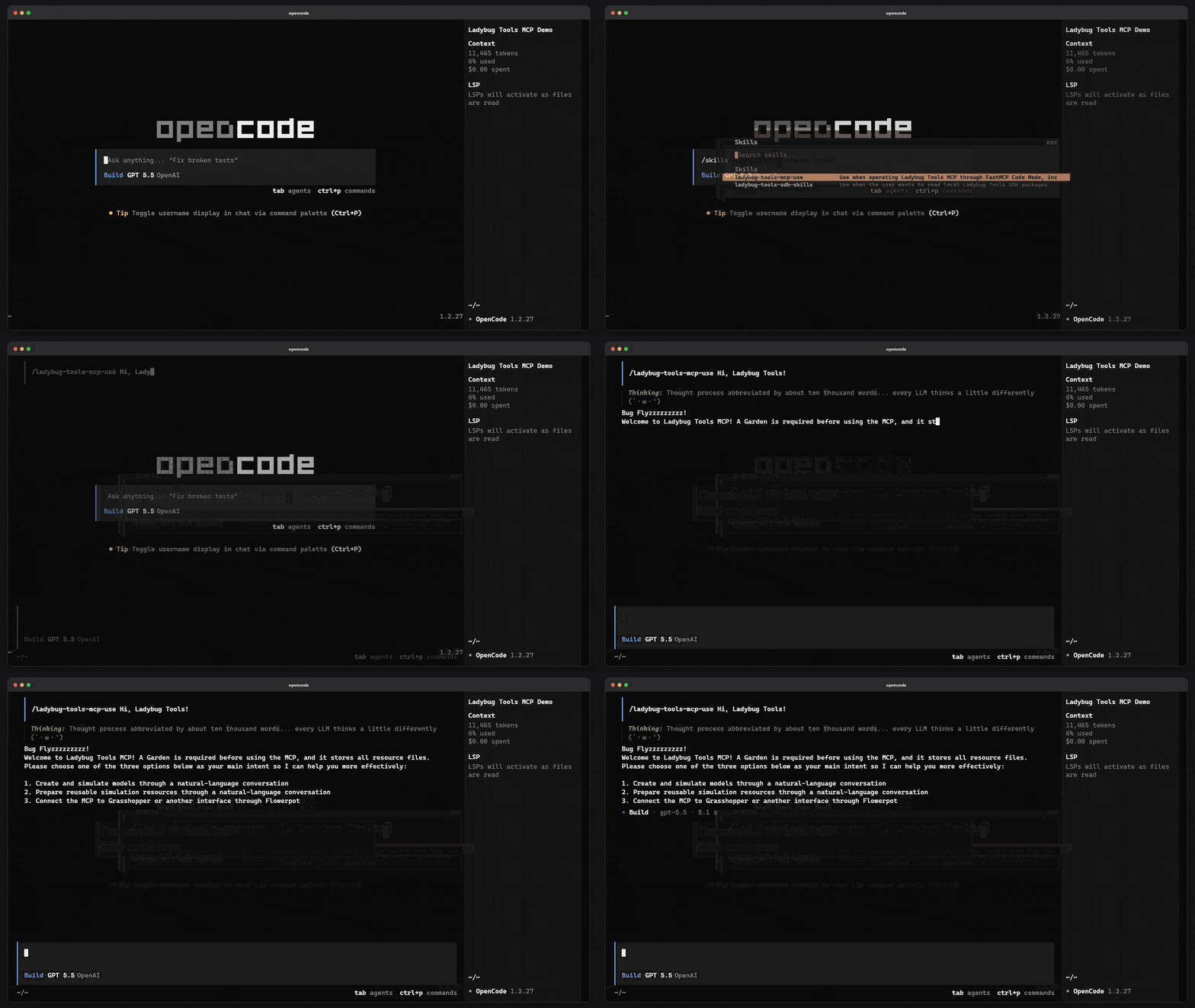
It should be noted that in this project, I have provided a usage method for the Codex Plugin. You can also activate the Ladybug Tools MCP by enabling the plugin.
@ladybug-tools-mcp Hi,Ladybug Tools!
In general, the agent application will output the onboarding template according to the guidance in our skills, but the actual result still depends on the host application’s instructions and the base capability of the language model. I strongly recommend that you use the best model available within your means in order to use our tools more effectively.
Workflow Examples
Due to space limitations, I cannot fully demonstrate to you how all the functions should be used. However, you can achieve the main functions I have described here by communicating with LLMs.
What I need to clarify is that if you want to preview everything you create for the model, please tell your agent to export it in SVG or HTML format using the Visualization Set.
Acknowledgements
Special thanks to the Ladybug Tools community and the Ladybug Tools team:
-
@mostapha raised the priority of Pydantic compatibility, which greatly reduced the development difficulty of this project.
-
@chris helped make the
.svgformat of Visualization Set the main model visualization scheme for the MCP workflow, which made it possible for us to fully inspect built content without relying on a CAD interface.
Beyond that, the implementation core of this project remains the Ladybug Tools Core SDK, which is the result of many years of development by the Ladybug Tools team.
