Great members of the Ladybug Tools community,
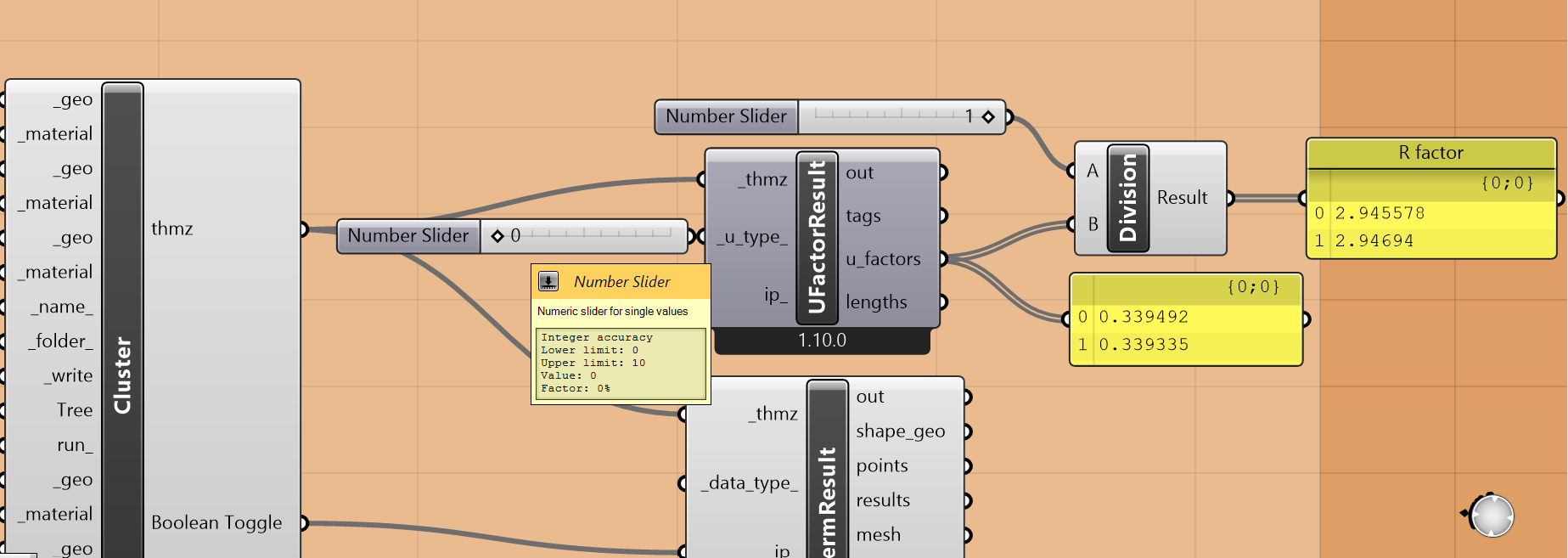
After years of you asking us about the future of the Legacy Honeybee THERM capabilities, we are happy to announce that we have finally added a connection to THERM 8 in the latest LBT-Grasshopper plugin! These THERM capabilities have been exposed through a new bug called Fairyfly, named for the smallest known insect who has no trouble squeezing between the tiniest layers of our construction details.

How to get Fairyfly flying
The Fairyfly components are currently available via the latest Pollination Grasshopper/Rhino single-click installers, which is probably the easiest way to get the components. Alternatively, they are also available via the LB Versioner component. Just note that, if you use the Versioner, you will likely need to run it and restart Rhino twice for the Fairyfly components to show up on your machine. Lastly, if you are willing to wait a little, the components will also be included in the LBT 1.10 release that we are planning to post to Food4Rhino in the next couple of weeks.
AFTER GETTING THE COMPONENTS, YOU WILL ALSO NEED TO INSTALL THERM 8.1 TO BE ABLE TO RUN THERM SIMULATIONS FROM GRASSHOPPER. THERM 8.1 can be downloaded here and the THERM Redistributable Libraries must also be installed if you want to be able to run THERM simulations from Grasshopper. Note that you must install THERM 8.1 even if you use the Pollination single-click installer.
After you have installed the Fairyfly components, THERM 8.1, and the redistributable libraries, you will be able to run all of the Fairyfly sample .gh files that you see here. Note that you may need to open the corresponding Rhino file to ensure the model tolerance is suitable for construction detail geometry.
How to use the components
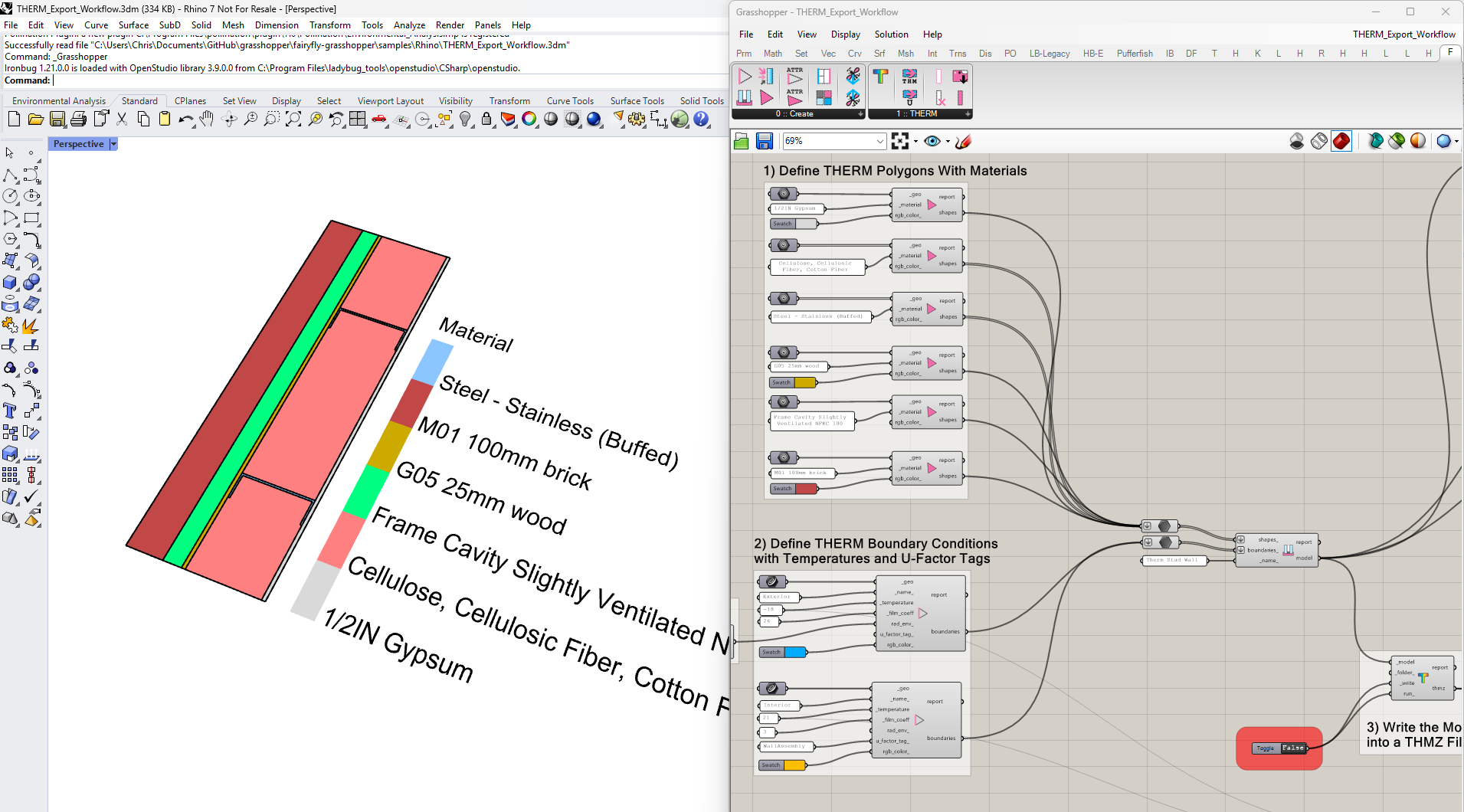
For those of you who used the Legacy Honeybee plugin, the workflow should feel fairly similar. You build your model using with components that assign THERM properties to shapes and boundaries:
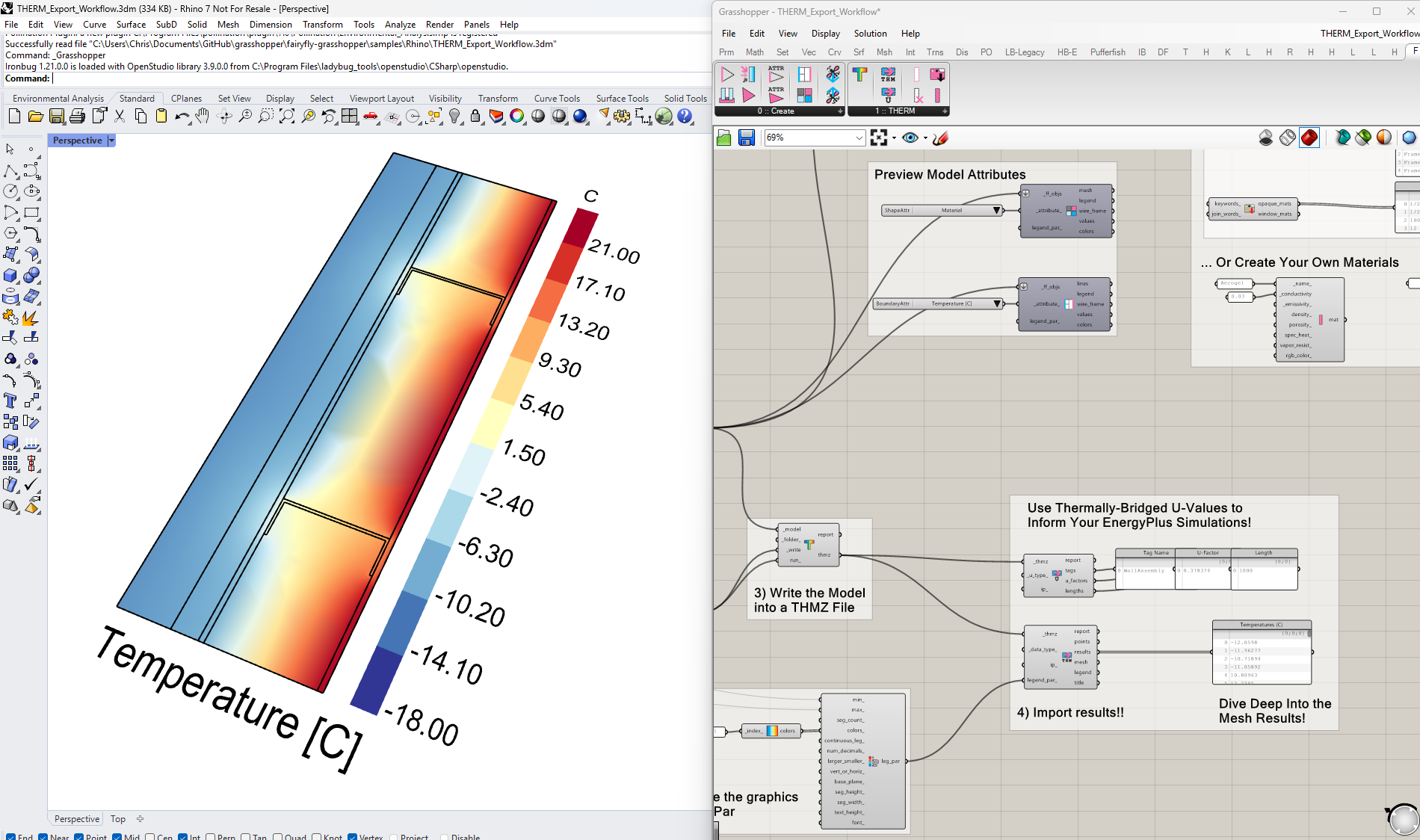
… and there are components to parse the results of the THERM simulation, including U-values and a colored mesh of temperatures (or heat flux):
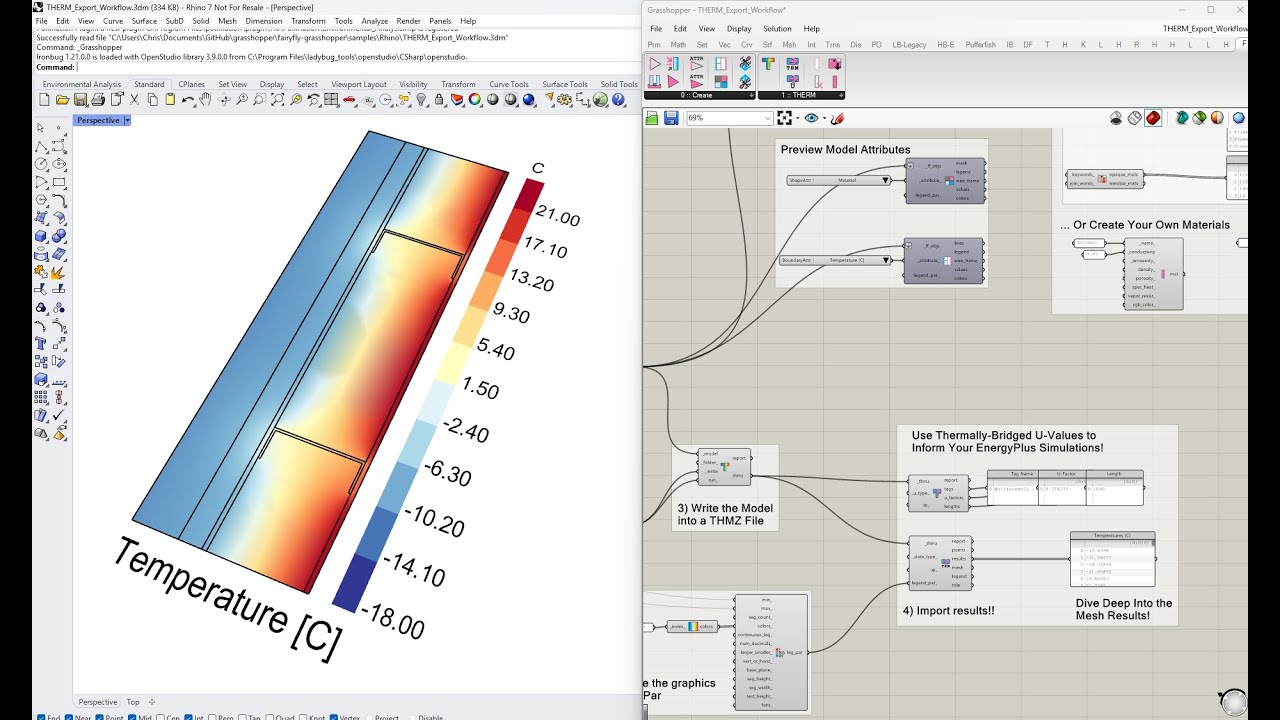
For a full walkthrough of how to use the plugin, see the tutorial video here:
Improvements from Legacy
Some of the improvements over the Legacy plugin include the following:
Visualization
Fairyfly includes components that enable you to visualize and check the properties of the THERM shapes/boundaries to be sure they make sense before you hit the “simulate” button. The result components are also simpler and separated into two depending on whether you want to visualize the entire THERM mesh or just get the U-Factors for your energy simulations. And you can bet that the new result component supports use of the Ladybug Visualization Set (thanks, Abraham, for reminding us of this one).
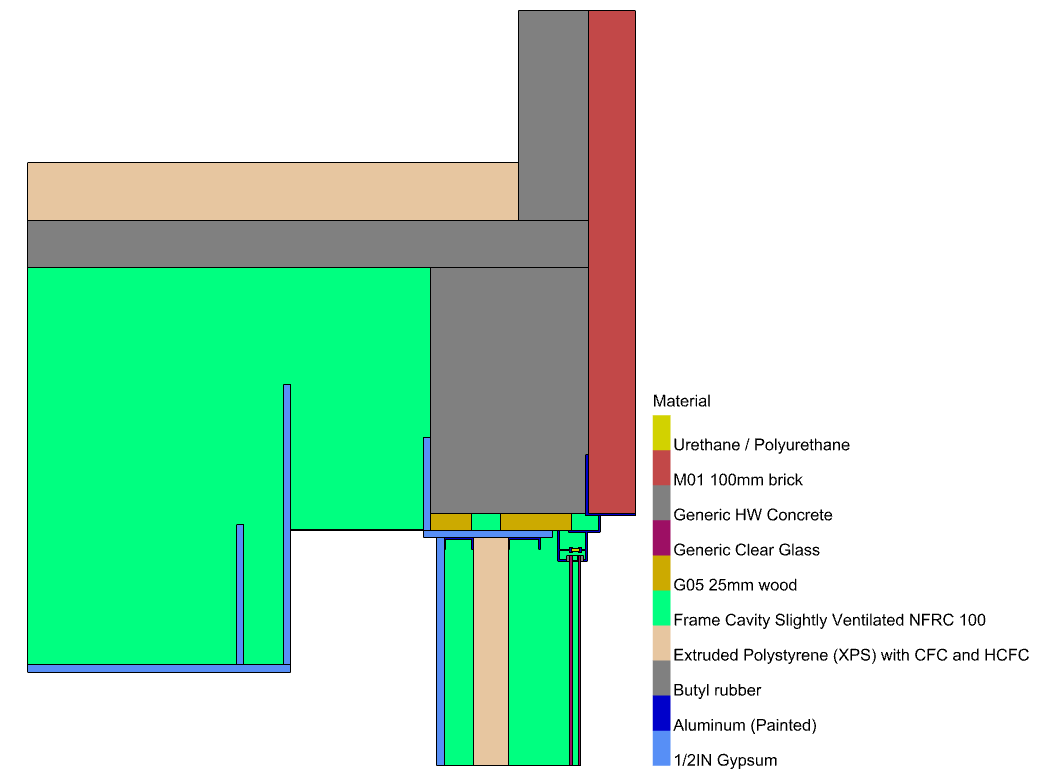
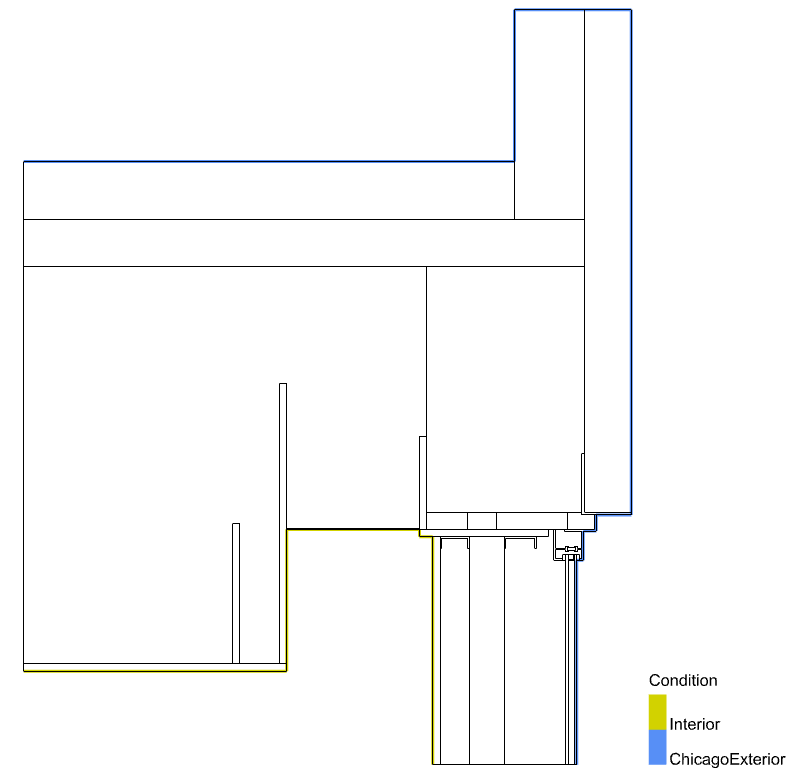
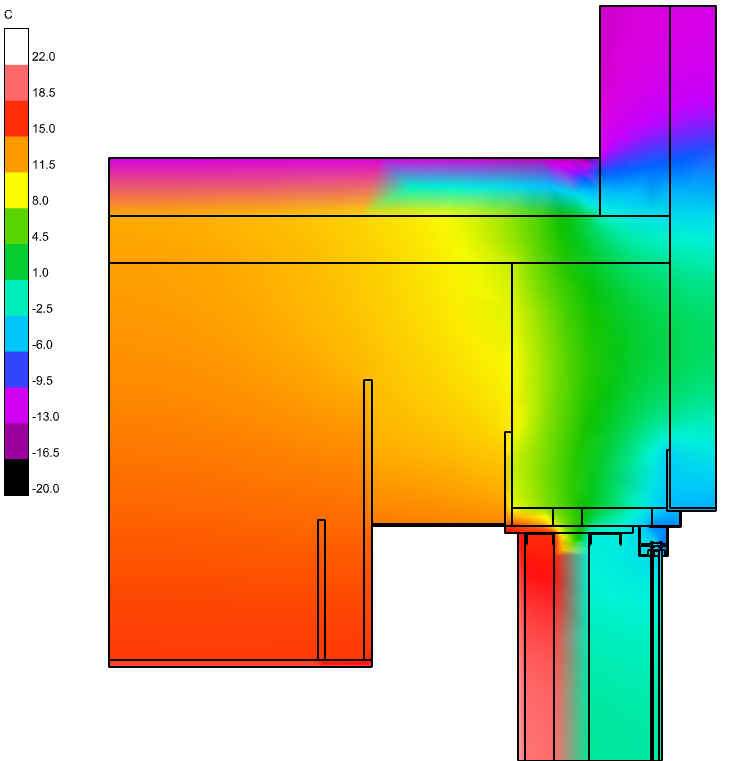
File Format and Serialization
Thanks to a major refactor that LBNL performed for THERM 8.1, there is now only one file used by THERM to represent all model geometry, materials, simulation parameters, finite element meshes, and results - the THMZ file format. Unlike our Legacy THERM connection that used the older THMX file format, this new .thmz file is both the format that Fairyfly writes and the format used natively by the THERM interface. This all greatly simplifies many of the Fairyfly Grasshopper workflows, making it possible to write and read results from a .thmz file using Fairyfly even when you do not have THERM installed. Additionally, like LBT Honeybee, Fairyfly has components to serialize models to/from a JSON format such that you can save everything you build in Grasshopper to a single FFJSON file and load up the exact same model object in a different Grasshopper definition with zero data loss.
Complex Geometry and Meshing
Another major improvement that LBNL made with THERM 8.1 was adding a completely new meshing algorithm, which can handle far more complex construction details than were previously supported. On the Ladybug Tools side, we also have added methods for handling complex geometry cases like shapes with holes, boundary endpoints that don’t align with the shape vertices, and much more. So, for those of you who experienced geometry issues or meshing errors with the Legacy Honeybee plugin, you should find that these issues are a thing of the past with the new Fairyfly plugin. Of course, if you do experience issues, they are probably a bug and we will fix it if you let us know here on discourse.
Improved Accuracy (particularly for Cavity Materials)
Yet another significant improvement of Fairyfly is its full support for the creation of gas cavity materials - including the ability to customize both the gas contents and the cavity model used in simulation. In Legacy Honeybee, we were limited by the THMX file format’s support for cavity materials. Now, thanks largely to the THMZ format, we can correctly specify different cavity models, including slightly ventilated models with their different conductivity.
Limitations and Next Steps
While this first Fairyfly release represents a major improvement over the Legacy Honeybee connection, we have only just scratched the surface of a massive new feature set that the LBNL team has put into THERM 8. So we have big plans for adding new features in the future:
Window Systems
At the top of our list for future fairyfly improvements is streamlined support for insulated Window Systems. Presently, the only way to model insulated windows in Fairyfly is by creating your own glass and cavity materials, which is tedious and does a poor job of representing low-e coatings on only one side of the glass. So we will soon be adding components and workflows to import glazing systems exported from LBNL WINDOW. Stay tuned!
Detailed Hygrothermal Modeling
While it has always been possible to perform rough dew point analyses using THERM result meshes (culling vertices below a certain temperature value), real-world humidity modeling is much more complex. You often have different humidity conditions indoors vs. outdoors and each material has different vapor resistances, meaning that there isn’t a constant dew point across the whole construction. Thankfully, THERM 8 has major improvements in this respect, enabling fully-detailed hygrothermal modeling. Those of you willing to check out the fairyfly-therm Python SDK will see that the properties necessary for hygrothermal modeling already exist for the materials and conditions you create with Fairyfly. So we will be exposing these in the near future once we ensure that we have workflows for visualizing/evaluating hygrothermal results and we also put together sample files that correctly account for special materials like vapor barriers.
Transient THERM Simulation
Perhaps the most exciting capability that THERM 8 has over THERM 7 is support for a full transient simulation. At the moment, it is possible to run an annual simulation of THERM 8 models with boundary condition data taken from EPW files, which is not all that dissimilar from other annual simulations we run with Ladybug Tools (like those for annual daylight or annual energy simulation). This opens up the potential to evaluate condensation risk in construction details over extended real-world scenarios. So we are very much looking forward to adding support for this in Fairyfly. However, implementing this will take some time given that these transient simulations require many more inputs than your typical THERM model. Also, the sheer size of the simulation results presents its own challenges. Add to this the fact that THERM 8 has its BETA moniker largely because more testing and validation needed for transient simulations and you can see why this effort will likely be a WIP for a while. Nevertheless, you can rest assured that we are as excited by this capability as you are and we are planning to expose it (with your help to find all of the bugs and edge-cases, of course).
Credits
A huge thanks is due to Simon Vidanovic, Charlie Curcija, and Robin Mitchell from the THERM development team at LBNL for their continued support as this first iteration of fairyfly was planned and executed. Without the herculean refactoring, maintenance and support effort they performed to bring THERM 8 into the world, our task of making a fairyfly plugin would have been far more difficult and your experience as a user would have been far more limited.